
Open-Meteo MCP. Predict every variable—from pollution to wind speed.
 Gemini
 Works with every AI agent you already use
…and any MCP-compatible client









Just plug in your AI agents and start using Vinkius.
Open-Meteo gives you global weather forecasts, historical data, and air quality metrics without needing an API key. Use this MCP Server to access current temperature, wind speed, rainfall chances, and detailed pollution readings (PM2.5, Ozone) for any location or date range.
It's open-source environmental data, meaning you can run complex queries—from 7-day forecasts to decades of archived records—directly through your AI agent.
What your AI agents can do
Get air quality
Calculates hourly pollution levels (PM2.5, Ozone, etc.) for up to 7 days at specified coordinates.
Get elevation
Returns the altitude reading in meters for any given set of latitude and longitude coordinates.
Get forecast
Provides current and future weather predictions, including temperature, wind direction, and rain probability.
Predicts temperature, wind speed, precipitation, and cloud cover for a location over the next 16 days.
Retrieves hourly pollution levels (PM2.5, Ozone) and UV index predictions for up to seven days out.
Converts a general place name into precise latitude and longitude required by the weather tools.
Pulls detailed weather data for specific dates, going back as far as 1940.
Provides the elevation reading (in meters) for any given set of coordinates.
Ask AI about this MCP
Supported MCP Clients
Gemini Waiting for input…
Open-Meteo: 5 Tools for Environmental Metrics
These tools let your AI agent access specific environmental measurements—from elevation changes to PM2.5 readings—using structured, reliable calls.
019d8464get air quality
Calculates hourly pollution levels (PM2.5, Ozone, etc.) for up to 7 days at specified coordinates.
019d8464get elevation
Returns the altitude reading in meters for any given set of latitude and longitude coordinates.
019d8464get forecast
Provides current and future weather predictions, including temperature, wind direction, and rain probability.
019d8464get geocoding
Converts a readable place name into the exact latitude and longitude coordinates needed for all other tools.
019d8464get historical weather
Retrieves detailed weather data logs, spanning decades back to 1940, for specific coordinate ranges.
Choose How to Get Started
Build a custom MCP for your own tools, or connect a ready-made integration from our catalog.
Build Your Own
Turn any API into an MCP. Import a spec, define Agent Skills, or deploy with MCPFusion.
- Import from OpenAPI, Swagger, or YAML specs
- Create Agent Skills with progressive disclosure
- Deploy to edge with MCPFusion framework
- Built in DLP, auth, and compliance on every call
- Real time usage dashboard and cost metering
- Publish to catalog or keep private
Make Your AI Do More
Start with Open-Meteo, then connect any of our 4,700+ other servers whenever your AI needs more. One click, no limits.
- Use this MCP plus 4,700+ others, all in one place
- Add new capabilities to your AI anytime you want
- Every connection is secured and compliant automatically
- Track usage and costs across all your servers
- Works with Claude, ChatGPT, Cursor, and more
- New servers added to the catalog every week
What you can do with this MCP connector
Listen up. This Open-Meteo MCP Server lets you pull global weather and air quality data straight into your agent without needing a single API key. You just connect your AI client, and boom—you got the raw environmental metrics you need.
You'll start by finding coordinates using get_geocoding. Just give it a readable place name, and that tool spits out the precise latitude and longitude needed for everything else.
From there, if you wanna know what the area's altitude is, run get_elevation with those coordinates; it returns the reading in meters. If you gotta pull historical context, use get_historical_weather. This tool pulls detailed weather logs—we're talking decades back to 1940—for any specific coordinate range and date.
When you’re forecasting what's coming up, get_forecast provides current conditions and predicts future metrics like temperature, wind direction, and rain probability. It gives you predictions for the next sixteen days, covering everything from basic weather to cloud cover.
To check out air quality—and this is key—you use get_air_quality. This tool calculates hourly pollution levels, including PM2.5 and Ozone readings, for up to seven days at specific coordinates. You can cross-reference that with the UV index predictions when you run it.
It’s all about location data first. Your agent runs get_geocoding on a city name, gets the lat/long pair, then passes those numbers to get_forecast for the next two weeks of weather predictions, or maybe to get_air_quality if you're checking pollution levels over seven days. If you need altitude context, it’s another shot at get_elevation.
For deep dives into climate trends, you feed coordinates and date ranges into get_historical_weather. The whole system works together like clockwork.
You don't have to worry about rates, keys, or complex authentication. You just tell your agent what job it needs doing—whether that’s predicting the wind speed for tomorrow at a specific coordinate pair using get_forecast, determining the historical rain chances from 1985 using get_historical_weather, or figuring out if the ozone levels are spiking next week by running get_air_quality.
Think of it this way: you've got five powerful tools. You start with get_geocoding to lock down your target spot. Then, you branch out based on what data you need. If it’s a short-term prediction, hit up get_forecast. If you're tracking pollution over time, use get_air_quality. If the job is pure history, get_historical_weather has your back.
And if you just gotta know how high up that spot is, get_elevation gives it to ya in meters. You can stack these calls together using your AI client; for example, running get_geocoding, then passing the coordinates to both get_forecast and get_air_quality so you get a full picture—the weather prediction alongside the pollution forecast.
This open-source approach means your agent runs complex queries, pulling data from modern predictions all the way back through archived records dating back decades. You never hit a wall because of required credentials or restricted variables.
How Open-Meteo MCP Works
- 1 First, run
get_geocodingwith a place name. This converts text into required latitude and longitude coordinates. - 2 Next, pass those specific coordinates to the desired tool (e.g.,
get_forecast,get_air_quality). - 3 Finally, your agent receives a structured data payload containing the requested weather metrics or historical records.
The bottom line is you get multiple environmental datasets—from current temp to 1940 archives—all through one simple set of tool calls.
Who Is Open-Meteo MCP For?
Anyone who needs location-based data beyond a quick Google search. This is for the climate researcher needing longitudinal records, the developer building an environmental dashboard, or the travel planner checking multi-variable air quality before a trip.
Runs get_historical_weather to compare temperature and precipitation patterns across decades for specific study sites.
Integrates real-time weather variables (wind speed, visibility) into an operational dashboard without managing API keys or authentication layers.
Checks get_forecast for UV index and wind gusts across a 7-day window to safely schedule outdoor events.
What Changes When You Connect
- Checks historical data back to 1940. Don't just get today's weather; use
get_historical_weatherfor deep climate analysis and trend comparisons. - Pollution tracking is built-in. Use
get_air_qualityto monitor critical metrics like PM2.5 and Ozone, giving you a full environmental picture beyond just temperature. - It works with place names first. Don't worry about coordinates—run
get_geocodingon 'Miami, FL', and the rest of the tools handle the math. - No paid keys required. You connect your agent, run the tool, and you get data instantly. It’s completely open-source weather intel.
- Full variables available. The
get_forecasttool covers 50+ metrics—you can specify exactly what you need (e.g., 'apparent temperature' or 'cloud cover') instead of getting a massive dump.
Real-World Use Cases
Planning an international research trip
A climate scientist needs to know how air quality changed in London over the past decade. Instead of visiting multiple government sites, they use get_geocoding for London's coordinates, then run get_historical_weather and get_air_quality with a 10-year date range. The agent returns clean data logs immediately.
Scheduling an outdoor race
The event coordinator needs to know if the wind speed or UV index will exceed safety limits next week. They use get_geocoding for the park location, then call get_forecast. The agent aggregates the 7-day forecast and flags high wind gusts.
Building a weather dashboard
A developer needs to display real-time conditions plus altitude data. They first run get_geocoding for their target ZIP code, then call both get_forecast and get_elevation. The agent returns the structured coordinates and altimeter readings needed for the UI.
Analyzing a construction site's environment
A project manager needs to know how pollution levels change near a building site. They use get_geocoding for the address, then run get_air_quality. The agent provides PM2.5 and NO2 hourly forecasts for the next week.
The Tradeoffs
Skipping coordinate lookups
The user tries to call get_forecast directly with 'Paris' because it sounds simple. The tool fails because it needs structured lat/lon, not a string.
→
Always start by running get_geocoding on the city name ('Paris'). Use the resulting coordinates in the next step when calling get_forecast.
Asking for too many variables
The user prompts: 'Give me everything about Paris weather.' The response is useless and overwhelming because it mixes current data, historical data, and forecasts.
→
Be specific. Run separate tool calls. For example, first call get_air_quality for pollution, then run get_forecast specifically asking only for 'wind speed' and 'temperature_2m'.
Mixing time periods
The user asks: 'What was the weather last month, but also what will it be next week?' The tools conflict because historical data requires date ranges while forecasts require future dates.
→
Separate your requests. Use get_historical_weather for past records (needs start/end date). Use get_forecast only when you need future predictions.
When It Fits, When It Doesn't
Use this server if your task involves measuring environmental variables—temperature, pollution, wind, or altitude—at a specific place and time. The workflow is inherently multi-step: location -> coordinates -> data. Don't use it if you just need general knowledge (e.g., 'What is the best thing to do in Paris?'); for that, a search agent works better. Also, don’t expect hyper-local detail like street-level camera feeds; this tool provides large-scale, scientific metrics. If you only have a place name and no date range, your first action must be get_geocoding. Never skip that step.
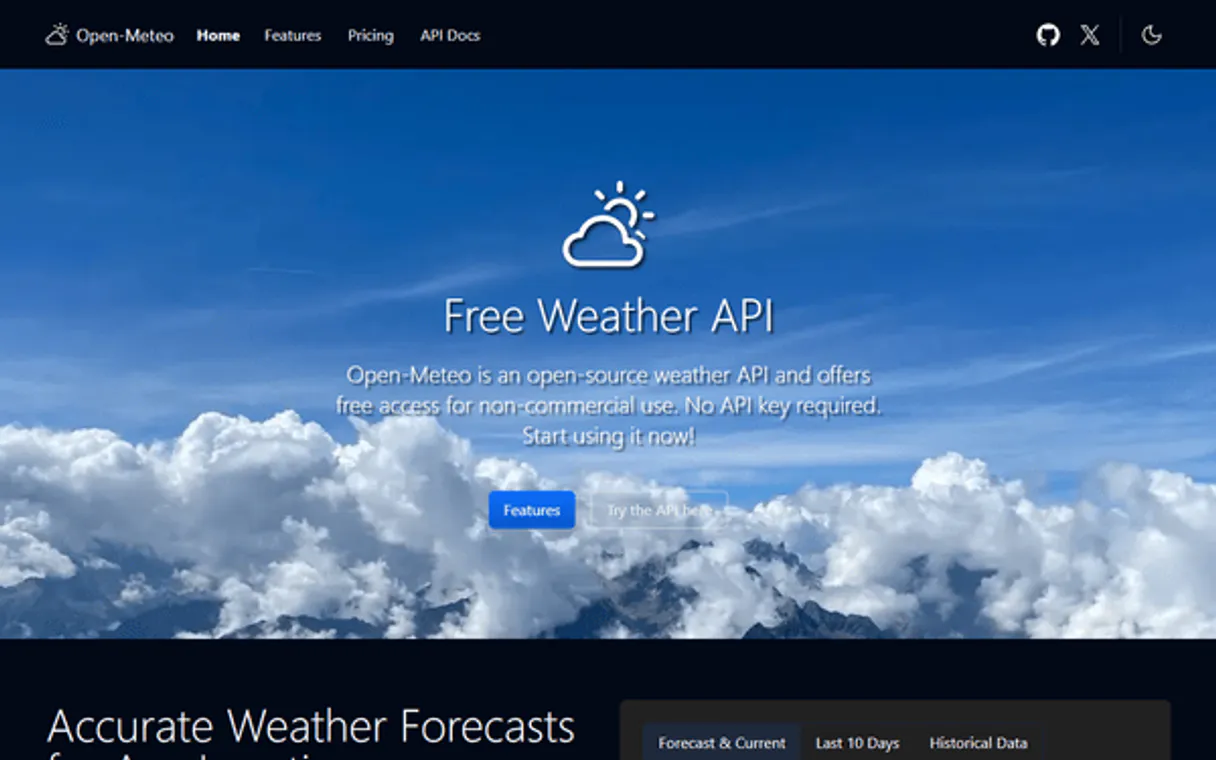
Independent Platform Disclaimer: Vinkius is an independent platform and is not affiliated with, endorsed by, sponsored by, verified by, or otherwise authorized by Open-Meteo. All third-party trademarks, logos, and brand names are the property of their respective owners. Their use on this website is strictly for informational purposes to identify service compatibility and interoperability.
VINKIUS INFRASTRUCTURE
Cloud Hosted
Managed infra
V8 Isolated
Sandboxed per request
Zero-Trust Proxy
No stored credentials
DLP Enforced
Policy on every call
GDPR Compliant
EU data residency
Token Compression
~60% cost reduction
Works with Claude, ChatGPT, Cursor, and more
The Model Context Protocol standardizes how applications expose capabilities to LLMs. Instead of operating in isolation, your AI gains direct access to external platforms, live data, and real-world actions through secure, standardized connections.
This server provides 5 capabilities that interface natively with Claude, ChatGPT, Cursor, and any MCP client. No middleware. No custom integration required.
Available Capabilities
Manually checking weather data is a multi-site headache.
Today, if you're planning an event or research trip, you have to open five different websites: one for the current temperature, one for air quality (PM2.5), another for historical archives, and maybe a third just to find the coordinates first. You copy-paste latitude/longitude everywhere, switching tabs until your eyes bleed.
With Open-Meteo MCP Server, you tell your agent what you need—'I need the 7-day forecast and air quality for Denver.' The agent handles the whole chain: it geocodes Denver, then pulls both the `get_forecast` data and the `get_air_quality` metrics. You get a clean, single payload.
Open-Meteo MCP Server: Get multi-variable environmental reports.
Previously, getting full context meant running separate queries for temperature (via `get_forecast`) and then manually checking the air quality index via a different service. You'd end up with two semi-related data sets that needed human cleanup before use.
Now you can fuse them. Ask for 'weather and pollution in London.' The server executes both necessary steps—the forecast *and* the air quality check—in sequence, delivering one unified report. It just works.
Common Questions About Open-Meteo MCP
Do I need an API key? +
No! Open-Meteo is completely free and open-source for non-commercial use. No API key, no sign-up, no registration. Just subscribe and start querying. For commercial use, you'll need an API key from open-meteo.com.
What weather variables are available? +
50+ variables including: temperature (2m, 80m, 120m, 180m), apparent temperature, humidity, dew point, wind speed/direction/gusts, precipitation, rain, snowfall, snow depth, cloud cover, pressure, UV index, sunshine duration, visibility, evapotranspiration, soil temperature/moisture and many more.
How far back does historical data go? +
Historical weather data goes back to 1940 for most locations worldwide. Use get_historical_weather with start_date and end_date in YYYY-MM-DD format to retrieve archived data.
How do I find coordinates for a city? +
Use get_geocoding with the city name (e.g. 'São Paulo', 'Tokyo', 'London'). Returns coordinates, elevation, timezone and country info. Then use those coordinates with get_forecast or get_historical_weather.
How do I chain data, for example, using get_geocoding to find coordinates before running get_forecast? +
You must run the tools in sequence. First, call get_geocoding with the city name to retrieve latitude and longitude. Then, use those specific coordinates as inputs when calling get_forecast. This ensures weather data is pinned precisely to the location you want.
When using get_forecast, how do I ensure the results are in my local timezone? +
You specify the desired time format by setting the timezone parameter to "auto". If you skip this step or use GMT, the data will default to Greenwich Mean Time. Always set it to "auto" for accurate local reporting.
What specific pollutants can I check using get_air_quality? +
This tool tracks several key airborne metrics: PM2.5, PM10, nitrogen dioxide, ozone, sulphur dioxide, carbon monoxide, dust, and the UV index. It provides an hourly forecast for these pollutants spanning up to seven days.
What kind of data does the get_elevation tool return, and what coordinates does it need? +
The get_elevation tool returns precise elevation measurements (altitude) for any given coordinate pair. It requires only latitude and longitude as input. This makes it useful for hiking planning or aviation checks.
Use it with your favorite AI tools
Connect this server to Cursor, Claude, VS Code, and more.
More in this category
Baidu Analytics / 百度统计
China's leading web analytics platform — audit traffic, track visitors, and query site metrics via AI.

SkootEco
Connect your AI agents to SkootEco to track carbon emissions, purchase offsets, plant trees, and generate ESG compliance reports.

Facebook Ads
Manage your Facebook and Meta Ads via AI — list campaigns, track performance insights, and update ad status directly through your agent.
You might also like

Memo Meister
Create and organize smart notes with AI-powered tagging, search, and knowledge connections that make your ideas retrievable.

BotGenuity
Create and manage AI chatbots with custom knowledge bases that answer customer questions accurately around the clock.

Lago
Manage your metering and usage-based billing with Lago — handle customers, subscriptions, plans, and events directly from your AI agent.