
OpenAQ MCP. Access global pollution data in seconds.
 Gemini
 Works with every AI agent you already use
…and any MCP-compatible client









Just plug in your AI agents and start using Vinkius.
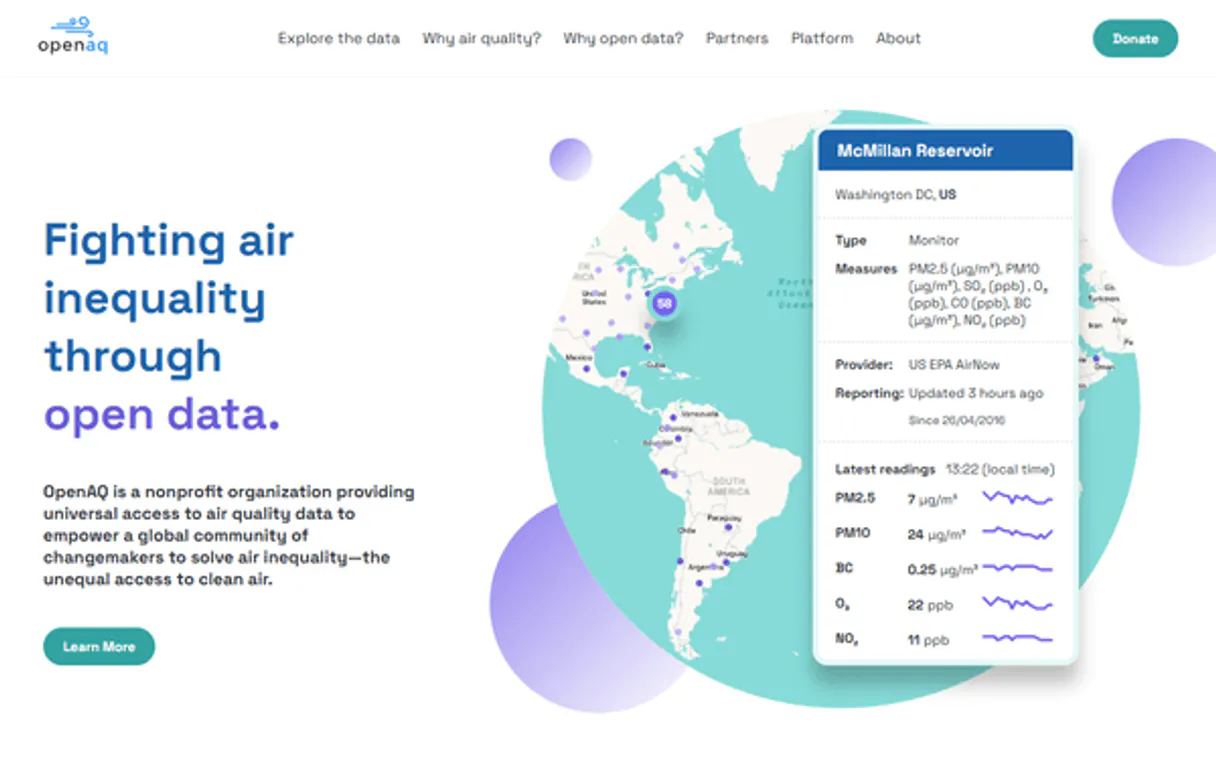
OpenAQ connects your AI agent to the world's largest open air quality database. Monitor real-time pollution levels—including PM2.5, O3, NO2, SO2, and CO—and pull historical air quality trends from thousands of global monitoring stations.
You can query data by city, country, or specific pollutant parameter using natural language.
What your AI agents can do
Get countries
Lists countries with active monitoring stations, along with city and location counts.
Get latest measurements
Gets the most current air quality readings for a specific monitored location ID.
Get location by id
Retrieves all details for one known monitoring station using its unique identifier.
Lists countries that have active air quality monitoring stations, including counts for cities and locations.
Retrieves the most recent pollution measurements for a specific location without querying historical data.
Gets detailed information about one particular monitoring station using its unique ID.
Searches for air quality stations by filtering criteria like country, city, pollutant type, or geographic area.
Retrieves time-series readings (measurements) filtered by location, specific pollutant, and a date range.
Gets detailed information about specific pollutants, such as units of measure or core status.
Returns a list of all available air quality parameters, including PM10, Ozone (O3), NO2, and CO.
Ask AI about this MCP
Supported MCP Clients
Gemini Waiting for input…
OpenAQ MCP Server: 9 Tools for Pollution Data Retrieval
Use these tools to discover monitoring locations, check current sensor readings, and pull historical pollution metrics across any globe region.
019d8464get countries
Lists countries with active monitoring stations, along with city and location counts.
019d8464get latest measurements
Gets the most current air quality readings for a specific monitored location ID.
019d8464get location by id
Retrieves all details for one known monitoring station using its unique identifier.
019d8464get locations
Finds air quality stations by filtering criteria like country, city name, pollutant type, or bounding box.
019d8464get measurements
Pulls historical readings with timestamps, allowing filtering by location, parameter, and date range.
019d8464get parameter by id
Gets detailed information about a single pollutant parameter using its unique ID.
019d8464get parameters
Lists all measurable air quality pollutants, including units and whether they are core parameters.
019d8464get sensor by id
Retrieves details for a single physical sensor device using its unique identifier.
019d8464get sensors
Lists air quality sensors, allowing filtering by location or pollutant type.
Choose How to Get Started
Build a custom MCP for your own tools, or connect a ready-made integration from our catalog.
Build Your Own
Turn any API into an MCP. Import a spec, define Agent Skills, or deploy with MCPFusion.
- Import from OpenAPI, Swagger, or YAML specs
- Create Agent Skills with progressive disclosure
- Deploy to edge with MCPFusion framework
- Built in DLP, auth, and compliance on every call
- Real time usage dashboard and cost metering
- Publish to catalog or keep private
Make Your AI Do More
Start with OpenAQ, then connect any of our 4,700+ other servers whenever your AI needs more. One click, no limits.
- Use this MCP plus 4,700+ others, all in one place
- Add new capabilities to your AI anytime you want
- Every connection is secured and compliant automatically
- Track usage and costs across all your servers
- Works with Claude, ChatGPT, Cursor, and more
- New servers added to the catalog every week
What you can do with this MCP connector
OpenAQ connects your AI agent straight into the world’s largest open air quality database. You can use it to track pollution levels and analyze global air trends using simple natural language queries. This server pulls data from thousands of monitoring stations worldwide.
Finding Stations and Locations
You'll find stations in several ways. If you need a quick overview, get_countries lists every country that has active monitoring stations, giving you counts for how many cities and locations are covered there. Need to narrow it down? You can use get_locations to search for air quality stations by filtering criteria like a specific country, city name, pollutant type, or even a geographic bounding box.
Once you know the general area, if you need all the details on one known station, get_location_by_id retrieves every piece of data tied to that unique monitoring ID.
To find out what physical hardware is running these readings, you've got sensor tools too. Use get_sensors to list air quality sensors, letting you filter by location or the type of pollutant they monitor. If you know a specific sensor’s identifier, get_sensor_by_id fetches all its details for you.
Getting Measurements and Data Trends
The server gives you two main ways to get readings: current status or history. To check the most recent pollution levels without pulling massive amounts of historical data, use get_latest_measurements. This function grabs the absolute newest air quality reading for a specific monitored location ID, covering pollutants like PM2.5, O3, NO2, SO2, and CO.
For deep dives into trends, you'll rely on get_measurements. You can pull time-series readings with timestamps by filtering this function using the required location, a specific pollutant parameter, and a defined date range. This lets your agent track long-term pollution patterns over weeks or months. When you just need to know what pollutants are even measurable, run get_parameters which lists every available air quality parameter—including units of measure and whether they're considered core parameters like PM10 or Ozone (O3).
If you only care about one specific pollutant, use get_parameter_by_id to get detailed info on that single chemical.
Sensor Details and Pollutant Types
If you want a list of every measurable air quality pollutant available, run get_parameters. This returns the full catalog, which includes units for parameters like Nitrogen Dioxide (NO2) and Carbon Monoxide (CO), plus whether they are designated as core monitoring types. For sensor hardware details, if you need to find out what specific pollutants a general category of sensors monitors, use get_sensors, allowing filtering by location or pollutant type.
When your AI client uses these tools—for instance, running get_locations first, then feeding that result into get_latest_measurements, and finally using get_parameter_by_id to check the units for PM2.5—it builds a complete picture of air quality data from start to finish.
How OpenAQ MCP Works
- 1 First, use
get_locationsorget_countriesto narrow down the area of interest and gather necessary location IDs. - 2 Next, call
get_parametersto confirm the exact pollutant codes (e.g., NO2) needed for the query, ensuring accuracy. - 3 Finally, execute
get_measurements, passing the gathered location ID(s), parameter code(s), and date range filters to retrieve the data.
The bottom line is: The agent first maps your request to specific IDs using discovery tools, then runs a single, targeted call to pull all required historical or current sensor data.
Who Is OpenAQ MCP For?
Environmental scientists who need verifiable global pollution metrics. Data analysts tackling climate reports who can't rely on fragmented datasets. Geospatial engineers building real-time monitoring dashboards. If your job involves tracking anything from smog to industrial emissions, this is for you.
Uses get_measurements and get_parameters to pull time-series data for research papers, comparing annual pollutant trends across different continents.
Runs queries using get_locations to identify air quality blind spots or under-monitored areas within a specific city boundary.
Uses get_countries and get_latest_measurements to compile quick, high-level reports for quarterly corporate sustainability reviews.
What Changes When You Connect
- See real-time status instantly. Instead of checking multiple government websites, the agent uses
get_latest_measurementsto provide a single, unified reading for PM2.5 or O3 at any point globally. - Track long-term trends precisely. Need to compare pollution levels from last year? Use
get_measurementswith defined date range filters—it handles the time-series heavy lifting so you don't have to write complex SQL queries. - Don't guess what pollutants exist. Running
get_parametersgives you a full reference list of every measurable pollutant (NO2, SO2, CO, etc.) and its unit, keeping your data accurate from the start. - Find stations by any criteria. If you only know the city name but not the station ID, use
get_locations. It filters by country or city to give you a list of valid monitoring points first. - Target specific sensor types. Use
get_sensorsif your goal is to understand the hardware—it lets you filter sensors by location or even the type of pollutant they measure.
Real-World Use Cases
Assessing a City's Air Quality Baseline
An urban planner needs to know if smog levels have improved since last year. They ask their agent: "Show me the average PM2.5 in Chicago for Q3 of the last three years." The agent uses get_locations first, then executes get_measurements, providing a clean, comparative graph of historical data.
Investigating an Industrial Incident
An environmental scientist suspects high NO2 levels near a factory. They ask: "What is the current NO2 reading at stations within 1 mile of coordinates X, Y?" The agent uses get_locations to narrow down nearby sites and then runs get_latest_measurements for immediate action.
Building a Sensor Inventory
A developer needs to list all available monitoring hardware types. They use the specialized tools like get_sensors or get_parameter_by_id to build a comprehensive inventory list, confirming which specific devices track which pollutants.
Global Comparison Report
A sustainability consultant needs to compare ozone levels between three different continents. They instruct the agent to query get_countries, select the relevant locations, and then use get_measurements for a side-by-side comparative report.
The Tradeoffs
Trying to get data without filtering.
Asking the agent simply: "Air quality in London." This is too vague. The system doesn't know if you want historical, current, or which pollutant specifically, leading to massive, useless datasets.
→
Be specific and sequential. First, use get_locations (filtering by city/country). Then, specify the required pollutant using get_parameters (e.g., O3), before calling get_measurements. This chains the tools correctly.
Assuming all pollutants are available.
Running a query for 'Sulfur Dioxide' without checking if that pollutant code is active in the specific region or sensor type you care about. The API call will fail or return empty data.
→
Always start by running get_parameters to check the full list of measurable pollutants and ensure they are available before attempting any retrieval via get_measurements.
Only focusing on one city.
If you only use get_location_by_id, you'll get details for just that single point. You can't compare it to neighboring stations or see broader regional trends.
→
Use get_locations and filter by a bounding box or city name to retrieve multiple potential monitoring points, then run get_latest_measurements across the resulting set of IDs.
When It Fits, When It Doesn't
You should use OpenAQ if your core need involves environmental data: pollutant levels (PM2.5, O3, etc.), pollution trends, or global monitoring station lists. Use it when you need to know where the air quality is and what pollutants are present.
Don't use this server if you simply need general geographical data that isn't tied to a sensor reading (like finding restaurants in a city). For those cases, a simple mapping API would do better. Also, don't rely solely on get_latest_measurements for long-term planning; always cross-reference with get_measurements to validate historical trends and avoid misinterpreting daily fluctuations as long-term changes.
Independent Platform Disclaimer: Vinkius is an independent platform and is not affiliated with, endorsed by, sponsored by, verified by, or otherwise authorized by OpenAQ. All third-party trademarks, logos, and brand names are the property of their respective owners. Their use on this website is strictly for informational purposes to identify service compatibility and interoperability.
VINKIUS INFRASTRUCTURE
Cloud Hosted
Managed infra
V8 Isolated
Sandboxed per request
Zero-Trust Proxy
No stored credentials
DLP Enforced
Policy on every call
GDPR Compliant
EU data residency
Token Compression
~60% cost reduction
Works with Claude, ChatGPT, Cursor, and more
The Model Context Protocol standardizes how applications expose capabilities to LLMs. Instead of operating in isolation, your AI gains direct access to external platforms, live data, and real-world actions through secure, standardized connections.
This server provides 9 capabilities that interface natively with Claude, ChatGPT, Cursor, and any MCP client. No middleware. No custom integration required.
Available Capabilities
Checking global pollution levels shouldn't require logging into a dozen different government sites.
Today, if you want to know the air quality in Paris versus London, you typically jump between dedicated governmental websites. You copy city names, you switch dashboards, and you manually compare readings for PM2.5 or Ozone—it’s a nightmare of tabs, different date formats, and conflicting data sources.
With this MCP server, your agent handles the whole process. You just ask: "Compare O3 levels in Paris and London from last Tuesday." The system uses its tools to pull structured, comparable time-series data directly, giving you clean, actionable metrics without a single copy/paste.
OpenAQ MCP Server gives you full control over pollutant tracking.
Manual analysis forces you to assume which parameters are important. You might forget that the region only tracks PM10 and O3, or you might not know if a sensor measures SO2 at all. These assumptions lead to incomplete reports every time.
The OpenAQ server solves this by letting your agent run `get_parameters`. It builds a definitive list of everything measurable in the area—from core pollutants like CO to specialized ones like NO2—ensuring that no data point is missed.
Common Questions About OpenAQ MCP
How do I check current PM2.5 levels using the OpenAQ MCP Server? +
Use get_latest_measurements. You need a location ID for this tool; running it with that ID tells your agent exactly what the most recent reading is without fetching years of history.
What pollutants can I track using OpenAQ MCP Server? +
You can list all available pollutants by calling get_parameters. This tool provides a full reference, including PM10, Ozone (O3), NO2, SO2, and CO.
How do I find monitoring stations in my city with OpenAQ MCP Server? +
Use get_locations. You can filter this tool by country or city name to get a list of valid station IDs before you try to pull any data.
Can I compare air quality across different countries using OpenAQ MCP Server? +
Yes. Start with get_countries to see available regions, then use the location lists from those countries in conjunction with get_measurements for a global comparison.
How do I run historical trend analysis using the `get_measurements` tool? +
You pass three key filters to get measurements over time: a location ID, a specific parameter, and a required date range. This lets you query readings for any period, not just the latest status.
If I have an ID, how do I get full details about a specific monitoring site using the `get_location_by_id` tool? +
This function returns comprehensive data for one station. You'll find its exact coordinates, sensor counts, and whether it qualifies as an official monitor.
Can I use the `get_sensors` tool to filter for active or specific types of monitoring equipment? +
Yes. The tool lets you filter sensors by location, parameter type, or current active status. This is useful if you only care about operational devices.
Before I use any function, what credentials does the OpenAQ MCP Server require for access? +
You must subscribe to the server and enter your free OpenAQ API Key within your AI client. This key authenticates all calls and enables you to run tools like get_parameters.
How do I get an OpenAQ API Key? +
Visit OpenAQ Platform, create a free account, and generate your API key from the dashboard. Free tier includes 1,000 requests/hour.
What air quality parameters can I monitor? +
PM2.5, PM10, O3 (ozone), NO2, SO2, CO, BC (black carbon), and more. Use get_parameters to see the full list with units and classifications.
Can I get historical air quality data? +
Yes! Use get_measurements with date_from and date_to parameters in ISO 8601 format to retrieve time-series data for any location and parameter.
Use it with your favorite AI tools
Connect this server to Cursor, Claude, VS Code, and more.
More in this category

TextRazor
Advanced Natural Language Processing (NLP) to extract entities, topics, and relations from text or URLs.
ChartMogul
Understand your subscription metrics with MRR tracking, churn analysis, and cohort reports that reveal growth opportunities.

QuickChart
Automate data visualization via QuickChart — generate charts, QR codes, barcodes, and word clouds directly from any AI agent.
You might also like

Vectara
Empower your agent with Vectara's RAG capabilities. Search corpora natively, execute grounded chats, and manage indexed datasets easily.

Nubarium
Access Mexican identity and corporate data — audit RFC, CURP, and companies via AI.

ReadMe
Equip your AI to directly search, read, and manage developer documentation stored in your ReadMe project.