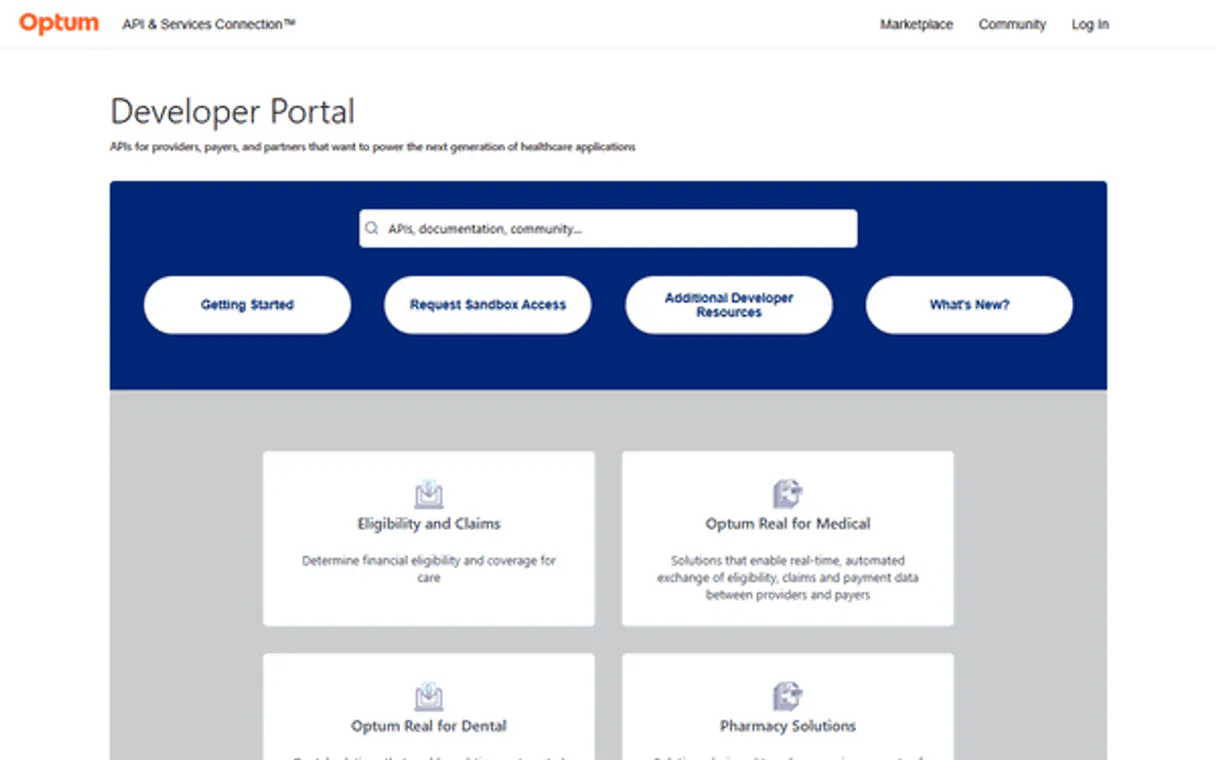
Optum Claims & Billing MCP. Process every claim, check payment status, and reconcile bills.
Works with every AI agent you already use
…and any MCP-compatible client

Just plug in your AI agents and start using Vinkius.
Optum Claims & Billing connects your AI client directly to Optum's financial APIs. It lets you submit professional or institutional medical bills (837P/I), check claim status, download Electronic Remittance Advice (ERA 835), and resubmit corrected claims after a payer denial.
What your AI agents can do
Opt check claim status
Checks whether a submitted medical bill is paid, denied, or still waiting for official review status.
Opt get remittance advice
Downloads the Electronic Remittance Advice (835 ERA) file which contains detailed payment breakdowns from payers.
Opt handle denial revision
Resubmits a corrected claim payload to challenge a payer denial and try to overturn the initial rejection.
Sends an X12 837P claim for billing services provided by independent physicians or outpatient clinics.
Submits a structured X12 837I claim specifically for hospital-level stays and major facility charges.
Queries Optum records to determine if an existing medical bill is Approved, Denied, or still under review.
Downloads the Electronic Remittance Advice (ERA 835) file which details exactly how much money was paid and for what services.
Takes a corrected claim payload and resubmits it to challenge a payer denial, attempting to get payment approved.
Ask AI about this MCP
Supported MCP Clients
Waiting for input…
Optum Claims & Billing: 5 Tools for Revenue Cycle Management
These tools let your AI client submit, check status on, or reconcile payments for medical bills using Optum's financial APIs.
019d75ebopt check claim status
Checks whether a submitted medical bill is paid, denied, or still waiting for official review status.
019d75ebopt get remittance advice
Downloads the Electronic Remittance Advice (835 ERA) file which contains detailed payment breakdowns from payers.
019d75ebopt handle denial revision
Resubmits a corrected claim payload to challenge a payer denial and try to overturn the initial rejection.
019d75ebopt submit institutional claim
Sends an institutional medical bill (837I) for services related to hospital stays or large facility charges.
019d75ebopt submit professional claim
Submits a professional medical bill (837P) for smaller billing units like doctor visits or outpatient clinic care.
Choose How to Get Started
Build a custom MCP for your own tools, or connect a ready-made integration from our catalog.
Build Your Own
Turn any API into an MCP. Import a spec, define Agent Skills, or deploy with MCPFusion.
- Import from OpenAPI, Swagger, or YAML specs
- Create Agent Skills with progressive disclosure
- Deploy to edge with MCPFusion framework
- Built in DLP, auth, and compliance on every call
- Real time usage dashboard and cost metering
- Publish to catalog or keep private
Make Your AI Do More
Start with Optum Claims & Billing, then connect any of our 4,700+ other servers whenever your AI needs more. One click, no limits.
- Use this MCP plus 4,700+ others, all in one place
- Add new capabilities to your AI anytime you want
- Every connection is secured and compliant automatically
- Track usage and costs across all your servers
- Works with Claude, ChatGPT, Cursor, and more
- New servers added to the catalog every week
What you can do with this MCP connector
Optum Claims & Billing connects your AI client straight to Optum's financial APIs. You can manage the entire back end of medical billing right through your agent, handling everything from initial claim submission all the way through payment reconciliation and appeals.
If you need to send a bill for an independent doctor or an outpatient clinic visit, use opt_submit_professional_claim. This tool sends an X12 837P claim, which is what you use for smaller billing units like those services. Conversely, if the charges are related to major hospital stays or large facility operations, you'll run opt_submit_institutional_claim to send the structured X12 837I claim instead.
When you submit a bill, you gotta keep tabs on it. You check whether an existing medical bill is paid out, rejected, or if it’s still waiting for official review status by calling opt_check_claim_status. To get the full picture of what happened financially after payment, you download the Electronic Remittance Advice (ERA 835) file—that's what opt_get_remittance_advice handles.
This file gives you a detailed breakdown of exactly how much money was paid and which services that payment covered.
Sometimes, the payer kicks back a denial because of an error or bad coding. You don't just give up on it though; you correct the payload and resubmit the entire thing using opt_handle_denial_revision. That tool takes your corrected claim data and sends it back out to challenge that initial rejection, trying to get the payment approved.
This setup lets your agent handle core financial workflows. You use opt_submit_professional_claim or opt_submit_institutional_claim to initiate billing with the correct X12 837 format for professional or institutional services. Then, you track everything by running opt_check_claim_status to see if the bill is approved, denied, or pending review status. You get payment details and breakdowns using opt_get_remittance_advice to download the ERA 835 file.
If a payer denies a claim because of coding issues, you use opt_handle_denial_revision to resubmit the corrected payload and fight that denial.
How Optum Claims & Billing MCP Works
- 1 First, you must insert your financial
CLIENT_IDinto the runtime module. This authorizes your AI client to send and receive sensitive billing payloads. - 2 Next, tell your agent exactly what needs doing—are we checking status? Submitting a bill? The server uses that instruction to select the correct tool (e.g.,
opt_submit_institutional_claim). - 3 The system executes the request against Optum's APIs and returns a structured result: either a confirmation of submission, the payment advice file, or the current status code.
The bottom line is that it lets your AI client talk directly to back-office billing systems without you having to log into multiple portals or manage EDI files manually.
Who Is Optum Claims & Billing MCP For?
This server is built for hospital billing departments and medical accounting agencies. If your job involves reconciling payment statements, managing claim denials, or submitting large batches of bills, this is for you. You're the person who gets tired of manually downloading and cross-referencing payment reports from different payers.
Uses it to submit initial 837 payloads and track payments, making sure every bill gets sent in the correct format (P vs. I).
Runs reconciliation reports by pulling ERA 835 files using opt_get_remittance_advice to match payments against submitted claims.
Checks the status of large batches of bills, verifying if a claim was denied or approved before the payment cycle closes.
What Changes When You Connect
- Stop manual reconciliation. Running
opt_get_remittance_advicepulls the ERA 835 directly, eliminating hours spent downloading and cross-referencing payment statements from different portals. - Speed up submissions. Use
opt_submit_professional_claimoropt_submit_institutional_claimto dispatch complex X12 payloads instantly, ensuring bills hit the payer's queue without human intervention. - Never miss a denial. If your claim gets rejected, don't wait for paper correspondence. Run
opt_handle_denial_revisionimmediately with corrected codes and resubmit it to challenge the rejection. - Real-time visibility on bills. Instead of calling Optum support just to check status, use
opt_check_claim_statusto get an immediate answer: Approved, Pending, or Denied. - Better workflow compliance. Because this server only handles billing back-office functions, you keep your clinical workflows separate and protected while automating the money side.
Real-World Use Cases
The Daily Payment Check
It's month end, and a Revenue Cycle Manager needs to know if last week’s services paid out. Instead of logging into three separate payer portals, they ask their agent to run opt_get_remittance_advice. The agent pulls all the latest ERA 835 reports, giving them one consolidated view of payment breakouts for immediate account posting.
Fixing a Denial Batch
A Billing Specialist finds 40 claims that were denied because of an outdated coding standard. They use opt_handle_denial_revision to automatically correct the required fields and resubmit all 40 claims in one go, bypassing weeks of manual appeal processing.
Submitting a Hospital Stay Bill
After a patient leaves the facility, the system needs to bill the insurance company. The agent executes opt_submit_institutional_claim with the 837I payload, ensuring the high-level hospital charges are filed correctly and immediately.
Checking Out an Office Visit
A doctor’s office sends out a new bill for routine visits. The agent runs opt_submit_professional_claim using the 837P payload, ensuring the claim goes through the proper channels designed for smaller clinic practices.
The Tradeoffs
Submitting without checking status first
The user thinks they need to re-submit a bill because it hasn't paid out, but the claim is actually just 'Pending Review.' They waste time and risk confusing the payer system by running opt_submit_professional_claim when they should wait.
→
Before submitting anything, always run opt_check_claim_status. If the status shows it's 'Pending,' you just wait. Only resubmit if opt_handle_denial_revision is required.
Using the wrong submission tool
A hospital tries to submit a doctor’s visit bill using the institutional endpoint, which will fail because it's expecting facility-level data. They just use opt_submit_institutional_claim for routine care.
→
Know your payload type. For doctor/outpatient visits, you need opt_submit_professional_claim. For anything related to the physical hospital stay, use opt_submit_institutional_claim.
Ignoring payment details
The user sees a general deposit amount in their bank statement and assumes it covers all claims. They fail to get granular data and just manually post the funds.
→
Always run opt_get_remittance_advice. This pulls the detailed ERA 835, showing exactly which claim ID was paid, by how much, and why.
When It Fits, When It Doesn't
Use this server if your workflow requires structured financial actions: submitting X12 bills (837P or 837I), confirming status via opt_check_claim_status, or reconciling payments using ERA 835s. You need it when money changes hands and you must prove the transaction details.
Don't use this if all you need is to read a PDF of an Explanation of Benefits (EOB). This server only handles structured API calls, not free-form document parsing. If you just want to analyze unstructured text from a payer letter, look for general Document Processing APIs instead.
Independent Platform Disclaimer: Vinkius is an independent platform and is not affiliated with, endorsed by, sponsored by, verified by, or otherwise authorized by Optum Claims. All third-party trademarks, logos, and brand names are the property of their respective owners. Their use on this website is strictly for informational purposes to identify service compatibility and interoperability.
VINKIUS INFRASTRUCTURE
Cloud Hosted
Managed infra
V8 Isolated
Sandboxed per request
Zero-Trust Proxy
No stored credentials
DLP Enforced
Policy on every call
GDPR Compliant
EU data residency
Token Compression
~60% cost reduction
Works with Claude, ChatGPT, Cursor, and more
The Model Context Protocol standardizes how applications expose capabilities to LLMs. Instead of operating in isolation, your AI gains direct access to external platforms, live data, and real-world actions through secure, standardized connections.
This server provides 5 capabilities that interface natively with Claude, ChatGPT, Cursor, and any MCP client. No middleware. No custom integration required.
Available Capabilities
Reconciling payments shouldn't feel like forensic accounting.
Right now, getting paid is a nightmare. You have to wait days or weeks for EOBs and Explanation of Benefits (EOBs). Then you log into the payer portal, download an ERA 835 file, open it in Excel, and cross-reference every single line item against your internal billing records—it’s hours of manual copy/pasting just to confirm who owes what.
With this MCP server, you just tell your agent to get the advice. It runs `opt_get_remittance_advice`, pulls the latest ERA 835 straight from Optum's clearinghouse, and gives you a structured dataset ready for immediate posting. You cut out the entire manual download-and-spreadsheet process.
Optum Claims & Billing MCP Server: Manage bills and payment data.
Before, handling a denial meant filing paper appeals or emailing billing departments with corrected forms. It was slow, required human oversight for every single change, and you were always guessing when the payer would respond.
Now? You use `opt_handle_denial_revision`. The agent takes your corrections, formats them into an 837 payload, and resubmits the appeal instantly through the API. It’s immediate action that gets money moving faster.
Common Questions About Optum Claims & Billing MCP
How do I use opt_submit_professional_claim? +
You provide the claim data payload (837P) and tell the agent to submit it. This tool is for professional services, like doctor visits or outpatient clinic care, not facility stays.
What does opt_get_remittance_advice actually download? +
It downloads the Electronic Remittance Advice (ERA 835). Think of it as the detailed receipt from the payer that shows exactly how much money was paid and for what service code.
When should I use opt_handle_denial_revision? +
Use this when a bill has been explicitly denied by a payer due to a coding or eligibility error. It resubmits the corrected claim payload to challenge that denial status.
Is there one tool for all claims submissions? +
No, you must distinguish between types. Use opt_submit_professional_claim for doctor/clinic work and opt_submit_institutional_claim for hospital stays (837I).
How do I authenticate when using `opt_submit_professional_claim`? +
You must implement the OAuth protocol for authentication. Insert your financial CLIENT_ID securely within the runtime module to authorize all payloads. This setup keeps your connection compliant and safe for back-office finances.
What does `opt_check_claim_status` report if my claim is Pended or Denied? +
It reports the precise status code, not just a simple yes/no. A 'Pended' status means the bill is actively awaiting review using the EDI 276/277 framework. This detail tells you exactly what needs to happen before payment clears.
What data structure do I need when calling `opt_submit_institutional_claim`? +
You must provide properly constructed X12 837I payloads. The system requires specific details covering major facilities and hospital stays. Ensure all necessary codes are present for the claim to process successfully.
Do `opt_submit_professional_claim` and `opt_submit_institutional_claim` handle the same services? +
No, they target different service types. Use opt_submit_professional_claim for outpatient clinics or individual doctors (837P). Reserve opt_submit_institutional_claim only for major hospital stays and facility billing (837I).
Can this Optum Server check a patient's insurance card status? +
No. In adherence to US Healthcare segregation architecture (Least Privilege), Claims processing is totally decoupled from Eligibility. For front-desk validations, install the optum-eligibility-mcp array safely.
Is this system capable of sending secondary claims crossing over from Medicare? +
Yes. The X12 837 payload infrastructure fully supports coordination of benefits (COB) logic required to submit clean secondary claims dynamically.
How fast are ERA (835) remittances processed by the engine? +
ERAs are fetched in real-time as they become available on Optum Clearinghouse networks, expediting auto-posting to your financial ledgers.
Use it with your favorite AI tools
Connect this server to Cursor, Claude, VS Code, and more.
More in this category
Roblox Avatar & Catalog Intelligence
Universal Roblox marketplace intelligence — audit item prices, bundles, and user inventories via AI.
Safepoint
Protect your business data with secure backup, disaster recovery, and cloud-to-cloud replication for critical SaaS applications.
FAA (Federal Aviation Administration)
Access real-time aviation data directly from the FAA — including NOTAMs, TFRs, UAS facility maps, and METAR/TAF weather reports.
You might also like
APImage
Search and license editorial photography from one of the world largest press image archives for media and publishing.
FieldAware
Connect FieldAware to automate field service management — manage jobs, customers, and invoices directly from your AI agent.
Yu-Gi-Oh
Access the ultimate Yu-Gi-Oh! database — search for cards, explore archetypes, and check set lists directly from your AI agent.