
Ortto MCP. Manage profiles and trigger journeys from chat.
 Gemini
 Works with every AI agent you already use
…and any MCP-compatible client









Just plug in your AI agents and start using Vinkius.
Ortto (formerly Autopilot) MCP Server connects your AI client directly to your CDP and marketing automation platform. It lets you manage customer profiles, run audience reports, and trigger real-time engagement journeys—all through natural conversation.
You can create new contacts with `create_person`, audit campaigns with `list_campaigns`, or update user data instantly using the agent.
What your AI agents can do
Create activity
Triggers a custom automation activity for a specific person's profile.
Create person
Adds an entirely new individual contact record to Ortto.
Delete person
Removes or archives a person's profile from the system permanently.
Create, retrieve details for, update fields on, or permanently archive person and organization profiles.
Execute specific actions (like 'product demo requested') to initiate a defined automation journey within Ortto.
List existing marketing campaigns and view available audience segments for immediate planning or auditing.
Retrieve a list of all organizations/accounts linked to your customer data platform.
Verify whether a specific email address is subscribed, unsubscribed, or in an unknown status.
Ask AI about this MCP
Supported MCP Clients
Gemini Waiting for input…
Ortto MCP Server: 10 Tools for Customer Data Management
These ten tools let your AI client perform every core function of a CDP—from reading profiles to triggering complex marketing automations.
019d7556create activity
Triggers a custom automation activity for a specific person's profile.
019d7556create person
Adds an entirely new individual contact record to Ortto.
019d7556delete person
Removes or archives a person's profile from the system permanently.
019d7556get person
Retrieves all stored details for an existing individual contact using their email or ID.
019d7556get subscription
Checks the current subscription status (subscribed, unsubscribed, etc.) for a given email address.
019d7556list accounts
Retrieves an inventory list of all associated organizations or accounts in your CDP.
019d7556list audiences
Lists every available, pre-built segment or audience group within Ortto.
019d7556list campaigns
Retrieves a list of all marketing campaigns that have been set up in the system.
019d7556list people
Searches and lists multiple individual people records based on criteria like email or name.
019d7556update person
Modifies specific fields—like job title or company—on an already existing person's profile.
Choose How to Get Started
Build a custom MCP for your own tools, or connect a ready-made integration from our catalog.
Build Your Own
Turn any API into an MCP. Import a spec, define Agent Skills, or deploy with MCPFusion.
- Import from OpenAPI, Swagger, or YAML specs
- Create Agent Skills with progressive disclosure
- Deploy to edge with MCPFusion framework
- Built in DLP, auth, and compliance on every call
- Real time usage dashboard and cost metering
- Publish to catalog or keep private
Make Your AI Do More
Start with Ortto (formerly Autopilot), then connect any of our 4,700+ other servers whenever your AI needs more. One click, no limits.
- Use this MCP plus 4,700+ others, all in one place
- Add new capabilities to your AI anytime you want
- Every connection is secured and compliant automatically
- Track usage and costs across all your servers
- Works with Claude, ChatGPT, Cursor, and more
- New servers added to the catalog every week
What you can do with this MCP connector
Ortto MCP Server
This server hooks your AI client directly into Ortto (formerly Autopilot). You'll get full conversational control over both customer data management and marketing automation, all through natural chat commands. Forget switching tabs or logging into a separate dashboard; you manage profiles, audit campaigns, and trigger engagement journeys right here.
Managing People Records
You can handle every aspect of your contact list using the agent. If you've got an entirely new lead, run create_person to drop them straight into the system with a fresh record. Need details on someone already in the database? Use get_person, giving it their email or ID, and you'll pull up all their stored info.
For broader searches, you don't have to guess; list_people lets you search for multiple records using criteria like name or email.
If that person’s job details change—say they moved companies or got a new title—you use update_person. This modifies specific fields on an existing profile without touching anything else. And if a contact is stale data, you can run delete_person to archive or permanently remove their record from the system.
Before you even start, check their status. You'll know immediately whether they’re opted in or out by running get_subscription against any email address; it tells you if they're subscribed, unsubscribed, or if the status is unknown.
Orchestrating Customer Journeys and Activities
This isn't just a database wrapper; it's an action engine. You can program specific actions into a person's profile using create_activity. For instance, you tell the agent to trigger a 'product demo requested' activity, which starts a defined automation flow for that user based on real-time events.
Auditing Marketing Assets and Accounts
The server gives you immediate visibility into your marketing setup. To plan an audit or just check what’s running, list_campaigns pulls up every single campaign Ortto has set up in the system. For audience segmentation—the core of targeted messaging—you run list_audiences, and it spits out a list of all pre-built segments you can use for immediate planning or review.
Data hygiene is key, so if you need to see what organizations are linked to your customer data platform (CDP), list_accounts pulls up that entire inventory list. You're always in control of the data lifecycle here, whether it’s adding a person with create_person, updating their job title with update_person, or ensuring you only talk to people who are actually subscribed using get_subscription.
How It Works Under the Hood
You just subscribe to the server and plug in your Ortto API key, making sure you specify your data region (Global, AU, or EU) so everything talks to the right place. Your AI client uses these tools—like list_people when you need a quick roster, or get_person when you know exactly who you're talking about—to talk directly to Ortto’s APIs.
You manage complex customer journeys and clean up your data from any MCP-compatible chat window. It's direct, it's fast, and it keeps your whole marketing stack in one place.
How Ortto MCP Works
- 1 Subscribe to the server and provide your Ortto API Key and desired Data Region.
- 2 Your AI client uses natural language prompts to select and execute specific tools (e.g.,
get_personorlist_audiences). - 3 The agent runs the required API calls, retrieves the data, and presents the actionable results back in the chat.
The bottom line is that your AI client uses these tools to execute complex CDP commands without requiring you to write any code or navigate multiple web dashboards.
Who Is Ortto MCP For?
This server is for the growth marketer who spends too much time copying data between spreadsheets and marketing platforms. It’s for the customer success manager tired of switching between the CRM, the CDP, and the reporting dashboard just to update a profile or check activity history.
Segments audiences by listing assets (list_audiences) and immediately triggering localized journey activities using create_activity.
Updates person profiles directly when a client calls in, ensuring the data is current using update_person or retrieving history with get_person.
Automates the creation of new activities and maps necessary data fields for campaign tracking using programmatic tools.
What Changes When You Connect
- You don't waste time switching between the CDP dashboard and your agent. You get immediate access to
get_personorupdate_personright inside your conversation window. That saves clicks, period. - Audit campaigns instantly. Instead of running reports in a separate tool, you ask for it—and the server executes
list_campaignsto give you live data on what's active and performing. - Control user journeys with precision. If a demo is requested, you don't just note it down; you trigger the full sequence using
create_activity, ensuring automation runs immediately. - Keep your data clean by controlling who exists. Need to remove an old contact? Use
delete_personand confirm the archive status in one step instead of navigating through trash bins. - Scale across regions easily. The server supports Global, AU, and EU data centers, meaning you can manage compliance and keep customer data localized without changing your workflow.
Real-World Use Cases
A user calls in with a billing question.
The CSM needs to update the contact's job title and company name. They ask their agent, 'Update the person for john@corp.com with new details.' The agent runs update_person, confirming the change instantly before the CS agent even hangs up.
A major campaign is launching next week.
The marketer needs to know who's in scope for the promotion. They ask, 'List all people tagged as Enterprise and associated with Account X.' The agent runs list_people combined with account filtering, providing an immediate list of contacts.
A user just visited the pricing page.
The marketing team wants to start a follow-up journey. They prompt their agent: 'Trigger the product interest flow for jane@biz.com.' The server runs create_activity, kicking off the entire automated sequence immediately.
Need to verify if an email is valid for mailing.
Before sending a bulk newsletter, the sender needs confirmation on user opt-in status. They ask their agent: 'What's the subscription status for marketing@co.com?' The server uses get_subscription and returns a simple yes/no answer.
The Tradeoffs
Manually checking data integrity.
You check the CDP, then you go to the spreadsheet, then you open the analytics dashboard. You spend 20 minutes verifying if three separate systems agree on a profile's status.
→
Just ask your agent: 'What is the complete record for person@email.com?' The tool uses get_person and pulls all relevant data points—activity, subscription status, core fields—into one cohesive response.
Forgetting to segment audiences first.
You try to run a campaign on 'all users,' but half the list is irrelevant or outdated. Your marketing spend goes to people who never opened an email from you.
→
First, use list_audiences to see existing segments. Then, tell your agent: 'Use the 'High-Value Leads' segment and trigger a welcome activity.' This keeps your journeys targeted using create_activity.
Overwriting critical data.
You update a person's job title in one place, but forget to update their associated account name elsewhere. The profile is inconsistent and confusing for the next user.
→
Use update_person for specific changes, but always follow up by running get_person. This verifies that all fields—company, role, status—updated correctly across the entire record.
When It Fits, When It Doesn't
You should use this server if your workflow requires calling multiple data points (e.g., 'What is Person X's profile AND what campaigns are running?'). It’s perfect when you need to perform a multi-step operation: read, then write, then check status—like getting a person's details (get_person) and immediately updating them (update_person).
Don't use this if your only goal is basic data storage. If you just want to list names without doing anything with that information, list_people works fine. But if you need to act on the data—triggering a journey or confirming status—this server is necessary because it connects the 'read' step to the 'write' step.
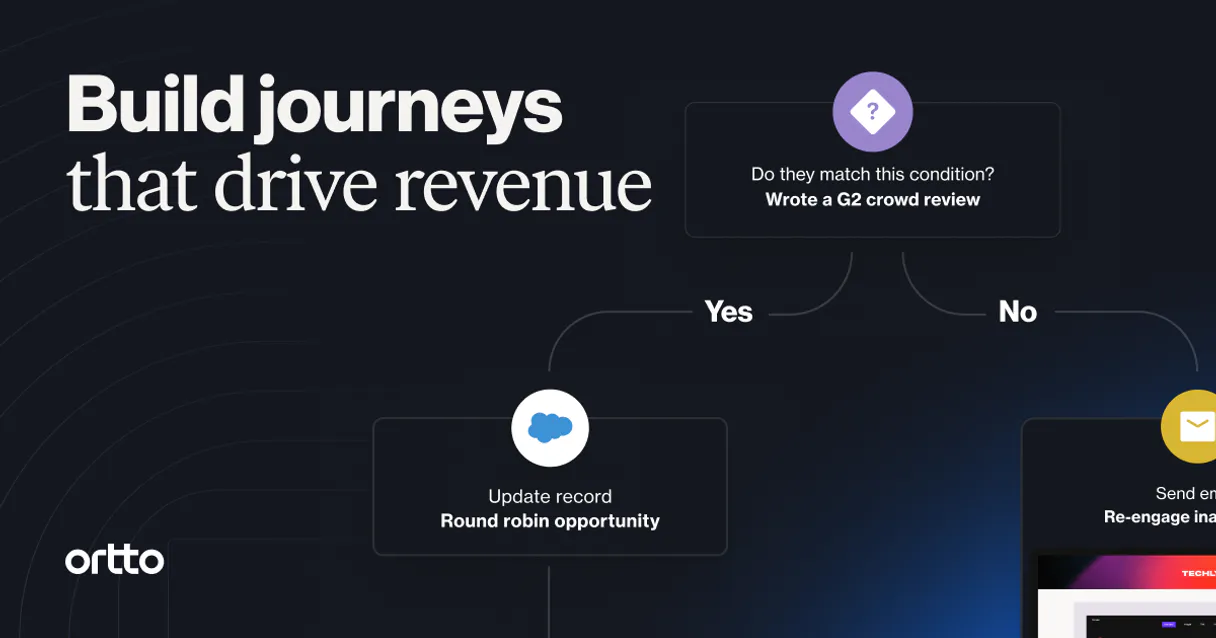
Independent Platform Disclaimer: Vinkius is an independent platform and is not affiliated with, endorsed by, sponsored by, verified by, or otherwise authorized by Ortto. All third-party trademarks, logos, and brand names are the property of their respective owners. Their use on this website is strictly for informational purposes to identify service compatibility and interoperability.
VINKIUS INFRASTRUCTURE
Cloud Hosted
Managed infra
V8 Isolated
Sandboxed per request
Zero-Trust Proxy
No stored credentials
DLP Enforced
Policy on every call
GDPR Compliant
EU data residency
Token Compression
~60% cost reduction
Works with Claude, ChatGPT, Cursor, and more
The Model Context Protocol standardizes how applications expose capabilities to LLMs. Instead of operating in isolation, your AI gains direct access to external platforms, live data, and real-world actions through secure, standardized connections.
This server provides 10 capabilities that interface natively with Claude, ChatGPT, Cursor, and any MCP client. No middleware. No custom integration required.
Available Capabilities
Sifting through dashboards for customer status shouldn't take fifteen clicks.
Right now, updating a person's record means logging into the CDP, finding their profile, manually changing the title. Then you jump to the campaign management tab to see if they are included in any active journeys, and finally, you might have to check an email service to verify their subscription status.
With this MCP server, it’s a conversation. You tell your agent: 'Update John's job title and confirm he is subscribed.' The server executes `update_person` and immediately runs `get_subscription`. It gives you the final answer in one prompt.
Ortto MCP Server: Get real-time control over customer journeys.
Before, triggering a custom activity meant manually selecting an audience segment and then hitting 'run' on a separate platform. If the user profile was slightly off—maybe missing their company ID—the whole sequence failed and you had to debug it yourself.
Now, your agent handles that complexity. You tell it: 'Trigger the onboarding flow for this person.' The server runs `create_activity`, handling all the data mapping and journey initiation behind the scenes. It just works.
Common Questions About Ortto MCP
How do I use the create_person tool with Ortto MCP Server? +
You provide the necessary details—like email, name, and company—in your prompt. The server runs create_person and confirms whether the record was successfully added to your CDP.
Can I use list_campaigns to check performance metrics? +
The tool lists available marketing campaigns. While it provides the campaign names, you'll need a follow-up query or another tool to retrieve specific performance metrics for auditing purposes.
What is the difference between list_people and get_person? +
Use list_people when you need to search across multiple people (e.g., 'all contacts in this region'). Use get_person when you know the exact email or ID and only need a single person's full details.
Does create_activity automatically handle data mapping? +
Yes, it does. When you trigger an activity, the server handles connecting your current context (the user's profile) to the required fields for that journey in Ortto.
When I use `get_person`, does the server check my API key first? +
Yes, the connection validates your Ortto API Key upon initialization. The agent cannot run any tool until the credentials are successfully authenticated and linked to a specific data region.
If I call `update_person`, will it overwrite all my existing customer profile fields? +
No, calling update_person only modifies the explicit fields you provide in your request. It leaves all other historical and untouched data points on the person record intact.
Can I use `list_accounts` to view organization structures across different global regions? +
You must specify a Data Region (Global, AU, or EU) when calling list_accounts. This ensures that the account list you retrieve remains compliant with where your specific data resides.
What is the consequence of running the `delete_person` tool? +
Using delete_person permanently archives the profile record. The individual's data is removed from active customer view but remains retrievable for audit purposes based on Ortto’s retention policy.
Can the AI automatically find a person's profile by their email address? +
Yes! Use the get_person tool with the target email address. Your agent will return the full profile metadata, including custom fields and account associations.
How do I specify which region my Ortto account is hosted in? +
When configuring the server, use the ORTTO_REGION field. Supported values are 'Global' (default), 'AU' (Australia), or 'EU' (Europe), ensuring your agent connects to the correct data center.
Does the integration allow for triggering custom activities for engagement? +
Yes. The create_activity tool allows you to programmatically trigger any custom activity defined in your Ortto instance, perfect for real-time automation and journey entry.
Use it with your favorite AI tools
Connect this server to Cursor, Claude, VS Code, and more.
More in this category

Umeng / 友盟+
Leading mobile analytics and push notification platform in China — manage campaigns and audit performance via AI.
Phyllo
Automate creator economy analysis via Phyllo — fetching live creator metrics, cross-platform audience growth, and campaign reach directly from any AI agent.

Wistia
Manage video assets, projects, and engagement analytics on Wistia — the leading video marketing platform for business.
You might also like

Azure AI Search
Execute RAG queries against Azure AI Search natively — search vectors, full-text documents, and audit cloud indexes directly from your AI agent.
Emma
Manage email marketing via Emma — track members, groups, and mailings directly from your AI agent.

Crawlbase
Scrape and crawl via Crawlbase — perform HTML extraction, handle JS-rendered pages, bypass CAPTCHAs, and scrape social profiles directly from any AI agent.