
Shiden Scan MCP. Read Shiden blockchain data via natural chat.
 Gemini
 Works with every AI agent you already use
…and any MCP-compatible client









Just plug in your AI agents and start using Vinkius.
Shiden Scan (Shiden Network Block Explorer) lets your AI agent read live data from the Shiden blockchain. You can query everything—blocks, accounts, contracts, and token prices—using natural language prompts.
It's built for developers who need to debug complex smart contract interactions or track asset movements across multiple addresses without leaving their coding environment.
What your AI agents can do
Get account info
Gets the current balance, staked amount, and metadata for a specific account address.
Get block
Retrieves all detailed information about one specific block hash on the Shiden Network.
Get evm contract
Fetches metadata and logs for a smart contract deployed using EVM standards.
Fetch comprehensive balance and metadata details for any Shiden address.
Retrieve specific blocks or lists of recent blocks to track network activity and finality.
Fetch metadata, transaction logs, and history for deployed EVM smart contracts on Shiden.
List all transfers or detailed extrinsics associated with a given account address.
Retrieve overall network metadata, like token decimals and SS58 prefixes.
Pull real-time price data and market capitalization for the SDN token.
Ask AI about this MCP
Supported MCP Clients
Gemini Waiting for input…
Shiden Scan: 10 Tools for Blockchain Data Access
These tools give your AI client direct access to the Shiden Network's underlying data structures, allowing it to run complex queries on blocks, accounts, and contracts.
019e5d54get account info
Gets the current balance, staked amount, and metadata for a specific account address.
019e5d54get block
Retrieves all detailed information about one specific block hash on the Shiden Network.
019e5d54get evm contract
Fetches metadata and logs for a smart contract deployed using EVM standards.
019e5d54get extrinsic
Retrieves all details for a single, specific extrinsic transaction on the network.
019e5d54get metadata
Pulls general data about the Shiden Network itself (e.g., token decimals).
019e5d54get token price
Retrieves the current market price and trading volume for the SDN token.
019e5d54list blocks
Generates a list of recent block hashes, allowing you to select specific ones for deep inspection.
019e5d54list evm transactions
Shows all EVM transactions that occurred within a specified smart contract's address range.
019e5d54list extrinsics
Provides a list of recent extrinsic transaction hashes for monitoring network activity.
019e5d54list transfers
Retrieves a chronological list of all value transfers associated with a specific account.
Choose How to Get Started
Build a custom MCP for your own tools, or connect a ready-made integration from our catalog.
Build Your Own
Turn any API into an MCP. Import a spec, define Agent Skills, or deploy with MCPFusion.
- Import from OpenAPI, Swagger, or YAML specs
- Create Agent Skills with progressive disclosure
- Deploy to edge with MCPFusion framework
- Built in DLP, auth, and compliance on every call
- Real time usage dashboard and cost metering
- Publish to catalog or keep private
Make Your AI Do More
Start with Shiden Scan (Shiden Network Block Explorer), then connect any of our 4,700+ other servers whenever your AI needs more. One click, no limits.
- Use this MCP plus 4,700+ others, all in one place
- Add new capabilities to your AI anytime you want
- Every connection is secured and compliant automatically
- Track usage and costs across all your servers
- Works with Claude, ChatGPT, Cursor, and more
- New servers added to the catalog every week
What you can do with this MCP connector
Listen up. This server lets your AI agent read live data straight from the Shiden blockchain. You're talking directly to the network; you don't need some fancy dashboard just to see what's going on. It treats complex blockchain state like a simple API call, so you can query everything—blocks, accounts, contracts, and token prices—using plain English prompts.
If you're debugging smart contract interactions or tracking how assets move across multiple addresses, this is the toolset you need. Your agent uses these specific tools to pull data when you ask it to:
Auditing Account Status: You can check any Shiden address with get_account_info to get its current balance, staked amount, and general metadata. Want a full picture? Use list_transfers for a chronological rundown of every value movement associated with that account. For deep dives into transaction history, you've got list_blocks, which spits out a list of recent block hashes; then you can select one to run get_block and retrieve all the detailed info about that specific block.
Tracking Activity: To monitor network finality or track suspicious movements, your agent uses list_extrinsics for a roster of recent extrinsic transaction hashes. Need details on one of those transactions? get_extrinsic pulls every single detail you need. If you're following smart contract activity specifically, list_evm_transactions shows all EVM transactions that occurred within an address range belonging to a specific contract.
Analyzing Contracts: When it comes to deployed logic, the server has get_evm_contract. This fetches metadata and transaction logs for any smart contract built using EVM standards on Shiden. You use this tool to see exactly what those contracts are doing.
Market Context & Assets: To keep your fingers on the pulse of the market, you can run get_token_price anytime; it gives you the current market price and trading volume for the SDN token instantly. For foundational knowledge about the network itself—like figuring out what token decimals are or checking SS58 prefixes—you just use get_metadata.
Every time your agent runs a query, it's translating your intent into structured calls across these tools. It gives you a clean, synthesized answer about complex blockchain state changes without leaving your coding environment. You don't just get data points; you get the whole story of what happened on Shiden.
How Shiden Scan MCP Works
- 1 Subscribe to the server and enter your Shiden Scan API Key.
- 2 Your AI client sends a natural language query (e.g., 'What's the balance of address X?').
- 3 The agent executes the necessary tools (
get_account_info,list_transfers) and returns the consolidated, accurate answer.
The bottom line is you get deep blockchain data—from blocks to balances—by asking your AI client a simple question.
Who Is Shiden Scan MCP For?
You're here if you're tired of jumping between Subscan, terminal commands, and spreadsheets just to validate one transaction. This is for the web3 developer who needs instant state verification, the crypto analyst tracking large capital flows, or the node operator verifying network sync in real-time.
Debugging complex smart contracts or testing new dApp logic. They use get_evm_contract to verify execution paths without leaving their IDE.
Tracking large, suspicious transfers or monitoring market metrics like 24h volume via chat commands, making reports faster than manual dashboard querying.
Quickly checking block heights and network metadata using list_blocks to ensure their node is perfectly synchronized with the Shiden mainnet.
What Changes When You Connect
- Audit accounts instantly. Instead of going to a separate explorer, use
get_account_infoto get total balance (transferable, bonded, reserved) and transaction history all in one prompt. - Track network events efficiently. Use
list_blocksorlist_extrinsicswhen you need to monitor block finality or pinpoint specific transactions across the Shiden Network. - Debug contracts fast. When validating dApps, call
get_evm_contractandlist_evm_transactions. You get metadata and logs for any deployed contract right from your agent. - Monitor token value easily. Forget checking multiple exchange APIs; use
get_token_priceto grab the current SDN price and 24h trading volume instantly. - See complete history. Need proof of funds? Run
list_transferson an address. It gives you a clear, auditable list of every value movement associated with that account.
Real-World Use Cases
Tracing a large fund transfer
A client asks: 'Where did the 100 ETH go?' Your agent starts by calling get_account_info to confirm the initial balance. It then runs list_transfers on that address. Finally, it uses get_extrinsic on a suspicious hash to pinpoint the exact recipient and contract interaction.
Verifying smart contract deployment
A developer needs to confirm if a new version of their contract is live. They use list_blocks to find recent blocks, then get_evm_contract with the target address. This confirms not just that it exists, but what its metadata is.
Checking node synchronization status
A node operator needs quick confirmation of network health. They ask for the latest blocks and use list_blocks. If the block count or last known extrinsic hash looks off, they know immediately that sync is needed.
Calculating collateral risk
An analyst needs to assess if a pool has enough staked funds. They run get_account_info on the pool's primary address to get the bonded and reserved balances, giving an instant measure of capital backing.
The Tradeoffs
Treating it like a simple read-only API
Running only get_account_info and assuming that covers all activity. This fails because it misses the history of how the funds got there.
→
To get a full picture, you must run both get_account_info AND then follow up with list_transfers. The transfers provide the sequence; the account info provides the current state. Use them together.
Guessing block finality
Just checking one single block hash using get_block and thinking that proves the transaction is immutable or settled.
→
You need context. Always check surrounding activity by running list_extrinsics to see if multiple related transactions were bundled into the block, confirming the entire state change was atomic.
Ignoring network parameters
Trying to build a script that handles token decimals without knowing the network rules. This leads to incorrect balance calculations.
→
Always start by running get_metadata. This gives you critical context like the correct token decimals and SS58 prefixes required for accurate data handling.
When It Fits, When It Doesn't
Use this server if your goal is verifiable state derivation. You need to piece together a final answer (e.g., 'The balance is X, derived from transfer Y in block Z') and you must know the sequence of events that led there. This is critical for audits or debugging dApps.
Don't use this if you just need simple data retrieval, like checking an address balance. In those cases, a basic RPC endpoint might suffice. However, because we provide multiple tools—like get_account_info, list_transfers, and get_metadata—our strength is orchestration. We make sure your AI agent doesn't just hit one API; it runs the whole sequence, mitigating risk associated with stale or incomplete data.
If you only need to know today's price, use get_token_price. If you need to know why that price changed—by seeing a massive transfer—you run list_transfers and then look at the corresponding block hashes.

Independent Platform Disclaimer: Vinkius is an independent platform and is not affiliated with, endorsed by, sponsored by, verified by, or otherwise authorized by Shiden Scan. All third-party trademarks, logos, and brand names are the property of their respective owners. Their use on this website is strictly for informational purposes to identify service compatibility and interoperability.
VINKIUS INFRASTRUCTURE
Cloud Hosted
Managed infra
V8 Isolated
Sandboxed per request
Zero-Trust Proxy
No stored credentials
DLP Enforced
Policy on every call
GDPR Compliant
EU data residency
Token Compression
~60% cost reduction
Works with Claude, ChatGPT, Cursor, and more
The Model Context Protocol standardizes how applications expose capabilities to LLMs. Instead of operating in isolation, your AI gains direct access to external platforms, live data, and real-world actions through secure, standardized connections.
This server provides 10 capabilities that interface natively with Claude, ChatGPT, Cursor, and any MCP client. No middleware. No custom integration required.
Available Capabilities
Manually cross-referencing blockchain data is slow. It shouldn't take 15 tabs, five different explorers, and an hour of copy/pasting.
Right now, if you need to validate a single transaction—say, tracking funds from address A to B—you gotta do this: Go to the block explorer. Find the hash. Click 'Details.' See the transfer amount. Then, open another tab for contract logs and try to cross-reference method calls. It's tedious, error-prone, and you spend half your time just clicking.
With Shiden Scan MCP, that whole process is gone. You tell your agent: 'Show me all transfers from A to B.' The agent runs `list_transfers`, checks the relevant block details using `get_block`, and synthesizes a clear answer in one chat turn. It's immediate.
Shiden Scan MCP Server: Read every asset movement, directly from your AI client.
Before this server, tracking assets meant running multiple queries on different services—checking the balance with one tool, and checking the transfer history with another. You were always assembling a puzzle piece by piece, which means you could miss edge cases or race conditions.
Now, your agent handles the complexity. It knows it needs to run `get_account_info` *and* `list_transfers`, linking those data points together automatically so you get one single source of truth about every asset movement.
Common Questions About Shiden Scan MCP
How do I check the balance using get_account_info? +
You just provide the SS58 address. The tool returns the total balance, broken down into transferable, bonded, and reserved amounts for that account.
What is the difference between list_blocks and list_extrinsics? +
Blocks contain many things. list_blocks gives you the container (the block hash). list_extrinsics gives you a list of specific, actionable events that happened inside those blocks.
Can get_evm_contract show me transaction logs? +
Yes. In addition to metadata, get_evm_contract fetches the transaction logs for deployed smart contracts. This is key for debugging contract execution paths.
Do I need get_metadata to use list_transfers? +
While not strictly required to run the tool, running get_metadata first gives you context on token decimals and prefixes. This prevents common calculation errors when analyzing transfers.
When using get_account_info, how do I handle insufficient data or missing addresses? +
The tool returns a specific error code and an empty payload if the address is invalid. Your agent must check for this status instead of assuming that no data means no assets.
If I run list_blocks repeatedly, are there rate limits I need to worry about? +
Yes, API usage has defined rate limits. For large-scale analysis with list_blocks, your client should implement exponential backoff and retry logic in its code.
Does get_evm_contract provide the full bytecode or just metadata? +
It primarily fetches structured metadata and transaction logs. If you need to analyze the raw, compiled bytecode itself for deep debugging, you'll need to consult an external compiler service.
What data scope does list_transfers cover? Does it track everything? +
It tracks standard token transfers and account movements. For complex internal state changes within a contract that aren't simple transfers, you must use list_evm_transactions.
Can I check the balance of a specific Shiden address? +
Yes! Use the get_account_info tool with the account address. The agent will return the transferable, bonded, and reserved balances, along with the account nonce.
How do I inspect a smart contract deployed on Shiden? +
You can use get_evm_contract to fetch general contract details or list_evm_transactions to see the recent transaction history for a specific contract address.
Can I see the current market price of the SDN token? +
Absolutely. The get_token_price tool retrieves the current price of SDN in USD and BTC, as well as its market cap and 24h volume.
Use it with your favorite AI tools
Connect this server to Cursor, Claude, VS Code, and more.
More in this category

Regex High-Perf Parser
Stop LLM hallucination when extracting entities. Run pure Regex across massive text blocks and guarantee 100% accurate array extraction.

Mattermost (Secure Team Collaboration)
Manage team collaboration via Mattermost — send messages, search channels, and audit team activities.

Gitee
Collaborative code hosting and development platform — manage repositories, issues, and pull requests via AI.
You might also like

INMET (Apitempo - Meteorologia)
Access official Brazilian meteorological data from INMET — stations, forecasts, and GOES-16 satellite imagery.

MasterGo
Collaborative design platform and UI/UX tool — manage design files, nodes, and comments via AI.
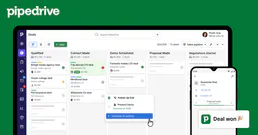
Pipedrive CRM (Full)
Manage deals, contacts, organizations, activities, notes, and pipelines — complete Pipedrive CRM access through natural conversation.