
Paystack MCP. Verify payments and manage accounts directly from chat.
 Gemini
 Works with every AI agent you already use
…and any MCP-compatible client









Just plug in your AI agents and start using Vinkius.
Paystack MCP Server lets your AI agent manage payments directly. List transactions, check customer records, track active subscriptions, and verify payment status—all from chat.
You get immediate control over financial operations without jumping between dashboards or running manual API scripts.
What your AI agents can do
Get customer
Gets specific details for a single Paystack customer using their ID.
Get subscription
Retrieves the current status and settings for one subscription plan.
Get transaction
Fetches all details associated with a single, known transaction reference.
Retrieves specific customer data using the get_customer tool.
Fetches details for a particular subscription using the get_subscription tool.
Runs the verify_transaction tool to confirm if a specific payment was successful or failed.
Retrieves a full list of Paystack transactions using list_transactions.
Lists all active subscriptions and associated billing plans via list_subscriptions.
Gets lists of recent transfers (list_transfers) or refunds (list_refunds).
Ask AI about this MCP
Supported MCP Clients
Gemini Waiting for input…
Paystack: 10 Tools for Payment & Transaction Ops
These tools allow you to programmatically access every aspect of your Paystack account—from listing all customers to verifying single payment statuses.
019d75f0get customer
Gets specific details for a single Paystack customer using their ID.
019d75f0get subscription
Retrieves the current status and settings for one subscription plan.
019d75f0get transaction
Fetches all details associated with a single, known transaction reference.
019d75f0list customers
Returns a list of all customer accounts registered in Paystack.
019d75f0list plans
Retrieves details for every payment plan configured on the account.
019d75f0list refunds
Lists records of recent refunds processed through Paystack.
019d75f0list subscriptions
Provides a comprehensive list of all active and inactive subscriptions.
019d75f0list transactions
Generates a complete log of all transactions processed by the account.
019d75f0list transfers
Lists records of money moved out of the Paystack account to other destinations.
019d75f0verify transaction
Checks and confirms the real-time status (success, failed) of a given transaction reference.
Choose How to Get Started
Build a custom MCP for your own tools, or connect a ready-made integration from our catalog.
Build Your Own
Turn any API into an MCP. Import a spec, define Agent Skills, or deploy with MCPFusion.
- Import from OpenAPI, Swagger, or YAML specs
- Create Agent Skills with progressive disclosure
- Deploy to edge with MCPFusion framework
- Built in DLP, auth, and compliance on every call
- Real time usage dashboard and cost metering
- Publish to catalog or keep private
Make Your AI Do More
Start with Paystack, then connect any of our 4,700+ other servers whenever your AI needs more. One click, no limits.
- Use this MCP plus 4,700+ others, all in one place
- Add new capabilities to your AI anytime you want
- Every connection is secured and compliant automatically
- Track usage and costs across all your servers
- Works with Claude, ChatGPT, Cursor, and more
- New servers added to the catalog every week
What you can do with this MCP connector
When you connect your Paystack account through this MCP server, your AI agent gains immediate control over your financial backend. You'll handle payments and transactions using natural conversation flow without having to jump between dashboards or run manual scripts.
Customer Management
You can get a full picture of your user base by running list_customers, which returns a complete roster of every account registered in Paystack. Need details on one specific client? Use get_customer with their ID, and you'll pull up all the relevant data points for that single customer record.
Transaction History and Verification
To track money movement, your agent can generate a complete log of every transaction processed by calling list_transactions. This gives you an immediate, full-scale view of your business activity. If you know a specific reference ID, you don't have to sift through everything; run get_transaction to pull up all the details linked to that single payment.
Crucially, if you just need to confirm whether a payment went through successfully or failed outright, use verify_transaction with the reference ID for real-time status confirmation.
Subscription and Plan Oversight
Managing recurring revenue is simple here. You can call list_subscriptions to view every single subscription—both active ones and accounts that are currently inactive. Need the specifics on one plan? Use get_subscription to pull up all the current settings and status for a particular plan ID. For setting visibility, run list_plans, which retrieves detailed information for every payment plan you've configured in your account.
Financial Ledger Records
Keeping track of money coming in and going out is critical. You can get lists of all recent refunds processed through Paystack using list_refunds. For tracking outgoing capital, use list_transfers to retrieve records detailing any money moved out of the primary Paystack account to other destinations.
How Paystack MCP Works
- 1 Subscribe to the server and input your Paystack Secret Key (sk_...).
- 2 Your AI agent uses a natural language prompt, calling specific tools like
get_transactionorlist_customers. - 3 The server executes the tool call, retrieves the live data, and returns the structured result directly to your chat interface.
The bottom line is you keep all payment operations inside your chat client; no dashboard jumping required.
Who Is Paystack MCP For?
E-commerce owners, finance analysts, and support staff need this. If checking a customer's payment history or validating an order takes more than three clicks across different platforms, you should use this. It cuts out the manual API calls.
Needs to verify if a customer paid for a specific order quickly without leaving their chat window.
Requires pulling structured lists of transaction data and refunds for month-end reconciliation tasks.
Needs to look up a customer's payment history or check an active subscription status to resolve billing questions faster.
What Changes When You Connect
- Instant Verification: Use
verify_transactionto check a payment status with just one prompt. You don't have to copy the reference into a separate website or dashboard. - Full Customer View: The
list_customersandget_customertools let you pull up a customer’s history instantly, allowing support staff to resolve billing questions without needing internal database access. - Audit Trail Access: Running
list_transactions,list_refunds, orlist_transfersgives you a complete financial audit trail. You can generate reports just by asking your agent. - Subscription Clarity: Use
list_subscriptionsto see exactly how many active plans you have and what their billing cycle is, simplifying revenue tracking instantly. - Operational Efficiency: Instead of running multiple API calls manually in a script, you tell the AI client what data you need (e.g., 'Show me all failed transactions last week'), and it uses
list_transactionsto get it.
Real-World Use Cases
The Support Agent Needs Payment Proof
A customer calls about a payment that supposedly went through, but the agent can't find records. The agent prompts the AI: 'Check transaction reference X.' The server uses verify_transaction and replies with the exact success time and amount, allowing the agent to close the ticket immediately.
The Analyst Needs Reconciliation Data
End of month. The analyst needs to reconcile refunds vs. actual payouts. They ask the AI to run list_refunds and compare it with the output from list_transfers. This provides two structured data sets in one session, eliminating manual spreadsheet merging.
The E-commerce Manager Needs User Data
A key customer calls back claiming their account details are wrong. The manager asks the AI to run get_customer using the email address. It pulls up the stored profile, allowing immediate verification and updating of metadata.
Checking Recurring Revenue Health
The team needs a quick count of active services. They prompt for 'Active subscriptions count.' The server uses list_subscriptions to return an accurate number and list the associated plans, giving immediate insight into recurring revenue health.
The Tradeoffs
Treating payments like simple database reads
A developer writes a script that tries to read customer history by calling list_customers and then expecting all the payment data in one JSON blob. It only gets names and emails.
→
Instead, use list_transactions first to get transaction IDs, then pass those specific IDs into get_transaction. This follows the real dependency chain: Customer ID -> Transaction List -> Specific Details.
Ignoring payment failure states
A user sees a failed order and assumes it's just an error. They try to check the status manually on the website, but get no helpful code.
→
Use verify_transaction with the reference ID. This tool tells you why it failed—was it insufficient funds? Invalid card type? The specific reason matters.
Over-relying on a single endpoint
Trying to get both customer details and their current payment plan just by calling get_customer. Paystack data separates this information.
→
You must call the tools sequentially: First, run get_customer for identity. Then, run get_subscription using the appropriate ID found in the previous step.
When It Fits, When It Doesn't
Use this server if your core workflow is built around checking payment status, auditing transactions, or managing customer billing details. You need to move data from Paystack into a conversation thread and act on it immediately.
Don't use it if you are trying to manage non-payment related services (e.g., inventory levels, user roles outside of payments). For those, look at specialized operational APIs. If your primary goal is simple CRUD operations without payment context, consider a general CRM integration instead.
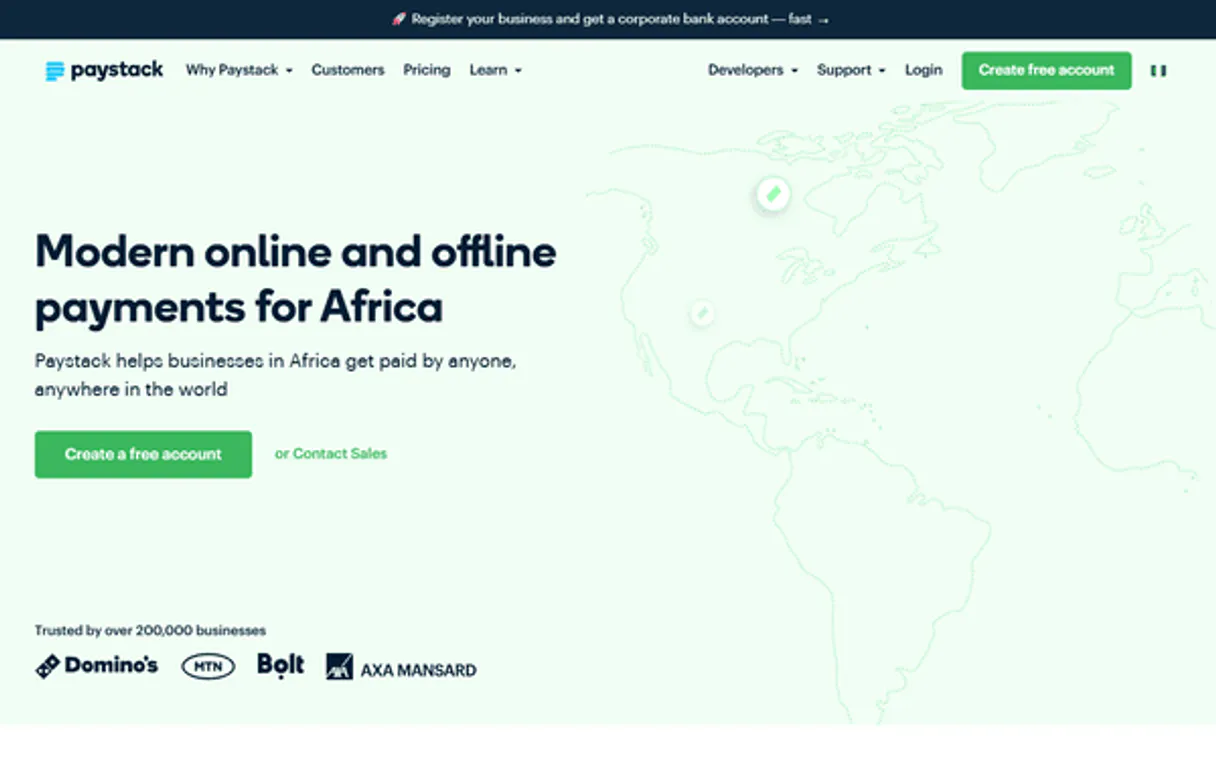
Independent Platform Disclaimer: Vinkius is an independent platform and is not affiliated with, endorsed by, sponsored by, verified by, or otherwise authorized by Paystack. All third-party trademarks, logos, and brand names are the property of their respective owners. Their use on this website is strictly for informational purposes to identify service compatibility and interoperability.
VINKIUS INFRASTRUCTURE
Cloud Hosted
Managed infra
V8 Isolated
Sandboxed per request
Zero-Trust Proxy
No stored credentials
DLP Enforced
Policy on every call
GDPR Compliant
EU data residency
Token Compression
~60% cost reduction
Works with Claude, ChatGPT, Cursor, and more
The Model Context Protocol standardizes how applications expose capabilities to LLMs. Instead of operating in isolation, your AI gains direct access to external platforms, live data, and real-world actions through secure, standardized connections.
This server provides 10 capabilities that interface natively with Claude, ChatGPT, Cursor, and any MCP client. No middleware. No custom integration required.
Available Capabilities
Manually tracking payments means opening 5 different tabs and copying codes.
Right now, if you need to check an order's status or look up a customer’s payment history, it’s a nightmare. You open the dashboard for transactions, then you switch to the customer management section, then maybe you have to pull up a separate report for refunds. Copying reference numbers and pasting them into different tools is slow, error-prone work.
With Paystack MCP, that whole process disappears. You ask your agent: 'Show me all payments for user X last month.' The server runs the necessary sequence of calls (`list_customers`, `list_transactions`) and hands you one clean list in the chat. It’s immediate truth.
Paystack MCP Server: Manage transactions using the `verify_transaction` tool.
Manual verification involves logging into the platform, finding the transaction reference ID, clicking 'View Details,' and then reading a status code. If you miss one step or the page times out, you're stuck guessing if the money actually moved.
The `verify_transaction` tool takes that headache away. You give it the reference; it gives you the definitive status instantly. That’s how reliable payment tracking should work.
Common Questions About Paystack MCP
How do I check if a specific payment went through using the Paystack MCP Server? +
You use verify_transaction. Simply prompt your agent with the transaction reference ID. It confirms the status and provides details without needing you to log into any external portal.
Can I list all my customers using the Paystack MCP Server? +
Yes, run list_customers. This tool pulls a complete roster of every customer account registered in your Paystack system. You can then use get_customer to dive into any specific profile.
What's the difference between listing transactions and checking one? +
Use list_transactions when you want a broad overview or log of multiple payments (e.g., 'all last week'). Use get_transaction when you have a specific ID and only need its full, detailed record.
How do I see my recurring revenue status with Paystack MCP Server? +
Run list_subscriptions. This tool gives you the current count of active subscriptions. You can then use get_subscription for deep dives into a single plan's settings.
How do I track money that was returned or paid back using the `list_refunds` tool? +
You pull every refund record with list_refunds. This shows you exactly when and why payments were reversed, helping match your internal financial books to Paystack's records. It's key for reconciliation.
What information does the `get_customer` tool provide about a specific user? +
get_customer returns detailed profile data, including their payment history and metadata. This is more robust than just listing names because it gives support teams the full context needed for billing inquiries.
How do I view all available payment configurations using `list_plans`? +
Running list_plans pulls every active and configured payment plan. It's your source of truth, giving you a clear overview of what pricing structures are currently live for your users.
What is the difference between listing transactions and tracking outgoing funds with `list_transfers`? +
list_transactions tracks payments into your account. You use list_transfers when you need to track money that leaves your system, like payouts or vendor disbursements. It keeps your financial flow separated.
Can I verify if a payment was successful? +
Yes! Use the verify_transaction tool with the transaction reference. It will return the current status (e.g., success, failed, abandoned) and the amount paid.
How do I find a customer by their email? +
You can use the get_customer tool and provide the customer's email address as the identifier. It will fetch their profile, customer code, and associated metadata.
Does this support checking recurring subscriptions? +
Absolutely. Use the list_subscriptions and get_subscription tools to manage and monitor recurring billing for your customers.
Use it with your favorite AI tools
Connect this server to Cursor, Claude, VS Code, and more.
More in this category

Mercado Pago
Process payments, generate Pix QR codes, manage customers and refunds via Mercado Pago API.

Pagar.me
Create orders, manage subscriptions, and process Pix/Boleto payments via Pagar.me API.

Recurly
Automate subscription billing and management via Recurly — manage subscriptions, accounts, and invoices directly from any AI agent.
You might also like

Recruit CRM
Manage candidates, jobs, and client companies with Recruit CRM and AI agents.

OPML Podcast & RSS Parser
Turn standard OPML export files from your podcast app or RSS reader into clean JSON data. Let your AI analyze your subscriptions and become your personal content curator.

StatHat
Track custom metrics and statistics effortlessly via StatHat — post counters, values, and batch updates directly from your AI agent.