
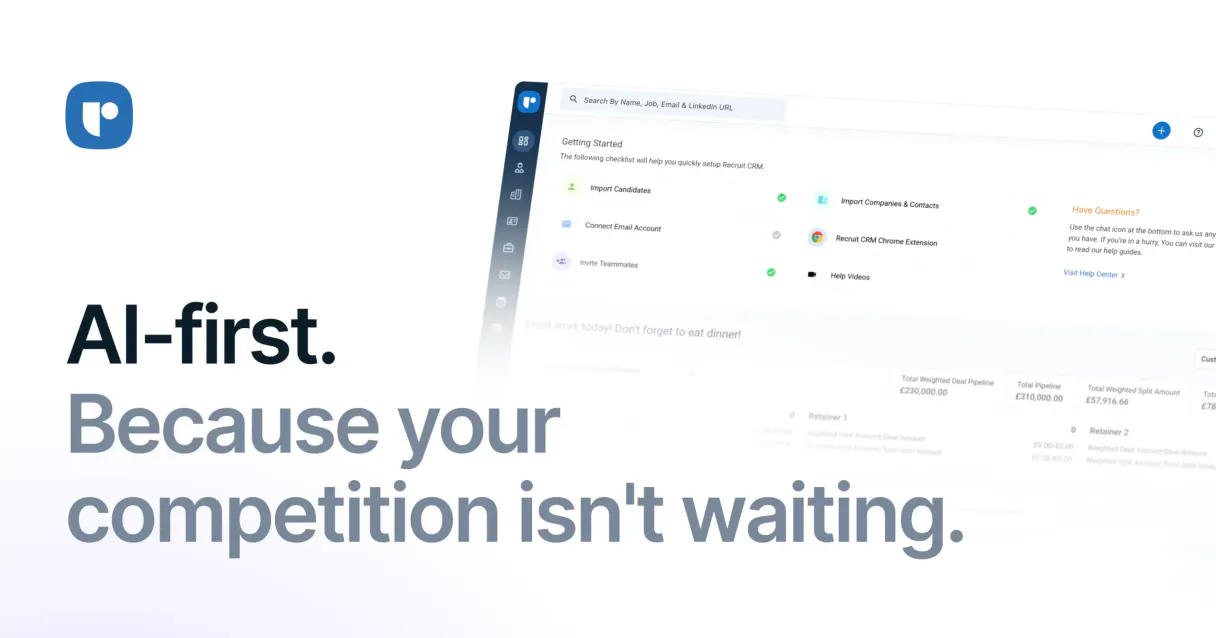
Recruit CRM MCP. Manage your entire recruiting pipeline from chat.
 Gemini
 Works with every AI agent you already use
…and any MCP-compatible client









Just plug in your AI agents and start using Vinkius.
Recruit CRM connects your entire recruiting pipeline into your AI agent. It lets you list, track, and manage candidates, job openings, client companies, and key contacts—all from a single chat interface.
Stop juggling tabs across multiple systems; get an immediate view of where every applicant stands.
What your AI agents can do
Create candidate
Adds a new candidate record to your recruitment database.
Create job
Publishes an entirely new job posting into the system's vacancy list.
Get candidate details
Retrieves all specific information for a single candidate profile.
Add a new candidate profile, capturing all necessary details for tracking.
Generate and publish a brand-new job posting into the system's vacancy list.
Pull all specific information for one candidate using their unique ID or name.
Retrieve a full, current list of every candidate in the database.
Fetch all key information about a client or hiring company.
See a comprehensive list of all open and closed job positions.
Retrieve specific contact information for an individual at a company.
Ask AI about this MCP
Supported MCP Clients
OAuth 2.0 Compatible Gemini Waiting for input…
Recruit CRM MCP Server: 12 Tools for Recruiting Data
Use these twelve specialized tools to automate data actions, from listing candidate profiles to creating new job postings. Everything is accessible through your AI agent.
Make your AI actually useful.
Add this MCP to Claude, Cursor, or Windsurf and your AI stops guessing. It gets real tools to look things up, take action, and handle the stuff you keep doing by hand.
Start using Recruit CRM on Vinkius019dd149create candidate
Adds a new candidate record to your recruitment database.
019dd149create job
Publishes an entirely new job posting into the system's vacancy list.
019dd149get candidate details
Retrieves all specific information for a single candidate profile.
019dd149get company details
Fetches complete background and contact details about any client company.
019dd149get contact details
Gets specific information for a key contact at a given company.
019dd149get job details
Pulls comprehensive details about an existing job vacancy or role.
019dd149get me
Retrieves basic account information for the connected user.
019dd149list candidates
Generates a full list of all candidates currently stored in your system.
019dd149list companies
Provides a comprehensive directory listing of client companies.
019dd149list contacts
Lists all key contacts associated with the client companies in your database.
019dd149list job applications
Shows which candidates are currently assigned to a specific job posting.
019dd149list jobs
Displays the full list of all active and past job vacancies.
Choose How to Get Started
Build a custom MCP for your own tools, or connect a ready-made integration from our catalog.
Build Your Own
Turn any API into an MCP. Import a spec, define Agent Skills, or deploy with MCPFusion.
- Import from OpenAPI, Swagger, or YAML specs
- Create Agent Skills with progressive disclosure
- Deploy to edge with MCPFusion framework
- Built in DLP, auth, and compliance on every call
- Real time usage dashboard and cost metering
- Publish to catalog or keep private
Make Your AI Do More
Start with Recruit CRM, then connect any of our 4,800+ other servers whenever your AI needs more. One click, no limits.
- Use this MCP plus 4,800+ others, all in one place
- Add new capabilities to your AI anytime you want
- Every connection is secured and compliant automatically
- Track usage and costs across all your servers
- Works with Claude, ChatGPT, Cursor, and more
- New servers added to the catalog every week
Independent Platform Disclaimer: Vinkius is an independent platform and is not affiliated with, endorsed by, sponsored by, verified by, or otherwise authorized by Recruit CRM. All third-party trademarks, logos, and brand names are the property of their respective owners. Their use on this website is strictly for informational purposes to identify service compatibility and interoperability.
VINKIUS INFRASTRUCTURE
Cloud Hosted
Managed infra
V8 Isolated
Sandboxed per request
Zero-Trust Proxy
No stored credentials
DLP Enforced
Policy on every call
GDPR Compliant
EU data residency
Token Compression
~60% cost reduction
Works with Claude, ChatGPT, Cursor, and more
The Model Context Protocol standardizes how applications expose capabilities to LLMs. Instead of operating in isolation, your AI gains direct access to external platforms, live data, and real-world actions through secure, standardized connections.
This server provides 12 capabilities that interface natively with Claude, ChatGPT, Cursor, and any MCP client. No middleware. No custom integration required.
Tracking candidate progress shouldn't feel like a spreadsheet audit.
Right now, tracking an applicant means jumping between your ATS dashboard, your company directory, and sometimes even email threads just to get the full picture. You spend minutes copying IDs from one tab to another, manually verifying if they applied for Job X or are linked to Client Y.
With this MCP server, you simply ask your agent about a candidate by name. The agent executes `get_candidate_details` and instantly provides all associated job applications (`list_job_applications`), company background info (`get_company_details`), and even the primary contact for that client—all in one response.
Recruit CRM MCP Server: Getting full candidate records.
Gone are the days of having to guess which job ID belongs to which role, or digging through five different tabs just to verify a contact's current title. The agent runs `get_job_details` and pulls all required information—from salary bands to mandatory skills—in seconds.
It’s simple: you tell the AI what you need, it uses the right tool (`get_job_details`), and you get an accurate answer without ever leaving your chat window.
What you can do with this MCP connector
This agent hooks your whole recruiting pipeline right into your AI client. You'll manage candidates, jobs, and client details without jumping between screens. It gives you one central chat interface to track everything—where every applicant stands, what roles are open, and who you gotta call at the company.
Managing Candidates
You can pull up a full list of everyone currently in your system using list_candidates. If you need deep background on just one person, running get_candidate_details pulls all their specific profile info. You also don't have to manually enter new folks; just call create_candidate, and it adds a brand-new record straight into your database.
Tracking Jobs and Openings
To see what roles are active or closed, use list_jobs to get the full directory of job vacancies. Need specifics on one posting? get_job_details pulls up every comprehensive detail about that existing role. You can also check which candidates applied for a specific opening by running list_job_applications. When you're ready to fill a spot, calling create_job publishes an entirely new job listing into the system.
Client and Contact Intelligence
You don't want to guess who's who. get_company_details fetches all the background info and contact details for any client or hiring company you work with. You can also view your entire roster of partners using list_companies, which gives you a directory listing of every client in your database. If you know the company but need to talk to a specific person, use get_contact_details to get that individual's direct info.
Need to see all key contacts associated with a particular client? Just run list_contacts.
System Overview and Setup
This agent handles listing everything—your candidates, your companies, and your jobs—so you only have one place to look. You can pull up basic account info for the connected user by calling get_me. This server lets your AI client interact with every core function of your recruiting database, giving you a single source of truth without any messy manual data entry or tab juggling.
019dd149-6c6b-73cf-a606-feec876f8e14 
How Recruit CRM MCP Works
- 1 Obtain your API Token from Recruit CRM (Admin Settings > Account Management).
- 2 Enter that token into the Vinkius platform integration settings.
- 3 Start interacting with the Recruit CRM agent chat window to execute commands.
The bottom line is, you give your AI client the key, and it uses that key to talk directly to your recruitment database.
Who Is Recruit CRM MCP For?
This tool is for the recruiter who hates copy-pasting data between spreadsheets and CRMs. It’s for the HR ops specialist drowning in candidate status updates, or the hiring manager who needs to pull quick company background info without leaving their chat window. You need a single source of truth for your entire talent pipeline.
Using list_candidates and get_job_details, you keep track of where every applicant is in the process, making sure nothing falls through the cracks.
You run bulk commands like create_candidate or list_companies to maintain data integrity and automate record keeping across multiple roles.
When you need background on a potential client, you use get_company_details. If you need status updates, you check the pipeline using job listing tools. The agent handles the retrieval.
What Changes When You Connect
- Stop manually cross-referencing data. Need to know who applied for a role? Just ask the agent to
list_job_applicationsand get the list immediately. No switching tabs. - Data entry is faster than ever. Instead of opening a form, you tell your AI client to use
create_candidate, giving it all the required data points in one go. - Client background checks are simple. You don't need to jump into Google; asking for
get_company_detailspulls that core info right into your chat window. - See pipeline bottlenecks instantly. Run
list_jobsand then follow up with a query to see which candidates (list_job_applications) are stuck at the screening stage. - Keep contacts organized. You can list all clients using
list_companies, and immediately drill down to specific people usingget_contact_details. It keeps your data structured. - Get account context fast. The
get_metool ensures your agent always knows which user is performing the action, keeping audit logs clean.
Real-World Use Cases
New Client Onboarding
A new client signs on. Instead of emailing a request for company data, you ask your agent to run get_company_details using the name. The system pulls all relevant history and key contacts (using list_contacts), allowing you to start immediately without manual research.
Candidate Status Audit
You need a status report on 5 open positions. You ask the agent to use list_jobs for all active roles, and then loop through each job ID using list_job_applications. This gathers all necessary candidate data in one automated sequence.
Rapid Data Capture
You get a promising referral. Instead of opening the full form, you tell your agent to use create_candidate and paste the details into the chat. It builds the record instantly, saving minutes on every single entry.
Following Up with Stakeholders
A job is open (found using list_jobs), but you don't know who to contact at the client company. You ask your agent to run get_company_details and then use list_contacts on that record, giving you names and direct lines.
The Tradeoffs
Treating it like a database query tool
Typing: 'Give me the candidates who worked at Google last year.' This requires complex filtering logic the agent can't guess.
→
You must first use list_candidates to get the IDs, and then ask the agent to filter that list based on criteria you provide. Stick to simple data retrieval commands.
Manually copying job details
Opening a spreadsheet, finding job ID 'j45', going to the CRM page, and manually pasting the title and description into a meeting summary.
→
Tell your agent: 'Use get_job_details for job ID j45.' The full details come right back in chat, ready for copy/paste.
Trying to update records via chat
Sending a message like: 'Update Alex Rivera's status because he rejected the offer.' The agent only reads; it can't change internal flags.
→ The current tools focus on retrieval and creation. If you need updates, you have to manually push that data through your backend workflow.
When It Fits, When It Doesn't
Use this MCP Server if your core job involves structured data management across three distinct entities: People (Candidates/Contacts), Roles (Jobs), and Organizations (Companies). You should use it when the process is about data linkage—connecting a candidate to a specific job, which belongs to a specific company. Don't use it if you only need simple reminders or task lists; for that, stick to dedicated calendar or task management tools. If your workflow involves generating reports based on data already in the CRM (like exporting a list of names), then this is exactly what you need because it gives your AI agent access to all the raw information via list_candidates and list_companies. It's for building the foundational data layer, not for running external processes.
Common Questions About Recruit CRM MCP
How do I list all active job vacancies using the `list_jobs` tool? +
You just ask the agent to run list_jobs. The server returns a complete, up-to-date listing of every available vacancy ID and its current status.
Can I add new candidates using `create_candidate` if they aren't in my contact list? +
Yes. The create_candidate tool lets you build a profile even if the person isn't tied to an existing client record, keeping your recruiting data clean and separate from company contacts.
What is the difference between `list_companies` and `list_contacts`? +
list_companies gives you a directory of all client organizations. You use list_contacts afterward, passing in a company ID to get only the people associated with that specific organization.
If I need details on one job, which tool should I use: `get_job_details` or `list_jobs`? +
list_jobs gives you a summary list of all jobs. Use get_job_details when you already know the Job ID and need every single piece of data about that one specific opening.
Does the agent support creating job postings for multiple roles at once? +
No, the create_job tool handles one posting per call. You'll have to ask your agent to run the command sequentially for each role you need to publish.
How can I filter or paginate results when using the `list_candidates` tool? +
The list_candidates tool supports filtering by status (e.g., Active, Interviewing) and allows pagination through offset parameters. You must pass a limit count to retrieve results in manageable batches rather than receiving a massive data dump.
What information does the `list_job_applications` tool provide for a given job ID? +
This tool lists every candidate associated with a specific Job ID. Each record includes the Candidate's Name, their current Application Status, and the date they applied to the role. It’s perfect for auditing your pipeline.
Should I use the `get_me` tool to verify API rate limits or user permissions? +
The get_me tool retrieves basic account information, including your primary credentials and associated email. For specific quota details or hard rate limit numbers, check the full Vinkius documentation linked in the platform settings.
How do I get my API Token? +
Log in to Recruit CRM and go to Admin Settings > Account Management > API Token to generate your token.
Use it with your favorite AI tools
Connect this server to Cursor, Claude, VS Code, and more.