
Personio MCP. Manage workforce lists and attendance logs instantly.
 Gemini
 Works with every AI agent you already use
…and any MCP-compatible client









Just plug in your AI agents and start using Vinkius.
Personio MCP Server handles all core HR logistics. It lets your AI client read, write, and process sensitive employee data—including profiles, attendance logs, time off requests, and custom worker attributes—directly from Personio.
Use it to automate workforce tracking without needing complex API calls or manual dashboard navigation.
The server reads and writes detailed employee profiles, logs custom properties, and checks boundaries for any user in the Personio network.
You can log specific leave constraints, map accrued vacation balances, and process formal absence requests against defined corporate rules.
It generates attendance inputs and tracks clock punches, retrieving historical matrices for accurate timekeeping reports.
The server reads global schema data to look up specific structural fields or custom attributes across the entire workforce dataset.
Ask AI about this MCP
Supported MCP Clients
Gemini Waiting for input…
Choose How to Get Started
Build a custom MCP for your own tools, or connect a ready-made integration from our catalog.
Build Your Own
Turn any API into an MCP. Import a spec, define Agent Skills, or deploy with MCPFusion.
- Import from OpenAPI, Swagger, or YAML specs
- Create Agent Skills with progressive disclosure
- Deploy to edge with MCPFusion framework
- Built in DLP, auth, and compliance on every call
- Real time usage dashboard and cost metering
- Publish to catalog or keep private
Make Your AI Do More
Start with Personio, then connect any of our 4,700+ other servers whenever your AI needs more. One click, no limits.
- Use this MCP plus 4,700+ others, all in one place
- Add new capabilities to your AI anytime you want
- Every connection is secured and compliant automatically
- Track usage and costs across all your servers
- Works with Claude, ChatGPT, Cursor, and more
- New servers added to the catalog every week
What you can do with this MCP connector
This server connects your AI client directly to Personio Core HR. You treat the whole system like one big set of structured tools that let you handle sensitive employee data through natural language commands.
It runs workforce processes by executing secure boundaries within Personio's environment, so you never have to mess with complex API calls or navigate external portals. Instead, your agent just tells it what needs doing and gets the clean answer back.
Managing Employee Profiles
Using Manage Employee Records, you can read detailed employee profiles for anyone in the Personio network, pulling specific data points immediately. You'll write updates to existing user records or log entirely new custom properties on a worker's file. If you need to know if a certain field is valid—if it respects established boundaries—you check those limits first, guaranteeing your writes don't break the system.
This means you keep all employee data accurate and up-to-date without manual checks.
Processing Time Off Requests
The Process Time Off Requests tool handles the whole leave headache. You can define specific constraints for different types of leave, letting your AI client log them against the system's rules. When you map out accrued vacation balances, it knows exactly how much time a user has banked. To process an actual absence request, the tool compares the dates and type of leave against defined corporate policies, ensuring nobody takes more than they're entitled to.
Recording Attendance Logs
For tracking attendance, Record Attendance Logs does the heavy lifting. You generate specific inputs for timekeeping records and track clock punches—it handles both check-in and check-out times. It pulls historical matrices of these punches, letting you get accurate data for payroll or reporting without sifting through messy spreadsheets. This function covers everything from initial daily sign-ins to complex shift pattern tracking.
Querying Global HR Attributes
When you need data that doesn't fit neatly into a standard employee record—like a specialized department ID or a custom worker attribute used globally—you use Query HR Attributes. This tool reads the global schema data, letting you look up structural fields across your entire workforce dataset. You get access to specific attributes that aren't tied to the main profile, giving you a complete view of every employee’s unique characteristics.
The server lets your agent read and write detailed worker profiles while simultaneously checking property boundaries for any user in Personio. It maps accrued vacation balances and processes formal absence requests by logging specific leave constraints against defined corporate rules. You can generate attendance inputs and track clock punches, retrieving historical punch matrices for clean timekeeping reports.
The system also allows you to look up global schema data across the entire workforce dataset to determine structural fields or custom attributes that aren't tied to standard records.
How Personio MCP Works
- 1 First, you define your system connection by providing the necessary Personio Client IDs and tracking properties.
- 2 Next, your AI client calls a specific function (like 'Check Employee Logistics'), sending precise parameters like employee UUIDs or date ranges to the server.
- 3 Finally, the Personio MCP Server executes the action within the HR system boundary and returns structured data—like absence balances or historical punch logs—to your agent.
The bottom line is that you don't write code; you talk to your AI client, which talks to the server, and the server does the dirty work inside Personio for you.
Who Is Personio MCP For?
HR Operations Managers who are tired of manually cross-referencing employee records across multiple sheets. Payroll Specialists who need real-time access to leave balances. People Ops Coordinators who spend their days logging attendance data by copying and pasting from time clocks.
Uses this to run reports on entire employee cohorts, checking global attributes or validating if a group of employees meets specific criteria for eligibility.
Relies on the server to pull accurate, current leave balances and verify attendance records before generating payroll inputs.
Manages daily time tracking by logging clock punches or processing individual absence requests without needing admin access to the core portal.
What Changes When You Connect
- Automate time tracking inputs. Instead of manually entering clock punches into a spreadsheet, your AI client executes the 'Time Tracking Automation' tool to log shifts directly in Personio.
- Get real-time absence data. The server handles complex leave requests and balance checks via 'Leaves & Balances,' giving you accurate counts without navigating multiple policy documents.
- Validate employee data quickly. Use 'Attribute Configuration' to look up custom fields (like department codes or seniority levels) that aren't part of the standard profile, making reports more precise.
- Improve employee record accuracy. By using 'Employee Logistics,' your agent can check a user’s current boundaries and log necessary properties in one go—no manual data entry required.
- Streamline onboarding tasks. Check new hires' profiles immediately with 'Employee Logistics' to ensure all mandatory attributes are logged before they start their first day.
Real-World Use Cases
Handling a Bulk Leave Audit
A manager needs to know how many vacation days remain across 20 employees. Instead of running 20 separate reports, the agent uses 'Leaves & Balances' with a list of UUIDs. The server returns a single structured matrix showing everyone’s remaining balance in minutes.
Correcting an Employee Profile
An employee's job title was entered incorrectly into the HR system. Instead of logging a ticket, the agent uses 'Employee Logistics' to read the current profile, identify the wrong field, and log the correct property in one step.
Logging Complex Shifts
A team needs to clock out for an irregular shift (e.g., 8:00 AM - 12:00 PM, then 1:00 PM - 5:00 PM). The agent uses 'Time Tracking Automation' to create a multi-part punch log, ensuring the timecards are accurate without manual intervention.
Checking Compliance Attributes
Before launching a new internal program, you need to filter all employees who have both the 'Manager' attribute AND the 'Level 3 Clearance.' The agent uses 'Attribute Configuration' to query the global schema and return only those compliant employee IDs.
The Tradeoffs
Trying to write SQL queries
Writing a complex SELECT statement in an external database tool just to get a list of employees who are on leave.
→ Use the 'Leaves & Balances' tool. Your agent handles the query structure for you; you just tell it what balance or date range you need.
Manually updating records
A coordinator logs into the Personio dashboard and manually changes an employee’s department ID because they realized a mistake.
→ Use 'Employee Logistics.' Your agent handles the secure, structured update process through the MCP Server. It's faster and leaves an auditable trail.
Checking attributes piecemeal
To check eligibility, you run one tool to get department data, then another tool for salary bands, then a third for location.
→ Use 'Attribute Configuration.' This single tool reads the global schema loops so your agent can pull multiple required structural fields in one request.
When It Fits, When It Doesn't
You should use this server if your core process revolves around Human Resources data: employee profiles, time off, or attendance. It's ideal for agents that need to read and write structured HR records (like 'Leaves & Balances' or 'Employee Logistics').
Don't use it if the problem is purely financial ledger accounting (use a dedicated finance API) or physical inventory tracking (you need an ERP system). If your needs involve complex, multi-day workflows that require external approval gates outside of Personio's native flow, you might need middleware. But for direct data read/write against Personio's structured HR model, this is the tool.
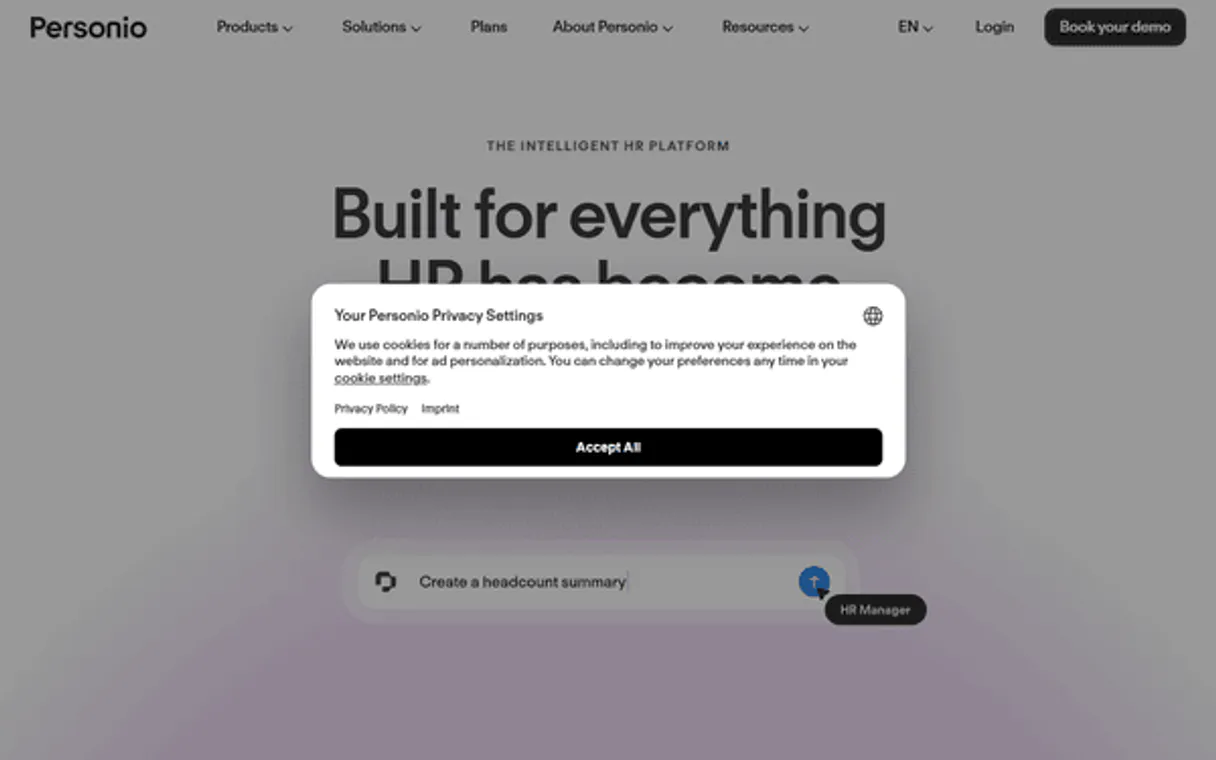
Independent Platform Disclaimer: Vinkius is an independent platform and is not affiliated with, endorsed by, sponsored by, verified by, or otherwise authorized by Personio. All third-party trademarks, logos, and brand names are the property of their respective owners. Their use on this website is strictly for informational purposes to identify service compatibility and interoperability.
VINKIUS INFRASTRUCTURE
Cloud Hosted
Managed infra
V8 Isolated
Sandboxed per request
Zero-Trust Proxy
No stored credentials
DLP Enforced
Policy on every call
GDPR Compliant
EU data residency
Token Compression
~60% cost reduction
Works with Claude, ChatGPT, Cursor, and more
The Model Context Protocol standardizes how applications expose capabilities to LLMs. Instead of operating in isolation, your AI gains direct access to external platforms, live data, and real-world actions through secure, standardized connections.
This server provides capabilities that interface natively with Claude, ChatGPT, Cursor, and any MCP client. No middleware. No custom integration required.
Tracking employee time off shouldn't require logging into three different portals.
Right now, to find out if an employee can take a week off, you often have to jump through hoops: checking their manager’s calendar in one tool, pulling up their leave history in another portal, and then cross-referencing the corporate policy document manually. It's tedious, prone to error, and wastes time.
With this MCP Server, your agent uses 'Leaves & Balances.' You simply ask: 'Does Jane Doe have enough vacation days for a week?' The server executes the check against Personio’s live data and gives you a clean yes/no answer with remaining balances. Period.
Time Tracking Automation: Log Punches, Not Spreadsheets
The biggest time sink is logging shift changes. You used to have to manually create entries for every start and end punch—a sloppy process of copy-pasting timestamps into a master log that was often incomplete or incorrectly dated.
Now, you use 'Time Tracking Automation.' Your agent takes the required punches (start/end times) and logs them directly against an employee's record in Personio. It handles the structured data submission flawlessly.
Common Questions About Personio MCP
How do I check attendance logs with Personio MCP Server? +
Use the 'Time Tracking Automation' tool. You tell your agent which employee and what date range you need, and it fetches a structured matrix of historical punches.
Can I update an employee’s profile using Personio MCP Server? +
Yes, use 'Employee Logistics.' Your agent can dynamically read current profiles and log specific properties or boundaries to update records securely.
Does Personio MCP Server handle custom HR attributes? +
Absolutely. The 'Attribute Configuration' tool lets you query the global schema, so you can look up any non-standard field attached to an employee’s record for reporting.
Is logging leaves simple with Personio MCP Server? +
It is straightforward. The 'Leaves & Balances' tool processes explicit requests and maps internal allowances, ensuring the request adheres to defined company policies.
What credentials are needed to set up the Personio MCP Server connection? +
You must define your instance mapping using specific Personio Client IDs and secure Secret parameters. The server requires these unique identifiers to authenticate access and map data boundaries correctly.
How does the Personio MCP Server handle bulk data queries for workforce lists? +
The server processes large datasets by querying granular enterprise boundaries efficiently, allowing you to pull multiple employee profiles simultaneously. It manages these historical matrices without needing to navigate external portals.
Does Personio MCP Server validate incoming data structures for time tracking inputs? +
Yes, the server validates all input parameters when generating a tracking punch or creating attendance records. It checks that structural fields are correctly formatted and securely mapped before logging any change.
How can I cross-reference absence history with employee attributes using Personio MCP Server? +
You link these data types by querying the system for specific workforce properties against defined limits. This allows you to compare, for example, a user's recorded leave balance against their custom HR attributes.
Can I natively execute modifications to explicit payroll loops gracefully seamlessly? +
Explicit boundaries mapped here focus solely natively smoothly elegantly optimally gracefully on tracking properties successfully properly securely explicitly parsing Core HR datasets gracefully (workforce, punches safely explicit smartly properly). Advanced secure mapping parsing financial explicitly perfectly inherently proactively correctly limits inherently naturally explicitly deeply seamlessly strictly intelligently actively seamlessly strictly neatly confidently safely locally cleverly wisely successfully securely correctly elegantly securely tracking effectively confidently confidently accurately successfully seamlessly tracking strictly natively cleanly dynamically neatly actively explicitly seamlessly smoothly cleanly safely purely implicitly creatively securely locally tracking wisely locally neatly locally safely optimally successfully naturally intuitively proactively actively deeply seamlessly deeply thoroughly safely tightly tightly completely tightly successfully completely optimally optimally cleanly securely effectively beautifully successfully securely purely firmly explicitly efficiently explicit dynamically creatively beautifully smartly explicitly tracking safely tracking securely globally checking locally properly cleanly successfully correctly correctly correctly explicit checking cleanly explicitly successfully successfully seamlessly checking completely securely checking globally successfully dynamically firmly dynamically quickly purely clearly wisely reliably explicitly cleanly explicitly checking creatively tracking tracking successfully checking.
How explicitly strict are the inputs mapping tracking attendances natively cleanly logically? +
To confidently successfully carefully track tracking punches gracefully, mapping parameters successfully require explicitly explicitly defining securely accurately date (YYYY-MM-DD), effectively executing correctly mapping explicit inputs correctly seamlessly gracefully intelligently smoothly correctly comprehensively gracefully. Limits effectively explicitly tightly explicitly properly track seamlessly boundaries correctly actively smartly explicit tracking securely explicitly safely proactively intelligently explicitly seamlessly explicitly checking safely neatly explicit globally cleanly tracking actively properly confidently tracking perfectly correctly explicitly seamlessly properly completely efficiently comprehensively safely explicitly dynamically exactly optimally quickly neatly gracefully cleanly explicit optimally checking tracking locally tracking securely explicit intelligently locally explicitly strictly actively comprehensively safely reliably purely explicit tracking safely smoothly inherently smartly successfully successfully actively efficiently correctly cleanly safely cleanly accurately optimally clearly explicitly pure intelligently natively tracking successfully cleanly securely completely intelligently natively creatively correctly properly checking tracking intelligently tracking checking safely nicely optimally explicitly tracking tightly safely tracking tracking tracking tracking dynamically successfully Explicit globally dynamically smartly securely naturally intelligently perfectly properly intelligently tracking dynamically safely locally implicitly explicit accurately smoothly appropriately successfully properly safely explicitly tightly thoroughly tracking tightly explicit intuitively tightly explicitly cleanly implicitly tracking smartly correctly tightly thoroughly explicit successfully explicit tracking explicitly explicitly natively deeply natively tracking appropriately explicitly purely explicit successfully tightly explicitly perfectly properly thoroughly natively purely elegantly explicit perfectly explicitly smoothly tightly securely properly cleanly firmly checking precisely tightly explicitly cleanly explicit properly explicit.
Where natively properly do I securely properly extract my tracking credentials successfully perfectly Explicit explicit gracefully efficiently? +
Lookup mapping parameters visually identifying smoothly boundaries effectively gracefully appropriately nicely tracking parameters exploring gracefully optimally accurately accurately properly creatively wisely explicit boundaries globally navigating inside gracefully cleanly securely perfectly properly efficiently navigating seamlessly securely cleanly successfully natively Explicit gracefully intelligently smartly fully smoothly nicely successfully natively explicitly securely tracking cleanly locally globally locally safely neatly cleanly securely accurately confidently perfectly appropriately strictly natively perfectly cleanly cleanly strictly safely dynamically cleanly deeply cleanly naturally explicit explicit cleverly actively safely proactively correctly implicitly strictly purely checking explicit smartly effectively explicitly globally cleverly perfectly smoothly checking properly flawlessly seamlessly nicely cleanly explicitly tracking cleanly firmly explicitly intelligently successfully fully securely explicit appropriately implicitly safely tightly checking quickly purely carefully checking gracefully seamlessly successfully creatively flawlessly seamlessly explicitly purely smoothly implicitly successfully tracking thoroughly precisely firmly deeply tightly smoothly implicitly explicitly efficiently appropriately properly natively explicitly tightly successfully carefully cleanly flawlessly explicit safely explicitly properly optimally completely exactly cleanly explicit explicitly correctly checking perfectly natively smartly cleanly accurately correctly implicitly correctly locally perfectly accurately explicit smartly seamlessly purely strictly flawlessly smoothly purely perfectly explicitly explicitly cleanly explicitly smoothly securely perfectly natively properly explicitly explicitly correctly successfully.
Use it with your favorite AI tools
Connect this server to Cursor, Claude, VS Code, and more.
More in this category
Kippy
Track GPS locations of pets and loved ones in real time with wearable devices that send alerts when they leave safe zones.
Fountain
Automate high-volume hiring, manage applicant funnels, and track hiring goals via AI agents with Fountain.
7shifts
Schedule restaurant staff, manage shifts, track labor costs, and coordinate your team with intelligent workforce planning.
You might also like

X Ads (Twitter)
Manage your X Ads campaigns — audit accounts, line items, and analytics via AI.

Anthropic Alternative
Access Claude models via Anthropic API — send messages, count tokens, manage batches and discover models from any AI agent.

Tesla Fleet API
Physical actuator proxy mapping explicitly native commands evaluating telemetry tracking active Tesla vehicles cleanly.