
Pike13 MCP. Ask about any client, class schedule, or invoice.
 Gemini
 Works with every AI agent you already use
…and any MCP-compatible client









Just plug in your AI agents and start using Vinkius.
Pike13 connects your AI client directly to your fitness studio's core operational data. It handles everything from scheduling classes and checking staff credentials to running full financial reports on invoices and memberships.
Your agent can search for clients, analyze attendance records, or list all upcoming events using natural conversation.
What your AI agents can do
Get business info
Retrieves general configuration details about the gym's account.
Get event
Gets the specific details for one scheduled class or event.
Get person
Retrieves a complete profile for a single person (member, staff, etc.).
Find a client's full profile using their name, email, or phone number.
List all classes and events within specific date ranges, showing capacity and enrollment status.
Pull lists of invoices or membership plans, filtering by date for revenue tracking.
List all active staff members and their assigned roles or certifications.
Get lists of past member visits, which helps track retention patterns.
Ask AI about this MCP
Supported MCP Clients
Gemini Waiting for input…
Pike13 MCP Server: 9 Tools for Fitness Operations
Use these nine tools to let your agent retrieve specific business data points—from billing records to class rosters—without needing dozens of manual clicks.
019d75f3get business info
Retrieves general configuration details about the gym's account.
019d75f3get event
Gets the specific details for one scheduled class or event.
019d75f3get person
Retrieves a complete profile for a single person (member, staff, etc.).
019d75f3list events
Lists multiple scheduled classes or events when you filter by date range.
019d75f3list invoices
Generates a list of invoices and revenue totals for financial reporting, filtered by date.
019d75f3list plans
Shows available service plans, including their pricing structure and visit limits.
019d75f3list staff
Pulls a list of all active staff members in the studio.
019d75f3list visits
Provides a record of member check-ins, useful for retention analysis.
019d75f3search people
Searches and returns profiles for members or clients, showing active plans and visit counts.
Choose How to Get Started
Build a custom MCP for your own tools, or connect a ready-made integration from our catalog.
Build Your Own
Turn any API into an MCP. Import a spec, define Agent Skills, or deploy with MCPFusion.
- Import from OpenAPI, Swagger, or YAML specs
- Create Agent Skills with progressive disclosure
- Deploy to edge with MCPFusion framework
- Built in DLP, auth, and compliance on every call
- Real time usage dashboard and cost metering
- Publish to catalog or keep private
Make Your AI Do More
Start with Pike13, then connect any of our 4,700+ other servers whenever your AI needs more. One click, no limits.
- Use this MCP plus 4,700+ others, all in one place
- Add new capabilities to your AI anytime you want
- Every connection is secured and compliant automatically
- Track usage and costs across all your servers
- Works with Claude, ChatGPT, Cursor, and more
- New servers added to the catalog every week
What you can do with this MCP connector
Yo, listen up. This isn't your grandpa's clunky studio management software you gotta click through a dozen screens to use. Pike13 connects your AI client straight into your gym’s core system. You don't need to know where the button is; you just talk to your agent, and it pulls the data for you.
It handles everything—from figuring out who showed up today to running deep financial reports on last quarter's memberships.
Your agent can act like an employee with full access rights. Here’s what you get:
Client Profiles & Search: You never wanna waste time digging through spreadsheets again. Your agent lets you search for any client or member using their name, email address, or phone number via the search_people tool. If you need a deep dive into one person's history, the get_person function pulls up their entire profile.
You can instantly see what plans they’re on and how many visits they have left—it's all right there.
Scheduling & Events: Wanna know who’s showing up to Yoga Blast or if you got enough spots for a new class? Your agent handles that with the list_events tool, letting you pull schedules for any date range. If you need specifics on one particular session, the get_event function gives you all the details.
It lets you manage your whole calendar without leaving chat.
Money Talk (Billing & Plans): Gotta track revenue? Your agent runs financial reports by generating a list of invoices and total revenue using list_invoices, filtering it down to specific dates for easy tracking. For membership structure, the list_plans tool shows every available service plan and its pricing details, so you never sell something wrong again.
You can get full business context about your gym setup with the get_business_info function.
Staffing & Operations: Keeping track of staff is a headache, right? The list_staff tool pulls up a clean list of every active employee and their assigned roles. Beyond that, you can analyze attendance flow by pulling records of past member check-ins using the list_visits function—this helps you spot retention issues before they get bad.
You’ll also find that your agent uses this data to help you manage staff credentials.
This system combines all those functions into a single chat interface. Need to know the whole scoop on billing, scheduling, staffing rosters, and who's showing up? Just ask. It speaks directly to these core systems, giving you the power of deep analytics without the pain of complex dashboards.
How Pike13 MCP Works
- 1 Your AI client sends a natural language request (e.g., 'What's our revenue for last month?').
- 2 The Pike13 server identifies the necessary tool (
list_invoices) and calls it with parameters like dates. - 3 The agent receives structured data (JSON) detailing the financial report, which it then translates back into a conversational summary.
The bottom line is you tell your AI client what business question you have; it handles calling the right APIs and formats the answer for you.
Who Is Pike13 MCP For?
This server is built for gym owners, operations managers, and billing specialists who spend too much time manually clicking through multiple tabs—one for scheduling, one for finance, and another just for member data. If your job involves piecing together a picture from five different backend reports, you need this.
You use it to get quick overviews: 'What was our revenue last month?' or 'Who is scheduled next week?' You want high-level data instantly.
You handle daily logistics. You ask about class overlaps, staff availability (list_staff), and upcoming event capacity.
Your focus is the money. You run reports using list_invoices or check membership status via search_people to handle payments and refunds.
What Changes When You Connect
- You get real-time financial data. Instead of exporting a spreadsheet to check revenue, asking the agent to
list_invoicesgives you an instant summary of payments and refunds. - Staffing questions are solved immediately. Need to know who's teaching yoga tomorrow? Asking about events using
list_eventsgives you schedules, instructors, and capacities in seconds. - Member data is centralized. Use
search_peopleto pull up a client profile that includes their membership plan status, visit count, and contact info—all in one go. - Retention tracking gets easier. By running the
list_visitstool, you can quickly see attendance trends across your entire member base to spot who might be slipping away. - Staff management is clean. The
list_stafftool gives you a current roster of all instructors and their official certifications without needing to log into HR software.
Real-World Use Cases
Running end-of-month financials
The owner needs to know total revenue. They prompt the agent with, 'What was our income last month?' The agent calls list_invoices and returns a structured report detailing memberships vs. drop-ins.
Checking staff availability
The Ops Manager asks: 'Who is teaching HIIT next Tuesday?' The agent uses list_events to check the schedule, listing all qualified instructors and their times for that day.
Handling a membership query
A client calls about billing. Staff use the agent with search_people (by phone number) to pull up the member's profile, confirming their active plan, remaining visits, and account balance.
Analyzing engagement gaps
The owner wants to know if new members are coming back. They ask the agent to analyze list_visits data for the last quarter, identifying patterns of low check-in frequency among certain groups.
The Tradeoffs
Asking vague questions
User: 'Tell me about our business.' (The agent can't guess if you mean staff, money, or events.)
→
Be specific. Instead of that, ask the agent to list_staff first, or run a report using get_business_info for general details.
Mixing financial and people data in one prompt
User: 'Show me all clients who owe money.' (The agent might get confused between billing records and profiles.)
→
Break it up. First, use search_people to find the client ID; then ask for their balance using a tool like get_person.
Forgetting date ranges on reports
User: 'List all invoices.' (The agent might flood you with years of data, making it useless.)
→
Always include a time frame. Say, 'Show me the results of list_invoices for October 2024.'
When It Fits, When It Doesn't
Use Pike13 if your daily workflow requires combining multiple data points: staff rosters + class schedules + billing history. It excels when you need to know why revenue is up or down, linking it back to membership plans or visits.
Don't use this if all you need is a simple, standalone calendar view (a dedicated scheduling tool might be lighter). Also, don't rely on it for complex API management; the agent handles sequencing. If your data sources are messy or constantly change format, you might run into issues because the system relies on accurate data schemas.
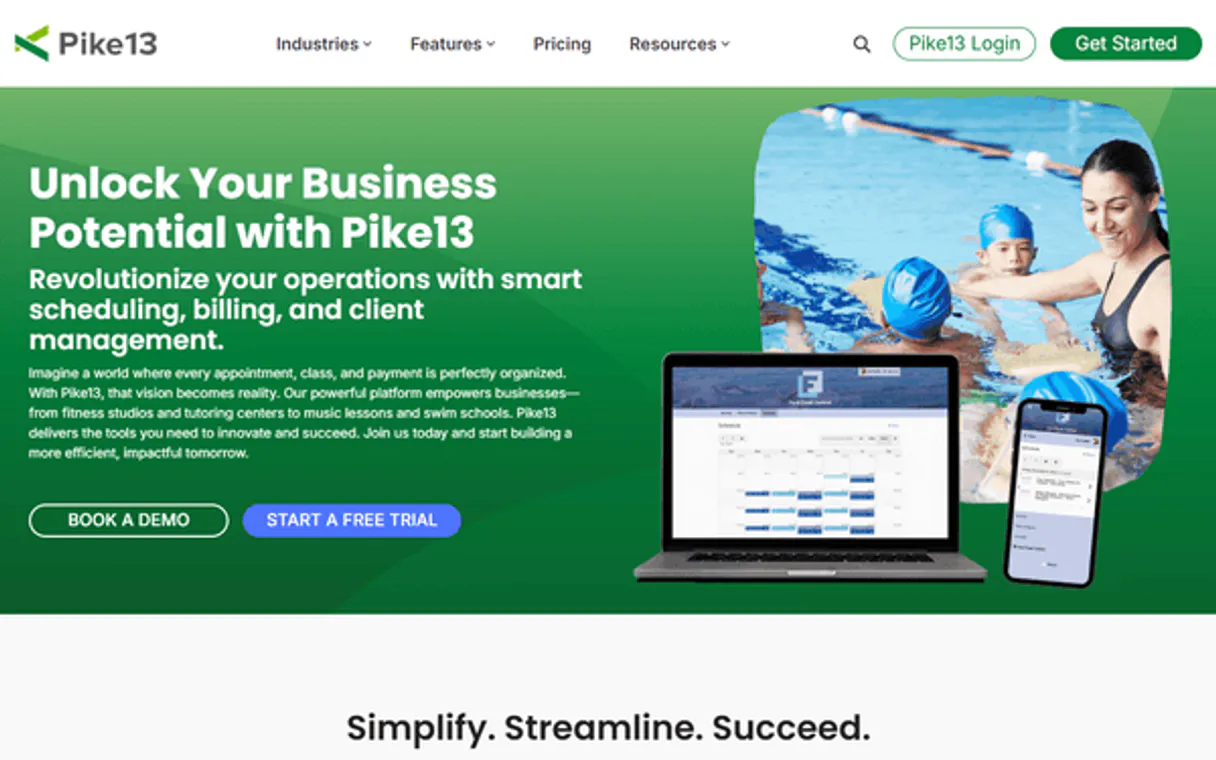
Independent Platform Disclaimer: Vinkius is an independent platform and is not affiliated with, endorsed by, sponsored by, verified by, or otherwise authorized by Pike13. All third-party trademarks, logos, and brand names are the property of their respective owners. Their use on this website is strictly for informational purposes to identify service compatibility and interoperability.
VINKIUS INFRASTRUCTURE
Cloud Hosted
Managed infra
V8 Isolated
Sandboxed per request
Zero-Trust Proxy
No stored credentials
DLP Enforced
Policy on every call
GDPR Compliant
EU data residency
Token Compression
~60% cost reduction
Works with Claude, ChatGPT, Cursor, and more
The Model Context Protocol standardizes how applications expose capabilities to LLMs. Instead of operating in isolation, your AI gains direct access to external platforms, live data, and real-world actions through secure, standardized connections.
This server provides 9 capabilities that interface natively with Claude, ChatGPT, Cursor, and any MCP client. No middleware. No custom integration required.
Available Capabilities
Finding key operational numbers shouldn't take 10 clicks.
Right now, figuring out class capacity requires jumping between the 'Scheduling' tab to see when a class is running, then opening the 'Reports' section, and finally cross-referencing that against the 'Members' list to get enrollment numbers. It’s slow, and you always risk using old data.
With Pike13 MCP Server, you just talk to your agent. You ask, 'What was capacity for Vinyasa Flow last week?' and it combines `list_events` with member counts instantly. You get the precise number in a sentence, not in a CSV file.
Pike13 MCP Server: Accessing Core Business Data
Manual billing checks mean exporting invoice logs and manually cross-referencing them with the active membership plans. If you're doing this every week, you're wasting hours on repetitive data entry.
The agent uses `list_invoices` combined with `list_plans`. You get a single narrative that tells you exactly where the money is coming from and if any payments are overdue. It's done in seconds.
Common Questions About Pike13 MCP
How do I check current staff availability using list_staff? +
You run list_staff to get a roster of all employees and their roles. You can then ask the agent, 'Which certified trainers are available next Tuesday?' for a filtered result.
Can I find out if a client has an active plan using search_people? +
Yes. search_people finds members by criteria (name/phone) and returns their profile, which includes whether they have an active membership plan and remaining visits.
What data does list_invoices provide for billing reports? +
list_invoices generates a report on revenue, detailing payments processed, refunds issued, and total invoices, allowing you to track cash flow over time.
Is get_event only for viewing classes? +
No. get_event retrieves detailed information about a single scheduled event, including its specific capacity limits and who is assigned as the primary instructor.
If I need a historical overview, how do I use list_visits to retrieve visits spanning multiple months? +
You filter by date range parameters when calling list_visits. The API returns a structured dataset of check-in records, allowing you to calculate retention trends over any period.
When using get_person, what information is returned if the client ID doesn't exist in the system? +
The tool sends a specific error code indicating that no profile was found. Your agent must handle this null response to prevent processing failure or incorrect data reporting.
How do I combine member status and class availability by using search_people and list_events? +
You first use search_people to get the client roster, then cross-reference those IDs with list_events results. This lets your AI agent confirm if a specific person is enrolled in a scheduled session.
What kind of operational data can I pull using get_business_info? +
This tool provides core account configuration, including primary studio details and general settings. It's useful for verifying the current operating status or location parameters before running other reports.
Does Pike13 support real-time webhooks? +
Yes! Pike13 has a dedicated Webhooks API that sends real-time notifications for events like new clients, invoice changes, and new visits. This MCP server focuses on the Core and Reporting APIs for querying data.
Can I query staff payroll data? +
Through the Reporting API, you can query staff hours, class assignments, and pay rates to calculate or audit your payroll.
What payment gateways are supported? +
Pike13 typically integrates with Stripe, Evo, and other major gateways to process credit card and ACH payments directly.
Use it with your favorite AI tools
Connect this server to Cursor, Claude, VS Code, and more.
More in this category

UK ONS Full — Complete Statistical Intelligence
The definitive UK ONS Mega-Server: 20 tools spanning GDP, inflation, retail sales, card spending, household income, weekly deaths, well-being, population projections, trade, business counts, and a universal query engine for any of the 337+ available datasets.
MakePlans
Online booking and appointment scheduling via MakePlans MCP.

DOD Contracts (FPDS)
Search and analyze Department of Defense (DOD) and federal contracts via the FPDS Atom Feed directly from your AI agent.
You might also like
Facturama (SAT)
Automate CFDI Mexico (SAT) Tax Invoices via Facturama — emit formal invoices, retrieve catalogs, and extract tax data fully relying on your AI.
Scrapfly
Scrape web data at scale with a managed API that handles proxies, browser rendering, and anti-bot bypassing automatically.

PBGC Pension Data
Access official US Pension Benefit Guaranty Corporation data — query single and multiemployer plans, ERISA 4044 rates, and financial assistance records.