
Pipedrive Deals MCP. Track every stage and participant on any deal.
 Gemini
 Works with every AI agent you already use
…and any MCP-compatible client









Just plug in your AI agents and start using Vinkius.
Pipedrive Deals lets your AI agent manage your entire sales pipeline without leaving your chat window. Search, create, and update deals while tracking progress across stages and identifying every person involved in a deal's lifecycle.
What your AI agents can do
Pd create deal
Creates a new deal, setting the title, value, expected close date, and initial pipeline stage.
Pd deal followers
Lists all team members who are currently tracking or viewing a specific deal.
Pd deal participants
Retrieves all contacts and persons involved in a deal, including decision-makers and influencers.
Find specific opportunities, list all deals in a pipeline, or filter for deals stuck at a particular stage.
Identify every person (contacts) and company (organizations) tied to a deal, including decision-makers and legal reviewers.
Create actionable items like calls, meetings, or tasks, and attach notes directly to deals or contacts.
Update a deal's value or advance its stage (e.g., from 'Proposal' to 'Negotiation') and mark it as won or lost.
Generate reports on deal creation trends, showing how many deals were added per day, week, or month.
Ask AI about this MCP
Supported MCP Clients
Gemini Waiting for input…
Pipedrive Deals MCP Server: 12 Tools for Sales Ops
These tools let you manage the full deal lifecycle in Pipedrive—from creating a lead to tracking its final status and participant history.
019d75f4pd create deal
Creates a new deal, setting the title, value, expected close date, and initial pipeline stage.
019d75f4pd deal followers
Lists all team members who are currently tracking or viewing a specific deal.
019d75f4pd deal participants
Retrieves all contacts and persons involved in a deal, including decision-makers and influencers.
019d75f4pd deal timeline
Calculates how many deals were created over a specified time period (day/week/month) to show trend velocity.
019d75f4pd deals by pipeline
Retrieves every deal currently housed within one specific, named sales pipeline.
019d75f4pd deals by stage
Lists all deals that are at a precise stage within the overall sales process (e.g., Negotiation).
019d75f4pd delete deal
Permanently removes a deal from Pipedrive; this action cannot be undone.
019d75f4pd get deal
Pulls every piece of data for one specific deal, including all custom fields and history logs.
019d75f4pd list pipelines
Lists all existing sales pipelines in your account with their current status and deal counts.
019d75f4pd list stages
Shows the names, order, and number of deals at every stage within a given pipeline.
019d75f4pd search deals
Finds specific deals using keywords or titles, returning key data like value, stage, and linked contacts.
019d75f4pd update deal
Moves a deal forward in the pipeline, changes its monetary value, or marks it as won/lost.
Choose How to Get Started
Build a custom MCP for your own tools, or connect a ready-made integration from our catalog.
Build Your Own
Turn any API into an MCP. Import a spec, define Agent Skills, or deploy with MCPFusion.
- Import from OpenAPI, Swagger, or YAML specs
- Create Agent Skills with progressive disclosure
- Deploy to edge with MCPFusion framework
- Built in DLP, auth, and compliance on every call
- Real time usage dashboard and cost metering
- Publish to catalog or keep private
Make Your AI Do More
Start with Pipedrive Deals, then connect any of our 4,700+ other servers whenever your AI needs more. One click, no limits.
- Use this MCP plus 4,700+ others, all in one place
- Add new capabilities to your AI anytime you want
- Every connection is secured and compliant automatically
- Track usage and costs across all your servers
- Works with Claude, ChatGPT, Cursor, and more
- New servers added to the catalog every week
What you can do with this MCP connector
Pipedrive Deals lets your AI client manage your whole sales pipeline without you having to leave the chat window. You can search, create deals, update progress across stages, and track every person tied to an opportunity.
Getting Organized: Tracking Your Pipeline
You'll never get lost in your CRM again. You can list all existing sales pipelines in your account with their current status and total deal counts using pd_list_pipelines, or you can check out every stage within a specific pipeline, seeing the names and order of those stages via pd_list_stages. Need to see exactly what's going on? Use pd_deals_by_pipeline to pull up all deals housed in one named sales pipeline.
Or if you know where an opportunity is stuck—like at 'Negotiation'—you can filter for it instantly with pd_deals_by_stage. If you just want to hunt down a deal by title or specific keyword, run pd_search_deals to get key data like the value and linked contacts. You’ll also always be able to pull every piece of info about one single opportunity using pd_get_deal, which gives you access to all custom fields and history logs.
Making Moves: Updating Opportunities
When a deal moves forward, you update it with pd_update_deal. You can move an opportunity to the next stage in the pipeline, change its monetary value, or mark it as won or lost. If you gotta start from scratch, run pd_create_deal to set up a new one, making sure you title it, assign a value, give an expected close date, and pick an initial pipeline stage.
Need to clean house? You can permanently delete a deal using pd_delete_deal; remember, that action ain't refundable.
People & Progress: Mapping Relationships and History
Tracking who cares about the deal is key. Use pd_deal_participants to pull up every contact and person involved in an opportunity—that means decision-makers and influencers. If you want to know which team members are watching a specific deal, run pd_deal_followers. For deep dives into how deals are moving over time, you can calculate creation trends using pd_deal_timeline, showing you how many deals were created across a specified day, week, or month.
What You Can Do With This:
- Track Status: Find specific opportunities, list all deals in a pipeline, or filter for deals stuck at a precise stage.
- Map Participants: Identify every person and company tied to an opportunity, including decision-makers and legal reviewers.
- Advance Progress: Update a deal's value, advance its stage (say, from 'Proposal' straight to 'Negotiation'), or mark it as won/lost.
- Analyze History: Get reports on how quickly deals are being created or moved over time.
How Pipedrive Deals MCP Works
- 1 Tell your agent the goal: 'Show me all high-value deals in the Enterprise pipeline.'
- 2 The server runs
pd_deals_by_pipeline(orpd_search_deals) to pull the list of relevant opportunities. - 3 Your agent then synthesizes that data, listing titles, values, and current stages for you.
The bottom line is: it lets your AI client run complex CRM queries—like 'show me deals in Proposal'—without needing to know Pipedrive's internal IDs.
Who Is Pipedrive Deals MCP For?
This toolset is for the Sales Ops team member who spends too much time jumping between Pipedrive, Jira, and their notes app. It’s also for SDRs who need to quickly log leads and managers who need a real-time view of pipeline bottlenecks without running manual reports.
Needs to find the complete history of a specific deal, check who else is watching it (pd_deal_followers), and update its status after a call.
Uses the tools constantly to create new leads, log initial calls as activities, and quickly find contact details for follow-up.
Runs reports on pipeline flow or asks the agent to summarize all deals stuck in a specific stage (e.g., 'What's happening with Proposal Made?').
What Changes When You Connect
- See who's watching a deal using
pd_deal_followers. You get instant visibility into team engagement, knowing exactly which colleagues are tracking the opportunity. - Figure out pipeline bottlenecks instantly. Instead of manually checking reports, use
pd_deals_by_stageto ask: 'How much is in Proposal Made?' and get a real-time answer. - Stop guessing deal status. With
pd_get_deal, you pull the complete data—title, value, history, custom fields—for any single opportunity by its ID. - Log activity without switching apps. Create calls or meetings instantly using your agent, and the notes get attached to the correct contact record.
- Analyze deal velocity effortlessly. Use
pd_deal_timelineto ask for trend reports like 'How many deals did we add last month?'—great for forecasting. - Manage relationships fully. You don't just see a lead; you see all contacts and organizations linked via
pd_deal_participants, giving you the full stakeholder map.
Real-World Use Cases
The Deal Stalled in Proposal
A manager needs to know why five high-value deals are stuck at 'Proposal Made.' They ask their agent, which uses pd_deals_by_stage. The agent returns a list of those specific deals and the last activity logged on them, letting the manager call out the bottleneck immediately.
The Hand-off to Legal
A deal is closing, but the legal team needs to review it. The user asks the agent who else must be involved. The agent runs pd_deal_participants and identifies all necessary people (legal reviewers, C-level signees) so the sales rep knows exactly who to CC.
Quick Lead Qualification
An SDR just gets a name and company. Instead of manually inputting everything, they ask the agent to create a new deal using pd_create_deal, linking it immediately to the correct contact and organization records.
Forecasting for Q3
The RevOps team needs historical context. They prompt the agent to run pd_deal_timeline over the last quarter, getting a count of deals added per week. This gives them a data-backed view of lead generation trends.
The Tradeoffs
Assuming full deal visibility
The user thinks they can just ask for 'all big deals' and get a clean list. Without filtering, the agent would hit rate limits or return thousands of records.
→
Always narrow the scope first. Use pd_deals_by_pipeline to limit results to a specific process (e.g., 'Enterprise Sales') before asking for details.
Trying to update without context
A user tries to tell the agent, 'Change deal X value.' If they don't provide the exact Deal ID, the request fails because the system doesn't know which deal to modify.
→
Always retrieve or list first. Use pd_search_deals to find the correct opportunity by name or contact, then use that result in your call to pd_update_deal.
Deleting data carelessly
The user simply asks to 'delete a bad deal.' The agent might run pd_delete_deal, which is permanent and irreversible, causing data loss.
→
Never use pd_delete_deal unless explicitly told to. For cleanup, try using the update tools first to set a status (like marked as lost) instead.
When It Fits, When It Doesn't
Use this MCP Server if your primary job is operational management: tracking specific records, updating statuses, logging interactions, and running filtered reports on existing data. It’s perfect for the daily rhythm of a sales team.
Don't use it if you need predictive analytics or deep BI modeling (e.g., 'Predict the probability of deal X closing based on macroeconomics'). For that, this toolset is foundational; you’ll pull clean data using pd_get_deal and feed it into a separate data warehouse or reporting service.
If your need is simply to list all deals in a pipeline, start with pd_deals_by_pipeline. If you only care about the deal's monetary status, use pd_search_deals. Always match the tool function to the required action.
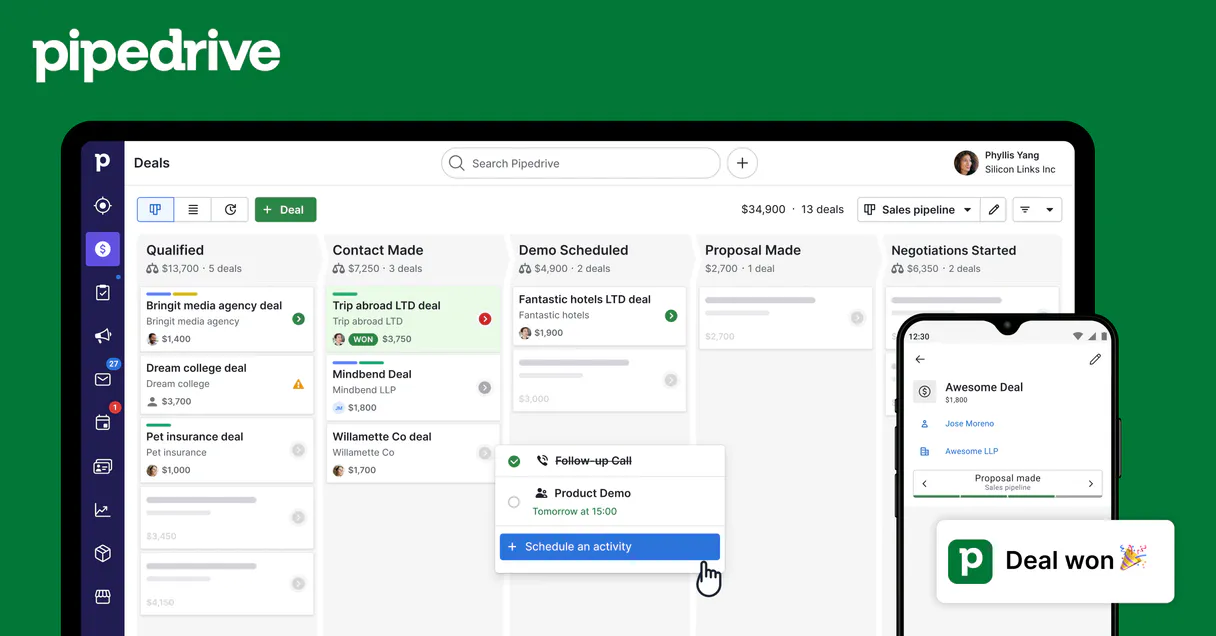
Independent Platform Disclaimer: Vinkius is an independent platform and is not affiliated with, endorsed by, sponsored by, verified by, or otherwise authorized by Pipedrive. All third-party trademarks, logos, and brand names are the property of their respective owners. Their use on this website is strictly for informational purposes to identify service compatibility and interoperability.
VINKIUS INFRASTRUCTURE
Cloud Hosted
Managed infra
V8 Isolated
Sandboxed per request
Zero-Trust Proxy
No stored credentials
DLP Enforced
Policy on every call
GDPR Compliant
EU data residency
Token Compression
~60% cost reduction
Works with Claude, ChatGPT, Cursor, and more
The Model Context Protocol standardizes how applications expose capabilities to LLMs. Instead of operating in isolation, your AI gains direct access to external platforms, live data, and real-world actions through secure, standardized connections.
This server provides 12 capabilities that interface natively with Claude, ChatGPT, Cursor, and any MCP client. No middleware. No custom integration required.
Available Capabilities
Juggling Deal Data Across Tabs
Today, if you want an overview of a major account, you have to open Pipedrive, then switch to Contacts, find all associated people. Then you jump to Activities to see the last call log. Copy-paste names into your spreadsheet—it’s tedious and easy to mess up.
With this MCP server, you just ask your agent: 'Show me everything on Acme Corp.' It runs `pd_deal_participants` and pulls the full stakeholder list, linking them back to relevant deals in one go. You get a single, actionable summary.
Using Pipedrive Deals MCP Server
You don't have to manually check if the deal is stuck at 'Proposal Made.' Instead of running multiple reports and cross-referencing IDs, you simply prompt for deals by stage. The agent runs `pd_deals_by_stage` and gives you an immediate count and list.
The difference now is speed. You move from hours of manual data gathering to a single chat command that returns the exact information your team needs right when they need it.
Common Questions About Pipedrive Deals MCP
How do I check who is tracking a deal using pd_deal_followers? +
Run pd_deal_followers and provide the specific Deal ID. The tool returns a list of all users on your team who are actively watching that opportunity for visibility.
What is the difference between pd_deals_by_pipeline and pd_deals_by_stage? +
pd_deals_by_pipeline shows every deal within a whole process (e.g., 'Enterprise Sales'). pd_deals_by_stage filters that list down to one specific step inside that process (e.g., only deals at 'Negotiation').
Can pd_create_deal handle multiple contacts? +
The tool focuses on the deal itself, but you must provide existing person_id and org_ids when calling it. You'll need to use other tools first to find those IDs.
Should I use pd_search_deals or pd_get_deal? +
Use pd_search_deals if you are looking for a deal by title, keyword, or value across many records. Use pd_get_deal when you know the exact Deal ID and need every single detail about that one record.
When should I use pd_update_deal instead of creating a new record? +
You use pd_update_deal when the deal status or value changes. This function advances stages, sets the deal to 'won' or 'lost,' or adjusts the monetary value after negotiation. It only modifies the fields you specify, preserving the rest of the deal data.
Is pd_delete_deal permanent? Should I use it? +
Yes, pd_delete_deal permanently removes a record; this action cannot be undone. If you want to keep records for auditing or review, run pd_update_deal and change the deal's status field to 'deleted' instead.
If I need to filter deals by a specific process, do I need to use pd_list_pipelines first? +
Yes. To accurately list or search deals in one area, you must know the unique IDs. Run pd_list_pipelines first; this gives you all active sales pipelines and their corresponding IDs for later filtering.
How does pd_deal_timeline calculate deal velocity? +
It calculates historical trends based on creation dates. You must specify the interval (day, week, or month) and how many periods back you want to look. This helps track if your team's deal flow is increasing or slowing down.
What Pipedrive data can I access? +
Deals, Persons, Organizations, Activities, Notes, and Pipelines. All data respects your Pipedrive permissions.
Can I create and update records? +
Yes! Create and update deals, contacts, activities, and notes — all through natural conversation.
How does authentication work? +
Uses your personal Pipedrive API token. Find it in Settings > Personal preferences > API. No OAuth flow needed.
Use it with your favorite AI tools
Connect this server to Cursor, Claude, VS Code, and more.
More in this category
Freshworks
Manage unified CRM and support via Freshworks — track sales deals and accounts, handle helpdesk tickets, and manage contacts directly from any AI agent.

Maxio (SaaS Billing & FinOps)
Manage SaaS billing via Maxio — audit customer contracts, track ARR/MRR metrics, and create invoices.
Pipeliner
Manage sales pipelines and opportunities via Pipeliner CRM — list leads, track deals, and monitor activities directly from any AI agent.
You might also like

Browserbase
Cloud browser infrastructure for AI agents — create, control, and manage headless Chromium sessions via CDP for automated web interaction.

MiiTel
Analyze phone conversations with AI that scores call quality, identifies sentiment, and provides coaching insights for sales teams.

Lob
Automate physical mail, postcards, checks, and address verification through Lob's print and mail API.