
Pipeline CRM MCP. Ask your AI client anything about deals, people, and tasks.
 Gemini
 Works with every AI agent you already use
…and any MCP-compatible client









Just plug in your AI agents and start using Vinkius.
Pipeline CRM connects your sales data to any AI agent, letting you manage deals, track contacts, and check tasks without leaving your chat interface.
You can list all people, retrieve specific deal details, audit notes, or see pending tasks—all by asking a question. It gives your AI client instant access to the full scope of your revenue pipeline.
What your AI agents can do
Get pipeline account
Retrieves global account settings and configuration data from the CRM.
Get pipeline deal
Fetches all specific details for a single, identified sales deal.
Get pipeline person
Gets detailed profile information for one specific contact person.
Retrieves detailed information for a specific deal ID or lists all active deals in the pipeline.
Lists all people, companies, and users within your CRM, pulling individual profiles on demand.
Fetches lists of pending tasks, calendar events, and notes/comments tied to specific records or the overall account.
Ask AI about this MCP
Supported MCP Clients
Gemini Waiting for input…
Pipeline CRM MCP Server: 10 Tools for Sales Management
Use these ten tools via your AI client to retrieve details on deals, people, notes, tasks, and account settings from the Pipeline CRM.
019d75f5get pipeline account
Retrieves global account settings and configuration data from the CRM.
019d75f5get pipeline deal
Fetches all specific details for a single, identified sales deal.
019d75f5get pipeline person
Gets detailed profile information for one specific contact person.
019d75f5list pipeline companies
Returns a list of every company record stored in the CRM.
019d75f5list pipeline deals
Provides an overview and status summary for all active sales deals.
019d75f5list pipeline events
Lists all upcoming or past calendar events associated with your accounts.
019d75f5list pipeline notes
Retrieves recent comments, notes, and activity logs for any lead or deal history.
019d75f5list pipeline people
Returns a list of all individual people contacts in the system.
019d75f5list pipeline tasks
Shows a summary of pending tasks assigned across your team and accounts.
019d75f5list pipeline users
Lists every user account connected to the CRM for access visibility.
Choose How to Get Started
Build a custom MCP for your own tools, or connect a ready-made integration from our catalog.
Build Your Own
Turn any API into an MCP. Import a spec, define Agent Skills, or deploy with MCPFusion.
- Import from OpenAPI, Swagger, or YAML specs
- Create Agent Skills with progressive disclosure
- Deploy to edge with MCPFusion framework
- Built in DLP, auth, and compliance on every call
- Real time usage dashboard and cost metering
- Publish to catalog or keep private
Make Your AI Do More
Start with Pipeline CRM, then connect any of our 4,700+ other servers whenever your AI needs more. One click, no limits.
- Use this MCP plus 4,700+ others, all in one place
- Add new capabilities to your AI anytime you want
- Every connection is secured and compliant automatically
- Track usage and costs across all your servers
- Works with Claude, ChatGPT, Cursor, and more
- New servers added to the catalog every week
What you can do with this MCP connector
You're connecting your entire sales pipeline to your AI agent, so you don't gotta jump between tabs just to check a contact's history or an account's status. This server gives your AI client direct access to all core CRM data—it's like having a virtual SDR sitting right in the chat with you, ready to pull any info you need instantly.
Managing People and Companies:
You can use list_pipeline_people to get a roster of every individual contact stored in your system. If you gotta deep-dive on one person, running get_pipeline_person pulls up their full profile details immediately. For the corporate side, list_pipeline_companies gives you an overview list of all company records, and if you need specific info on a single entity, you'll use that same tool to pull the details.
Tracking Deals and Accounts:
The core sales data is always available. You can run list_pipeline_deals to get a quick status summary across every active deal in your pipeline. When a deal needs closer inspection, get_pipeline_deal pulls up all the specific metrics and details for just that single opportunity. Beyond deals, you've got global account oversight; running get_pipeline_account retrieves all the overall settings and configuration data for the entire CRM setup.
Reviewing Activity and History:
It's crucial to know what happened last week, right? You can check pending tasks across your whole team using list_pipeline_tasks, giving you a summary of who owes what. For scheduling, list_pipeline_events lists every calendar event, both upcoming and past, associated with accounts. To keep track of context, running list_pipeline_notes retrieves recent comments and activity logs tied to any lead or deal history.
You'll also find that all the data points—the people, the deals, and the companies—are connected, letting your agent build a full picture from those simple calls.
System Visibility:
Finally, for team coordination, list_pipeline_users shows every user account that has access to the CRM. These tools make sure your AI client can pull together all this complex data without you ever having to leave your chat interface.
How Pipeline CRM MCP Works
- 1 Subscribe to this server on Vinkius. Then, get your API Key from your Pipeline CRM account settings.
- 2 Enter that API Key into the connection flow for your preferred AI client (Claude, Cursor, etc.).
- 3 Your agent can now access and query all 10 tools—like
list_pipeline_dealsorget_pipeline_person—by interpreting a natural language prompt.
The bottom line is: you tell your AI client what data you need, and it runs the right tool to get the answer from the CRM.
Who Is Pipeline CRM MCP For?
This server is built for anyone who lives in a CRM but hates context switching. If you're an Account Executive who needs deal status while prepping for a call, or a Sales Manager trying to audit team activity without digging through ten separate dashboards, this is for you. Stop clicking tabs and start asking questions.
Needs quick access to get_pipeline_person details before calling someone, or checking the latest notes using list_pipeline_notes right before a meeting.
Must monitor team adherence by listing pending tasks (list_pipeline_tasks) and reviewing who has viewed which records (list_pipeline_users).
Needs to audit the full scope of company data, cross-referencing active deals (list_pipeline_deals) with associated contacts (list_pipeline_companies) for reporting.
What Changes When You Connect
- Don't switch tabs to check notes. You can ask for
list_pipeline_notesdirectly in the chat and get immediate context on any deal or person. - Stop manually tracking follow-ups. Use
list_pipeline_tasksto pull a summary of assigned work, letting your agent prioritize what needs attention today. - Getting an overview is easy. A single prompt running
list_pipeline_dealsgives you the current status and value of every active opportunity in one response. - You can build comprehensive profiles by first listing people (
list_pipeline_people), then usingget_pipeline_personto pull deep metadata on a specific contact. - Visibility into team access is simple. Running
list_pipeline_usersgives you a quick audit of who has access rights across the entire account.
Real-World Use Cases
Preparing for a Difficult Call
The AE needs to call Acme Corp but can't remember what was discussed last week. They prompt their agent: 'Show me everything on Acme.' The agent runs get_pipeline_person and list_pipeline_notes, summarizing the history, so the AE sounds informed and prepared.
Auditing Team Compliance
The Sales Manager notices a deal stalled for three weeks. They ask the agent to check tasks: 'What is overdue?' The agent runs list_pipeline_tasks and cross-references it with deals using get_pipeline_deal, instantly flagging potential bottlenecks.
New User Onboarding
A new team member needs to know who has access rights. They ask: 'Who can view the platform settings?' The agent runs list_pipeline_users and optionally uses get_pipeline_account, giving them an immediate, accurate answer without needing admin help.
Pipeline Health Check
The VP of Sales wants a quick overview. They prompt: 'What are our top 5 deals this quarter?' The agent runs list_pipeline_deals, providing the status and value for immediate executive review.
The Tradeoffs
Manual Data Gathering
A user manually navigates to 'People,' copies 10 names, then goes to 'Notes' and pastes the names again to see associated comments.
→
You only need one prompt. Tell your agent: 'Give me a summary of notes for these contacts.' The agent handles both list_pipeline_people and list_pipeline_notes in sequence, giving you everything instantly.
Guessing Data Scope
The user asks: 'What's the status of my biggest deal?' but forgets to specify which account or person it belongs to.
→
Be explicit. Instead of guessing, run list_pipeline_deals first to see all opportunities, then use the specific name you get back with get_pipeline_deal.
Overlooking Core Data
The user only checks task lists (list_pipeline_tasks) but misses that a critical meeting was scheduled.
→
Always check calendar events. Use list_pipeline_events to ensure you haven't missed an upcoming date or follow-up call.
When It Fits, When It Doesn't
Use this server if your workflow requires reading data from multiple, distinct CRM sections (deals, people, notes) based on a conversational prompt. This is for actionable intelligence—you need to know why something happened or what's next. Don't use it if you just want a simple list of names; running list_pipeline_people does that fine. But if you need the name AND the last 5 notes, this is essential. If your goal is only to update data (e.g., change status), check for write tools first. This server focuses entirely on reading and summarizing existing information.
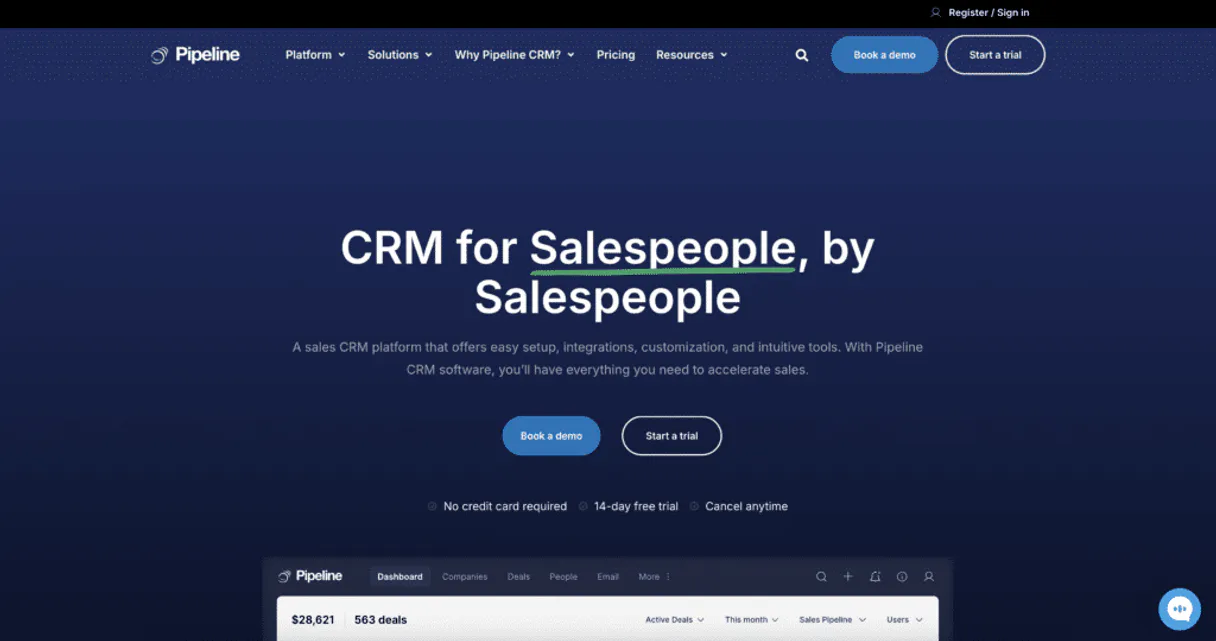
Independent Platform Disclaimer: Vinkius is an independent platform and is not affiliated with, endorsed by, sponsored by, verified by, or otherwise authorized by Pipeline CRM. All third-party trademarks, logos, and brand names are the property of their respective owners. Their use on this website is strictly for informational purposes to identify service compatibility and interoperability.
VINKIUS INFRASTRUCTURE
Cloud Hosted
Managed infra
V8 Isolated
Sandboxed per request
Zero-Trust Proxy
No stored credentials
DLP Enforced
Policy on every call
GDPR Compliant
EU data residency
Token Compression
~60% cost reduction
Works with Claude, ChatGPT, Cursor, and more
The Model Context Protocol standardizes how applications expose capabilities to LLMs. Instead of operating in isolation, your AI gains direct access to external platforms, live data, and real-world actions through secure, standardized connections.
This server provides 10 capabilities that interface natively with Claude, ChatGPT, Cursor, and any MCP client. No middleware. No custom integration required.
Available Capabilities
Sifting through tabs just to find one piece of context.
Today, checking a single deal's history means clicking the 'Deal' tab, then opening the 'Notes' sub-tab, scrolling back weeks, and manually reading comments. If you need the contact's phone number, you might have to switch to the 'People' tab entirely.
With this MCP server, your agent handles that multi-step process in a single prompt. You ask for 'the history on Deal X,' and it pulls data from `get_pipeline_deal` and `list_pipeline_notes`, giving you one clean summary without opening a dozen tabs.
List Pipeline Deals: Get the full picture with list_pipeline_deals.
Before, seeing your pipeline meant logging into the CRM and looking at a dashboard widget that was always slightly outdated. If you needed to check a specific deal's status, it involved navigating through filters until you found it.
Now, running `list_pipeline_deals` gives you an immediate, up-to-date list of every active opportunity directly in your chat window. The data is live and ready for context.
Common Questions About Pipeline CRM MCP
How do I check the status of a specific deal using get_pipeline_deal? +
You provide the unique Deal ID to your agent. It runs get_pipeline_deal and returns all current details, including status, value, and owner.
Can list_pipeline_notes show me comments from last month? +
Yes. You can prompt for 'notes from Q1' or use a general query like 'show recent notes.' The agent runs list_pipeline_notes to filter the activity log for you.
What is the difference between list_pipeline_people and get_pipeline_person? +
Use list_pipeline_people when you need a directory view of many contacts. Use get_pipeline_person when you know the specific person ID and need all their details.
Does list_pipeline_tasks show me tasks assigned to my team? +
Yes, it provides an aggregate view of pending tasks across your team. You can ask the agent to filter these by owner or due date for better focus.
When should I use the get_pipeline_account tool to validate connection permissions? +
It confirms your account settings and ensures your API key has the necessary scope to read data across all modules—deals, contacts, tasks, etc. Use this first when setting up a new agent.
How can I narrow down results when using list_pipeline_events for a specific quarter? +
You must provide start and end dates as parameters in the request. This limits the returned list to only calendar events that fall within that specified date range.
Does the list_pipeline_users tool allow me to check which user has admin rights? +
Yes, it returns a list of all account users and includes metadata about their assigned role or permission level within the CRM. This is key for compliance checks.
What parameters should I pass to list_pipeline_companies if I only want tech sector businesses? +
You need to include required filters, such as an industry code or minimum employee count, in your request payload. This narrows the company list down to specific criteria.
How do I find my Pipeline CRM API Key? +
Log in to Pipeline CRM, go to Account Settings > Integrations > API. There you can find and copy your API Key.
Can I see all my deals across different stages? +
Yes! Use the list_pipeline_deals tool to retrieve a comprehensive list of all active deals and their current pipeline stage.
Does this support looking up company information? +
Absolutely. Use the list_pipeline_companies tool to retrieve a list of all organizations stored in your CRM.
Use it with your favorite AI tools
Connect this server to Cursor, Claude, VS Code, and more.
More in this category

Physiological Hydration Metric Engine
Compute exact metabolic water intake requirements. Structure highly optimized, circadian fluid distribution schedules adapting natively to body mass, physical output, and environmental climate.

Sansan
Digitize and manage business cards via AI — browse contacts, verify details, and explore your company's network effortlessly.

QA Arbiter
A test fails. Is the assertion wrong or is the code broken? Most agents guess, retry blindly, and deadlock the pipeline. QA Arbiter resolves this in one call — structured fault diagnosis with two boolean pivots that yield a deterministic verdict: TEST_ERROR, ENGINE_DEFECT, or BOTH_WRONG.
You might also like

Typeform
Create beautifully designed forms and surveys that ask one question at a time and get dramatically higher completion rates.

Givebutter
Manage fundraising campaigns, track donations, and oversee donors via AI agents with Givebutter.
Close
Close more deals with a CRM that puts calling, emailing, and pipeline management in one fast interface built for inside sales.