
Givebutter MCP. Manage donations, campaigns, and donor records via chat.
 Gemini
 Works with every AI agent you already use
…and any MCP-compatible client









Just plug in your AI agents and start using Vinkius.
Givebutter MCP Server connects your AI agent directly to your nonprofit's financial and donor data. You can track donations, list campaign details, and manage donor profiles without leaving your workflow.
It gives your agent the ability to list recent donations, record offline payments, and synchronize new contacts, giving you a complete view of your fundraising efforts.
What your AI agents can do
Get account details
Retrieves the basic identity and status information for the Givebutter account.
Get campaign details
Fetches specific metadata and configuration details for a given fundraising campaign.
Get transaction details
Retrieves detailed metadata for a single, specific donation transaction.
The agent lists all transaction records, fetching details like status and timestamps to monitor current revenue.
The agent pulls configuration details and total amounts for active fundraising campaigns and events.
The agent searches for existing donor profiles and adds new contacts to the database using a single command.
The agent manually records donations or external payments that happen outside the platform to maintain data integrity.
The agent lists active webhooks and checks the API connection to ensure data streams are functioning.
Ask AI about this MCP
Supported MCP Clients
Gemini Waiting for input…
Givebutter MCP Server: 12 Tools for Fundraising
These twelve tools let your AI agent perform everything from listing transactions to syncing new donors, giving you full control over your fundraising data.
019d75a5get account details
Retrieves the basic identity and status information for the Givebutter account.
019d75a5get campaign details
Fetches specific metadata and configuration details for a given fundraising campaign.
019d75a5get transaction details
Retrieves detailed metadata for a single, specific donation transaction.
019d75a5list donation transactions
Lists all donation transactions, giving you a full record of past giving activity.
019d75a5list donation webhooks
Retrieves and lists the configurations for active donation webhooks.
019d75a5list donor contacts
Lists all known donor profiles in your database.
019d75a5list fundraising campaigns
Retrieves a list of all currently active fundraising campaigns.
019d75a5list recent donations
Lists the last 10 successful donation transactions for quick oversight.
019d75a5list recurring plans
Lists all configured recurring donation plans, showing long-term donor commitments.
019d75a5record offline donation
Logs a donation or external payment that happened outside the Givebutter platform.
019d75a5sync donor contact
Adds a new donor contact record to your database when you find a new person.
019d75a5verify api connection
Checks the connection status between your AI client and the Givebutter API.
Choose How to Get Started
Build a custom MCP for your own tools, or connect a ready-made integration from our catalog.
Build Your Own
Turn any API into an MCP. Import a spec, define Agent Skills, or deploy with MCPFusion.
- Import from OpenAPI, Swagger, or YAML specs
- Create Agent Skills with progressive disclosure
- Deploy to edge with MCPFusion framework
- Built in DLP, auth, and compliance on every call
- Real time usage dashboard and cost metering
- Publish to catalog or keep private
Make Your AI Do More
Start with Givebutter, then connect any of our 4,700+ other servers whenever your AI needs more. One click, no limits.
- Use this MCP plus 4,700+ others, all in one place
- Add new capabilities to your AI anytime you want
- Every connection is secured and compliant automatically
- Track usage and costs across all your servers
- Works with Claude, ChatGPT, Cursor, and more
- New servers added to the catalog every week
What you can do with this MCP connector
Givebutter MCP Server connects your AI agent directly to your nonprofit's financial and donor data. You'll track donations, list campaign details, and manage donor profiles right where you are. Your agent can list recent donations, record payments made outside the platform, and sync new contacts, giving you a complete view of your fundraising efforts. It's built to handle everything you need.
Tracking Donations and Transactions
Your agent can list all donation transactions, letting you monitor past giving activity and get the full record. You can fetch detailed metadata for any single transaction, and even see the status and timestamps to monitor current revenue. Need to log a payment that happened off-platform? Your agent handles that too; you can record offline donations or external payments to keep your data straight.
Managing Campaigns and Giving
To keep tabs on your big fundraising efforts, your agent lists all active fundraising campaigns. You can pull the specific metadata and configuration details for any campaign, and you can also see all configured recurring donation plans, showing those long-term donor commitments. You can also review the list of all donation webhooks to make sure your internal systems get real-time donation notifications.
Handling Donor Records
Your agent lists every known donor profile in your database. When you find a new person, it adds that new contact record to your database using a single command. You can also use the agent to get the basic identity and status information for the Givebutter account itself.
System Checks
To make sure everything's running smoothly, your agent checks the connection status between your AI client and the Givebutter API. You can also list all available donation webhooks to verify your system setup. It's a comprehensive tool for keeping your donor data and revenue tracking accurate.
How Givebutter MCP Works
- 1 Subscribe to the Givebutter MCP Server on the Vinkius Marketplace.
- 2 Provide your Givebutter API Key (located in Settings > Developers > API) to the server.
- 3 Use your AI client to send commands like 'List all recent donations' or 'Sync Alice Smith' to start managing data.
The bottom line is: you connect your AI agent to your fundraising backend, letting it perform tasks normally reserved for manual dashboard navigation.
Who Is Givebutter MCP For?
Nonprofit Operations staff, Development Directors, and Finance Analysts. If your job involves reconciling donor data, tracking campaign progress, or logging payments from sources outside your main dashboard, this is for you. Stop clicking through multiple tabs to get a single answer.
Checks if a large donation cleared or lists recent successful transactions without opening the main dashboard.
Gets a real-time overview of campaign performance and donor activity using simple AI commands.
Verifies donor history and logs offline payments to ensure the ledger matches the source of truth.
What Changes When You Connect
- Donor History: Instead of manually checking multiple reports, use
list_donation_transactionsto get a complete, detailed view of every donation record. - Campaign Overview: Get a real-time status check on your fundraising efforts.
list_fundraising_campaignsshows active campaigns and what they've raised. - Data Consistency: Use
record_offline_donationto log cash or checks. This keeps your internal ledger accurate without needing manual data entry. - Contact Management: When you meet a new donor, use
sync_donor_contact. The agent handles adding them to the database immediately. - System Reliability: Use
list_donation_webhooksto instantly confirm if your backend systems are getting real-time notifications from Givebutter. - Long-Term View:
list_recurring_planslets you see beyond the single donation, tracking the donor's commitment schedule.
Real-World Use Cases
Checking a Large Donation's Status
A finance analyst needs to know if a $10,000 donation cleared. Instead of logging into the dashboard and clicking 'View Details', they ask their agent. The agent runs get_transaction_details, confirms the status, and reports back immediately.
Onboarding a New Donor
A development director meets a new supporter at an event. They tell their agent the donor's name and details. The agent runs sync_donor_contact, adds the person to the database, and logs the interaction.
Accounting for Physical Payments
A staff member collects checks at a local fundraiser. They tell their agent the details. The agent runs record_offline_donation, logging the payment and maintaining the official record.
Quick Campaign Health Check
A manager needs an immediate status report on the 'Year End Push' campaign. They ask their agent to run list_fundraising_campaigns and get a quick summary of the total amount raised.
The Tradeoffs
Joining two tools manually
Trying to piece together a full donor profile by first running list_donor_contacts and then manually cross-referencing the resulting IDs against a list from list_recent_donations in a spreadsheet.
→
Just ask your agent. Tell it: 'Find all donation transactions for Alice Smith.' The agent handles the logic, using both list_donor_contacts and list_donation_transactions internally to give you one answer.
Forgetting the source of truth
Thinking that logging a donation in a separate spreadsheet is enough. This creates data discrepancies between your manual records and Givebutter's official ledger.
→
Use the record_offline_donation tool. This logs external payments directly into the system, making sure your records are unified and accurate.
Overlooking recurring payments
Only checking for one-time donations, missing out on the value of sustained commitment from long-term donors.
→
Run list_recurring_plans. This tool shows the entire schedule of payments, giving you a clear picture of future revenue.
When It Fits, When It Doesn't
Use this server if your core job involves reconciling donor records, tracking campaign finances, or logging payments from multiple, disconnected sources. It's for people who need a single source of truth, not just data dumps. Don't use it if you only need to read static, non-financial documents (use a document storage service instead). If your primary need is just viewing basic account settings, get_account_details is enough, but if you need to do anything with the data, you need the whole suite.

Independent Platform Disclaimer: Vinkius is an independent platform and is not affiliated with, endorsed by, sponsored by, verified by, or otherwise authorized by Givebutter. All third-party trademarks, logos, and brand names are the property of their respective owners. Their use on this website is strictly for informational purposes to identify service compatibility and interoperability.
VINKIUS INFRASTRUCTURE
Cloud Hosted
Managed infra
V8 Isolated
Sandboxed per request
Zero-Trust Proxy
No stored credentials
DLP Enforced
Policy on every call
GDPR Compliant
EU data residency
Token Compression
~60% cost reduction
Works with Claude, ChatGPT, Cursor, and more
The Model Context Protocol standardizes how applications expose capabilities to LLMs. Instead of operating in isolation, your AI gains direct access to external platforms, live data, and real-world actions through secure, standardized connections.
This server provides 12 capabilities that interface natively with Claude, ChatGPT, Cursor, and any MCP client. No middleware. No custom integration required.
Available Capabilities
Manual donor data entry slows down every workflow.
Right now, if you need to know a donor's full history, you have to jump through hoops. You open the CRM to see their contact info. Then you switch tabs to the donation ledger to see transactions. If you need to check if a donation cleared, you open a third dashboard and manually search by ID. It's copy-pasting and clicking across three different screens, and you lose time doing it.
With the Givebutter MCP Server, you just talk to your agent. Tell it: 'What's the full financial picture for Donor X?' The agent runs multiple tools—like `list_donor_contacts` and `list_donation_transactions`—and gives you the answer in one chat window. Period.
List recent donations: Get the last 10 successful transactions in one command.
Previously, listing the last ten donations required navigating to the 'Transactions' tab, setting the date range, and clicking 'View Last 10'. If the dashboard was slow, or if you were logged in on a mobile device, that process was a pain.
Now, you simply ask your agent to run `list_recent_donations`. It grabs the data instantly and shows you the results. It's immediate, reliable, and keeps you in your flow.
Common Questions About Givebutter MCP
How do I check my account status using the Givebutter MCP Server? +
Use get_account_details. This tool pulls the fundamental identity and status information for your entire Givebutter account. It's a quick check to make sure your system is online.
What is the best way to log an offline donation using Givebutter MCP Server? +
Run record_offline_donation. This tool handles external payments and donations (like checks or cash) and logs them directly into the system, keeping the ledger accurate.
Can I list all donor profiles with Givebutter MCP Server? +
Yes, use list_donor_contacts. This tool pulls a list of all known donor profiles, which is the starting point for any deep dive into donor history.
Does the Givebutter MCP Server help me check campaign progress? +
Yes, use list_fundraising_campaigns to get a list of all active campaigns. You can then use get_campaign_details on a specific ID to see the progress and total raised.
How do I ensure my webhooks are working with the Givebutter MCP Server? +
Use list_donation_webhooks. This tool shows the configuration of active webhooks, confirming that your systems are set up to receive real-time donation notifications.
How do I list all active fundraising campaigns using the Givebutter MCP Server? +
You use the list_fundraising_campaigns tool. This tool retrieves the full metadata for all active campaigns, letting you see their goal amounts and how much has been raised so far.
How do I retrieve detailed transaction information using the Givebutter MCP Server? +
Call get_transaction_details with a specific transaction ID. This gives you detailed metadata about a donation, including the exact timestamp, status, and associated donor information.
What is the best way to add a new donor contact using the Givebutter MCP Server? +
Use the sync_donor_contact tool. You provide the donor's details (name, email, etc.), and the tool programmatically adds or updates them in your Givebutter database.
How do I get an API Key for Givebutter? +
Log in to your Givebutter dashboard, navigate to Settings > Developers > API, and you can generate a new secret API key there.
Can I process live credit card transactions via the agent? +
No, this integration is for management and data retrieval. For security, live donor checkouts must still happen through Givebutter's secure forms.
What format should the donation amount be in? +
The Givebutter API uses major units for amounts. For example, to record a $10.50 donation, you should provide the decimal value '10.50'.
How do I link a transaction to a specific campaign? +
Use the 'campaign_id' parameter in the 'record_offline_donation' tool. You can find your campaign IDs using the 'list_fundraising_campaigns' tool.
Use it with your favorite AI tools
Connect this server to Cursor, Claude, VS Code, and more.
More in this category

Close CRM (Inside Sales CRM & Automation API)
Manage leads, contacts, and sales opportunities in Close CRM — automate your inside sales pipeline and lead tracking directly from any AI agent.
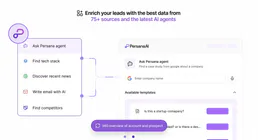
Persana AI
Enrich leads with AI that researches prospects, scores intent signals, and builds personalized outreach sequences automatically.
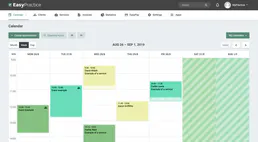
EasyPractice
Equip your AI agent to manage clinic appointments, track clients, and monitor invoices via the EasyPractice API.
You might also like

Fieldfolio
Connect Fieldfolio to automate wholesale management — manage products, orders, and inventory directly from your AI agent.

Dify.AI SDK
Trigger and orchestrate Dify AI workflows, agents, and chatbots programmatically.

Workable
Recruit top talent with an ATS that posts to 200+ job boards, screens candidates with AI, and manages the entire hiring flow.