
PostHog Alternative MCP. Query user data and manage flags without touching the dashboard.
 Gemini
 Works with every AI agent you already use
…and any MCP-compatible client









Just plug in your AI agents and start using Vinkius.
PostHog Alternative lets your AI agent interact with your product analytics data, feature flags, and user cohorts directly. You can query events, inspect specific person profiles, toggle features, and annotate timelines—all through natural language conversation.
What your AI agents can do
Create annotation
Adds a time-stamped note (like a deployment or launch) to your product timeline graph.
Create feature flag
Creates a new feature flag in PostHog, specifying its key and initial rollout parameters.
Delete feature flag
Permanently deletes an existing feature flag. This action cannot be undone.
List all feature flags, get details for a specific flag ID, create new ones, update existing configurations, or permanently delete them.
Retrieve the current user's account details or fetch an individual person’s full activity history using their distinct ID.
Browse logs of recent user actions (events), filtering by name, time, or inspecting property payloads for deep analysis.
List all defined behavioral cohorts and inspect the properties that define them. You can also list all available analytics projects.
Create time-stamped annotations on your main metrics graphs to mark deployments, launches, or critical incidents for easy correlation.
Ask AI about this MCP
Supported MCP Clients
Gemini Waiting for input…
PostHog Alternative: 13 Tools for Deep Behavioral Analysis
Use these tools to manage feature flags, track events, list cohorts, and annotate milestones in your PostHog data from any AI client.
019d8470create annotation
Adds a time-stamped note (like a deployment or launch) to your product timeline graph.
019d8470create feature flag
Creates a new feature flag in PostHog, specifying its key and initial rollout parameters.
019d8470delete feature flag
Permanently deletes an existing feature flag. This action cannot be undone.
019d8470get feature flag
Retrieves all the details for a single, specific PostHog feature flag using its ID.
019d8470get person
Fetches the complete profile and activity timeline for one user based on their distinct ID.
019d8470get user
Gets the details of your current connected PostHog account to verify API access credentials.
019d8470list annotations
Retrieves a list of all historical annotations (like past deployments) marked on your timeline graph.
019d8470list cohorts
Lists every behavioral cohort group you have defined in PostHog, showing their name and definition type.
019d8470list events
Shows a paginated list of recent user events, allowing filtering by event name or setting a limit.
019d8470list feature flags
Lists every feature flag in your project so you can audit all active keys and rollout statuses.
019d8470list persons
Retrieves a paginated list of distinct user IDs, along with their creation date and last activity timestamp.
019d8470list projects
Lists all the different analytics workspaces (projects) you have access to in PostHog.
019d8470update feature flag
Changes settings on an existing feature flag, such as updating its description or enabling/disabling it.
Choose How to Get Started
Build a custom MCP for your own tools, or connect a ready-made integration from our catalog.
Build Your Own
Turn any API into an MCP. Import a spec, define Agent Skills, or deploy with MCPFusion.
- Import from OpenAPI, Swagger, or YAML specs
- Create Agent Skills with progressive disclosure
- Deploy to edge with MCPFusion framework
- Built in DLP, auth, and compliance on every call
- Real time usage dashboard and cost metering
- Publish to catalog or keep private
Make Your AI Do More
Start with PostHog Alternative, then connect any of our 4,700+ other servers whenever your AI needs more. One click, no limits.
- Use this MCP plus 4,700+ others, all in one place
- Add new capabilities to your AI anytime you want
- Every connection is secured and compliant automatically
- Track usage and costs across all your servers
- Works with Claude, ChatGPT, Cursor, and more
- New servers added to the catalog every week
What you can do with this MCP connector
You connect your AI agent to this server, and it gives you direct access to all your product analytics data—no need to fire up the dashboard or mess with complex UIs. This setup lets your agent talk directly to PostHog's backend, letting you query user events, check feature flag status, and inspect person profiles using only natural language conversation.
User & Project Oversight
To start, you can run get_user() to confirm the credentials for your connected PostHog account. If you need to scope out different data sets, list_projects() shows every analytics workspace (project) you've got access to. You can then list distinct user IDs using list_persons(), which gives you a paginated view of who's been active and when they signed up.
Deep-Dive Person Analysis
Need to know what one specific person did? Feed their unique ID into get_person(id); that pulls the entire profile and activity timeline for them. If you want to check out recent actions, use list_events() which gives a paginated list of user events, letting you filter by event name or inspecting the property payloads for deep dives.
Feature Flag Management
This is how you keep track of what's live and what's being tested. You can see every flag in your project by calling list_feature_flags(). If you need all the details on one specific flag, run get_feature_flag(id). To roll out changes or update descriptions, use update_feature_flag(...) on an existing key. When a flag is dead and needs to go, you call delete_feature_flag(id)—remember that action's permanent.
Grouping Users & Milestones
For auditing purposes, you can list every defined behavioral cohort group using list_cohorts(), seeing exactly what properties define each one. To mark key moments on your metric graphs, you run create_annotation(title, date) to add a time-stamped note for deployments or launches. You'll also use list_annotations() to pull up a history of all those past markers.
To see the overall structure of your data access, you can call list_projects() which shows every analytics workspace (project) you have access to in PostHog.
How PostHog Alternative MCP Works
- 1 Subscribe to the PostHog Alternative server and enter your Personal API Key.
- 2 Tell your AI client what you need. For example: 'Show me all feature flags that are currently in beta.'
- 3 The agent calls the necessary tools (like
list_feature_flagsorget_person), fetches the data, and presents a clear summary directly back to you.
The bottom line is: your AI acts like a dedicated product analytics engineer sitting right next to you, eliminating the need to switch between dashboards and API calls.
Who Is PostHog Alternative MCP For?
Product Managers who are tired of spending half their day clicking through PostHog dashboards just to verify a flag rollout percentage. Developers who waste time manually checking event payloads or user properties before writing code, and Data Analysts who need quick access to cohort definitions without running complex SQL queries.
Runs list_feature_flags to audit rollout percentages, checks specific cohorts using list_cohorts, and uses create_annotation when a big launch happens.
Uses get_person to inspect user properties for debugging or toggles flags instantly with update_feature_flag without opening the UI.
Runs list_events and filters results by event type, reviews person profiles via get_person, and checks cohort membership for analysis.
What Changes When You Connect
- Stop context switching. Instead of going to a dedicated section for events, you can ask your agent to run
list_eventsdirectly in the chat, filtering by exact event names or timestamps instantly. - Full control over feature rollout status. You don't have to navigate multiple menus; just asking about flags lets you use
list_feature_flagsand then drill down withget_feature_flagin seconds. - Deep user inspection is instant. Instead of searching by email, provide a distinct ID to
get_person, and the agent returns their full property set and event history right away. - Improve auditability. Use
list_annotationsto quickly review when key milestones (like major version deploys) occurred, making it simple to correlate metrics changes with specific dates. - Streamline project scoping. Running
list_projectslets you confirm which analytics workspace a user or feature flag belongs to before executing any deeper queries.
Real-World Use Cases
Debugging a new signup flow
A developer notices signups are failing for one segment. They ask their agent to find the group using list_cohorts. Once they narrow it down, they use get_person with a problematic user ID to view that person's full activity timeline and see exactly where the failure point occurred.
Auditing feature flag coverage
A PM needs to know if all departments are covered by the new premium features. They run list_feature_flags first, then ask the agent to filter that list for flags with a rollout percentage below 100%, checking every necessary flag in one go.
Investigating metric spikes
A data analyst sees an unusual drop in conversion rates. They immediately prompt their agent to list_annotations to check if a bad deployment occurred recently. If so, they can confirm the date and content of the incident right away.
Validating API access for reporting
Before building a report, an analyst needs to ensure their credentials are valid. They run get_user first. This confirms the API key works and shows what level of access they actually have within PostHog.
The Tradeoffs
Checking flag status manually
Going to the PostHog UI, finding the feature flags section, clicking through dozens of cards to see if the correct rollout percentage is set.
→
Just ask your agent to run list_feature_flags. The agent compiles the entire list and tells you which flags are active, disabled, or what their current rollout percentage is.
Tracking a specific user's history
Finding the user in the main dashboard search, clicking into their profile, and manually scrolling through the event log to find the purchase record.
→
Provide the distinct ID directly and use the get_person tool. The agent instantly pulls up all properties and a complete activity timeline for that person.
Verifying project scope
Trying to run an event query, only to realize they are in the wrong analytics workspace and have no data.
→
Always start by calling list_projects. This shows you every available analytics workspace, ensuring your AI client targets the correct environment before running any other tool.
When It Fits, When It Doesn't
Use this server if your workflow requires interaction with complex, structured data—meaning you need to query relationships (e.g., 'Show me users who did X AND are in Y group'). Don't use it if all you need is a simple export of raw logs or basic viewing; for that, the native PostHog UI might be faster. You absolutely must use this when you need programmatic control: toggling flags (update_feature_flag), auditing configurations (list_feature_flags), or correlating events with deployments (create_annotation). If your goal is simply to view data and nothing else, stick to standard analytics dashboards.
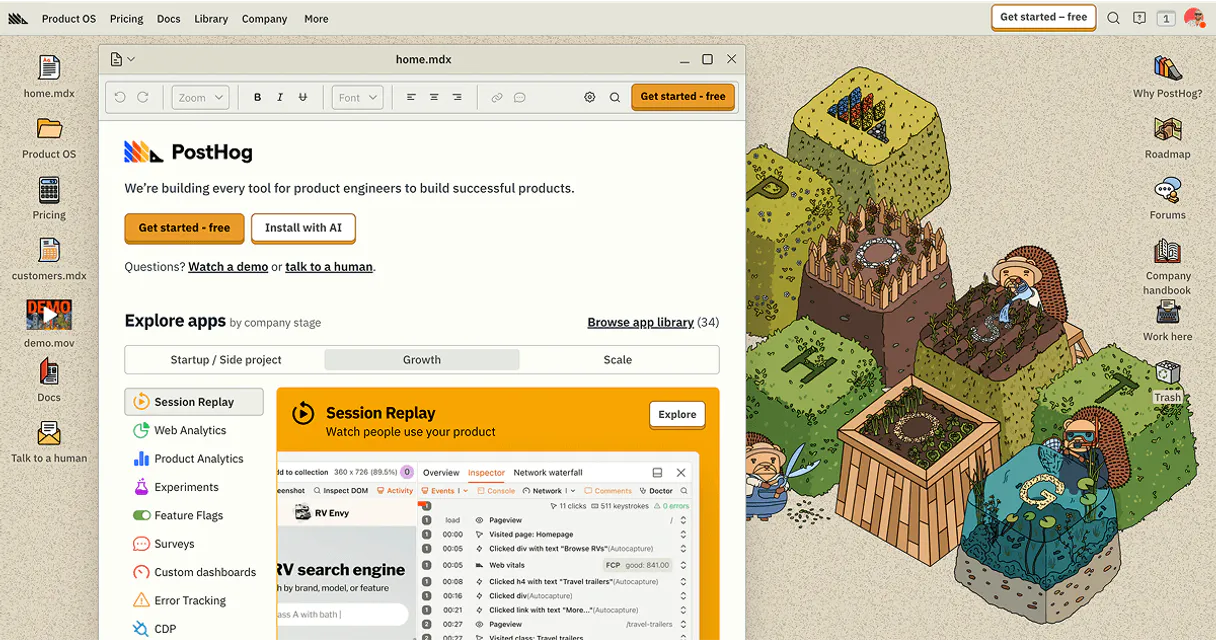
Independent Platform Disclaimer: Vinkius is an independent platform and is not affiliated with, endorsed by, sponsored by, verified by, or otherwise authorized by PostHog. All third-party trademarks, logos, and brand names are the property of their respective owners. Their use on this website is strictly for informational purposes to identify service compatibility and interoperability.
VINKIUS INFRASTRUCTURE
Cloud Hosted
Managed infra
V8 Isolated
Sandboxed per request
Zero-Trust Proxy
No stored credentials
DLP Enforced
Policy on every call
GDPR Compliant
EU data residency
Token Compression
~60% cost reduction
Works with Claude, ChatGPT, Cursor, and more
The Model Context Protocol standardizes how applications expose capabilities to LLMs. Instead of operating in isolation, your AI gains direct access to external platforms, live data, and real-world actions through secure, standardized connections.
This server provides 13 capabilities that interface natively with Claude, ChatGPT, Cursor, and any MCP client. No middleware. No custom integration required.
Available Capabilities
Checking product analytics requires switching between five different tabs.
Today, if you need to check a feature flag's status or verify a user's activity, you have to jump across multiple PostHog dashboards. You navigate to the 'Feature Flags' tab, then maybe switch to 'Person Details,' and finally open 'Events.' It’s slow, prone to human error, and kills your flow.
With this MCP server, that whole process vanishes. You tell your agent: 'Check if users in Cohort A can see Feature Flag B.' The agent runs the necessary tools (`list_cohorts`, `get_feature_flag`), pulls all the data, and gives you one clear answer without ever making you click a button.
Manage your entire product lifecycle with PostHog Alternative MCP Server.
Instead of creating separate Jira tickets or sending emails to DevOps just to mark that 'V3.2 was deployed,' you run `create_annotation`. You provide the content and date, and it gets recorded directly on your main metrics graph. The correlation is instant.
The difference now isn't faster; it's fundamentally different. Your AI client makes PostHog a conversational tool—a single source of truth that speaks your language.
Common Questions About PostHog Alternative MCP
How do I create a PostHog Personal API Key? +
Log in to PostHog, click your profile icon > Personal API keys, then + Create a Personal API Key. Give it a label, select the required scopes and copy the key immediately — it won't be shown again after page refresh.
Can I toggle feature flags via the agent? +
Yes! Use create_feature_flag to add new flags, update_feature_flag to modify existing ones (name, description, enabled status), and delete_feature_flag to remove them. You'll need the numeric flag ID from list_feature_flags for update and delete operations.
What's the difference between events and persons? +
Events are actions that happen in your product (pageviews, button clicks, purchases). Persons are the users who perform those actions, identified by distinct_id. Events are linked to persons, so you can see what actions a specific user has taken. Use list_events to browse activity and get_person to see a user's profile.
Can I use this with a self-hosted PostHog instance? +
Yes! The tools default to https://app.posthog.com for the US cloud, but you can set the host parameter to your self-hosted instance URL (e.g. https://posthog.yourcompany.com). EU cloud users should set the host to https://eu.posthog.com.
When I use the `delete_feature_flag` tool, what happens if I don't have elevated permissions? +
The agent returns a specific API error code detailing the permission failure. Because deleting a flag is irreversible and removes all targeting conditions, you need administrative rights to run this command successfully.
When I use `list_events`, how do I handle paginating through thousands of records? +
The tool supports limit and offset parameters. Instead of one massive request, loop through the results, increasing the offset until the returned dataset is empty. This ensures you get full coverage without hitting API call limits.
If I run `list_projects`, how do I ensure my subsequent actions are in the correct analytics workspace? +
The agent shows all available projects, but remember that running a list command doesn't automatically switch context. You must explicitly provide the desired Project ID for any follow-up action (like listing cohorts or events).
When creating an annotation using `create_annotation`, what specific format is required for the date marker? +
The tool requires a strict ISO 8601 formatted string. If you provide a date that doesn't match this format, the API will fail to create the annotation, so double-check your date inputs.
Use it with your favorite AI tools
Connect this server to Cursor, Claude, VS Code, and more.
More in this category

JSBarcode Generator
Generate mathematically exact 1D barcodes (Code128, EAN-13, UPC, ITF, Codabar) as pure SVG vectors for shipping labels and inventory.

HTML DOM Query Engine
Extract specific text and attributes from massive HTML payloads instantly using CSS selectors. Fast, memory-efficient DOM parsing.
Typesense Vector Search
Automate vector similarity searches via Typesense — index documents, manage collections, and execute semantic queries directly from your AI agent.
You might also like

Descript
Equip your AI agent with direct access to Descript — manage projects, export transcripts, and retrieve media assets without opening the video editor.
Dashdoc
Equip your AI agent to manage transport orders, fleet, and delivery addresses via the Dashdoc API.

Etherscan
Query Ethereum and EVM-compatible blockchain data—check balances, transaction history, and token transfers directly from your AI agent.