
PrecisionConvert Unit Engine MCP. Keep your calculations accurate, no matter the units.
 Gemini
 Works with every AI agent you already use
…and any MCP-compatible client









Just plug in your AI agents and start using Vinkius.
PrecisionConvert Unit Engine converts physical measurements instantly and accurately. It handles everything from lengths (meters to feet) to weights, temperatures, and volumes across Metric and Imperial systems.
Your AI client acts like a dedicated conversion specialist, ensuring that regardless of your field—be it engineering calculation or recipe scaling—your physical data is always normalized.
What your AI agents can do
Convert units
Takes two physical units and a value to return the converted numerical result.
List supported units
Returns an exhaustive list of every unit type supported by the conversion engine.
Converts numerical values between specified physical units, covering mass, length, temperature, volume, and more.
Maps data between major systems like Metric and Imperial standards automatically during conversion calls.
Retrieves a full list of every unit type available in the database, allowing you to check unit validity before calculation.
Ask AI about this MCP
Supported MCP Clients
Gemini Waiting for input…
PrecisionConvert Unit Engine: 2 Tools for Physical Data Conversion
These tools allow your AI client to check supported unit types and execute precise conversions between different physical measurement standards.
019d8470convert units
Takes two physical units and a value to return the converted numerical result.
019d8470list supported units
Returns an exhaustive list of every unit type supported by the conversion engine.
Choose How to Get Started
Build a custom MCP for your own tools, or connect a ready-made integration from our catalog.
Build Your Own
Turn any API into an MCP. Import a spec, define Agent Skills, or deploy with MCPFusion.
- Import from OpenAPI, Swagger, or YAML specs
- Create Agent Skills with progressive disclosure
- Deploy to edge with MCPFusion framework
- Built in DLP, auth, and compliance on every call
- Real time usage dashboard and cost metering
- Publish to catalog or keep private
Make Your AI Do More
Start with PrecisionConvert Unit Engine, then connect any of our 4,700+ other servers whenever your AI needs more. One click, no limits.
- Use this MCP plus 4,700+ others, all in one place
- Add new capabilities to your AI anytime you want
- Every connection is secured and compliant automatically
- Track usage and costs across all your servers
- Works with Claude, ChatGPT, Cursor, and more
- New servers added to the catalog every week
What you can do with this MCP connector
Your AI client uses the convert_units tool to instantly transform a numerical value between any two specified physical units. This engine handles conversions across mass, length, temperature, and volume.
The conversion process maps data automatically between major global systems like Metric standards and Imperial standards. You just give your agent a number and two unit types—say, feet and meters—and it spits out the accurate numerical result. It's built to handle complex scenarios where you need consistent numbers regardless of whether you’re working in New York or Tokyo.
For instance, if you’re scaling up a recipe, it converts weight units (like pounds to kilograms). If you’re doing an engineering calculation, it handles length conversions (like inches to millimeters) and volume measurements. You don't need to look up conversion factors; the engine manages that dirty work for you.
When your agent uses convert_units, it returns a precise numerical output based on the two physical units and the value you provide. This means whether you're converting degrees Celsius to Fahrenheit, or milliliters to liters, the system handles the entire calculation in one go.
If you need to verify what conversions are even possible before running a calculation, your agent uses the list_supported_units tool. Calling this function returns an exhaustive list of every single unit type supported by the conversion engine. This allows you to check the database and make sure your input units—like 'tons' or 'rankine'—are valid categories for conversion.
The scope of measurements is massive. It handles temperature conversions across all major scales, so if you give it a reading in Fahrenheit, it won’t just guess; it converts it correctly to Celsius, and vice versa. Similarly, when dealing with length, the system knows that meters relate to feet, and those relationships hold true even if you mix them up in your prompt.
This setup is critical for any field that deals with global data sets or mixed measurement systems. Think about a construction project where one team uses imperial measurements for lumber while another uses metric units for concrete pour volumes. Your AI agent keeps everything normalized, ensuring the final numbers match up perfectly.
It’s not just converting; it's standardizing.
The list_supported_units capability lets you pull back full lists of categories and specific units available in the database. You get a complete picture, so when your prompt requires a unit—say, 'psi' for pressure or 'BTU' for heat—you know exactly what codes to use. It’s documentation built right into the workflow.
The convert_units tool handles multiple physical dimensions simultaneously. If you need to convert a mix of units in one go—like converting the volume from gallons and also ensuring the corresponding weight is correctly converted from pounds—the system processes those relationships accurately. You don't write boilerplate conversion logic into your client; you just ask for the final, correct number.
The precision means that if your calculation requires a specific degree of accuracy for mass (like grams to ounces) or length (like yards to meters), the engine delivers it without fail. It’s reliable because it accesses a massive internal mapping structure, so you never have to worry about deprecated conversion standards or outdated formulas.
This server lets your agent act like a specialized unit clerk who speaks every language of measurement. When you send data through your AI client, it gets cleaned up and standardized immediately. You get the final number you need—no messy intermediate steps, no manual checks required on your end.
How PrecisionConvert Unit Engine MCP Works
- 1 Subscribe to this server. No API key is needed; it has public access.
- 2 Ask your AI client to perform a conversion (e.g., 'What's 50 kilograms in pounds?').
- 3 The engine runs the calculation and returns the precise, converted value back to your chat or code.
The bottom line is: you ask for a unit change using plain language, and it gives you the correct number without error.
Who Is PrecisionConvert Unit Engine MCP For?
Engineers, scientists, operations teams, and international students need this. The pain point is almost always data mismatch—a calculation failing because a volume was assumed to be in liters when it should have been gallons. This server solves those unit-related failures.
Uses the tool to verify material stress calculations, ensuring that forces measured in PSI correctly convert to kPa before generating a final report.
Checks physical constants and converts diverse units (like Kelvin to Celsius) when synthesizing data from international journal articles for a paper.
Normalizes incoming inventory reports that mix weights (pounds, kilograms) and volumes (cubic feet, cubic meters) into a single usable format.
What Changes When You Connect
- Calculate Temperature Changes: You don't have to remember if a formula needs Celsius or Fahrenheit. Just ask your agent to convert it using
convert_units, and you get the correct reading every time. - Maintain Data Integrity in Reports: When compiling global reports, physical units often clash. By calling
convert_units, your data pipeline automatically normalizes weights (e.g., kg to lbs), preventing fatal errors. - Validate Unit Systems Fast: Before writing code or running a calculation, use
list_supported_units. This quickly shows you if the system supports feet, inches, or specific temperature scales you need. - Handle Diverse Physical Quantities: The engine covers more than just length. You can convert volumes (liters to gallons) and weights (pounds to kilograms) using a single tool call, making your agent reliable across domains.
- Simplify Unit Conversions for Non-Engineers: If you're just converting a recipe from metric to imperial on the fly,
convert_unitshandles the complexity, letting you get the number you need without looking up conversion charts.
Real-World Use Cases
A Mechanical Engineer needs report consistency.
The engineer is writing a stress analysis that uses metric units but must reference Imperial standards. Instead of manually converting every value, they prompt their agent: 'Convert 150 megapascals to pounds per square inch.' The agent uses convert_units and provides the exact required number, saving hours of cross-checking.
A Science student needs a reference list.
The student is writing a literature review that references multiple measurement systems. First, they ask their agent to run list_supported_units just to see all the length units available (meters, miles, feet). Then, they use convert_units for specific conversions needed in their thesis.
A Supply Chain analyst is normalizing raw data.
The team receives an inventory manifest listing materials by volume in cubic meters and weights in tons. The analyst directs the agent to use convert_units multiple times, converting all units into standardized imperial measurements (cubic feet, pounds), making the data usable for export.
A Culinary hobbyist scales a recipe.
The user finds an excellent international recipe that uses cups and ounces. They ask their agent: 'How many milliliters are in 3.5 cups?' The agent uses convert_units to provide the precise volume measurement, allowing them to cook without guessing.
The Tradeoffs
Hardcoding conversion logic
Writing code like: if unit == 'C' then value * 9/5 + 32 else value or relying on manual lookup tables in the prompt.
→
Never hardcode factors. Always use the dedicated tool: Call convert_units and pass your input values, letting the server handle the math. This is how you keep it robust.
Assuming unit compatibility
Trying to calculate a density by combining meters (length) and kilograms (mass) without ensuring volume units are correctly aligned.
→
Before calculating, always check the required inputs. Run list_supported_units first to confirm all necessary dimensions (e.g., mass, length, time) are supported types. Then use convert_units on each component.
When It Fits, When It Doesn't
Use this server if your calculations require converting physical units—this is its sole job. If you need to convert Celsius to Fahrenheit, use it. If you need to calculate the speed of a car (which involves length/time), use convert_units for both components (miles to meters, hours to seconds).
Don't use this if your problem requires complex dimensional analysis beyond simple linear conversion (e.g., calculating density from pressure and volume changes, or chemical reactions). For those cases, you need a dedicated scientific computation library, not just unit translation. The key is that this engine translates units; it doesn't invent the physics.
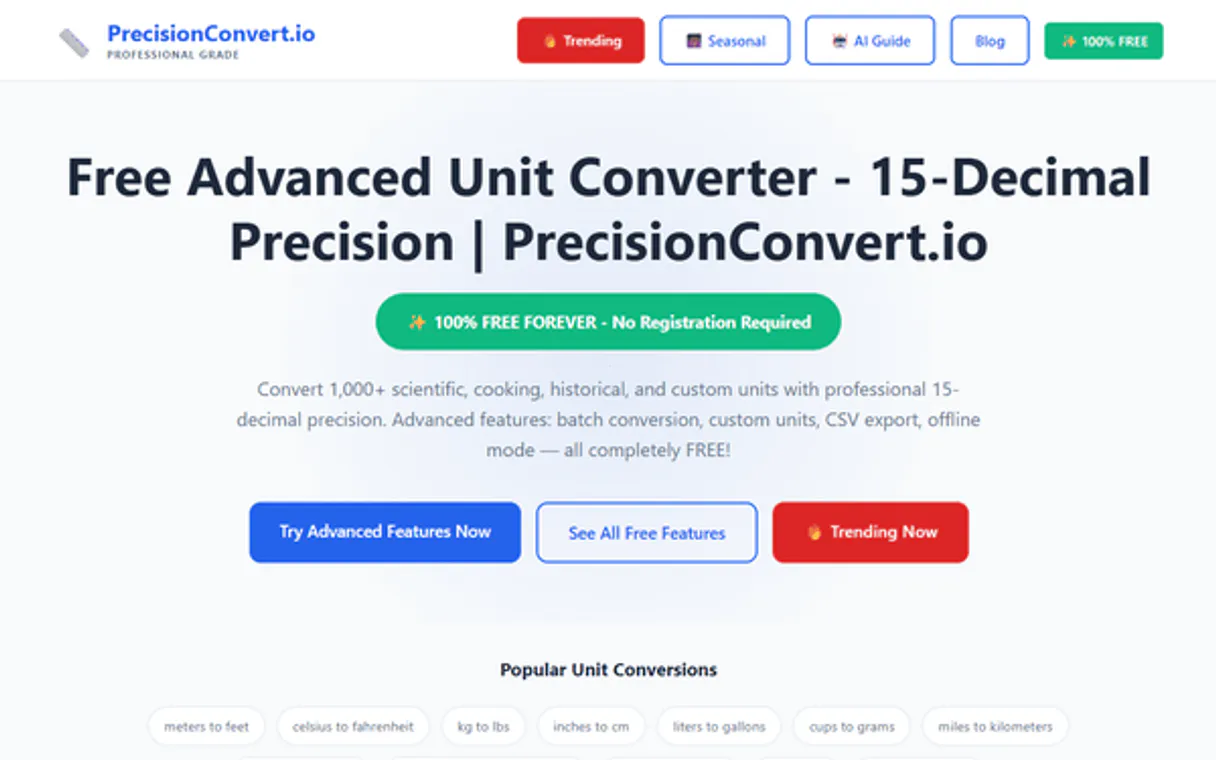
Independent Platform Disclaimer: Vinkius is an independent platform and is not affiliated with, endorsed by, sponsored by, verified by, or otherwise authorized by PrecisionConvert. All third-party trademarks, logos, and brand names are the property of their respective owners. Their use on this website is strictly for informational purposes to identify service compatibility and interoperability.
VINKIUS INFRASTRUCTURE
Cloud Hosted
Managed infra
V8 Isolated
Sandboxed per request
Zero-Trust Proxy
No stored credentials
DLP Enforced
Policy on every call
GDPR Compliant
EU data residency
Token Compression
~60% cost reduction
Works with Claude, ChatGPT, Cursor, and more
The Model Context Protocol standardizes how applications expose capabilities to LLMs. Instead of operating in isolation, your AI gains direct access to external platforms, live data, and real-world actions through secure, standardized connections.
This server provides 2 capabilities that interface natively with Claude, ChatGPT, Cursor, and any MCP client. No middleware. No custom integration required.
Available Capabilities
Unit mismatches kill calculations every time.
Every day, data analysts and engineers waste time correcting messy reports. They pull figures from a report generated overseas—some weights are in pounds, some lengths are in meters, and sometimes the temperatures are just Celsius. The whole calculation breaks because they assumed everything was consistent.
With this MCP server, you simply ask your agent to 'Convert 10 feet to meters.' You don't worry about which system is used or what the exact conversion factor is. It runs `convert_units` and gives you one solid number that works in any subsequent step.
PrecisionConvert Unit Engine: Convert physical values instantly.
Manual data cleansing involves opening multiple spreadsheets, cross-referencing conversion charts online, and running copy/paste operations to ensure every single value is normalized. This process is slow, error-prone, and tedious.
Now, you pass the raw data directly to your agent. The server handles all unit normalization using `convert_units`. It’s immediate, verifiable, and cuts out the entire manual audit step.
Common Questions About PrecisionConvert Unit Engine MCP
Can I convert 100 meters to feet? +
Yes! Use the convert_units tool with value set to 100, from to 'm', and to to 'ft'. It will return the result accurately.
How many units are supported by this engine? +
The engine supports hundreds of units across categories like length, mass, volume, temperature, and pressure. Use the list_supported_units tool to see the full list.
Is the conversion high precision? +
Yes. The underlying engine uses industry-standard conversion factors to ensure decimal-level accuracy for scientific and engineering needs.
Does using `convert_units` require an API key or special authentication? +
No, this server is public access and requires no API keys. You can connect your AI agent to perform conversions immediately. This makes setup fast and straightforward for any client.
How do I check what types of units are supported using `list_supported_units`? +
It lists all physical units across categories like length, weight, temperature, and volume. Calling this tool gives you the full range of measurement systems available for conversion.
What is the best practice when calling `convert_units` with different unit types? +
You must specify both the numerical value and the source/target units in a single call. For example, converting 'kilograms to pounds' requires clear input for both parameters.
Are there any limitations when using `PrecisionConvert Unit Engine` with different AI clients? +
No specific limits exist across MCP-compatible clients like Claude or Cursor. Your agent simply needs to be able to invoke the defined tools via the Model Context Protocol.
When should I call `list_supported_units` before attempting a conversion? +
You use it when you aren't sure of the exact technical identifier for a unit. This ensures your agent uses the precise name required by the system, preventing conversion errors.
Use it with your favorite AI tools
Connect this server to Cursor, Claude, VS Code, and more.
More in this category

Circadian REM Sleep Cycle Optimizer
Harmonize your workflow with biological data. Calculate optimal wake-up times and bedtimes respecting 90-minute REM sleep phases for peak chronotype management.

Fireflies.ai
Record, transcribe, and search across all your meetings with AI that captures every conversation and makes it instantly findable.

Short.io
Automate branded link management via Short.io — manage domains, links, and analytics directly from any AI agent.
You might also like

CountryStateCity
Access global geographic data — list countries, states, and cities with ISO codes and metadata directly from any AI agent.

PostHog
Analyze product data via PostHog — list insights, track persons, inspect feature flags, and monitor experiments directly from any AI agent.

8x8 Work
Business communication analytics — audit call records, extension performance, and ring groups via AI.