
Relevance AI MCP. Run complex data workflows and agents from chat.
 Gemini
 Works with every AI agent you already use
…and any MCP-compatible client









Just plug in your AI agents and start using Vinkius.
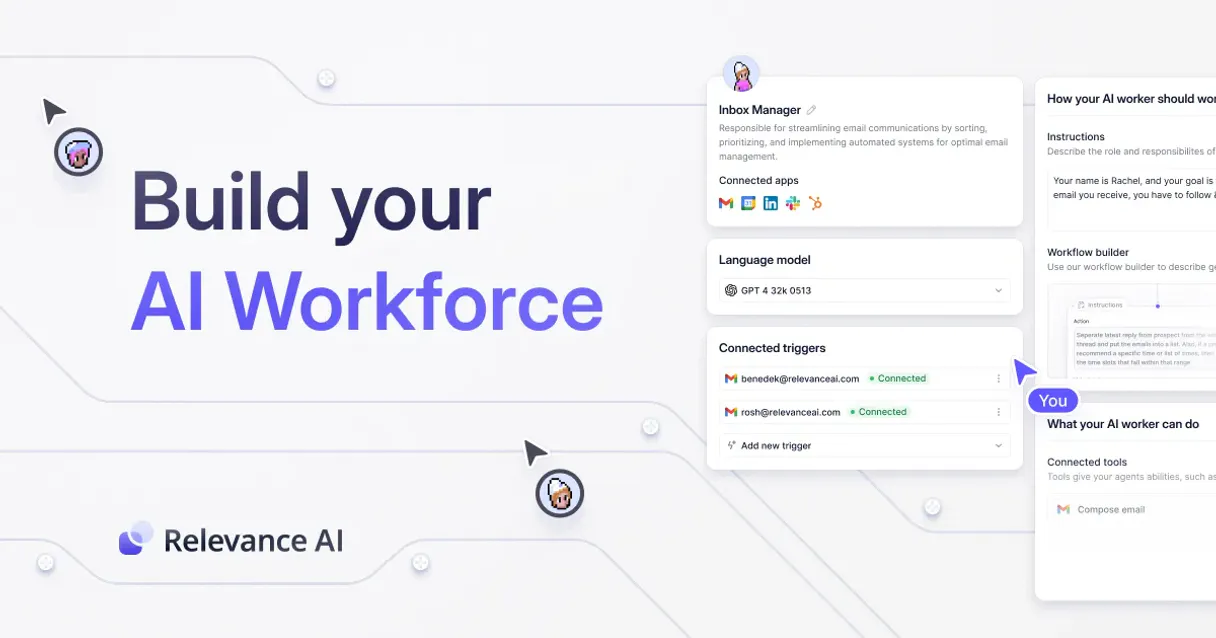
Relevance AI MCP Server lets your agent run complex data operations and autonomous workflows right from the chat interface. It wraps your custom agents, knowledge datasets, and API tools into a single command center for managing unstructured data and executing multi-step logic.
What your AI agents can do
Delete documents
Permanently removes documents from a specific knowledge dataset using their IDs. This action is irreversible.
Get agent run
Retrieves the status and detailed log history for a specific, completed agent run ID.
Get documents
Reads and returns all raw unstructured data entries currently stored in a specified knowledge dataset.
Your agent executes pre-built, multi-step worker configurations by calling trigger_agent.
You control the contents of your vector databases using tools like insert_documents, get_documents, and delete_documents.
Your agent runs predefined, chained prompt sequences by calling trigger_task.
You list all available agents (list_agents), datasets (list_datasets), and custom tools registered in the system.
Ask AI about this MCP
Supported MCP Clients
Gemini Waiting for input…
Relevance AI MCP Server: 10 Tools for Data Control
These tools let you programmatically control everything in Relevance AI—from running agents to managing the raw documents inside your knowledge base.
019d75fedelete documents
Permanently removes documents from a specific knowledge dataset using their IDs. This action is irreversible.
019d75feget agent run
Retrieves the status and detailed log history for a specific, completed agent run ID.
019d75feget documents
Reads and returns all raw unstructured data entries currently stored in a specified knowledge dataset.
019d75feinsert documents
Takes an array of objects and saves them as new, persistent records into a designated knowledge dataset.
019d75felist agents
Returns a list containing the names and IDs of all custom AI workers configured in your studio.
019d75felist datasets
Retrieves a list of every knowledge table (dataset) available within your current project scope.
019d75felist tasks
Returns a list of all predefined, chained prompt sequences or micro-tasks in the studio.
019d75felist tools
Lists every custom tool registered within your Relevance AI environment for discovery purposes.
019d75fetrigger agent
Starts an execution run for a specific autonomous agent by providing necessary input parameters in JSON format.
019d75fetrigger task
Executes a specific, predefined workflow or chained prompt sequence (a task) immediately.
Choose How to Get Started
Build a custom MCP for your own tools, or connect a ready-made integration from our catalog.
Build Your Own
Turn any API into an MCP. Import a spec, define Agent Skills, or deploy with MCPFusion.
- Import from OpenAPI, Swagger, or YAML specs
- Create Agent Skills with progressive disclosure
- Deploy to edge with MCPFusion framework
- Built in DLP, auth, and compliance on every call
- Real time usage dashboard and cost metering
- Publish to catalog or keep private
Make Your AI Do More
Start with Relevance AI, then connect any of our 4,700+ other servers whenever your AI needs more. One click, no limits.
- Use this MCP plus 4,700+ others, all in one place
- Add new capabilities to your AI anytime you want
- Every connection is secured and compliant automatically
- Track usage and costs across all your servers
- Works with Claude, ChatGPT, Cursor, and more
- New servers added to the catalog every week
What you can do with this MCP connector
This MCP Server gives your AI client a full command center for handling complex data operations and running autonomous workflows right from the chat. You're not just talking to an agent; you're controlling its entire operational stack.
To get started, you'll first need to know what's available. You can call list_agents to pull up a list of every custom AI worker configured in your studio, giving you their names and IDs. If you want to see the data sources you have access to, use list_datasets to retrieve every knowledge table currently scoped to your project.
To discover all the specific functions built into your Relevance AI setup, run list_tools, which lists every custom tool registered in your environment. You can also check out predefined workflows by calling list_tasks; this returns a list of all chained prompt sequences or micro-tasks you've set up.
When it comes to managing the raw knowledge data—your vector databases—you're in charge. To read all the unstructured text entries sitting in a specific dataset, call get_documents. If you need to save fresh records into your persistent storage, use insert_documents, which accepts an array of objects and saves them instantly to a designated dataset.
You can also clean up old or irrelevant data by running delete_documents; this permanently removes documents from a specified knowledge dataset using their IDs. Remember, that action is irreversible.
To make your agent do something complex, you run it through its specialized tools. For executing pre-built, multi-step worker configurations, you'll use trigger_agent, where you provide all necessary input parameters in JSON format to start the process. If you need to know what that agent did after it ran, call get_agent_run with a specific run ID; this retrieves the full status and detailed log history of that completed agent session.
For running predefined, chained prompt sequences—the tasks you've built out—you execute them immediately using trigger_task. This bypasses the agent setup and runs the task directly.
Basically, everything your AI client needs to operate—from finding data sources (list_datasets), reading raw text (get_documents), writing new records (insert_documents), deleting bad data (delete_documents), listing available workers (list_agents), or kicking off a full automated process (trigger_agent or trigger_task)—it's all here. You can monitor the entire flow without having to leave your chat interface.
How Relevance AI MCP Works
- 1 Add the Relevance AI extension to your MCP hub. You'll need three things: your Project ID, API Key, and assigned Region.
- 2 Prompt your agent with a multi-step instruction (e.g., 'Run Agent X for Company Y; then save output into Dataset Z').
- 3 The server handles the sequence: it calls
trigger_agent, waits for results, and uses those results to execute data operations likeinsert_documents.
The bottom line is that you write one prompt, but the agent executes a whole chain of internal API calls to solve the problem.
Who Is Relevance AI MCP For?
AI Engineers who build complex systems and need end-to-end testing from chat. Data Analysts stuck copying raw insights into spreadsheets. Operations Teams running highly specialized, repetitive workflows that involve both LLMs and internal databases.
You test chained logic and custom agents directly in the chat—no need to open the studio GUI for debugging.
You move processed insights, raw text, or structured metadata from a conversation into a permanent knowledge dataset using natural language commands.
You combine the output of an everyday chat with specialized autonomous agents to create high-throughput, compounding workflows.
What Changes When You Connect
- Automate data saving: Instead of manually copy-pasting insights, prompt your agent to use
insert_documentsimmediately after research. It saves the raw output directly into a designated knowledge table. - Full visibility on processes: Need to know why an agent failed or what it did? Use
get_agent_run. It gives you access to the full status and logging history for any specific run ID. - Build reliable pipelines: Forget single-step prompts. You can trigger complex, multi-stage logic using
trigger_task, which runs a predefined sequence of steps without you leaving your chat interface. - Keep track of data sources: Use
list_datasetsto see every knowledge table in your project, ensuring the agent knows exactly where it's reading and writing information. - Zero-friction development: AI Engineers can test chained logic by calling
trigger_agentright from their terminal. It’s instant testing without touching the studio GUI. - Maintain clean data: If a knowledge base item is obsolete, use
delete_documents. You control the lifecycle of your data directly through natural language conversation.
Real-World Use Cases
Researching Competitors' Market Positioning
A competitor analysis team finds raw articles online. Instead of creating a spreadsheet, they prompt their agent: 'Run the 'Market Research' agent using these article links; then, use insert_documents to save all key findings into our 'competitor_docs' dataset.' The agent handles the whole sequence.
Auditing Agent Performance
An AI Engineer needs to check if a new 'Sales SDR Bot' is working correctly. They use list_agents first, then they prompt it to run, and finally they call get_agent_run with the resulting ID to read the exact reasoning steps—all for auditing purposes.
Building a Quarterly Report Pipeline
The Operations team needs to generate a report that pulls data from three sources. They use list_tasks to find the 'Quarterly Summary' task, which triggers an agent run and then uses trigger_task to execute the full multi-step workflow automatically.
Cleaning Up Old Knowledge Base Entries
A data manager realizes several documents are outdated. Instead of searching through files, they use list_datasets, identify the 'old policies' table, and then call delete_documents to wipe out all entries with IDs 102-105.
The Tradeoffs
Treating data CRUD as simple copy/paste
The user sees raw text output from the chat and manually copies it into a spreadsheet or another system, creating potential version control issues.
→
Don't copy. Use insert_documents directly in your prompt: 'Take this analysis and use insert_documents to save it into the 'competitor_docs' dataset.' The data goes where it needs to go.
Running agents without monitoring
The agent runs for 5 minutes, but the user doesn't know if it stalled or finished. They just wait and assume success.
→
Always get a Run ID first. Then, follow up with get_agent_run to pull the status and logs. It tells you exactly when the process succeeded or failed.
Trying to figure out what agents exist
The user just types 'What can I do?' into the chat, hoping the system knows all available tools.
→
Don't guess. Use list_agents first to see every worker configured in your studio, and then use its name or ID when you call trigger_agent.
When It Fits, When It Doesn't
Use this server if your process is stateful—meaning the output of step A must be input for step B, which involves writing data to a database. This system handles complex sequences: run an agent (trigger_agent), check its status (get_agent_run), and then save the final result (insert_documents).
Don't use it if you just need a simple API call or basic lookup. If all you need is to fetch data from one source without modifying anything, a dedicated read-only API client might be cleaner. Only bring your agent into this server when you genuinely need the ability to manage and persist knowledge using tools like delete_documents or list_datasets.
Independent Platform Disclaimer: Vinkius is an independent platform and is not affiliated with, endorsed by, sponsored by, verified by, or otherwise authorized by Relevance AI. All third-party trademarks, logos, and brand names are the property of their respective owners. Their use on this website is strictly for informational purposes to identify service compatibility and interoperability.
VINKIUS INFRASTRUCTURE
Cloud Hosted
Managed infra
V8 Isolated
Sandboxed per request
Zero-Trust Proxy
No stored credentials
DLP Enforced
Policy on every call
GDPR Compliant
EU data residency
Token Compression
~60% cost reduction
Works with Claude, ChatGPT, Cursor, and more
The Model Context Protocol standardizes how applications expose capabilities to LLMs. Instead of operating in isolation, your AI gains direct access to external platforms, live data, and real-world actions through secure, standardized connections.
This server provides 10 capabilities that interface natively with Claude, ChatGPT, Cursor, and any MCP client. No middleware. No custom integration required.
Available Capabilities
Managing data insights usually means switching between five different apps.
Today, generating a full competitive analysis requires this mess: You copy key findings from the chat into Notion; you export structured metadata to Google Sheets for analysis; and then, you manually upload those final summaries back into your internal knowledge base. It's a loop of copy-paste that wastes hours.
With Relevance AI MCP Server, the process collapses. Your agent takes the raw output, runs `trigger_task` through validation steps, and uses `insert_documents` to save everything in one go. The entire complex workflow happens transparently within your chat.
Relevance AI MCP Server: Orchestrate agents and data flow from the command line.
Before this, running a multi-stage job meant logging into the Relevance AI studio GUI. You'd have to click 'Run,' wait on loading screens, check the logs in one tab, and then navigate back to another area to save the final output.
Now? You just prompt your agent: 'Research Company X, run it through the lead qualification task, and store the results.' The server handles all those clicks—`trigger_agent`, `get_agent_run`, `insert_documents`—behind the scenes. It's immediate.
Common Questions About Relevance AI MCP
How do I list all available agents in Relevance AI using `list_agents`? +
Run the list_agents tool directly with your agent. This returns a full inventory, giving you the names and unique IDs of every worker configured for your project.
What is the difference between `trigger_agent` and `trigger_task`? +
list_agents runs an autonomous workflow based on a set of rules. trigger_task executes a specific, pre-defined chain of prompts that you've already built into a task.
If I use `insert_documents`, does it overwrite old data? +
No. The insert_documents tool appends new records to the dataset. If you need to change existing data, you should retrieve the ID first using get_documents and then follow the appropriate update workflow.
How do I check if an agent finished running correctly? +
After triggering an agent, you must capture the Run ID. Use that ID with get_agent_run. This tool provides the status and all log details to confirm completion.
Can I delete documents using a simple text search? +
No. The delete_documents tool requires specific document IDs. You must first use get_documents or another method to find the exact identifiers before deletion is possible.
Before I use `list_datasets`, what specific API keys or permissions must my AI client have? +
You need a valid Project ID, API Key, and Region defined in your Relevance AI settings. These credentials give your agent the necessary scope to access the knowledge table metadata.
When I call `get_documents`, what specific raw fields does the API return about each record? +
The function returns structured metadata, including document content, source IDs, and timestamps. This allows your agent to process not just the text, but also when it was added.
If I use `trigger_agent`, how do I check for execution failures or rate limits? +
Check the run logs using get_agent_run to pinpoint failure reasons. Failure usually means invalid input JSON, but sustained errors may indicate hitting API rate limits.
Can the agent monitor a long-running relevance AI agent task? +
Yes. You can trigger an agent using trigger_agent, and because it provides a run_id, you can explicitly prompt your local Assistant to periodically "check in on the status using get_agent_run every minute until finished" or ask it to summarize the step-by-step agent logs after completion.
What is the differences between tasks, tools, and agents in Relevance AI? +
Agents are autonomous workers capable of making step-by-step reasoning choices based on instructions and tools. Tasks are linear, pre-chained sets of commands and prompts. Tools (list_tools) are the individual capabilities, like a custom API integration or web scraper, that tasks and agents utilize to perform their actions.
How do I find my specific Region and Project ID? +
These details are typically nested within the URL string when you are logged into your workspace or found globally in your developer API keys configuration pane inside your Relevance AI team dashboard. The Region is usually something like 'us-east-1' or 'v2'.
Use it with your favorite AI tools
Connect this server to Cursor, Claude, VS Code, and more.
More in this category

Home Assistant
Control smart home devices and automations via Home Assistant REST API — lights, climate, media, covers, sensors, and more.

OpenAI
Use GPT-4o, DALL-E 3, embeddings, fine-tuning, and moderation as tools inside your AI agent workflows.

AutoGen
Orchestrate Microsoft AutoGen multi-agent workflows — manage sessions, agent roles, workflows, and monitor execution logs from any AI agent.
You might also like

OpenSanctions
Screen persons and companies against global sanctions lists and PEP databases for KYC/AML compliance.

BreezoMeter Air Quality & Pollen
Universal air quality intelligence — get real-time AQI, pollutants, and pollen data via AI.

Deno Deploy
Manage your Deno Deploy infrastructure — list apps, create deployments, and stream logs directly from your AI agent.