
BreezoMeter Air Quality MCP. Get real-time AQI and pollen data anywhere on Earth.
 Gemini
 Works with every AI agent you already use
…and any MCP-compatible client









Just plug in your AI agents and start using Vinkius.
BreezoMeter Air Quality & Pollen: Get real-time environmental intelligence. This MCP Server gives your AI client access to hyper-local air quality data, including the Air Quality Index (AQI) and specific pollutant levels (PM2.5, NO2).
It also tracks pollen counts for trees, grasses, and weeds. Your agent provides actionable health recommendations for outdoor activities based on any latitude/longitude globally.
What your AI agents can do
Get air quality
Gets the current Air Quality Index and pollutant levels for a given location.
Get pollen levels
Gets the current pollen data (tree, grass, weed) for a specified location.
Your agent gets the current Air Quality Index (AQI) and pollutant concentrations for any specified location using get_air_quality.
Your agent retrieves current pollen data for specific tree, grass, and weed types using get_pollen_levels.
The agent identifies the specific dominant pollutants (e.g., PM2.5, NO2) contributing to the current air quality reading.
Your agent provides tailored health recommendations for sensitive groups, like those with asthma or children, based on the retrieved data.
It retrieves accurate environmental data for any street-level location worldwide using coordinates.
Ask AI about this MCP
Supported MCP Clients
Gemini Waiting for input…
BreezoMeter Air Quality & Pollen MCP Server: 2 Tools
Use these two tools to get the current air quality index and detailed pollen risk levels for any location on Earth.
019d8420get air quality
Gets the current Air Quality Index and pollutant levels for a given location.
019d8420get pollen levels
Gets the current pollen data (tree, grass, weed) for a specified location.
Choose How to Get Started
Build a custom MCP for your own tools, or connect a ready-made integration from our catalog.
Build Your Own
Turn any API into an MCP. Import a spec, define Agent Skills, or deploy with MCPFusion.
- Import from OpenAPI, Swagger, or YAML specs
- Create Agent Skills with progressive disclosure
- Deploy to edge with MCPFusion framework
- Built in DLP, auth, and compliance on every call
- Real time usage dashboard and cost metering
- Publish to catalog or keep private
Make Your AI Do More
Start with BreezoMeter Air Quality & Pollen, then connect any of our 4,700+ other servers whenever your AI needs more. One click, no limits.
- Use this MCP plus 4,700+ others, all in one place
- Add new capabilities to your AI anytime you want
- Every connection is secured and compliant automatically
- Track usage and costs across all your servers
- Works with Claude, ChatGPT, Cursor, and more
- New servers added to the catalog every week
What you can do with this MCP connector
This MCP Server gives your AI client real-time environmental intelligence for any spot on Earth. It lets your agent check the air quality and track pollen counts using hyper-local data. Your agent pulls the current Air Quality Index (AQI) and pollutant concentrations for any coordinates using get_air_quality. The agent also identifies the specific dominant pollutants—like PM2.5 or NO2—that are driving the current air quality reading.
When you run get_pollen_levels, your agent pulls current pollen data for specific trees, grasses, and weeds at a location. Because it handles global coordinates, your agent gives you accurate environmental data for any street-level spot worldwide. Based on the air quality and pollen data it pulls, your agent provides tailored health recommendations for sensitive groups, including kids or people with asthma.
You can use this setup to build a health-tracking app, plan outdoor activities, or just research urban pollution. You'll never have to guess what's going on with the air or your allergies again. It's always up-to-date, no matter where you are.
How BreezoMeter Air Quality MCP Works
- 1 Subscribe to the BreezoMeter server and input your API Key.
- 2 Your AI client sends a prompt asking for environmental data (e.g., 'What's the pollen risk in London?').
- 3 The agent invokes the appropriate tool (
get_air_qualityorget_pollen_levels) and formats the raw data into a natural conversation response.
The bottom line is, you ask a question, and the agent handles the API calls and data formatting for you.
Who Is BreezoMeter Air Quality MCP For?
The health app developer who needs reliable, global environmental data to build features. The urban planner who needs to model pollution impact. The field operations manager who needs to check local conditions for outdoor site safety. This is for anyone whose work depends on knowing the exact environmental status of a location.
Integrates the air quality and pollen tools to build predictive apps for allergy or respiratory conditions.
Uses the data to model pollutant shifts and plan infrastructure or park locations.
Verifies local conditions for large outdoor work sites or emergency response.
What Changes When You Connect
- See the specific pollutant causing the problem. When your agent runs
get_air_quality, it doesn't just give a score; it identifies the dominant pollutant (PM2.5, NO2, etc.). This lets you know exactly what's impacting health, not just that the air is bad. - Manage allergy risk year-round. The
get_pollen_levelstool tracks pollen for specific types—trees, grasses, and weeds. This moves beyond general 'allergy risk' and gives granular data for planning days around high counts. - Tailor advice for vulnerable groups. The agent processes the data to provide health recommendations. If the AQI is high, it knows to warn athletes or people with asthma about limiting outdoor exertion.
- Plan global outdoor activities. You can run either tool with any latitude/longitude. This means your app doesn't need to worry about local city codes or regional data limitations—it just works everywhere.
- Keep your workflow focused. Instead of calling three separate services (AQI, Pollen, Weather), you call one tool set. The agent handles the complexity of pulling and synthesizing the environmental picture.
- Model environmental change. Developers use these tools to build applications that track historical or projected pollutant shifts for urban research or climate modeling.
Real-World Use Cases
Planning a marathon route.
A running club needs to plan a marathon route through Chicago. They ask their agent, 'What's the air quality like on the 3rd mile?' The agent runs get_air_quality for the specific coordinates, getting the AQI and pollutant data. The agent then warns the coach that PM2.5 levels are too high for safe, sustained running, forcing a route change.
A patient with asthma needs to go out.
A parent asks their agent, 'Is it safe for my child with asthma to play outside today?' The agent runs get_air_quality and get_pollen_levels. If both show elevated risks, the agent synthesizes the warning: 'Today is difficult. Both air pollution and pollen are high, so keep activity indoor and limit time outside.'
Checking site safety for construction.
An operations manager needs to know if a construction site is safe for workers today. They prompt the agent with the site coordinates. The agent runs get_air_quality, checking for pollutants. If the data suggests high NO2, the agent alerts the manager to stop work until the pollutant drops.
Comparing allergy risks in two cities.
A user is traveling and wants to compare allergy risks. They ask the agent to compare Berlin and London. The agent uses get_pollen_levels for both coordinates, showing the differences in grass vs. tree pollen risk, helping the user plan their trip accordingly.
The Tradeoffs
Checking only the AQI score
A developer sees the AQI is 'Good' (e.g., 55) and assumes the air is fine. They miss that the pollutant breakdown shows extremely high NO2, which is dangerous for children.
→
Don't just check the score. Always run get_air_quality and inspect the detailed pollutant breakdown. The agent uses this data to give specific warnings, pointing out the high NO2 levels even if the overall AQI is low.
Ignoring the pollen type
A user simply says, 'Is the pollen high?' and gets a general 'Moderate' warning. They don't know if it's the tree pollen they are allergic to, which is the most dangerous type.
→
Use get_pollen_levels to get a breakdown. This tool separates risks by plant type (tree, grass, weed). You can then target the advice to the user's specific allergy.
Over-relying on a single source
The developer uses an old, static weather API and assumes the air quality will follow the forecast. This fails because pollution is driven by local traffic and weather patterns, not just general weather.
→
Use get_air_quality for real-time data. This tool pulls current, measured pollution levels from the location, giving you the actionable data you need right now.
When It Fits, When It Doesn't
Use this if you need real-time, highly granular environmental risk assessment. You need to know why the air is bad (is it PM2.5 or NO2?) or what specific allergen is peaking (tree vs. grass). It's for health apps, field safety tools, or research platforms that require precise, location-based metrics.
Don't use this if you just need a general, day-to-day forecast (e.g., 'Is it sunny tomorrow?'). For that, a standard weather API is fine. If you only need general pollution trends without real-time data, you might look at historical data services. But if it’s about right now and specific pollutants, this is the tool.
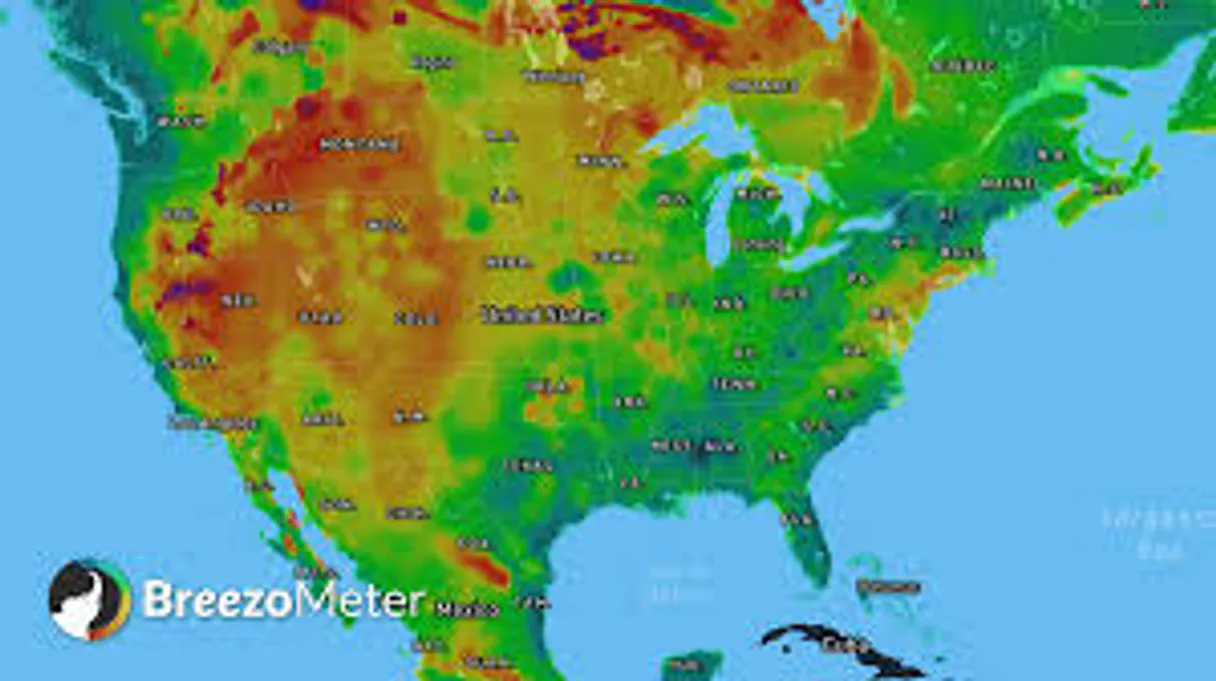
Independent Platform Disclaimer: Vinkius is an independent platform and is not affiliated with, endorsed by, sponsored by, verified by, or otherwise authorized by BreezoMeter. All third-party trademarks, logos, and brand names are the property of their respective owners. Their use on this website is strictly for informational purposes to identify service compatibility and interoperability.
VINKIUS INFRASTRUCTURE
Cloud Hosted
Managed infra
V8 Isolated
Sandboxed per request
Zero-Trust Proxy
No stored credentials
DLP Enforced
Policy on every call
GDPR Compliant
EU data residency
Token Compression
~60% cost reduction
Works with Claude, ChatGPT, Cursor, and more
The Model Context Protocol standardizes how applications expose capabilities to LLMs. Instead of operating in isolation, your AI gains direct access to external platforms, live data, and real-world actions through secure, standardized connections.
This server provides 2 capabilities that interface natively with Claude, ChatGPT, Cursor, and any MCP client. No middleware. No custom integration required.
Available Capabilities
Checking air quality shouldn't just give you a single number.
Most systems show one number: the Air Quality Index. That's it. You get a score—say, 72—and you assume everything's fine. You miss the details: the score could be good, but the dominant pollutant might be PM2.5, which is particularly dangerous for asthmatics, or maybe it’s NO2, which spikes during rush hour.
With the BreezoMeter MCP Server, you don't just get a score. You get a breakdown. Your agent runs `get_air_quality` and tells you exactly which pollutant is causing the reading. You know the specific risk, which is the difference between planning a hike and staying inside.
BreezoMeter Air Quality & Pollen MCP Server: Get actionable pollen data.
Before, you had to check three different sources: a general weather report, a pollen forecast, and a separate allergy site. You'd end up cross-referencing dates and risking human error. You’d only know if ‘pollen is high,’ but not which plant was the issue.
Now, using `get_pollen_levels`, your agent pulls the data directly. It tells you if the risk is moderate for grass but low for trees. This level of specificity lets you plan your day around your actual triggers, not just a general warning.
Common Questions About BreezoMeter Air Quality MCP
How accurate is the BreezoMeter Air Quality & Pollen MCP Server for my city? +
The server provides hyper-local, real-time data for any coordinate worldwide. It uses accurate, measured pollutant concentrations, not predictive models. This means the data reflects what's happening right now, not what might happen.
Can I use get_air_quality to check multiple locations? +
Yes. You can prompt your agent to check multiple locations in one go. The agent handles the calls to get_air_quality for each coordinate and compiles the full report for you.
Does get_pollen_levels track specific types of pollen? +
Yes. This tool separates pollen risks by specific plant type: tree, grass, and weed. This specificity is critical for people managing complex allergies.
What data does the BreezoMeter Air Quality & Pollen MCP Server provide? +
It provides the Air Quality Index (AQI), concentrations for dominant pollutants (PM2.5, NO2, etc.), pollen risk levels, and tailored health recommendations.
How do I set up the API key for the `get_air_quality` tool? +
You must enter your dedicated BreezoMeter API Key when subscribing to the server. This key is required to authenticate all calls to the get_air_quality tool. Remember to obtain your key directly from the official breezometer.com site.
Is there a limit to how often I can use the `get_pollen_levels` tool? +
The server adheres to standard rate limits set by the BreezoMeter API. Exceeding these limits will result in a temporary service denial. Check the official BreezoMeter documentation for specific rate allowance details.
Does the `get_air_quality` tool support global coordinates? +
Yes, the get_air_quality tool supports retrieving data for any latitude and longitude on Earth. This means you can check environmental conditions at street-level locations globally.
What happens if I pass invalid coordinates to the `get_pollen_levels` tool? +
The server returns an error message detailing the invalid coordinates or input format. You must provide valid geographical coordinates for the get_pollen_levels tool to execute successfully.
Can I check the pollen count in Paris? +
Yes! Use the get_pollen_levels tool and provide the latitude and longitude for Paris. It will return the current risk levels for various types of pollen.
What does the BAQI score represent? +
BAQI stands for BreezoMeter Air Quality Index. It is a standardized scale from 0 to 100, where 100 is excellent air quality and 0 is very poor.
Does it provide health advice for athletes? +
Yes. The health recommendations include specific advice for outdoor sports and physical activities based on the current pollutant levels.
Use it with your favorite AI tools
Connect this server to Cursor, Claude, VS Code, and more.
More in this category

CDC Public Health / 美国疾控中心
U.S. CDC official health resources — search media, audit topics, and get health recommendations via AI.

Dog CEO
Universal dog intelligence engine — get random dog images and breed data via AI.
Caiyun Weather / 彩云天气
China's leading high-precision weather service — get minute-level precipitation and air quality via AI.
You might also like

Neon
Manage serverless PostgreSQL databases via Neon — provision projects, branches, endpoints and roles from any AI agent.
Workload
Build visual workflow automations that connect your favorite apps and eliminate repetitive manual tasks across your business.

PaperQuotes
Access a vast library of quotes, search by author or tags, and get the quote of the day directly in your AI agent.