
Rijksmuseum MCP. Query Dutch Art Metadata and Academic Records
 Gemini
 Works with every AI agent you already use
…and any MCP-compatible client









Just plug in your AI agents and start using Vinkius.
Rijksmuseum MCP Server provides direct access to Dutch art history data. Use this server to search Rembrandt's works, retrieve high-resolution image metadata via IIIF, and query deep bibliographic records from the museum's research library.
It handles complex standards like OAI-PMH and Linked Data Event Streams (LDES), letting your AI client pull structured information across multiple formats.
What your AI agents can do
Get iiif image info
Gets the technical metadata for an IIIF image, detailing its resolution and format capabilities.
Get iiif manifest
Retrieves the full IIIF presentation manifest which defines how to display a specific high-resolution object online.
Get ldes collection
Fetches metadata streams for an entire Linked Data Event Stream (LDES) collection.
You can use search_collection to filter the museum's vast holdings based on parameters like creator, material, or time period.
The get_iiif_image_info tool fetches technical metadata for an artwork image, including its maximum resolution and available formats.
Use get_iiif_manifest to get the full IIIF presentation manifest for an object, detailing how the high-resolution asset can be viewed.
search_library runs contextual queries against bibliographic records from the Research Library using CQL syntax.
The oai_pmh_request tool allows you to pull metadata in bulk by requesting data through the Open Archives Initiative Protocol (OAI-PMH).
You can run resolve_pid to dereference a Persistent Identifier, guaranteeing you have the most current object metadata.
Ask AI about this MCP
Supported MCP Clients
Gemini Waiting for input…
Rijksmuseum MCP Server: 8 Tools for Cultural Heritage Data
These eight tools allow your agent to perform specialized functions—from searching artworks by criteria to harvesting metadata via industry standards like IIIF and OAI-PMH.
019e5d50get iiif image info
Gets the technical metadata for an IIIF image, detailing its resolution and format capabilities.
019e5d50get iiif manifest
Retrieves the full IIIF presentation manifest which defines how to display a specific high-resolution object online.
019e5d50get ldes collection
Fetches metadata streams for an entire Linked Data Event Stream (LDES) collection.
019e5d50get ldes dataset
Retrieves specific data records from a defined LDES dataset using its identifier.
019e5d50oai pmh request
Harvests metadata in bulk by making requests to the Open Archives Initiative Protocol (OAI-PMH).
019e5d50resolve pid
Takes a Persistent Identifier and resolves it to ensure you have the current, accurate object record.
019e5d50search collection
Searches for objects within the museum's collection using various filters like creator or material type.
019e5d50search library
Queries bibliographic records from the Research Library using Contextual Query Language (CQL).
Choose How to Get Started
Build a custom MCP for your own tools, or connect a ready-made integration from our catalog.
Build Your Own
Turn any API into an MCP. Import a spec, define Agent Skills, or deploy with MCPFusion.
- Import from OpenAPI, Swagger, or YAML specs
- Create Agent Skills with progressive disclosure
- Deploy to edge with MCPFusion framework
- Built in DLP, auth, and compliance on every call
- Real time usage dashboard and cost metering
- Publish to catalog or keep private
Make Your AI Do More
Start with Rijksmuseum, then connect any of our 4,700+ other servers whenever your AI needs more. One click, no limits.
- Use this MCP plus 4,700+ others, all in one place
- Add new capabilities to your AI anytime you want
- Every connection is secured and compliant automatically
- Track usage and costs across all your servers
- Works with Claude, ChatGPT, Cursor, and more
- New servers added to the catalog every week
What you can do with this MCP connector
Rijksmuseum MCP Server provides straight access to Dutch art data and deep historical records. You're connecting your AI client directly to the museum's core collection, research library, and high-resolution image metadata. This isn't surface-level searching; it handles complex standards like OAI-PMH and Linked Data Event Streams (LDES), letting your agent pull structured information across multiple formats.
Searching for Artworks by Criteria
The search_collection tool lets you filter the museum's massive holdings. You input parameters—like creator, material type, or a specific time period—and it returns objects matching those criteria. For instance, if you need all of Rembrandt’s works painted in oil between 1630 and 1645, you run search_collection with those filters.
If you're unsure about an object ID or a name, use the resolve_pid tool. It takes a Persistent Identifier (PID) and resolves it instantly, guaranteeing your agent gets the most current and accurate metadata record for that artwork.
To query academic records specifically, run search_library. This tool works against the Research Library's bibliographic data using Contextual Query Language (CQL) syntax. You can ask detailed questions—like 'Show me all sources mentioning Vermeer and light refraction'—and it pulls those structured library results for you.
Handling High-Resolution Image Details
The get_iiif_image_info tool fetches the technical metadata for any IIIF image. When you run this, you get details on its resolution and what formats are available. You'll know if it supports 4K or if it's restricted to JPG/PNG. It tells you exactly what kind of asset you're working with.
To see how that high-resolution object can be viewed online, use get_iiif_manifest. This tool retrieves the full IIIF presentation manifest for an object. That manifest isn't just a link; it defines every step needed to display the high-res asset correctly in a viewer.
Bulk and Structured Data Harvesting
For pulling massive amounts of metadata, you use oai_pmh_request. This tool harvests data in bulk by making requests through the Open Archives Initiative Protocol (OAI-PMH). You specify what collection or date range you want, and it pulls hundreds of records at once.
When dealing with evolving datasets, Linked Data Event Streams (LDES) are key. Start by running get_ldes_collection to fetch metadata streams for an entire LDES collection. This gives you the roadmap for the data. Then, use get_ldes_dataset. You feed it a specific dataset identifier, and it pulls those defined records directly.
It’s how your agent digs into complex, structured streams of information.
You don't need to write any boilerplate code or worry about API keys; you just tell your AI client what data you need—a Rembrandt search, the IIIF manifest for a specific object, or bulk metadata via OAI-PMH—and it handles routing the query through the appropriate tool. It’s straight access to museum history.
How Rijksmuseum MCP Works
- 1 Subscribe to the server and supply your Rijksmuseum API Key.
- 2 First, use
search_collectionorresolve_pidto narrow down the target artwork ID or dataset identifier. - 3 Next, select the appropriate tool (
get_iiif_manifest,search_library, etc.) based on whether you need image specs, academic records, or raw metadata.
The bottom line is: your agent directs a sequence of calls through specialized tools to pull data from different museum standards into one structured response.
Who Is Rijksmuseum MCP For?
Art historians and digital humanities researchers use this when they need to move beyond basic web search. They face the pain of having art data trapped in multiple, incompatible formats (IIIF, MARC, OAI). Data scientists rely on it for large-scale metadata analysis that requires standardized harvesting.
Uses search_collection to find specific works by artist or period and then uses get_iiif_manifest to check image availability.
Runs oai_pmh_request for bulk metadata extraction, followed by using LDES tools (get_ldes_dataset) to build a linked data graph of related objects.
Uses resolve_pid and then runs multiple searches (e.g., search_collection then search_library) to cross-reference object details with academic provenance data.
What Changes When You Connect
- Cross-Reference Data: You don't have to run separate queries for images and texts. By linking
search_collectionresults with the academic data fromsearch_library, you get a single view of an object's provenance. - Standardized Image Access: Getting IIIF manifests is clean. The
get_iiif_manifesttool gives you the full presentation structure, not just a file link, making it easy for your agent to build a viewer. - Bulk Data Handling: When you need thousands of records, forget manual calls. Using
oai_pmh_requestlets your AI client harvest massive amounts of metadata in one go. - Confidence in IDs: You'll never worry about outdated links again. Running
resolve_pidfirst confirms the object ID is current before you try to download any data using other tools. - Linked Data Mapping: For advanced analysis, LDES tools (
get_ldes_collection,get_ldes_dataset) let your agent pull related objects and streams into a structured knowledge graph.
Real-World Use Cases
Tracking an Artist's Evolution
A curator wants to see how Rembrandt’s style changed over time. They ask the agent to run search_collection filtered by 'Rembrandt' and then group results by date range. The agent returns a structured list of works, allowing the user to immediately jump into IIIF details using get_iiif_image_info for visual comparison.
Building a Research Index
A researcher needs academic context for a specific painting. They use resolve_pid first to get the definitive ID, then run search_library with that ID to pull all related bibliographic records and technical reports.
Migrating Museum Data
A developer needs to build a new application consuming museum metadata. Instead of manual API calls, they use the oai_pmh_request tool to harvest large batches of data in the standard OAI-PMH format for bulk ingestion.
Analyzing Related Objects
A student is studying a specific period. They run get_ldes_collection to gather all related object streams, and then use search_collection with the gathered data points to find other objects that fit the same criteria.
The Tradeoffs
Assuming Search is Enough
Asking the agent simply to 'find all things by Vermeer.' This only runs search_collection, giving a list of IDs, but no actionable data.
→
First, run search_collection to get the ID. Then, if you need image specs, call get_iiif_image_info(id=...). If you need academic context, use that ID with search_library(cql_query=...).
Calling Tools Blindly
Running every tool in sequence (oai_pmh_request, then get_iiif_manifest) without knowing the object ID. This wastes rate limits and fails most calls.
→
Always start with a clear identifier. Use resolve_pid(pid='...') first to confirm validity, then proceed with the specific data retrieval tool.
Mixing Search Types
Trying to search for academic papers using search_collection. These tools operate on different data types and will fail or return irrelevant results.
→
Use search_collection only for physical objects (paintings, sculptures). Use search_library specifically for bibliographic records.
When It Fits, When It Doesn't
You should use this server if your goal involves cross-referencing art objects with academic history or extracting structured data from multiple industry standards. If you need to know the physical location of an object, use a standard directory service instead.
Don't use this if you only need a basic web search on the museum's main site—the tools are for machine-readable APIs. Use search_collection when your query is about characteristics (e.g., 'all paintings from 1650'). Use search_library when your query is about knowledge (e.g., 'technical reports on restoration methods'). If you need raw image data, always start with a PID resolution via resolve_pid before attempting to pull manifests or info.

Independent Platform Disclaimer: Vinkius is an independent platform and is not affiliated with, endorsed by, sponsored by, verified by, or otherwise authorized by Rijksmuseum. All third-party trademarks, logos, and brand names are the property of their respective owners. Their use on this website is strictly for informational purposes to identify service compatibility and interoperability.
VINKIUS INFRASTRUCTURE
Cloud Hosted
Managed infra
V8 Isolated
Sandboxed per request
Zero-Trust Proxy
No stored credentials
DLP Enforced
Policy on every call
GDPR Compliant
EU data residency
Token Compression
~60% cost reduction
Works with Claude, ChatGPT, Cursor, and more
The Model Context Protocol standardizes how applications expose capabilities to LLMs. Instead of operating in isolation, your AI gains direct access to external platforms, live data, and real-world actions through secure, standardized connections.
This server provides 8 capabilities that interface natively with Claude, ChatGPT, Cursor, and any MCP client. No middleware. No custom integration required.
Available Capabilities
Getting comprehensive art data used to be a mess of different APIs.
Today, getting all the facts about a painting involves jumping between at least three different systems. You call one API for basic search results, another specialized endpoint for IIIF image files, and a third system using MARC or Dublin Core standards just to find the academic history. It's copy-paste hell.
With this MCP server, your agent handles the handoffs. You ask it for details on an object—say, 'Rembrandt's self-portrait.' The agent runs `search_collection` for the ID, then automatically uses that ID to call `get_iiif_manifest` and `search_library`, handing you one unified response.
Rijksmuseum MCP Server: Structured data retrieval with Linked Data.
Previously, pulling related metadata—like all the associated technical reports or object variants—required manually executing protocols like OAI-PMH and then writing custom parsers for LDES streams. It was a bespoke development project just to get clean JSON.
Now, your agent handles those standards automatically. You ask it to pull linked data, and using `get_ldes_dataset` or `get_ldes_collection`, you get the structured results without writing a single line of protocol handling code.
Common Questions About Rijksmuseum MCP
How do I search for an object by creator? +
You use the search_collection tool. You pass the artist's name (e.g., 'Rembrandt') into the appropriate filter parameters to narrow down the results.
Do I need a PID before using get_iiif_manifest? +
It's best practice to use resolve_pid first. This confirms the ID is current and valid, which prevents the manifest request from failing due to an outdated identifier.
What is the difference between oai_pmh_request and get_ldes_dataset? +
OAI-PMH handles bulk metadata harvesting using a standard protocol. LDES tools are for pulling structured, event-driven streams of related data points.
Can I search academic papers with search_collection? +
No. Use search_collection only for physical works in the museum's inventory. For bibliographic records or research documents, you must use the search_library tool.
What happens if I use `resolve_pid` with an identifier that doesn't exist? +
The tool returns a specific error code indicating no match was found. You must check your source data for typos or outdated identifiers before retrying the call.
Are there rate limits when running bulk queries using `search_collection`? +
Yes, the server enforces a limit of 100 requests per minute. If you exceed this cap, your agent receives an HTTP 429 error and must wait before retrying.
How do I authenticate my AI client when calling tools like `get_iiif_manifest`? +
You need to pass your unique Rijksmuseum API Key in the request headers. Authentication is required for all calls and tracks usage against your subscription limits.
What format does the output from `get_iiif_manifest` come in? +
The manifest arrives as standard JSON, which you'll need to parse with your client language. It contains structured links for image tiles and object metadata.
How can I find all paintings by a specific artist like Rembrandt? +
You can use the search_collection tool and provide the artist's name in the creator field. You can also refine the search by setting the type to 'painting'.
Can I search for books and research papers related to an artwork? +
Yes! Use the search_library tool to query the Rijksmuseum Research Library. You can search by subject, author, or title using CQL queries.
How do I access high-resolution image data for a masterpiece? +
Use the get_iiif_manifest tool with the object's identifier. This provides a standardized manifest containing image sequences and metadata for high-resolution viewing.
Use it with your favorite AI tools
Connect this server to Cursor, Claude, VS Code, and more.
More in this category

Yu-Gi-Oh
Access the ultimate Yu-Gi-Oh! database — search for cards, explore archetypes, and check set lists directly from your AI agent.

ORCID (Researcher IDs)
Connect to the ORCID registry to search for researchers, fetch biographical data, and manage research activities like works and funding.

GPTBots
Manage your conversational AI agents, workflows, and knowledge bases via AI.
You might also like

MoeGo
Manage your pet care business via MoeGo — track appointments, pets, and customers directly from your AI agent.
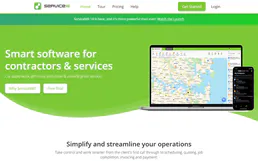
ServiceM8
Run your field service business with job scheduling, quoting, invoicing, and GPS tracking from your phone or tablet.

Tableau
Access workbooks, views, data sources, and dashboard insights from Tableau — the enterprise BI and analytics platform.