
Robin MCP. Book rooms and desks from plain chat commands.
 Gemini
 Works with every AI agent you already use
…and any MCP-compatible client









Just plug in your AI agents and start using Vinkius.
Robin connects your AI client directly to workplace logistics. Use it to map global company offices, check meeting room schedules, book available desks, and reserve space—all from a single chat conversation.
What your AI agents can do
Book space
Books a meeting room by specifying the space ID, title, and start/end times.
Cancel desk reservation
Removes an existing hot desk reservation using its unique ID number.
Get free busy
Checks if multiple specified meeting rooms are available during a given time window.
Lists all corporate office locations and retrieves detailed information about specific hubs.
Checks schedules for multiple meeting rooms to see which ones are free during a given time range.
Books an available meeting room by creating a confirmed event in the calendar system.
Lists all hot desks and assigned seating at a location, showing what's open right now.
Secures a specific desk for you on a chosen date, acting as a reservation system.
Removes an existing hot desk booking using its unique reservation ID.
Ask AI about this MCP
Supported MCP Clients
Gemini Waiting for input…
Robin MCP Server: 10 Tools for Office Logistics
Use these tools to manage every aspect of workplace space—from finding a global office location to booking a single desk.
019d75ffbook space
Books a meeting room by specifying the space ID, title, and start/end times.
019d75ffcancel desk reservation
Removes an existing hot desk reservation using its unique ID number.
019d75ffget free busy
Checks if multiple specified meeting rooms are available during a given time window.
019d75ffget location
Retrieves detailed information, like capacity or address, for a single office location.
019d75ffget space
Gets specific details about one particular meeting room.
019d75fflist desks
Lists all hot desks and assigned seats available at a given location.
019d75fflist locations
Provides a list of every office location managed by Robin.
019d75fflist space events
Lists all events already booked in a specific meeting room over time.
019d75fflist spaces
Shows every bookable meeting room within an entire office location.
019d75ffreserve desk
Reserves a specific hot desk for you on a particular date.
Choose How to Get Started
Build a custom MCP for your own tools, or connect a ready-made integration from our catalog.
Build Your Own
Turn any API into an MCP. Import a spec, define Agent Skills, or deploy with MCPFusion.
- Import from OpenAPI, Swagger, or YAML specs
- Create Agent Skills with progressive disclosure
- Deploy to edge with MCPFusion framework
- Built in DLP, auth, and compliance on every call
- Real time usage dashboard and cost metering
- Publish to catalog or keep private
Make Your AI Do More
Start with Robin, then connect any of our 4,700+ other servers whenever your AI needs more. One click, no limits.
- Use this MCP plus 4,700+ others, all in one place
- Add new capabilities to your AI anytime you want
- Every connection is secured and compliant automatically
- Track usage and costs across all your servers
- Works with Claude, ChatGPT, Cursor, and more
- New servers added to the catalog every week
What you can do with this MCP connector
Robin connects your AI client directly to workplace logistics data. You don't have to open a web portal or juggle multiple tabs; you just tell your agent what you need, and it handles the booking.
Global Office Mapping
You can map out every corporate hub with simple commands. Your agent uses list_locations to give you a complete list of all office locations managed by Robin. If you want to know more about a specific campus—like its full address or total capacity—you just call get_location. This tool pulls detailed information for any single office location.
Managing Meeting Rooms
Managing rooms is where this thing shines. First, your agent can list every single bookable meeting room within an entire location using list_spaces. If you need to check the specifics of one particular room—like how big it is or what equipment it has—you call get_space.
You're trying to schedule a meeting? You don’t want conflicts. Your agent checks multiple rooms at once with get_free_busy, telling you which specific spaces are available during your required time window. If you need to see the full history of what’s booked in one room, checking previous events is easy; use list_space_events for that.
Once you confirm a space works, you book it instantly using book_space. You specify the space ID, give it a title, and set the start and end times, and boom—it’s reserved.
Hot Desk and Seating Management
Need a desk? Your agent handles that too. To see what's open right now on the floor, you call list_desks. This lists every hot desk and assigned seat available at your location. If you want to snag a specific spot for later, you use reserve_desk, telling the system exactly which desk and what date you need it.
You’ll get confirmation that the reservation is set.
And if plans change? No sweat. To clear out an existing hot desk booking, your agent uses cancel_desk_reservation. You only need to provide the unique ID number of the reservation to make sure it clears properly.
How Robin MCP Works
- 1 Install the Robin extension module in your MCP environment.
- 2 Grab your
Robin Access Tokenfrom the dashboard and add it to the authentication parameters. - 3 Just talk naturally: "Check room availability at HQ tomorrow afternoon, and book a desk for me."
The bottom line is, you chat with your AI client like talking to an actual office manager—it runs the tools and gives you instant results.
Who Is Robin MCP For?
Anyone who has to coordinate physical space in a hybrid environment. Think of the executive assistant standing in front of 15 different web portals, checking calendars, then going through a separate desk booking system. This server solves that friction point.
Manages complex scheduling across multiple departments and locations by querying room availability and making bookings in one chat.
Monitors overall space utilization, lists available resources, and reviews upcoming events across different company hubs.
Quickly finds a suitable meeting spot for an impromptu sync-up or books a team of desks for a sprint planning session without logging into any portal.
What Changes When You Connect
- Check room availability instantly. Instead of opening multiple calendar apps, simply ask your agent to run
get_free_busyfor a time window across several spaces. - Manage location details without leaving the chat. Use
list_locationsandget_locationto map out corporate hubs or find an address—all in one query. - Book desks and rooms atomically. You can ask your agent to find an open room, then book it using
book_spaceand reserve a desk withreserve_desk, all based on natural language input. - Simplify complex cancellations. If plans change, you just need the reservation ID to run
cancel_desk_reservation, eliminating manual calendar deletions. - See what's available right now. Running
list_desksgives you a live view of open hot desks, helping you plan your day before you even walk in the door.
Real-World Use Cases
The spontaneous team sync-up
A project lead needs to meet with three people today. They don't know if a conference room is free, or if there are enough desks nearby. The agent runs list_spaces to see all options, then uses get_free_busy for the desired time slot. It finds Room 104 open and books it using book_space instantly.
The global move
An employee is relocating to a new hub city. They need to know where the corporate offices are globally. The agent runs list_locations, identifying all available hubs, and then uses get_location on the new site to confirm addresses and capacity.
The last-minute desk change
Someone was supposed to work at a hot desk but realized they need to move seats. They use their agent to run list_desks, find an open spot, and immediately call reserve_desk for the new location.
The multi-day project booking
A team needs a dedicated space over several days. The assistant checks room schedules using list_space_events, verifies the time slots are clear, and books the room block across multiple dates with one command to book_space.
The Tradeoffs
Booking without checking availability
Manually calling 'Book Room 50' even though someone else already booked it for that time. You get a booking error and waste time.
→
Always check first. Run get_free_busy with the target space ID and date range before attempting to book with book_space. This prevents conflicts.
Guessing location IDs
Trying to find a room by just saying 'the big one' without knowing its specific ID. The system fails because it needs precise inputs.
→
Start broad. Use list_locations to get the area ID, then use list_spaces to see all available rooms within that location.
Trying to book a desk without knowing its ID
Asking for 'a desk near the window' when you need a specific reservation ID. The agent can't act because it lacks the necessary identifier.
→
First, run list_desks to see all available desks and their IDs. Then use that specific ID when calling reserve_desk.
When It Fits, When It Doesn't
Use this server if your primary need is physical resource coordination—booking rooms, reserving chairs, or mapping office locations. It's built for transactional actions like 'make a booking' or 'check availability.'
Don't use it if you are trying to manage abstract resources, like project scope, budget tracking, or personnel directories. For that stuff, check out an HR API or a ticketing system integration. Also, don't rely on this for general facility information (like HVAC status); stick to the scheduling and booking tools (book_space, get_free_busy) for guaranteed transactional integrity.
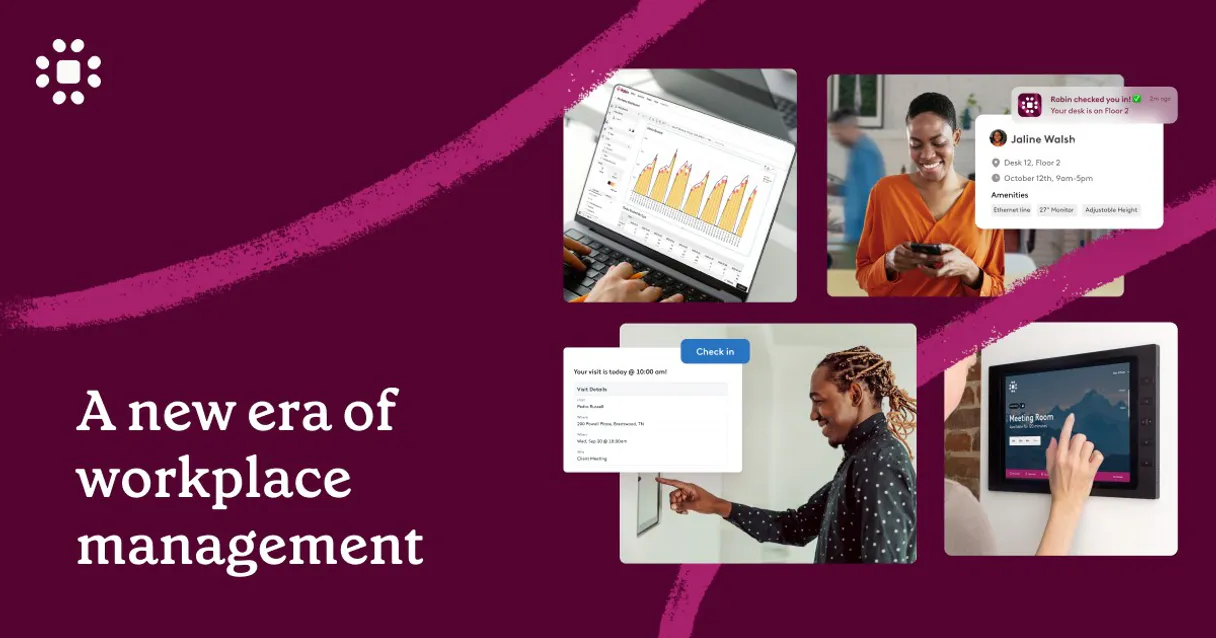
Independent Platform Disclaimer: Vinkius is an independent platform and is not affiliated with, endorsed by, sponsored by, verified by, or otherwise authorized by Robin Workspace API. All third-party trademarks, logos, and brand names are the property of their respective owners. Their use on this website is strictly for informational purposes to identify service compatibility and interoperability.
VINKIUS INFRASTRUCTURE
Cloud Hosted
Managed infra
V8 Isolated
Sandboxed per request
Zero-Trust Proxy
No stored credentials
DLP Enforced
Policy on every call
GDPR Compliant
EU data residency
Token Compression
~60% cost reduction
Works with Claude, ChatGPT, Cursor, and more
The Model Context Protocol standardizes how applications expose capabilities to LLMs. Instead of operating in isolation, your AI gains direct access to external platforms, live data, and real-world actions through secure, standardized connections.
This server provides 10 capabilities that interface natively with Claude, ChatGPT, Cursor, and any MCP client. No middleware. No custom integration required.
Available Capabilities
Booking meeting space shouldn't require jumping between five different tabs.
Today, if you need a room, you check the main company intranet to find the location ID. Then you open the calendar system to see general occupancy. Next, you might have to visit the dedicated desk booking portal just to see floor plans. It’s clicking, copying IDs, and cross-referencing data—a total time sink.
With Robin's MCP Server, that whole process collapses into a conversation. You ask your agent to 'Find an open room for four next Tuesday.' The agent runs the necessary checks (`list_spaces`, `get_free_busy`), finds the slot, and gives you a direct link or confirmation. It’s fast.
Robin MCP Server: Control your office logistics from chat.
Before this, reserving space was multi-step. You'd check room availability with a manual calendar lookup, then if available, you'd have to open another portal and click 'Book.' The separation of these two actions meant errors were common, or the process felt clunky.
Now, you just tell your agent what you need—a meeting for four next Tuesday. It coordinates everything: checking room status (`get_free_busy`), validating capacity, and booking it all in one go with `book_space`. The workflow is clean.
Common Questions About Robin MCP
How do I check if multiple rooms are free using the list_spaces tool? +
You use get_free_busy for that. Just give your agent a JSON array of space IDs and the time range you need to check. It tells you exactly which ones have clear schedules.
If I change my mind, how do I cancel my desk using cancel_desk_reservation? +
You must provide the unique reservation ID when calling cancel_desk_reservation. This guarantees you're deleting the correct booking and keeps your records clean.
What if I need to know the address of a location before booking anything? +
Run get_location first. You provide the specific office ID, and it returns all the detailed info you need—address, capacity, etc.—before you even think about booking.
Does Robin MCP Server handle finding available desks? +
Yes, use list_desks to see all hot desks at a site. Once you find an open desk, run reserve_desk with the specific date and ID.
What credentials are required to use the `list_locations` tool? +
You must provide a valid Robin Access Token for this tool to function. The token links your AI client directly to your organization's workspace data, allowing it to list all connected office hubs.
If I use the `book_space` tool and the room is already booked, what happens? +
The function call fails immediately with a scheduling conflict error. The system doesn't override existing bookings; you must first run get_free_busy to confirm availability before attempting to book.
How does the `get_space` tool provide information about a meeting room? +
The get_space tool pulls detailed specifications for a specific room ID. This includes capacity, available amenities (like A/V equipment), and floor plans, helping you choose the right fit.
Can I use `list_space_events` to see who booked a meeting room? +
Yes, list_space_events pulls all scheduled events for a given space ID. It shows event titles, attendees, and time blocks, letting you review the room's current usage schedule.
Can the AI automatically invite participants or manage employee Microsoft/Google calendars via this plugin? +
No, this integration interacts strictly with Robin's environment. The tool (book_space) targets space and desk allocation inside Robin's directory. Connecting events inside Robin to your external Exchange or Google Workspaces is a configuration you must perform manually via the Robin Web Dashboard outside of this AI tool's scope.
How do I check availability without locking the room immediately? +
You can ask the assistant to query the system using the list_space_events tool indicating a specific space ID to read the calendar logic of reservations. Or better, state a date span and use the get_free_busy action passing multiple room IDs to detect scheduling conflicts instantly across multiple assets before issuing a separate booking command.
Can I cancel a desk reservation after it has been made? +
Yes. Simply ask the assistant to cancel a specific reservation using cancel_desk_reservation with the reservation ID. The desk will be released immediately and made available for others to book.
Use it with your favorite AI tools
Connect this server to Cursor, Claude, VS Code, and more.
More in this category
PDF Munk
Automate PDF and image generation via PDF Munk — convert HTML/URL to PDF, merge documents, and compress files directly from any AI agent.

WebHR
Manage employees, attendance, and recruitment on WebHR with AI agents.

Typefully
Write, schedule, and grow your audience on Twitter and LinkedIn with an editor that helps you craft threads that go viral.
You might also like

BOE (Boletín Oficial del Estado)
Access the Spanish Official State Gazette (BOE) — search consolidated legislation, daily summaries, and legal analysis directly from your AI agent.

Macaulay Library
Access the world's largest archive of animal sounds and videos. Search for species media, browse recent uploads, and retrieve detailed metadata for bird and wildlife assets.

Squarespace
Equip your AI with read-only superpowers over your Squarespace platform. Scan transactions, track orders, and audit inventory effortlessly.