
SafeCube Container Tracking MCP. Audit container locations and shipment events instantly.
 Gemini
 Works with every AI agent you already use
…and any MCP-compatible client









Just plug in your AI agents and start using Vinkius.
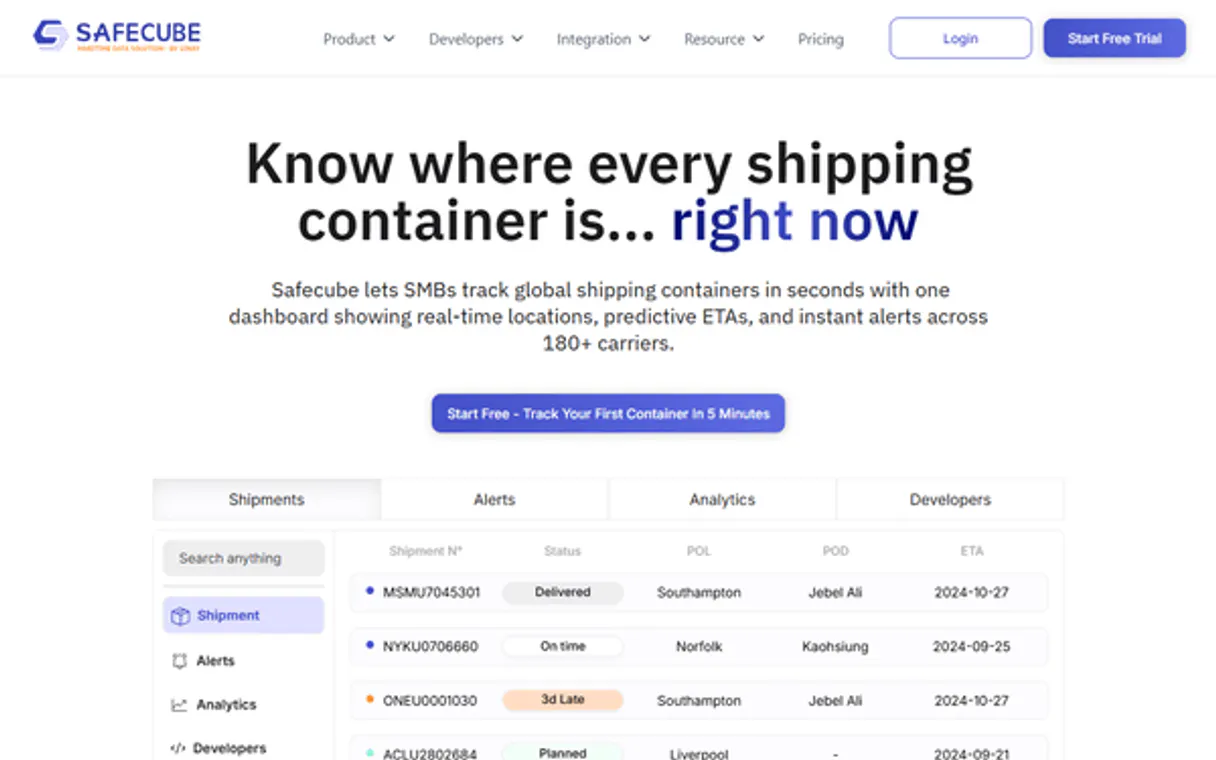
SafeCube Container Tracking lets your AI agent audit maritime shipments and retrieve real-time data directly from global container sources. It provides current vessel locations, full shipment status audits, and historical event timelines without needing a logistics dashboard.
Use it to instantly query where containers are, what stage their shipments are in, and when they left port.
What your AI agents can do
Check api status
Reports whether the overall SafeCube service connection is currently active and operational.
Get container tracking
Pulls real-time status, position, and vessel metadata for a single, specified maritime container number.
Get shipment events
Retrieves the full timeline of tracking milestones and events associated with one specific shipment ID.
You pass a specific container number and get its real-time position, status, and vessel name.
The agent queries your account and returns a catalog of every shipment currently being tracked by SafeCube.
You provide a shipment ID, and the agent retrieves a full list of all recorded tracking events for that specific cargo.
The agent runs check_api_status to confirm the SafeCube endpoint is operational before running any queries.
Ask AI about this MCP
Supported MCP Clients
Gemini Waiting for input…
SafeCube Container Tracking: 4 Tools for Logistics Auditing
These four tools let your agent check service status, list all active cargo, track a single container's location, and pull full shipment event histories.
019d847acheck api status
Reports whether the overall SafeCube service connection is currently active and operational.
019d847aget container tracking
Pulls real-time status, position, and vessel metadata for a single, specified maritime container number.
019d847aget shipment events
Retrieves the full timeline of tracking milestones and events associated with one specific shipment ID.
019d847alist active shipments
Returns a list of all shipments currently tracked in your account, providing IDs and high-level status data.
Choose How to Get Started
Build a custom MCP for your own tools, or connect a ready-made integration from our catalog.
Build Your Own
Turn any API into an MCP. Import a spec, define Agent Skills, or deploy with MCPFusion.
- Import from OpenAPI, Swagger, or YAML specs
- Create Agent Skills with progressive disclosure
- Deploy to edge with MCPFusion framework
- Built in DLP, auth, and compliance on every call
- Real time usage dashboard and cost metering
- Publish to catalog or keep private
Make Your AI Do More
Start with SafeCube Container Tracking, then connect any of our 4,700+ other servers whenever your AI needs more. One click, no limits.
- Use this MCP plus 4,700+ others, all in one place
- Add new capabilities to your AI anytime you want
- Every connection is secured and compliant automatically
- Track usage and costs across all your servers
- Works with Claude, ChatGPT, Cursor, and more
- New servers added to the catalog every week
What you can do with this MCP connector
SafeCube Container Tracking lets your AI agent audit maritime shipments and pull real-time data straight from global container sources. You'll get current vessel locations, full shipment status audits, and historical event timelines without ever touching a logistics dashboard.
First, you check the service connection with check_api_status. This tool runs before anything else; it confirms whether the entire SafeCube endpoint is live and operational. If this status check fails, your agent won't waste time running queries because the service isn't up for business.
To get a handle on what you've got moving right now, start by using list_active_shipments. This tells your agent to query your account and immediately returns a list of every single shipment currently being tracked by SafeCube. You get the IDs and high-level status data for all active cargo in one go.
Once you know what's active, you can pinpoint exactly where a container is using get_container_tracking. Simply pass the specific maritime container number to this tool, and your agent pulls back real-time information. You get the container’s exact position, its current status code, and the name of the vessel it's riding on.
This tells you everything about where that box is sitting in the ocean or port right now.
Need to know more than just the location? When you need a full audit, use get_shipment_events. You provide a specific shipment ID, and this tool fetches the complete timeline of tracking milestones. It shows every recorded event—when it left port, when customs checked it, or what its status was on Tuesday versus Friday.
This gives you an absolute historical record.
**You never have to jump between multiple systems or decipher complex spreadsheets again. Your agent handles all this stuff for you:
- Real-Time Location: Give your agent a container number, and it tells you the current position and vessel details.
- Inventory View: Have it list every active shipment ID so you know exactly what's moving in your account right now.
- Full Audit Trail: Provide a specific shipment ID, and it spits out a complete history of all recorded logistics milestones.
It’s straightforward: the agent confirms service health, lists everything that’s running, lets you check the precise location of any container number, and then gives you the whole story on an old shipment using its unique ID. You just ask your AI client what it needs to know, and SafeCube delivers all the maritime data it can.**
How SafeCube Container Tracking MCP Works
- 1 First, subscribe to the server and provide your unique SafeCube API Key.
- 2 Your AI client calls a tool (like
list_active_shipments) with a natural language prompt. The agent translates this into an API call. - 3 The agent executes the query, pulls the structured data from SafeCube, and presents it back to you as plain text.
The bottom line is that your AI client handles all the API calls; you just talk to it like talking to a logistics expert.
Who Is SafeCube Container Tracking MCP For?
Supply Chain Analysts, Logistics Managers, and Trade Researchers. These are people who spend too much time clicking through multiple carrier portals or running complex database queries just to find out where a container is. You need reliable status updates right now.
Uses list_active_shipments and get_container_tracking to verify that all expected containers are on schedule, auditing delivery patterns without manual searching.
Runs get_shipment_events to build detailed historical records. They need to know the exact sequence of port calls and status changes for compliance reports.
Uses natural language prompts with SafeCube to perform rapid audits on port arrivals, identifying specific logistics markers across different global regions.
What Changes When You Connect
- See current location details with
get_container_tracking. Just give it a container number, and your agent returns the real-time status, vessel name, and ETA immediately. No dashboard needed. - Use
list_active_shipmentsto get an instant catalog of everything you're tracking. You can see all active shipment IDs in one go, which is key for knowing what needs attention. - Audit full timelines with
get_shipment_events. This tool doesn't just give status; it shows the sequence—when did the vessel depart? What were the previous port calls? - Keep your workflow running by calling
check_api_statusfirst. It verifies that SafeCube is online before you waste time querying stale data. - It handles global scope. Whether you're managing Asia-Europe routes or regional port delays, the agent acts as a real-time maritime consultant for accurate status reporting.
Real-World Use Cases
Client asks for ETA on delayed cargo
A client calls asking about container 'TCNU1234567'. Instead of manually checking multiple portals, the agent runs get_container_tracking. It instantly confirms the current vessel ('MSC OSCAR'), its status ('En Route'), and the updated ETA. The problem is solved in a single conversational turn.
Need to audit all containers leaving port this week
The Ops Lead needs visibility on everything moving out of Singapore. They prompt their agent with 'Show me all shipments departing soon.' The agent runs list_active_shipments and filters the results, providing a unique ID and current status for every relevant container.
Investigating a discrepancy in shipment records
A Trade Researcher finds that the expected arrival date is wrong. They ask their agent to 'List all events for SHIP-123.' The agent runs get_shipment_events and provides the full log, showing exactly which milestone (e.g., customs clearance) was missed or delayed.
Pre-flight check on tracking tools
Before running a major batch of queries for 100 containers, the system runs check_api_status. If it fails, the agent immediately alerts the user. This prevents costly failures and ensures your subsequent calls to get_container_tracking are reliable.
The Tradeoffs
Assuming a single 'status' field exists
Asking the agent, 'What is the status of this shipment?' and expecting one simple word like 'Good' or 'Bad.'
→
You need to be specific. Run get_container_tracking for the current position, then run get_shipment_events if you need a historical audit trail. The tools provide different data types.
Over-relying on manual dashboard filtering
Opening the SafeCube portal and manually setting date ranges or searching container numbers one by one.
→
Tell your agent to list_active_shipments. It handles the initial cataloging for you, giving you all IDs at once so you can query them efficiently.
Ignoring service health before querying
Running complex queries like get_container_tracking when the API is down or stale.
→
Always check first. Use check_api_status. If that tool reports anything less than 'Operational,' don't run any other query.
When It Fits, When It Doesn't
Use this MCP Server if your core business process relies on knowing the precise location, current status, or full event history of a maritime container. This is for pure logistics visibility.
Don't use it if you only need to count inventory items in a warehouse (use an ERP tool instead). Don't use it if you just need general market data—it requires a specific container number or shipment ID to function. Its power comes from the combination of list_active_shipments (the scope), get_container_tracking (the current state), and get_shipment_events (the history). If any one of those three actions is critical, this server is necessary.
Independent Platform Disclaimer: Vinkius is an independent platform and is not affiliated with, endorsed by, sponsored by, verified by, or otherwise authorized by SafeCube. All third-party trademarks, logos, and brand names are the property of their respective owners. Their use on this website is strictly for informational purposes to identify service compatibility and interoperability.
VINKIUS INFRASTRUCTURE
Cloud Hosted
Managed infra
V8 Isolated
Sandboxed per request
Zero-Trust Proxy
No stored credentials
DLP Enforced
Policy on every call
GDPR Compliant
EU data residency
Token Compression
~60% cost reduction
Works with Claude, ChatGPT, Cursor, and more
The Model Context Protocol standardizes how applications expose capabilities to LLMs. Instead of operating in isolation, your AI gains direct access to external platforms, live data, and real-world actions through secure, standardized connections.
This server provides 4 capabilities that interface natively with Claude, ChatGPT, Cursor, and any MCP client. No middleware. No custom integration required.
Available Capabilities
Tracking a shipment used to mean jumping between four different carrier websites.
Before SafeCube, figuring out where cargo was meant navigating multiple portals. You'd check the carrier website for one update, then jump to the port authority site for another status flag. It took hours of tab-switching and copy-pasting just to build a simple timeline.
Now, you talk to your agent. One prompt does it all. The agent runs `get_shipment_events` and hands you a clean audit trail—the full story from port departure to expected arrival. You get the single source of truth.
SafeCube Container Tracking MCP Server: Get real-time, actionable data.
Manual checks fail because they are siloed. One dashboard shows location; another shows customs clearance status. You have to stitch the narrative together yourself, and you'll always miss a key date or event marker in the process.
The agent combines these data points automatically. It pulls current position via `get_container_tracking` *and* verifies historical milestones using `get_shipment_events`. The difference is that your system understands the entire voyage, not just one point on a map.
Common Questions About SafeCube Container Tracking MCP
How do I check if SafeCube Container Tracking is working? +
Run check_api_status. This tool immediately confirms if the API connection to SafeCube is operational, saving you time before making complex tracking requests.
What kind of data does get_container_tracking provide? +
get_container_tracking gives you real-time status information. You get the container's current position, the vessel it is on, and its most recent estimated time of arrival (ETA).
Can I list all my shipments at once using SafeCube Container Tracking? +
Yes, use list_active_shipments. This tool queries your account for a catalog of every shipment currently tracked by SafeCube. It gives you the necessary IDs to run deeper audits later.
What is the difference between get_container_tracking and get_shipment_events? +
They track different things. get_container_tracking shows where the container is right now. get_shipment_events provides a history of every milestone—like 'Port Departure' or 'Customs Cleared.'
What happens if I enter an invalid ID when using `get_container_tracking`? +
The tool returns a 404 error code indicating the container number was not found. You must verify the alpha-numeric identifier and check for typos or incorrect formatting.
What is the scope of data retrieved by `list_active_shipments`? +
This tool only lists shipments currently marked as 'active' within your account. It will not return containers that have already arrived, been discharged, or are otherwise closed.
Are there rate limits when calling `get_container_tracking`? +
Yes, the service enforces a limit of 10 requests per minute. If you exceed this threshold, the API will return a 429 error code; wait one minute before retrying.
How does `get_shipment_events` handle missing shipment IDs? +
If you provide a non-existent shipment ID, the tool fails and reports that no records match the provided identifier. Always ensure the ID belongs to an active or historical shipment.
How do I find my SafeCube API Key? +
Log in to your SafeCube account, navigate to the 'API' or 'Integrations' section in your dashboard, and generate a new Bearer Token. Copy and paste it below.
What container formats are supported? +
The API supports standard 11-character BIC codes (e.g., TCNU1234567) used by global maritime shipping lines.
Can the agent show real-time ETAs? +
Yes. The get_container_tracking tool retrieves the current Estimated Time of Arrival (ETA) metadata for specified containers.
Use it with your favorite AI tools
Connect this server to Cursor, Claude, VS Code, and more.
More in this category

Monetary Correction Engine
Calculate precise financial monetary corrections with compound or simple interest securely local.

Image-Charts
Generate professional charts, graphs, and QR codes instantly — transform raw data into high-quality images directly within your AI conversations.

Statsig
Manage feature flags, dynamic configs, and experiments. Evaluate gates and log events directly from your AI agent.
You might also like

Sendbird
Manage Sendbird chat infrastructure — orchestrate users, channels, and moderation directly from your AI agent.

BrightHR
Simplify people management with holiday tracking, shift scheduling, and absence management built for UK and ANZ businesses.
BoldDesk
Empower your customer support via BoldDesk — manage tickets, contacts, and agents directly from any AI agent.