
ScreenshotOne MCP. Audit websites and generate reports from URLs.
 Gemini
 Works with every AI agent you already use
…and any MCP-compatible client









Just plug in your AI agents and start using Vinkius.
ScreenshotOne lets your AI agent grab high-quality, programmatic screenshots and PDFs from any website URL. It handles visual auditing by giving you full-page views, capturing specific CSS elements, or pulling metadata—all without you ever opening a browser.
Use it to turn complex web content checks into simple conversations.
What your AI agents can do
Generate pdf
Creates a PDF document from any given website URL.
Get page metadata
Pulls basic website data (like title and size) without having to take a screenshot first.
Take element screenshot
Captures an image of one specific CSS element on a webpage.
Creates a single PDF file containing all content captured from a specified website URL.
Pulls structural data like the site title, description, and page size from a URL without performing any visual capture.
Takes a screenshot of just one CSS element on a webpage, letting you focus only on key components.
Captures every pixel from the top edge to the bottom edge of an entire website page at a given URL.
Takes a standard screenshot of a specified webpage URL, capturing the visible viewport area.
Generates a screenshot at an exact pixel size (viewport), essential for testing mobile and desktop layouts.
Ask AI about this MCP
Supported MCP Clients
Gemini Waiting for input…
ScreenshotOne: 6 Tools for Web Visual Auditing
These tools allow your AI client to perform complex visual tasks, including capturing screenshots at specific viewports, generating structured PDFs, and extracting page metadata without ever needing a browser.
019d847bgenerate pdf
Creates a PDF document from any given website URL.
019d847bget page metadata
Pulls basic website data (like title and size) without having to take a screenshot first.
019d847btake element screenshot
Captures an image of one specific CSS element on a webpage.
019d847btake full page screenshot
Takes a complete screenshot that spans the entire length of a website page, top to bottom.
019d847btake screenshot
Captures an image of a webpage at its default visible size.
019d847btake viewport screenshot
Takes a screenshot that matches a specific, custom screen resolution (viewport).
Choose How to Get Started
Build a custom MCP for your own tools, or connect a ready-made integration from our catalog.
Build Your Own
Turn any API into an MCP. Import a spec, define Agent Skills, or deploy with MCPFusion.
- Import from OpenAPI, Swagger, or YAML specs
- Create Agent Skills with progressive disclosure
- Deploy to edge with MCPFusion framework
- Built in DLP, auth, and compliance on every call
- Real time usage dashboard and cost metering
- Publish to catalog or keep private
Make Your AI Do More
Start with ScreenshotOne, then connect any of our 4,700+ other servers whenever your AI needs more. One click, no limits.
- Use this MCP plus 4,700+ others, all in one place
- Add new capabilities to your AI anytime you want
- Every connection is secured and compliant automatically
- Track usage and costs across all your servers
- Works with Claude, ChatGPT, Cursor, and more
- New servers added to the catalog every week
What you can do with this MCP connector
Listen up. You gotta use ScreenshotOne when you need your AI agent to grab high-quality, programmatic screenshots or PDFs from any website URL without ever opening a browser tab. This whole server lets your agent handle visual auditing, whether you're pulling basic info, capturing specific little components, or demanding an image that runs the full length of a page.
It turns what used to be a massive headache—manually checking websites for QA or design review—into something simple, handled right in conversation.
It starts with gathering intel before it even takes a picture. If you just need structural data and don't want to waste time running a full visual capture, your agent can pull basic website info using get_page_metadata. This tool grabs site titles, descriptions, and page sizes from a URL instantly.
Next, if you need a final report—say for client sign-off or an internal audit—you’ll use the generate_pdf function. It takes all the content from a specified website URL and compiles it into one clean PDF file. You're done with messy screenshots; you've got a professional document.
Now, let's talk pictures. For full-page coverage, you can't just rely on what fits in a standard window. When you need to capture every single pixel from the top edge right down to the bottom, use take_full_page_screenshot. This tool gives you the complete view of the site design and content flow, making sure nothing gets cut off.
If that's overkill—if you just want to see what a user sees by default—you can run take_screenshot. That captures a standard image based on the visible viewport area.
But sometimes you need precision. You might only care about one specific widget or button on a page, and the whole screenshot is noise. In that case, use take_element_screenshot. This function lets your agent focus solely on capturing just one CSS element from a webpage. It’s perfect for QA checks where you're verifying a single component works right.
For testing different devices or layouts—think mobile vs. desktop—you need control over the view size. take_viewport_screenshot is what you use for that. You pass it an exact pixel size, so your agent generates a screenshot that matches a specific, custom screen resolution. This capability is essential when verifying how your site looks on niche devices or testing tricky responsive layouts.
Putting it all together, your agent can manage multiple visual tasks in sequence. It could first run get_page_metadata to confirm the page title, then use take_viewport_screenshot to capture a mobile view, and finish by running generate_pdf so you've got both an image record and a shareable document, all without you ever touching Chrome or Safari.
You don't need any human intervention for these checks; your agent handles the whole process using these tools.
How ScreenshotOne MCP Works
- 1 First, subscribe to the ScreenshotOne server and enter your access key.
- 2 Next, talk to your AI agent. You tell it exactly what you need—'Get me a full-page PDF of X' or 'What is the metadata for Y?'
- 3 The agent calls the right tool, processes the request, and sends back the image links, direct PDFs, or structured data.
The bottom line is you use your AI client to manage visual audits and content captures through conversation, getting images or reports back every time.
Who Is ScreenshotOne MCP For?
This tool is for QA Engineers tired of manually running browser tests. It’s for designers who hate switching between Figma and live site previews. If you're an archivist who needs bulk, consistent visual records or an operations lead automating content reviews across multiple teams, this saves hours of clicking.
Uses take_full_page_screenshot and take_element_screenshot to monitor website layouts for visual regressions against previous builds.
Employs take_viewport_screenshot to verify how site elements look at specific breakpoints (e.g., 375px vs 1440px).
Uses generate_pdf or get_page_metadata to quickly archive visual content and gather structured data for compliance records.
What Changes When You Connect
- Full Page Oversight: Use
take_full_page_screenshotto guarantee you see every section of the site. You don't miss anything, which is critical for comprehensive audits. - Precision Testing: Don't capture everything. With
take_element_screenshot, your agent focuses only on a specific component—like a header or a widget—to test it in isolation. - Mobile and Breakpoint Checks: Use
take_viewport_screenshotto verify how the layout behaves at exact pixel sizes. This is essential for catching design errors before launch. - Quick Data Validation: Need to know if the site title changed? Run
get_page_metadata. You get structured data immediately, saving time compared to a full capture. - Compliance & Archiving: Generate professional reports using
generate_pdfon any URL. This creates an immutable, shareable record of what the page looked like at that moment.
Real-World Use Cases
QA checks for layout drift.
The QA engineer suspects a footer change broke the entire site template. Instead of manually checking five different screens, they ask their agent to run take_full_page_screenshot. The agent returns one image that proves if the full structure is broken.
Designer needs mobile validation.
The designer wants to check a specific sign-up form on a simulated iPhone SE. They tell their agent to use take_viewport_screenshot with the correct dimensions, getting an exact image of just that component for review.
Archivist gathering bulk content.
The archivist needs to create a compliance report covering three different pages from last quarter. They run generate_pdf on all three URLs in sequence, resulting in one clean, multi-page PDF for submission.
Dev Ops validating site readiness.
The operations lead needs to check if a new page has the correct SEO title and favicon size before going live. They use get_page_metadata first; it returns structured data instantly, letting them confirm readiness without wasting time on screenshots.
The Tradeoffs
Assuming one screenshot is enough
Running a simple take_screenshot and thinking that covers everything. This only captures the browser's default view, missing full content or specific breakpoints.
→
For complete coverage, always combine tools. Start with get_page_metadata, then use take_full_page_screenshot as a visual backup.
Relying solely on PDFs
Using only generate_pdf when the goal is to show data points (e.g., 'the price widget'). PDF converts pixels into uneditable ink, losing structure.
→
For structured data validation, use take_element_screenshot and reference the specific element's CSS selector.
Not accounting for screen size
Capturing a page using only take_screenshot, which shows what your monitor defaults to. This fails when testing on tablets or phones.
→
Always use take_viewport_screenshot and provide the specific width/height needed for accurate device emulation.
When It Fits, When It Doesn't
Use ScreenshotOne if you need both a visual representation and structured data from a website. You want to know what it looks like and what its title is. Don't use this server if your only goal is to extract raw HTML text; then, use a pure scraping API instead. If all you need is the page's structural metadata (title, size) and you don't care about visuals, skip the heavy lifting and just run get_page_metadata. This keeps it fast and lightweight. Only resort to take_full_page_screenshot when you absolutely must prove visual continuity across a long scroll.
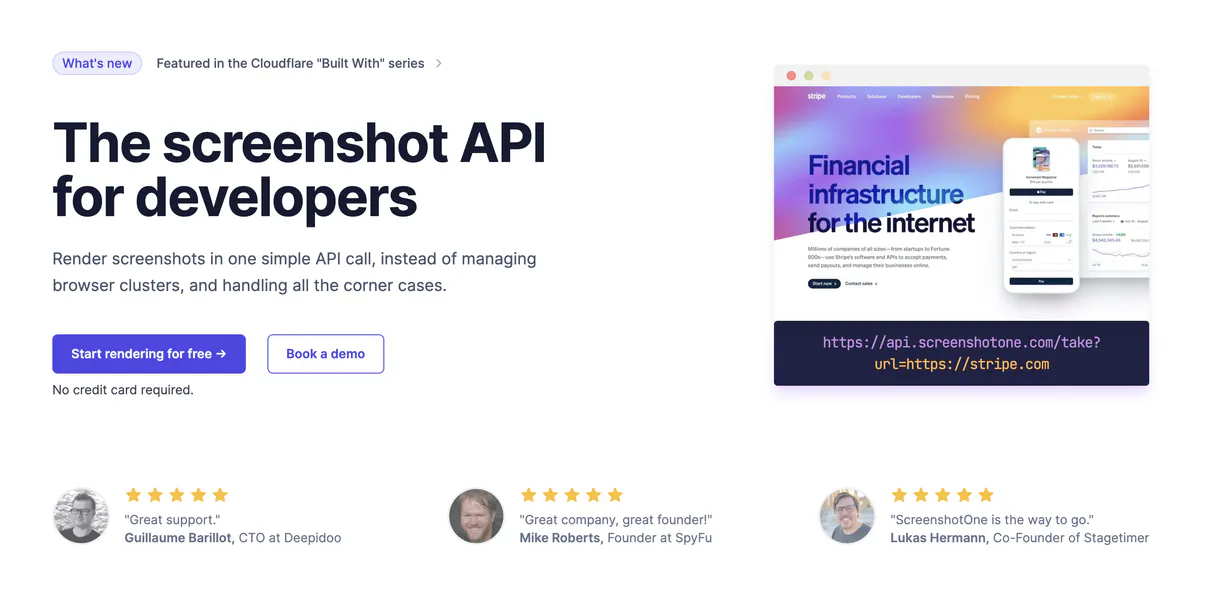
Independent Platform Disclaimer: Vinkius is an independent platform and is not affiliated with, endorsed by, sponsored by, verified by, or otherwise authorized by ScreenshotOne. All third-party trademarks, logos, and brand names are the property of their respective owners. Their use on this website is strictly for informational purposes to identify service compatibility and interoperability.
VINKIUS INFRASTRUCTURE
Cloud Hosted
Managed infra
V8 Isolated
Sandboxed per request
Zero-Trust Proxy
No stored credentials
DLP Enforced
Policy on every call
GDPR Compliant
EU data residency
Token Compression
~60% cost reduction
Works with Claude, ChatGPT, Cursor, and more
The Model Context Protocol standardizes how applications expose capabilities to LLMs. Instead of operating in isolation, your AI gains direct access to external platforms, live data, and real-world actions through secure, standardized connections.
This server provides 6 capabilities that interface natively with Claude, ChatGPT, Cursor, and any MCP client. No middleware. No custom integration required.
Available Capabilities
Manually auditing web pages is slow.
Today, checking a website's consistency means opening the URL in Chrome, clicking through different views to check mobile sizes, copying screenshots into Confluence, and then manually running another tool just to grab the page title. It’s a mess of tabs, clicks, and copy-pasting that takes forever.
With ScreenshotOne MCP Server, you tell your agent what to audit. It runs `take_full_page_screenshot` for coverage, uses `get_page_metadata` for titles, and can even run `take_viewport_screenshot` for mobile views—all in one go. You get the data back instantly, without touching a browser.
ScreenshotOne MCP Server: Audit visuals via code.
Forget opening ten different tabs to check how a button looks on desktop vs. mobile. Now, you simply tell your agent which element or viewport size you need. It runs `take_element_screenshot` and hands back the image directly, pinpointing exactly what's wrong.
The biggest change is that complex visual auditing isn't a multi-step manual process anymore. You just ask for it, and your AI client handles the whole workflow.
Common Questions About ScreenshotOne MCP
Can ScreenshotOne generate PDFs from any website? +
Yes, you use the generate_pdf tool to create a single PDF file containing all content captured from any specified URL. This is great for compliance reports.
How do I check metadata without taking screenshots using ScreenshotOne? +
You run the get_page_metadata function. It gives you structured data like the site title, description, and page size instantly, saving time before a full capture.
What's the difference between take_screenshot and take_full_page_screenshot? +
The standard take_screenshot captures only what is visible on your screen right now (the viewport). The take_full_page_screenshot scrolls down and captures every single pixel until the bottom of the page.
Does ScreenshotOne help with responsive design checks? +
Yes. You use the take_viewport_screenshot tool to specify an exact viewport size (like 375px or 1200px), allowing you to audit how content looks on specific devices.
What security measures apply to the data captured by `take_screenshot`? +
The visual data from take_screenshot is handled securely. The tool processes the request and returns image links, meaning the raw capture data isn't permanently stored on our end. It remains private to your agent session.
How do I authenticate before running a command like `generate_pdf`? +
You must provide your ScreenshotOne Access Key when initializing the connection. Once authenticated, your agent can immediately start sending URLs for PDF generation without needing further credentials.
Are there rate limits when repeatedly using `take_viewport_screenshot`? +
Rate limits depend on your subscription tier. For high-volume viewport captures, you'll need to check the Vinkius documentation for current quotas or upgrade your plan.
Can I use `take_element_screenshot` even if the CSS element is obscured? +
Yes. As long as you provide a valid and precise CSS selector, the tool will render and capture that specific element regardless of whether it's visible or covered by other content.
How do I find my ScreenshotOne Access Key? +
Log in to your ScreenshotOne dashboard, and you will find your Access Key under the 'API Keys' section. Copy and paste it below.
Can the agent capture elements by ID or Class? +
Yes. Use the take_element_screenshot tool providing a valid CSS selector (e.g., #header or .product-card). Your agent will return a screenshot of just that element.
Is PDF generation supported for all sites? +
Yes. The generate_pdf tool works for any publicly accessible URL, converting the website content into a high-quality PDF document instantly.
Use it with your favorite AI tools
Connect this server to Cursor, Claude, VS Code, and more.
More in this category

Raindrop.io (Bookmarks)
Manage your Raindrop.io bookmarks, collections, and tags directly from any AI agent.

Hashnode
Manage your Hashnode blog directly from your AI agent — fetch user profiles, read publication posts, and publish or update content.

HotDocs
Automate document assembly via HotDocs Advance — list templates, create work items, conduct interviews, and generate documents directly from any AI agent.
You might also like

CryptoCompare (Crypto Market Data)
Access real-time and historical cryptocurrency market data, news, and top coins directly from your AI agent.
Workload
Build visual workflow automations that connect your favorite apps and eliminate repetitive manual tasks across your business.
BotPenguin
Manage your chatbots and live chat via BotPenguin — list contacts, orchestrate chats, and send messages directly from any AI agent.