
SEC EDGAR Companies MCP. Resolve Tickers to CIKs and Pull Full Profiles
 Gemini
 Works with every AI agent you already use
…and any MCP-compatible client









Just plug in your AI agents and start using Vinkius.
SEC EDGAR Companies — Ticker Lookup & Company Search resolves stock tickers (AAPL, MSFT) into mandatory CIK numbers and searches registered companies by name.
It pulls full SEC profiles—including SIC industry codes, exchange data, and filing history—allowing you to get deep corporate intelligence without manual lookups.
What your AI agents can do
Get company info
Provides a full company profile using either a CIK number or stock ticker, detailing its SIC code and exchange.
Lookup ticker
Converts any public company stock ticker (like AAPL) into the mandatory SEC CIK identifier needed for querying EDGAR data.
Search companies
Finds and lists multiple registered companies by name or keyword, returning their full names and corresponding CIK numbers when a ticker isn't known.
The system takes common stock tickers (like GOOG or TSLA) and converts them into the unique CIK number required for deep EDGAR data access.
You can search across thousands of registered companies using a name, keyword, or partial ticker to get a list of matches and their identifiers.
Using a CIK or Ticker, you pull the company's full SEC profile, including its SIC industry code, primary exchange, and state location.
Ask AI about this MCP
Supported MCP Clients
Gemini Waiting for input…
SEC EDGAR Companies: 3 Tools for Corporate Data Access
These three tools allow your AI client to identify companies by name or ticker, resolve the unique CIK identifier, and pull comprehensive industry and profile data from the SEC.
019d7604get company info
Provides a full company profile using either a CIK number or stock ticker, detailing its SIC code and exchange.
019d7604lookup ticker
Converts any public company stock ticker (like AAPL) into the mandatory SEC CIK identifier needed for querying EDGAR data.
019d7604search companies
Finds and lists multiple registered companies by name or keyword, returning their full names and corresponding CIK numbers when a ticker isn't known.
Choose How to Get Started
Build a custom MCP for your own tools, or connect a ready-made integration from our catalog.
Build Your Own
Turn any API into an MCP. Import a spec, define Agent Skills, or deploy with MCPFusion.
- Import from OpenAPI, Swagger, or YAML specs
- Create Agent Skills with progressive disclosure
- Deploy to edge with MCPFusion framework
- Built in DLP, auth, and compliance on every call
- Real time usage dashboard and cost metering
- Publish to catalog or keep private
Make Your AI Do More
Start with SEC EDGAR Companies — Ticker Lookup & Company Search, then connect any of our 4,700+ other servers whenever your AI needs more. One click, no limits.
- Use this MCP plus 4,700+ others, all in one place
- Add new capabilities to your AI anytime you want
- Every connection is secured and compliant automatically
- Track usage and costs across all your servers
- Works with Claude, ChatGPT, Cursor, and more
- New servers added to the catalog every week
What you can do with this MCP connector
You're dealing with U.S. public company records from the SEC, right? This MCP server gives your agent direct access to that deep corporate intelligence—no manual lookups required. Forget digging through dusty filings; this setup lets you pull full profiles and identifiers fast.
lookup_ticker converts any common stock ticker (like GOOG or TSLA) into the mandatory SEC CIK number. That's key, 'cause the CIK is the primary ID needed for most EDGAR queries.
When you don't know a company's specific identifier, use search_companies. It finds and lists multiple registered companies based on a name, keyword, or even a partial ticker. This tool returns a match list with both the full company names and their corresponding CIK numbers.
Once your agent has either a CIK number or a stock ticker, it uses get_company_info. This single call delivers the complete SEC profile for that entity. You get the SIC industry code, the primary exchange listed, the state location, and details on its filing history. The system takes common stock tickers and converts them into unique CIK numbers, which you then use with get_company_info to retrieve a full company profile detailing its SIC code and exchange.
Need to find a whole list of companies without knowing any ID? Just pass keywords or names to search_companies, and the tool returns multiple matches, giving you their full registered name along with the CIK number for every single one. You can then feed those CIKs into get_company_info to pull all the deep data—the SIC code, exchange listing, or state—for the entire group.
This means your agent handles everything: it resolves stock symbols to SEC IDs using lookup_ticker, it searches thousands of registered companies by name or keyword with search_companies, and finally, it pulls the full corporate profile—including SIC code, primary exchange, and state location—using get_company_info. It's all about getting actionable data points directly from the SEC database without having to manually cross-reference identifiers.
How SEC EDGAR Companies MCP Works
- 1 Start with your known data point—either a general name (e.g., 'MicroStrategy'), a stock ticker ('MSTR'), or an existing CIK.
- 2 Use the appropriate tool: Run
search_companiesif you only have a partial name; runlookup_tickerif you just have the symbol. - 3 Feed the resulting unique CIK number into
get_company_info. This final step pulls all the rich data, like SIC codes and exchange details.
The bottom line is: You use one of the initial tools to generate a precise SEC identifier (CIK), then you pass that ID to get all the company's structured data.
Who Is SEC EDGAR Companies MCP For?
Financial analysts, compliance officers, and business intelligence researchers need this. If your job involves validating corporate structure or tracking regulatory changes, you live here. You don't have time to click through the SEC website page by painful page just to find an industry code.
Needs to quickly pull comparable metrics (like SIC codes or exchange type) for a basket of companies without manual data entry.
Requires validation of company identifiers and status changes across multiple filings, needing accurate CIKs instantly.
Uses the tools to build structured datasets from unstructured SEC data, focusing on reliable identification fields.
What Changes When You Connect
- Get the definitive SEC identifier. Don't guess the company ID; use
lookup_tickerto reliably convert a stock symbol into its official CIK number. - Find companies when you don't know the ticker. If your search starts with 'biotech' or 'micro', use
search_companiesto pull a list of potential matches and their IDs. - Access critical industry codes.
get_company_infodelivers the SIC code, which is key for sector analysis—you don't have to read through filings just to find it. - Streamline identity resolution. You eliminate the need to jump between a stock exchange site, Google, and SEC EDGAR pages. It all happens in one flow.
- Handle large datasets reliably. The structured output from
get_company_infoensures you get consistent fields (Exchange, State, SIC) for every company profile.
Real-World Use Cases
Comparing Industry Codes Across Competitors
You need to compare the sector classifications of three companies. Instead of searching them individually, your agent first runs lookup_ticker for all three symbols (e.g., MSFT, AAPL). Then it calls get_company_info using the resulting CIKs in a single workflow to pull and structure all their SIC codes simultaneously.
Identifying Unknown Entities by Name
You get an email with a vague company name, like 'Global Tech Solutions LLC,' but no ticker. You run search_companies using the full name. The tool returns potential matches and their CIKs, allowing you to validate which entity is correct before retrieving its profile.
Quickly Profiling a New Investment Target
You hear about a new company with a ticker (XYZ). You immediately use lookup_ticker to get the CIK. Then, you call get_company_info using that CIK. Within seconds, you have their full SEC profile—state, exchange, and industry code—for immediate review.
Validating Corporate Structure for Due Diligence
A client gives you a list of tickers but they might be outdated. You run lookup_ticker on the entire batch to validate every symbol against the current SEC database, ensuring your downstream processes use correct CIKs.
The Tradeoffs
Assuming a Ticker is Enough
You only know 'Tesla' and try to pass that string directly into an API endpoint expecting a CIK. It fails because the system needs the unique ID, not just the name.
→
First, run lookup_ticker with the symbol (TSLA). This generates the required CIK number. Then, use that specific CIK in your next call to get_company_info. The ID is the bridge.
Searching Without Keywords
Attempting a broad search without specifying what you're looking for. This usually returns too many results, making the data unusable.
→
Always use search_companies and include at least one keyword or part of the company name. Limit your scope to refine the list before pulling full profiles.
Skipping Identifier Lookup
You find a CIK number from an old source, but you're not sure if it's still active or if the associated company is current. You risk using stale data.
→
Always verify your CIK by running get_company_info with that ID. This pulls live data and confirms its status against the current SEC database.
When It Fits, When It Doesn't
Use this server if your goal is retrieving structured, canonical public company data directly from the U.S. SEC EDGAR source. You need reliable identifiers (CIKs) before you can build anything useful.
Don't use it if: 1) You are looking for internal corporate records (HR, payroll). This tool only handles publicly filed information. 2) You just want a quick Google search result—you get structured JSON data, not a webpage summary. Instead of manually querying multiple external APIs (like Crunchbase or Bloomberg), this server consolidates the official SEC source into your agent's workflow.
The Rule: If the process requires converting an easily readable name/symbol into a machine-readable CIK ID before accessing detailed records, you must use one of these tools.
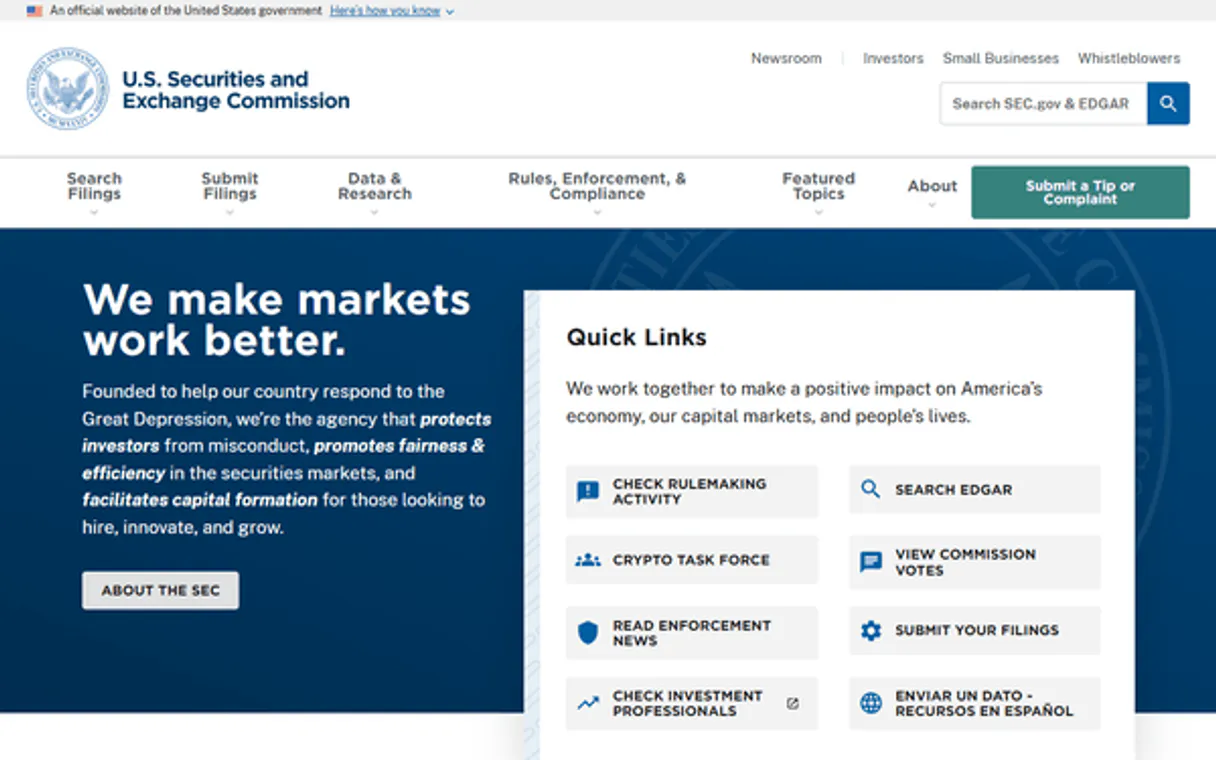
Independent Platform Disclaimer: Vinkius is an independent platform and is not affiliated with, endorsed by, sponsored by, verified by, or otherwise authorized by U.S. Securities and Exchange Commission (SEC). All third-party trademarks, logos, and brand names are the property of their respective owners. Their use on this website is strictly for informational purposes to identify service compatibility and interoperability.
VINKIUS INFRASTRUCTURE
Cloud Hosted
Managed infra
V8 Isolated
Sandboxed per request
Zero-Trust Proxy
No stored credentials
DLP Enforced
Policy on every call
GDPR Compliant
EU data residency
Token Compression
~60% cost reduction
Works with Claude, ChatGPT, Cursor, and more
The Model Context Protocol standardizes how applications expose capabilities to LLMs. Instead of operating in isolation, your AI gains direct access to external platforms, live data, and real-world actions through secure, standardized connections.
This server provides 3 capabilities that interface natively with Claude, ChatGPT, Cursor, and any MCP client. No middleware. No custom integration required.
Available Capabilities
Finding company data shouldn't require multiple tabs and half a dozen logins.
Today, finding core corporate details is a manual mess. You start by Googling the company name to find their website. Then you might have to navigate through investor relations pages or third-party databases just to locate their stock ticker and then search for an official SEC link. Finally, you click into that link, scroll past decades of filings, and copy three pieces of data: the CIK number, the SIC code, and the exchange name. You do this repeatably, across different companies.
With the SEC EDGAR Companies MCP Server, your agent handles the whole chain in one go. Give it a company's name or ticker. The server runs `lookup_ticker` and `get_company_info` automatically—you receive perfectly structured data containing the CIK, SIC code, exchange, and state, all without you ever opening an external browser tab.
SEC EDGAR Companies — Ticker Lookup & Company Search
The primary pain point is the identifier gap. You might know 'Microsoft' and its ticker (MSFT), but if you pass that to an agent, it doesn't know how to access the raw CIK ID needed for deep SEC queries. The server solves this by giving your AI client the `lookup_ticker` tool.
Now, instead of relying on fragile web scraping or knowing the exact internal API structure, you just ask your agent: 'What is Apple's SIC code?' It runs the necessary tools and gives you a clean answer immediately. That’s what changes now.
Common Questions About SEC EDGAR Companies MCP
How do I find a CIK number using the SEC EDGAR Companies—Ticker Lookup & Company Search MCP Server? +
You use the lookup_ticker tool. Just provide the company's stock symbol (e.g., TSLA). The server returns the required CIK identifier, which is used for all subsequent detailed queries.
Can I search SEC companies by name if I don't know the ticker? +
Yes, use the search_companies tool. This lets you run a keyword search on registered companies and returns matching names along with their CIK numbers.
What data points does get_company_info retrieve for a company? +
The get_company_info tool retrieves the full SEC profile, including its SIC industry code, primary exchange (like NASDAQ), and state of incorporation, based on the provided CIK or ticker.
Is this server better than direct API calls to SEC EDGAR? +
This MCP Server packages multiple complex steps—lookup, search, profile retrieval—into simple tools that your AI agent can call with natural language. It abstracts the multi-step logic away from you.
Does the SEC EDGAR Companies — Ticker Lookup & Company Search MCP require API keys when using search_companies? +
No, it requires zero authentication. Vinkius manages the connection to the SEC database, so you don't need to manage or supply any API keys or credentials from your side.
How does the server handle rate limits when I run get_company_info repeatedly? +
The MCP Server manages rate limiting internally. If repeated calls exceed standard usage thresholds, it will throttle requests automatically and return clear error messages, preventing service interruption.
What format does the lookup_ticker tool provide when resolving a stock ticker? +
It returns structured data that includes the company name, CIK number, and ticker symbol. This consistent structure makes it simple for your AI client to parse immediately.
Can I use search_companies to find information on private or non-publicly traded companies? +
No. This server accesses the U.S. Securities and Exchange Commission's EDGAR database, which strictly contains records for public and registered corporations only.
What is a CIK number? +
CIK (Central Index Key) is the SEC's unique identifier for every entity that files with the commission. It's a 10-digit number (zero-padded) used to access all filings, financial data, and company information on EDGAR.
Are foreign companies included? +
Yes, any company that issues securities to the U.S. public and is required to report to the SEC (including Foreign Private Issuers) will be listed in EDGAR and have a CIK.
Do I need an API key for SEC lookup? +
No, all data is accessed openly via SEC EDGAR endpoints. We only use a custom User-Agent to comply with their fairness policies.
Use it with your favorite AI tools
Connect this server to Cursor, Claude, VS Code, and more.
More in this category

Baidu Qianfan
Orchestrate Baidu Qianfan AI models — manage chat completions, embeddings, and prompt templates directly from any AI agent.

SAP S/4HANA
Manage purchase orders, business partners, inventory, and financial postings on SAP S/4HANA — the intelligent ERP.
Tencent Yuanqi
Orchestrate Tencent Yuanqi AI Agents — manage assistants, trigger conversations, and handle RAG documents directly from any AI agent.
You might also like
MENU TIGER
Create digital restaurant menus with QR code ordering, table management, and payment integration that modernize the dining experience.

HiFlow
Workflow and business process management.

Harness
Automate CI/CD and DevOps workflows via Harness — manage pipelines, executions, and secrets directly from any AI agent.