
SEC EDGAR Filings MCP. Find required financials and insider moves instantly.
 Gemini
 Works with every AI agent you already use
…and any MCP-compatible client









Just plug in your AI agents and start using Vinkius.
SEC EDGAR Filings — 10-K, 10-Q, 8-K, Insider Trades & Full-Text Search gives you direct access to all required corporate disclosures.
Pull annual reports (10-K), quarterly updates (10-Q), material event filings (8-K), and insider stock transactions (Form 4). You can also run a full keyword search across every document ever filed on EDGAR.
What your AI agents can do
Get 8k events
Retrieves 8-K reports, detailing material corporate events like mergers, earnings announcements, or CEO changes.
Get annual reports
Pulls the full 10-K annual report for a company, including audited financials and management discussion.
Get insider trades
Accesses Form 4 filings to list stock transactions by a company's directors and officers.
You call get_8k_events and get a list of filings detailing major company changes, like earnings reports or executive departures.
Use get_annual_reports to pull the full 10-K report, giving you audited financial statements and management commentary for a given year.
Calling get_insider_trades gives you Form 4 filings, showing exactly when company officers bought or sold stock.
You run get_quarterly_reports to fetch the latest 10-Q reports with unaudited financial data for the current quarter.
Use search_filings to find every instance of a keyword, product name, or risk factor mentioned across all types of SEC documents.
Ask AI about this MCP
Supported MCP Clients
Gemini Waiting for input…
SEC EDGAR Filings MCP Server: 6 Tools for Corporate Disclosures
Use these tools to programmatically access and analyze the most critical, regulated financial documents filed with the SEC.
019d7604get 8k events
Retrieves 8-K reports, detailing material corporate events like mergers, earnings announcements, or CEO changes.
019d7604get annual reports
Pulls the full 10-K annual report for a company, including audited financials and management discussion.
019d7604get insider trades
Accesses Form 4 filings to list stock transactions by a company's directors and officers.
019d7604get quarterly reports
Retrieves 10-Q quarterly reports, giving unaudited financial updates for the current quarter.
019d7604get recent filings
Lists all the most recently filed SEC documents (10-K, 10-Q, 8-K, etc.) for a company with filing details.
019d7604search filings
Runs a full-text search across every document in the EDGAR database to find specific keywords or topics.
Choose How to Get Started
Build a custom MCP for your own tools, or connect a ready-made integration from our catalog.
Build Your Own
Turn any API into an MCP. Import a spec, define Agent Skills, or deploy with MCPFusion.
- Import from OpenAPI, Swagger, or YAML specs
- Create Agent Skills with progressive disclosure
- Deploy to edge with MCPFusion framework
- Built in DLP, auth, and compliance on every call
- Real time usage dashboard and cost metering
- Publish to catalog or keep private
Make Your AI Do More
Start with SEC EDGAR Filings — 10-K, 10-Q, 8-K, Insider Trades & Full-Text Search, then connect any of our 4,700+ other servers whenever your AI needs more. One click, no limits.
- Use this MCP plus 4,700+ others, all in one place
- Add new capabilities to your AI anytime you want
- Every connection is secured and compliant automatically
- Track usage and costs across all your servers
- Works with Claude, ChatGPT, Cursor, and more
- New servers added to the catalog every week
What you can do with this MCP connector
You're getting straight into the source. This MCP Server connects your AI client directly to the U.S. Securities and Exchange Commission’s EDGAR database. We aren't just talking about reading PDF dumps; this is querying actual, structured corporate disclosure data. It lets you pull filings—the kind of deep-dive info that separates the serious analyst from the guy skimming headlines.
We give your agent six specific ways to dig through these records:
get_recent_filings lists every single document filed recently, letting you see the form type, date, accession number, and direct link for 10-K, 10-Q, 8-K, and everything else. You can quickly check what’s fresh in the feed.
For deep dives into a company's performance, you've got two main reports. If you need the full picture—the big one—you call get_annual_reports. This pulls the complete 10-K annual report, giving you audited financials and all the management discussion & analysis they’re required to write up. When you gotta check the books for a whole year, this is your play.
For more immediate financial checks, use get_quarterly_reports. This fetches the latest 10-Q reports, which give you unaudited financial updates for whatever quarter just closed.
Need to track major corporate shifts? You run get_8k_events. It pulls those 8-K reports—the ones that flag material events. Think mergers, huge earnings announcements, or if the CEO suddenly quits. These filings signal big changes you can’t ignore. If you're tracking who’s making money off their own stock, get_insider_trades accesses Form 4 filings.
It shows exactly when a company director or officer bought or sold shares—you see the motive behind the movement.
And if you just wanna know what they said about something specific? You use search_filings. This tool runs a full-text search across every document ever filed in the entire EDGAR database. You can pinpoint any keyword, product name, or risk factor mentioned anywhere—it doesn't matter which filing type it is.
It just finds the text.
This whole setup means your agent handles all the heavy lifting: it pulls annual reports with get_annual_reports for audited statements; it grabs quarterly updates via get_quarterly_reports for quick financial checks; it tracks major operational changes using get_8k_events; it maps out insider wealth movements with get_insider_trades. If you need to see the full history of what got filed, you check get_recent_filings, and if you're hunting for a specific mention across decades of corporate writing, nothing beats search_filings.
How SEC EDGAR Filings MCP Works
- 1 You tell your AI client: 'Find the 10-K for Apple and search for mentions of China.'
- 2 The agent runs
get_annual_reportsfirst to get the correct document link, then passes that data intosearch_filings. - 3 Your client returns a summary showing the most relevant sections in the annual report where 'China' was mentioned.
The bottom line is: you send a natural language query, and the agent runs the necessary sequence of specialized SEC tools to gather and synthesize the data for you.
Who Is SEC EDGAR Filings MCP For?
Financial analysts, compliance officers, and investment researchers need this. It's for anyone who spends too much time clicking through siloed financial dashboards or manually cross-referencing dates between quarterly reports and news announcements. If you track public company performance, this is your tool.
Uses get_annual_reports to compare year-over-year financials and uses search_filings to find specific risk factors mentioned in the MD&A section.
Runs get_8k_events to immediately flag material changes (like executive departures) that require internal policy review, and checks for required disclosures via get_recent_filings.
Combines get_insider_trades with quarterly data (get_quarterly_reports) to spot patterns: are insiders buying heavily right before a major earnings announcement?
What Changes When You Connect
- Get the full story by combining tools. Instead of running
get_annual_reportsfor context, then usingsearch_filingsto find a specific risk factor mentioned in the MD&A section, you get both results in one flow. - Stop guessing what data is available. Use
get_recent_filingsfirst. It gives you all form types and filing dates together, so you know exactly which tool (10-K, 8-K, etc.) to run next. - Track insider sentiment better. Combine
get_insider_tradesdata with quarterly reports (get_quarterly_reports) to see if executive selling happens right before a dip in unaudited financials. - Never miss a critical event again. Use
get_8k_eventsto immediately surface material disclosures, like an M&A deal or major leadership change, without needing to read every filing. - Cut through the noise with targeted searches. Instead of reading hundreds of pages in a 10-K, use
search_filingsto pull only the sections that mention 'AI' or 'chip shortage'. - Access history instantly. The server allows you to query across all historical documents and filings types, giving you a complete record, not just the last quarter's snapshot.
Real-World Use Cases
Investigating an unexpected stock drop.
A researcher sees a sudden dip in share price. They ask their agent to run get_8k_events for the last 30 days. The agent flags a recent Form 4 filing, showing several executives selling large blocks of stock. This suggests internal concern, pointing them toward more research.
Preparing an earnings call presentation.
A financial analyst needs to compare the current quarter's performance against last year. They run get_quarterly_reports for Q2 and then use get_annual_reports for the previous year's full 10-K, ensuring all key metrics are lined up for easy comparison.
Assessing a competitor's risk profile.
A compliance officer wants to know if a rival is facing new legal headwinds. They use search_filings and run the query 'antitrust litigation'. The tool pulls every mention from all filing types, giving them a comprehensive picture of regulatory exposure.
Tracking management focus on AI.
A developer wants to see how many companies are talking about generative AI. They run search_filings using the keyword 'generative artificial intelligence' and filter by 10-K reports, instantly generating a list of relevant filings.
The Tradeoffs
Relying on general web search.
Searching Google for 'company X financial report' only gets press releases or news articles. It misses the actual, regulated filing data from the SEC.
→
Always use get_recent_filings first to get a list of official filings (10-K, 10-Q) and then run the specific tool (get_annual_reports) on the accession number provided.
Running multiple single searches.
Asking the agent: 'What were their quarterly results?' (uses get_quarterly_reports), then asking, 'And what about last year's annual report?' (uses get_annual_reports). This requires two separate prompts and context switching.
→ Tell your agent one prompt: 'Compare the Q3 10-Q with the previous 10-K period.' The AI client knows to run both tools sequentially for a single, combined answer.
Forgetting insider context.
Reviewing only the 10-Q reports and seeing strong revenue growth. Concluding everything is fine without checking executive actions.
→
After getting get_quarterly_reports, you must follow up with a query for get_insider_trades to see if executives are buying or selling, adding necessary context to the financial data.
When It Fits, When It Doesn't
Use this server if your job requires analyzing regulated public company disclosures. You need hard evidence from filings—not news reports or analyst opinions. Use it when you must cross-reference dates (e.g., comparing an 8-K filing date to a quarterly report period).
Don't use this if you simply need general industry sentiment or quick, unstructured summaries. If your goal is just 'what do people think?', you're better off with a news API. Also, don't try to scrape data from the SEC website manually; let the structured tools like get_annual_reports handle the heavy lifting.
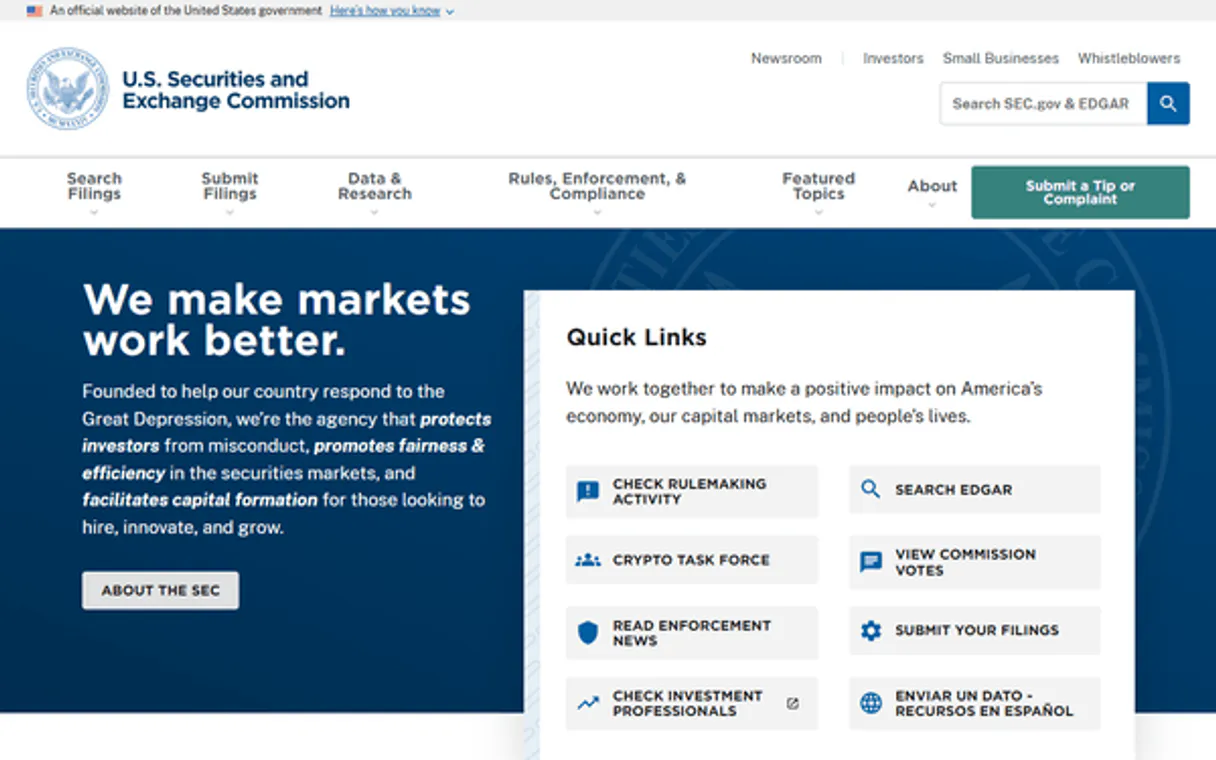
Independent Platform Disclaimer: Vinkius is an independent platform and is not affiliated with, endorsed by, sponsored by, verified by, or otherwise authorized by U.S. Securities and Exchange Commission (SEC). All third-party trademarks, logos, and brand names are the property of their respective owners. Their use on this website is strictly for informational purposes to identify service compatibility and interoperability.
VINKIUS INFRASTRUCTURE
Cloud Hosted
Managed infra
V8 Isolated
Sandboxed per request
Zero-Trust Proxy
No stored credentials
DLP Enforced
Policy on every call
GDPR Compliant
EU data residency
Token Compression
~60% cost reduction
Works with Claude, ChatGPT, Cursor, and more
The Model Context Protocol standardizes how applications expose capabilities to LLMs. Instead of operating in isolation, your AI gains direct access to external platforms, live data, and real-world actions through secure, standardized connections.
This server provides 6 capabilities that interface natively with Claude, ChatGPT, Cursor, and any MCP client. No middleware. No custom integration required.
Available Capabilities
Manually tracking corporate disclosures is a nightmare of PDFs and dates.
Today, getting a complete picture means hopping between dozens of SEC pages. You download the 10-K, then you have to find the related Form 4 filing from three months ago, and finally check the latest 8-K for any material changes. It's copy/paste hell.
With this MCP server, your agent handles the sequence. Give it a prompt: 'Give me everything about XYZ Corp’s leadership changes.' The agent runs `get_recent_filings` to find all relevant form types and then uses `get_8k_events` to extract only the specific material event data you need.
10-K, 10-Q, 8-K, Form 4 MCP Server: Access structured financial data.
You no longer have to wait for a full report or manually filter by form type. Need the quarterly numbers? Run `get_quarterly_reports` and get unaudited statements instantly. Want audited financials? Use `get_annual_reports`. It's that simple.
The ability to run `search_filings` means you can query a single concept—like 'carbon credit liability'—and the system pulls every mention from all filing types, saving days of manual document review.
Common Questions About SEC EDGAR Filings MCP
How do I find out what happened to a company after its last 10-K report? (using get_recent_filings) +
Use get_recent_filings. This tool gives you the most recent filings, including any intervening 8-K events or quarterly 10-Q reports that fill in the gap since the annual filing.
Is get_insider_trades better than searching all filings? (using get_insider_trades) +
get_insider_trades is much better. It specifically filters for Form 4 documents, giving you clean data on officer and director transactions, rather than finding an isolated mention of 'stock' in general text.
What if I want to compare a company's risks over time? (using search_filings) +
Use search_filings. You can run the same keyword query ('supply chain risk') across different date ranges and form types to track how the language around that risk has changed in their disclosures.
Does get_annual_reports include MD&A? (using get_annual_reports) +
Yes, get_annual_reports pulls the full 10-K. This includes the Management Discussion & Analysis section, which is where management explains their operations and risks in detail.
When I need to process many companies for market coverage, how should I manage calls using get_recent_filings? +
You must respect rate limits to avoid temporary service blocks. We recommend batching your requests by industry sector or geographical region rather than listing hundreds of individual tickers in one go. Always implement a slight pause (a few seconds) between major batches of company lookups.
How does calling the get_8k_events tool help me identify immediate corporate changes? +
The get_8k_events tool pulls disclosures for material, unplanned events. It alerts you to critical actions—like major acquisitions or executive changes—that happen outside of routine annual or quarterly filing cycles. Think of it as the 'breaking news' report.
Does search_filings allow me to restrict my keyword searches to only 10-K or 10-Q documents? +
Yes, search_filings lets you filter your full-text query by specific form types. You don't have to wade through irrelevant data; simply specifying '10-K' in the tool call narrows the results dramatically and increases precision.
When using get_annual_reports, can I be sure the financial statements are final and audited? +
The 10-K reports contain the mandated audited financials. While we pull what is filed on EDGAR, always treat these documents as primary source material; they represent the company's official filing at that time.
What is the difference between 10-K, 10-Q, and 8-K? +
10-K is the comprehensive annual report with audited financials (filed once/year). 10-Q is the quarterly update with unaudited financials (filed 3x/year). 8-K is a current report filed within 4 business days of material events — earnings, M&A, CEO changes, bankruptcy, etc.
What does Form 4 report? +
Form 4 must be filed by corporate insiders (officers, directors, or 10%+ shareholders) when they buy or sell their own company's stock. It reveals executive sentiment.
How far back does the full-text search go? +
The SEC EDGAR Full-Text Search generally indexes documents back to 2001, covering over two decades of corporate filings.
Use it with your favorite AI tools
Connect this server to Cursor, Claude, VS Code, and more.
More in this category

Google Search Console
Monitor your website's search performance, fix indexing issues, and manage sitemaps via AI.
Stammer.ai
Manage white-label AI chatbots, knowledge bases, and sub-accounts on Stammer.ai with AI agents.

DPD
Streamline your logistics and shipping with DPD.
You might also like

Brawl Stars
Access real-time Brawl Stars data — track player stats, battle logs, club rankings, and event rotations directly from your AI agent.
Exa
Semantic search engine built for AI — find conceptually relevant web content, not just keyword matches. Powered by neural search technology.
Applitools
Bring AI-powered visual testing to your AI agent — inspect test batches, review UI diffs, and manage your visual baselines naturally.