
PG&E Public Datasets MCP. Model energy costs across regions and sectors.
 Gemini
 Works with every AI agent you already use
…and any MCP-compatible client









Just plug in your AI agents and start using Vinkius.
PG&E Public Datasets provides direct access to PG&E public energy data via MCP. You can pull historical monthly usage, analyze billing costs by ZIP code and customer type, compare regional electricity and gas consumption side-by-side, and track efficiency program savings—all without needing an API key.
What your AI agents can do
Compare regions
Compares usage, customer counts, and average bills across several specified ZIP codes in a single output.
Get billing data
Retrieves average utility bills and cost metrics based on specific ZIP codes or customer segments.
Get electricity by zip
Gets electricity consumption data for a list of ZIP codes, broken down by month or year.
Analyze regional differences in electricity use, gas consumption, customer counts, and average utility bills by comparing several locations simultaneously.
Determine energy affordability and compare average utility costs across different ZIP codes or specific customer types (e.g., Residential vs. Industrial).
Retrieve detailed monthly consumption data for both electric and gas, broken down by specific ZIP code and customer segment.
Establish multi-year trends in overall electricity or gas usage to identify long-term growth rates or seasonal changes.
Calculate the cost-effectiveness and ROI of various energy efficiency programs based on recorded savings data.
Ask AI about this MCP
Supported MCP Clients
Gemini Waiting for input…
PG&E Public Datasets: 8 Tools for Energy Data Analysis
Use these eight tools to pull specific metrics on electricity usage, gas consumption, billing costs, and efficiency savings from PG&E public datasets.
019d75f2compare regions
Compares usage, customer counts, and average bills across several specified ZIP codes in a single output.
019d75f2get billing data
Retrieves average utility bills and cost metrics based on specific ZIP codes or customer segments.
019d75f2get electricity by zip
Gets electricity consumption data for a list of ZIP codes, broken down by month or year.
019d75f2get gas by zip
Retrieves natural gas consumption data for specific ZIP codes, monthly or annually.
019d75f2get monthly usage
Outputs detailed electric (kWh) and gas (therms) usage by ZIP code, month, year, and customer segment.
019d75f2get savings data
Provides data on energy efficiency program savings, including counts, saved amounts, and associated costs.
019d75f2get usage by customer type
Shows total electric or gas consumption broken down by the major customer types (Residential, Commercial, Industrial, Agricultural).
019d75f2get yearly trends
Tracks how overall electricity and gas usage has changed over multiple years to spot long-term patterns.
Choose How to Get Started
Build a custom MCP for your own tools, or connect a ready-made integration from our catalog.
Build Your Own
Turn any API into an MCP. Import a spec, define Agent Skills, or deploy with MCPFusion.
- Import from OpenAPI, Swagger, or YAML specs
- Create Agent Skills with progressive disclosure
- Deploy to edge with MCPFusion framework
- Built in DLP, auth, and compliance on every call
- Real time usage dashboard and cost metering
- Publish to catalog or keep private
Make Your AI Do More
Start with PG&E Public Datasets, then connect any of our 4,700+ other servers whenever your AI needs more. One click, no limits.
- Use this MCP plus 4,700+ others, all in one place
- Add new capabilities to your AI anytime you want
- Every connection is secured and compliant automatically
- Track usage and costs across all your servers
- Works with Claude, ChatGPT, Cursor, and more
- New servers added to the catalog every week
What you can do with this MCP connector
The PG&E Public Datasets MCP Server - Energy Analysis gives your AI client direct access to PG&E's public energy metrics. You don't need an API key or complex setup; you just connect, and your agent calls the tools to pull structured data.
When you wanna look at regional differences, use compare_regions. This tool lets you compare usage figures, customer counts, and average bills across several specified ZIP codes in a single output. If you're tracking electricity consumption for multiple spots, get_electricity_by_zip pulls that data for any list of ZIP codes, breaking it down by month or year.
For natural gas, get_gas_by_zip does the same thing, retrieving consumption data for specific ZIP codes, whether you need monthly numbers or annual totals.
To analyze what's happening over time, you can run two tools: get_monthly_usage gives you detailed electric (kWh) and gas (therms) usage by a specific ZIP code, month, year, and customer segment. If you wanna spot long-term patterns instead of just monthly snapshots, get_yearly_trends tracks how overall electricity or gas usage has shifted over multiple years.
This lets you see if demand is growing steady or spiking seasonally.
For billing and cost analysis, start with get_billing_data. It retrieves average utility bills and cost metrics based on specific ZIP codes or different customer segments. You can also pinpoint consumption by type—get_usage_by_customer_type shows total electric or gas usage broken down for Residential, Commercial, Industrial, and Agricultural sectors. If you need to track what people are spending on energy efficiency, get_savings_data provides data on those program savings, including counts of participation, the saved amounts, and associated costs.
Grouping these tools together lets you build a full picture:
- You can run get_monthly_usage to get granular details for every ZIP code. Then, use compare_regions to aggregate those findings across multiple locations. You'll see the electric (kWh) and gas (therms) consumption side-by-side, along with customer counts and average bills.
- If you want to compare affordability, you can check out get_billing_data for a specific segment—say, Industrial users in ZIP 90210—and then use get_usage_by_customer_type to see if that high cost corresponds with actual usage volume.
- To study the impact of government or utility programs, you'll pair get_savings_data (showing saved amounts) with a regional comparison run using compare_regions. This lets you measure which areas got the best return on investment.
When your agent runs these tools, it gives you structured energy metrics that let you determine energy affordability and compare costs across different ZIP codes or specific customer types. You're always working with raw numbers—the full electric (kWh) and gas (therms) usage by get_usage_by_customer_type for major sectors, the historical data from get_yearly_trends, and the immediate comparison capability of compare_regions.
It’s all public data, straight to your client.
How PG&E Public Datasets MCP Works
- 1 Subscribe to this server in Vinkius. Your AI client connects automatically, requiring no API keys.
- 2 Ask your agent to execute a specific tool (e.g.,
get_electricity_by_zip) and provide the necessary parameters (like ZIP codes or years). - 3 The agent runs the query against the public dataset and returns structured data tables detailing consumption metrics.
The bottom line is, you get clean, actionable energy data output that your AI client can read, cross-reference, and use for analysis.
Who Is PG&E Public Datasets MCP For?
Energy researchers who need to prove a theory of consumption patterns. Policy makers trying to justify infrastructure spending based on regional disparities. Utility consultants analyzing efficiency program effectiveness across different customer bases.
Uses compare_regions and get_billing_data to compare energy costs between competitor zones, recommending specific rate adjustments.
Runs get_usage_by_customer_type combined with get_yearly_trends to understand how different sectors (Commercial vs. Residential) are changing their energy profile over time.
Calls get_monthly_usage for specific ZIP codes and segments, allowing them to build models on granular consumption patterns over multiple years.
What Changes When You Connect
- Compare multiple ZIP codes directly using
compare_regions. You get side-by-side usage figures, customer counts, and average bills instantly. This eliminates the need to run separate queries for every location. - Get granular cost data with
get_billing_data. Instead of just seeing total consumption, you can pinpoint how much different segments pay in specific regions, helping target rate changes. - Track historical shifts using
get_yearly_trends. You see if energy demand is growing or declining over five years. This establishes a baseline for any future planning model. - Understand where the power comes from with
get_usage_by_customer_type. You immediately know if Commercial usage is driving your total load, which changes your intervention point. - Calculate ROI using
get_savings_data. Instead of just guessing how effective a program is, you pull concrete metrics on saved kWh/therms versus program cost.
Real-World Use Cases
Identifying areas for electrification
A utility planner runs get_electricity_by_zip and compares it to get_gas_by_zip. They notice a high ratio of electricity use in ZIP 94102 compared to its gas usage, suggesting that neighborhood is ripe for heat pump or EV infrastructure targeting.
Assessing market competition
A real estate developer uses compare_regions to compare three adjacent ZIP codes. The resulting data shows a significant difference in average bills and usage patterns, helping them predict which area will be more profitable for mixed-use development.
Analyzing post-pandemic energy shifts
A climate researcher calls get_monthly_usage across multiple years. They can isolate the exact drop in Industrial usage after 2020 and model how quickly that segment is recovering its baseline demand.
Auditing program effectiveness
A clean energy company uses get_savings_data to prove a point. They compare the reported savings metrics for two different efficiency programs, determining which one offers better cost-effectiveness per unit of saved energy.
The Tradeoffs
Assuming linear growth
Just looking at get_electricity_by_zip for the last three years and assuming usage will keep growing by that exact rate.
→
Don't just extrapolate. First, run get_yearly_trends to see if the growth is stable or accelerating. Then, use get_usage_by_customer_type to break down which sector (Commercial vs. Residential) is driving that trend before making any projections.
Mixing up gas and electric data
Trying to calculate total energy cost by just adding the averages from get_electricity_by_zip and get_gas_by_zip without adjusting for billing structures.
→
You must cross-reference consumption with actual costs. Start by running get_billing_data using both ZIP codes and then use compare_regions to see the combined picture, which accounts for regional rate variations.
Ignoring customer segmentation
Using only compare_regions gives a single average. This hides massive differences between small local businesses and large industrial users within one ZIP code.
→
Always follow up the regional comparison with get_monthly_usage. By filtering by customerType, you isolate the Industrial segment's full load from the Residential segment’s usage, giving a much clearer picture.
When It Fits, When It Doesn't
Use this server if your goal is to model energy costs based on known, measurable historical or current consumption patterns in specific geographic areas. You need concrete numbers for kWh, therms, and dollar amounts across defined ZIP codes.
Don't use this if you are trying to predict the impact of unmeasured variables—like state-level carbon taxes that change pricing structures, local grid capacity constraints not listed here, or highly localized microclimate effects. For those unknowns, you need external policy data. This server excels at 'What happened?' and 'How much did it cost?', but it can't model 'What if the law changes tomorrow?'.
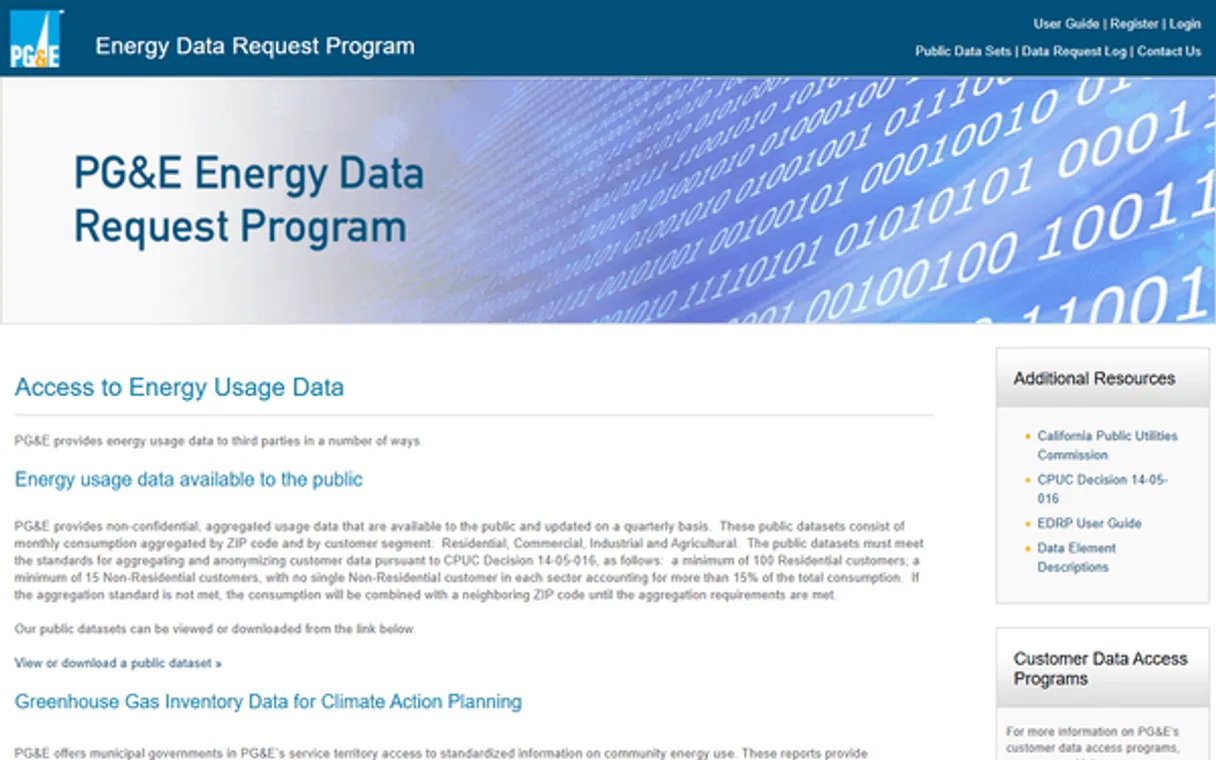
Independent Platform Disclaimer: Vinkius is an independent platform and is not affiliated with, endorsed by, sponsored by, verified by, or otherwise authorized by PG&E Public Datasets. All third-party trademarks, logos, and brand names are the property of their respective owners. Their use on this website is strictly for informational purposes to identify service compatibility and interoperability.
VINKIUS INFRASTRUCTURE
Cloud Hosted
Managed infra
V8 Isolated
Sandboxed per request
Zero-Trust Proxy
No stored credentials
DLP Enforced
Policy on every call
GDPR Compliant
EU data residency
Token Compression
~60% cost reduction
Works with Claude, ChatGPT, Cursor, and more
The Model Context Protocol standardizes how applications expose capabilities to LLMs. Instead of operating in isolation, your AI gains direct access to external platforms, live data, and real-world actions through secure, standardized connections.
This server provides 8 capabilities that interface natively with Claude, ChatGPT, Cursor, and any MCP client. No middleware. No custom integration required.
Available Capabilities
Collecting regional energy usage data used to take hours of cross-referencing.
Before this server, you’d have to jump between utility websites or run multiple API calls just to compare three adjacent ZIP codes. You'd pull the electric numbers from one place and the gas bills from another—it was manual copy/pasting across spreadsheets, wasting time and introducing data errors.
Now, your agent runs `compare_regions`. It pulls electricity usage, customer counts, *and* average billing costs for all three zones in a single query. You get a clean, side-by-side report ready for the client.
The `get_yearly_trends` tool shows energy demand shifts.
Manually tracking multi-year consumption requires maintaining separate spreadsheets for each year and type (electric/gas). If you miss a single year or use the wrong metric, your whole trend analysis falls apart. It's tedious bookkeeping.
With `get_yearly_trends`, you just ask for it. The tool handles the longitudinal view, giving you consistent data showing how energy demand has shifted over 5+ years—whether that's due to weather patterns or industrial decline.
Common Questions About PG&E Public Datasets MCP
How do I use `get_monthly_usage`? +
You pass the desired ZIP code, month, year, and customer segment. The tool returns kWh (for electric) or therms (for gas) consumed for that specific combination.
What is the best way to compare different regions? +
Use compare_regions. Give it a comma-separated list of ZIP codes, and it outputs usage figures, customer counts, and average bills all in one go.
Can I analyze efficiency program returns? +
Yes, run the get_savings_data tool. It gives you metrics on program participation, kWh/therms saved, and costs so you can calculate true ROI.
`get_usage_by_customer_type` is better than just looking at total data? +
Absolutely. get_usage_by_customer_type breaks the load down by Residential, Commercial, Industrial, and Agricultural sectors. This tells you who is using the power, which is critical for policy analysis.
Does running `get_billing_data` require an API key or authentication? +
No, the data is entirely public and requires no keys. You can run any tool without setting up credentials.
When I use `get_electricity_by_zip`, am I limited to a single ZIP code for comparison? +
No, you pass comma-separated lists of ZIP codes in the request. This lets your agent compare multiple areas simultaneously.
How do I use `get_monthly_usage` to compare electric and gas usage across different customer types? +
You must call the tool twice: once for 'electric' data type, and again for 'gas'. Then you combine the results in your agent or script.
What kind of year filters can I use with `get_yearly_trends`? +
The tool accepts a specific YYYY format for filtering. This lets you pinpoint consumption data to exact calendar years for analysis.
Is any authentication required? +
No! All PG&E Public Datasets are completely free and accessible without any API key or authentication. Just subscribe and start querying energy data immediately.
What customer segments are available? +
PG&E provides data for four customer segments: Residential (homes), Commercial (businesses), Industrial (manufacturing), and Agricultural (farming). Each segment has different consumption patterns and billing structures.
Can I compare multiple ZIP codes? +
Yes! Use the compare_regions tool with comma-separated ZIP codes (e.g., "94102,94103,94104"). It returns side-by-side usage data, customer counts, and average bills for each region, making it easy to identify geographic differences in energy consumption.
Use it with your favorite AI tools
Connect this server to Cursor, Claude, VS Code, and more.
More in this category

Geopard Agriculture
Universal precision agriculture intelligence — monitor fields, crop health, and NDVI via AI.

Netrows
Track global flights via Netrows Aviation API — search flights, monitor aircraft, check airport data, and access airline schedules from any AI agent.
OpenExchangeAPI
Retrive real-time exchange rates — audit currency data and conversions via AI.
You might also like

Linear (Issue Tracking & PM)
Manage product development via Linear — track issues, monitor sprint cycles, and audit team projects.

SurveySparrow
Collect feedback with conversational surveys that feel like chat and boost completion rates across employee and customer programs.

Lanhu
Product design collaboration platform — manage design files, handoffs, and team feedback via AI.