
SEON MCP. Real-time fraud and compliance checks from chat.
 Gemini
 Works with every AI agent you already use
…and any MCP-compatible client









Just plug in your AI agents and start using Vinkius.
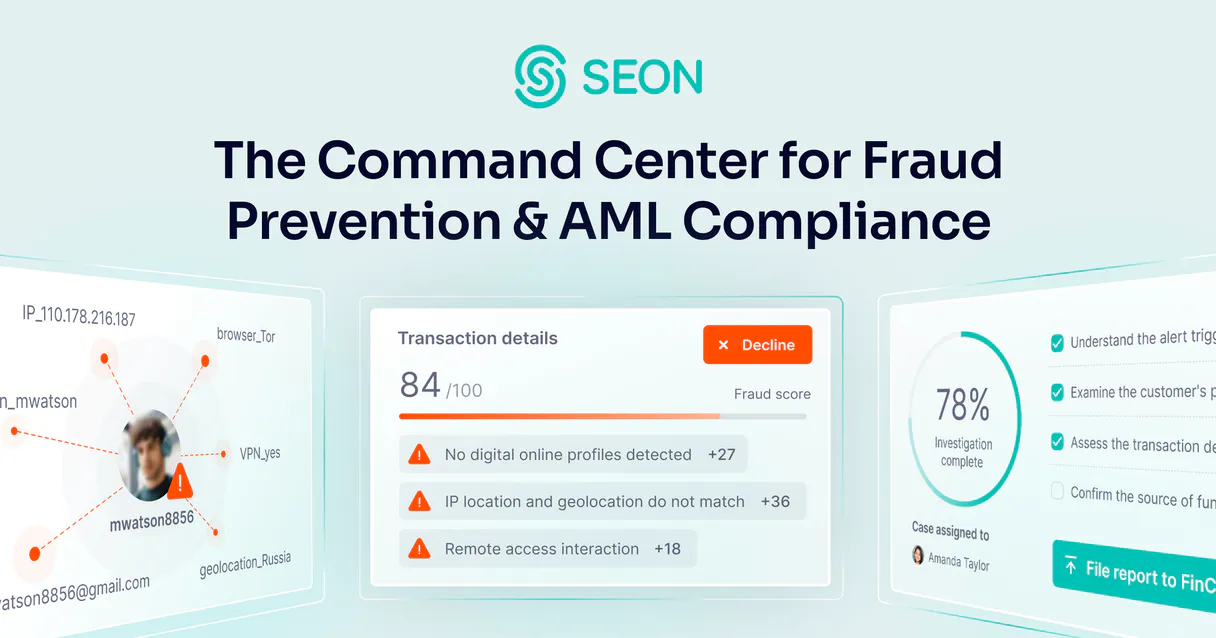
SEON gives your AI agent full control over fraud prevention and risk management. Your client can perform real-time checks on transactions or user identities—analyzing device fingerprints, email histories, phone numbers, and global sanctions lists.
It turns complex security dashboards into a simple conversation.
What your AI agents can do
Add label
Assign a feedback label to help train your fraud models using specific data points.
Add to list
Adds a specified item or record to an existing custom blacklist or whitelist managed by SEON.
Aml screening
Executes Anti-Money Laundering (AML) screening on a person or entity against global watchlists.
Run real-time fraud checks on a given transaction or user registration to get an immediate risk score.
Fetch the digital footprint for emails, phone numbers, and IP addresses, including linked social media data and historical risks.
Screen users against global watchlists (sanctions, PEP) to ensure regulatory compliance via AML checks.
Add specific items or records to your custom blacklists or whitelists directly from the chat interface.
Retrieve detailed account information, transaction history, and list existing fraud rules for auditing purposes.
Ask AI about this MCP
Supported MCP Clients
OAuth 2.0 Compatible Gemini Waiting for input…
SEON MCP Server: 12 Tools for Risk & Identity Checks
These twelve tools let your AI client perform every check needed—from AML screening to IP risk data retrieval—allowing you to manage fraud and compliance in one chat session.
Make your AI actually useful.
Add this MCP to Claude, Cursor, or Windsurf and your AI stops guessing. It gets real tools to look things up, take action, and handle the stuff you keep doing by hand.
Start using SEON on Vinkius019dd157add label
Assign a feedback label to help train your fraud models using specific data points.
019dd157add to list
Adds a specified item or record to an existing custom blacklist or whitelist managed by SEON.
019dd157aml screening
Executes Anti-Money Laundering (AML) screening on a person or entity against global watchlists.
019dd157check email
Retrieves the digital footprint and associated metadata for a given email address.
019dd157check fraud
Performs a detailed, real-time fraud risk assessment on a transaction or account registration.
019dd157check ip
Gathers risk data and intelligence about the geographical location and type of an IP address.
019dd157check phone
Analyzes a phone number to determine its carrier, validity, and associated risk profile.
019dd157get account info
Fetches the core details and status of a specific user or organizational account.
019dd157get transaction
Retrieves full details, amount, and metadata for a completed or pending transaction ID.
019dd157list aml monitors
Displays a list of the custom AML monitoring rules currently configured in your system.
019dd157list lists
Shows all existing custom blacklists and whitelists that you manage within SEON.
019dd157list rules
Displays a list of the active fraud rules currently governing transaction scoring.
Choose How to Get Started
Build a custom MCP for your own tools, or connect a ready-made integration from our catalog.
Build Your Own
Turn any API into an MCP. Import a spec, define Agent Skills, or deploy with MCPFusion.
- Import from OpenAPI, Swagger, or YAML specs
- Create Agent Skills with progressive disclosure
- Deploy to edge with MCPFusion framework
- Built in DLP, auth, and compliance on every call
- Real time usage dashboard and cost metering
- Publish to catalog or keep private
Make Your AI Do More
Start with SEON, then connect any of our 4,800+ other servers whenever your AI needs more. One click, no limits.
- Use this MCP plus 4,800+ others, all in one place
- Add new capabilities to your AI anytime you want
- Every connection is secured and compliant automatically
- Track usage and costs across all your servers
- Works with Claude, ChatGPT, Cursor, and more
- New servers added to the catalog every week
Independent Platform Disclaimer: Vinkius is an independent platform and is not affiliated with, endorsed by, sponsored by, verified by, or otherwise authorized by SEON. All third-party trademarks, logos, and brand names are the property of their respective owners. Their use on this website is strictly for informational purposes to identify service compatibility and interoperability.
VINKIUS INFRASTRUCTURE
Cloud Hosted
Managed infra
V8 Isolated
Sandboxed per request
Zero-Trust Proxy
No stored credentials
DLP Enforced
Policy on every call
GDPR Compliant
EU data residency
Token Compression
~60% cost reduction
Works with Claude, ChatGPT, Cursor, and more
The Model Context Protocol standardizes how applications expose capabilities to LLMs. Instead of operating in isolation, your AI gains direct access to external platforms, live data, and real-world actions through secure, standardized connections.
This server provides 12 capabilities that interface natively with Claude, ChatGPT, Cursor, and any MCP client. No middleware. No custom integration required.
Security review shouldn't require jumping between five different dashboards.
Today, checking a user requires context switching. You pull an email address from the sign-up form. Then you open your IP database to check its risk score. Next, you hop to the phone number registry for verification. Finally, you have to manually run a separate AML screening tool just to confirm compliance—all while juggling tabs and copy/pasting identifiers.
With SEON MCP Server, you just ask your AI agent: 'Check this user.' The agent handles the sequence: it runs `check_email`, gets the digital footprint; uses `check_ip` on the address; checks the phone with `check_phone`; and finally executes `aml_screening`. It hands you one consolidated risk report.
SEON MCP Server: Real-time fraud scoring from chat.
The biggest time sink is the manual audit trail. Reviewing suspicious activity means running `get_transaction`, pulling all metadata, then manually comparing it against active rules found using `list_rules`. This process slows down investigations and increases human error.
Now, you ask your agent to 'Find transactions over $10k that look risky.' The agent executes the necessary checks—`check_fraud` on the transaction data combined with `get_account_info`—and gives you a prioritized list of flagged items. It cuts investigation time from hours to minutes.
What you can do with this MCP connector
SEON gives your AI agent total control over fraud prevention and risk management. Your client performs real-time checks on everything—from transactions to user identities—turning messy security dashboards into simple conversation commands.
Assessing Transaction Risk
Your agent runs a detailed, live fraud assessment usingcheck_fraudwhen you're onboarding accounts or processing payments, giving you an immediate risk score for the transaction or registration. You can pull full details and metadata on any specific payment ID withget_transaction. For auditing purposes, your client fetches core account status and details viaget_account_info, and it displays a list of active fraud rules usinglist_rules.Analyzing Digital Identities
When you need to know who's behind an IP address, your agent gathers risk data and intelligence about the geographical location and type of that IP withcheck_ip. You can analyze a phone number—determining its carrier, validity, and associated risk profile—usingcheck_phone. If you have an email address, your client retrieves its full digital footprint and metadata viacheck_email, linking it to historical risks.Managing Compliance Screening
SEON handles compliance checks by executing Anti-Money Laundering (AML) screening on any person or entity against global watchlists usingaml_screening. You can see which custom AML monitoring rules you've set up by callinglist_aml_monitors.Updating Custom Watchlists
Your agent manages your internal risk lists directly. It lets you display all existing blacklists and whitelists withlist_lists, and you can add a specific item or record to those custom lists usingadd_to_list. The system also displays the rules governing these checks vialist_rules.Training and Monitoring
To keep your fraud models sharp, your client assigns feedback labels usingadd_label, which helps train the models on specific data points. For a full audit view of compliance settings, it shows you all custom AML monitoring rules withlist_aml_monitors.
019dd158-1ed5-733d-9769-4bed0bfc5955 
How SEON MCP Works
- 1 Subscribe to the SEON server on Vinkius.
- 2 Enter your SEON Admin API Key into your AI client's settings.
- 3 Start running risk checks by asking your agent a natural language question, like 'Check this user for fraud risk: email@example.com'.
The bottom line is that your AI agent acts as a dedicated compliance officer or risk analyst, letting you run complex checks without switching tools.
Who Is SEON MCP For?
This tool is for the Compliance Officer who gets tired of manually cross-referencing sanction lists and watchlists. It's for the Risk Manager who needs to instantly pull digital footprints from emails or IPs during a transaction review, and the Operations Lead who manages hundreds of transactions daily and can’t afford dashboard lag.
Runs AML screening against global watchlists and uses list_aml_monitors to track compliance status for specific users.
Performs combined checks—running check_fraud, then using get_account_info—to build a full risk profile on the fly.
Manages custom data by calling add_to_list or viewing rules via list_rules to maintain organizational fraud health.
What Changes When You Connect
- You get instant digital footprint reports for emails, IPs, and phones. Instead of opening three different tools to check a user's history, you use
check_email,check_ip, andcheck_phonein one conversation thread. - AML compliance is now conversational. Run the
aml_screeningtool instantly against any user ID, eliminating manual lookups into sanctions lists and keeping your workflow moving fast. - Stop losing data by switching screens. You can get full transaction details with
get_transaction, immediately follow up by callingcheck_fraudto score it, all in one prompt chain. - Maintain clean data governance by managing custom risk rules. Use
add_to_listandlist_rulesto update blacklists or review existing fraud triggers without needing a dedicated admin panel login. - Improve your models with feedback loops. After reviewing a flagged transaction, use
add_labelto categorize it (e.g., 'False Positive'), helping SEON refine its scoring over time.
Real-World Use Cases
Assessing an unknown user registration.
A new account signs up on your platform. The agent runs check_fraud first, then uses check_email and check_ip. If the risk score is high, it automatically flags the record for manual review, saving hours of preliminary investigation.
Investigating a suspicious payment.
A large transaction comes in. Instead of checking multiple dashboards, you ask your agent to run get_transaction to pull all details, then use check_phone on the buyer's number and list_rules to see what fraud rules might be triggered. The combined report determines if it’s safe.
Updating compliance watchlists.
A new global sanctions list is released. Instead of manually updating databases, you use the agent to call list_aml_monitors to see current rules and then execute add_to_list to include the new watchlist identifier.
Auditing account history for a client.
You need to check if a client has been flagged previously. You use get_account_info to pull basic details, and then run check_fraud with the account ID to see its accumulated risk score over time.
The Tradeoffs
Checking everything manually in separate tabs.
Opening the email dashboard, copying the user's IP address, opening the IP database, and then switching to the transaction logs. This process is slow and loses context.
→
Use your AI client to chain these actions: 'Check this email for fraud risk, get its IP data, and compare it against the latest transactions.' The agent executes check_email, check_ip, and then uses get_transaction—all in one go.
Treating compliance checks as one-off tasks.
Running a single aml_screening check, getting the result, and then forgetting to update your internal records if it's flagged. The data lives only on the screen for five minutes.
→
After running aml_screening, use add_to_list to record that user ID in a permanent 'Watchlist of Concern,' making future checks automatically flag them.
Ignoring system rules and historical data.
Approving a transaction based only on the current score, without knowing if existing fraud rules (listed by list_rules) or account details (get_account_info) contradict that decision.
→
Always run check_fraud after reviewing the output of list_rules. The agent can synthesize both data points to give a final recommendation.
When It Fits, When It Doesn't
Use SEON if your core business process involves high-volume, mission-critical risk decisions. If you need to analyze an identity (email, phone, IP) and run compliance checks (AML screening), then evaluate transaction history or manage custom lists, this tool is necessary. Don't use it if all you need is simple input validation—for instance, if the only thing you ever check is 'Is this email format correct?' In that case, a basic form validation library works fine; you don't need the full scope of check_fraud or check_ip. SEON shines when you must synthesize data from multiple domains (identity, finance, compliance) simultaneously. It’s overkill if your needs are limited to single-point checks.
Common Questions About SEON MCP
How does SEON handle multiple types of risk checks? +
It runs them in sequence for you. You can ask your agent to combine check_fraud with check_email and check_ip data into one comprehensive report, scoring the identity holistically.
Is SEON better than just checking an email format? +
Yes. Basic validation only checks syntax. check_email goes deeper; it pulls the full digital footprint, tells you if the domain is new, and flags associated social media activity.
What's the difference between check_fraud and get_transaction? +
get_transaction just retrieves static details about a payment (amount, time). check_fraud takes those details and runs them through SEON’s algorithms to give you a real-time risk score.
How do I manage blacklists with the SEON MCP Server? +
You use list_rules and list_lists first. Then, you tell your agent to call add_to_list to add a new forbidden ID or email address.
Can I train my fraud model with SEON? +
Yes. After reviewing an instance of fraud (or lack thereof), you use the add_label tool to feed that labeled data back into the system, improving future scoring.
How do I securely authenticate when using the `get_account_info` tool? +
You pass your SEON Admin API Key in the request header or as a dedicated parameter. This key validates your access against the platform, ensuring that every data call is authenticated and traceable.
What should I expect if I run `check_email` with an invalid email address? +
The tool returns a specific status code indicating failure. It doesn't just fail silently; the response body explains why the input was bad, letting your agent handle the malformed data gracefully.
Are there rate limits when running multiple `check_fraud` requests in quick succession? +
Yes, standard API rate limiting applies to all calls. If you hit the limit (a 429 error), your AI client can catch it and automatically pause before retrying the sequence.
Can my AI automatically check the fraud risk for a specific transaction by providing its ID? +
Yes! Use the get_transaction tool with the Transaction ID. Your agent will respond with the complete risk score, rule triggers, and digital footprint data in seconds.
How do I check the digital footprint for a new user's email address? +
Simply ask the agent to run the check_email action. It will retrieve social media profile associations, domain age, and potential risk flags associated with that email.
How do I find my SEON Admin API Key? +
Log in to your SEON dashboard, navigate to Settings > API Keys, and you will find your unique Admin License Key there.
Use it with your favorite AI tools
Connect this server to Cursor, Claude, VS Code, and more.