
SerpApi MCP. Run live searches across Google, Bing, and more.
 Gemini
 Works with every AI agent you already use
…and any MCP-compatible client









Just plug in your AI agents and start using Vinkius.
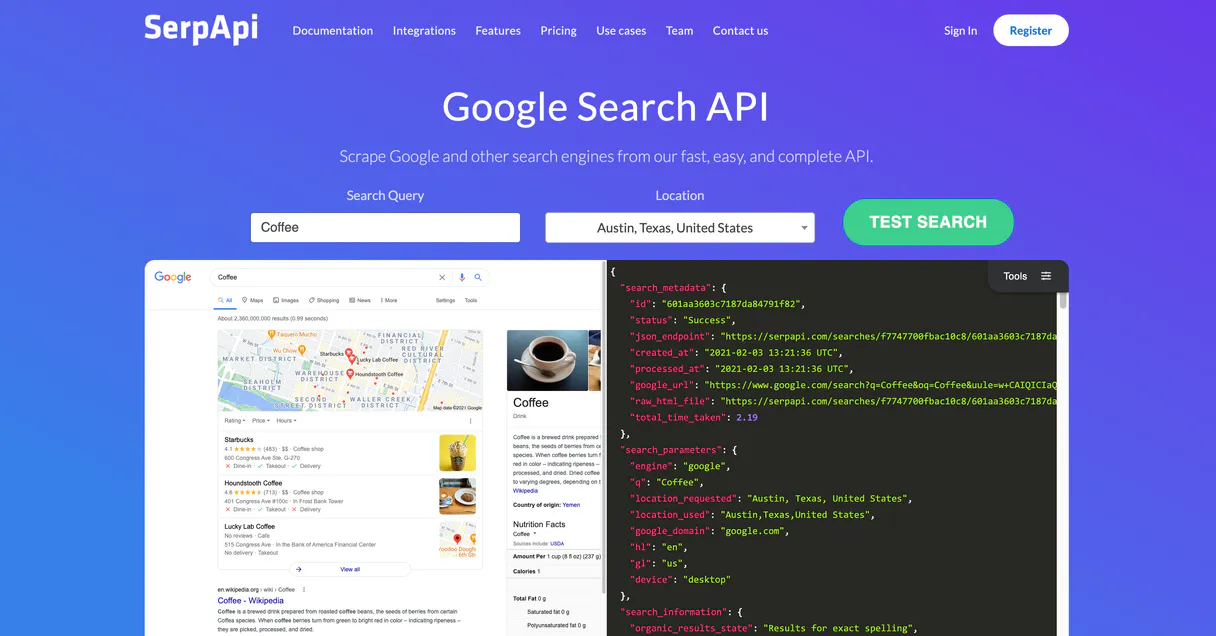
SerpApi provides your agent with real-time web search access across Google, Bing, Baidu, Yahoo, DuckDuckGo, and more. It exposes specialized tools for structured data extraction, letting your AI client pull everything from current news results and localized search parameters to specific product listings on Google Shopping.
Stop guessing about what's online; get the live SERP data directly.
What your AI agents can do
Baidu search
Runs a search query specifically on Baidu for Chinese market results.
Bing search
Performs a web search using the Bing engine.
Duckduckgo search
Executes a privacy-focused search query on DuckDuckGo.
The agent runs targeted searches using specific tools for Google, Bing, DuckDuckGo, Yahoo, Baidu, and Yandex.
Use the google_shopping tool to retrieve structured pricing and product information from listings like ergonomic chairs or electronics.
The google_images tool finds image thumbnails and provides full-size links based on a search query, while google_videos handles video searches.
Use the google_search tool to specify parameters like language (hl) or location for geographically accurate data. Other tools handle specific regions (e.g., baidu_search).
Run the get_account_info tool to check exactly how many search execution credits you have left for the billing period.
Ask AI about this MCP
Supported MCP Clients
Gemini Waiting for input…
SerpApi MCP Server: 12 Tools for Global Search Access
Use these twelve tools to run searches across global engines and extract specific data types like product prices, localized news, or image assets.
019d7606baidu search
Runs a search query specifically on Baidu for Chinese market results.
019d7606bing search
Performs a web search using the Bing engine.
019d7606duckduckgo search
Executes a privacy-focused search query on DuckDuckGo.
019d7606get account info
Retrieves your current SerpApi account usage, including remaining quota credits and billing details.
019d7606google images
Searches Google for images, returning both thumbnails and direct links to full-size image files.
019d7606google news
Runs a dedicated search specifically across Google News sources.
019d7606google search
Performs a standard Google web search, allowing you to specify parameters like location or language for localized results.
019d7606google shopping
Searches product listings on Google Shopping to get structured pricing and availability data.
019d7606google videos
Runs a dedicated search across Google's video platform.
019d7606list locations
Returns a list of supported geographical locations that can be used to localize your searches.
019d7606yahoo search
Performs a web search using the Yahoo engine.
019d7606yandex search
Executes a search query specifically on Yandex, useful for Russian market data.
Choose How to Get Started
Build a custom MCP for your own tools, or connect a ready-made integration from our catalog.
Build Your Own
Turn any API into an MCP. Import a spec, define Agent Skills, or deploy with MCPFusion.
- Import from OpenAPI, Swagger, or YAML specs
- Create Agent Skills with progressive disclosure
- Deploy to edge with MCPFusion framework
- Built in DLP, auth, and compliance on every call
- Real time usage dashboard and cost metering
- Publish to catalog or keep private
Make Your AI Do More
Start with SerpApi, then connect any of our 4,700+ other servers whenever your AI needs more. One click, no limits.
- Use this MCP plus 4,700+ others, all in one place
- Add new capabilities to your AI anytime you want
- Every connection is secured and compliant automatically
- Track usage and costs across all your servers
- Works with Claude, ChatGPT, Cursor, and more
- New servers added to the catalog every week
What you can do with this MCP connector
Your agent gets real-time access to the live web, ditching the training cutoff date entirely. You don't have to guess what's online; you just pull the live SERP data directly from multiple global engines.
When you need general search results, you can run targeted queries using specialized tools for major platforms like Google, Bing, Yahoo, and DuckDuckGo. For searches focused on the Chinese market, you use baidu_search, and if your focus is on Russian data, yandex_search handles that niche region. The basic web search functionality lets you hit almost any major engine for quick checks.
For deep, structured research, you've got tools dedicated to specific content types. You can run a general Google search using google_search, which is key because it lets you specify parameters like language or location, giving you geographically accurate data the first time around. Need local results? You run list_locations first; that tells you exactly which areas you can localize your searches to.
When you're dealing with commerce, forget manual scraping. You use google_shopping to pull structured pricing and product availability data right off Google Shopping listings—whether it’s electronics or something else entirely. Need news coverage? Run google_news. For video content, you tap into google_videos, which gives you a dedicated search across YouTube-like platforms.
Your agent also handles visual media effortlessly. You can run google_images and get back not just the image thumbnails but also direct links to full-size files. If your target audience is massive, you might need multiple engines; for instance, if you're comparing results across different regions, you use bing_search, then switch over to yahoo_search, or run a privacy-first check with duckduckgo_search.
If you’re building something that relies on accurate regional data, the ability to specify parameters is everything. You always start by checking list_locations. Then, when you execute google_search, you plug in those location or language specifics (hl) so your results aren't just general; they're dialed in for a specific place.
For keeping tabs on the whole operation, you run get_account_info to check exactly how many search execution credits you have left for the billing period. This tool makes sure your agent never runs out of quota mid-project. You can also get specialized results beyond general web searches; if you're looking at a specific regional market like China, you just call baidu_search.
If you want to check another major search provider, bing_search is ready to go. The combination means you don't hit a wall when your research scope widens, giving you coverage from general web results through niche video searches and structured e-commerce data.
How SerpApi MCP Works
- 1 You define a task (e.g., 'Find blue running shoes priced under $100 in Chicago').
- 2 Your AI client calls the specific tool, like
google_shopping, passing the query and necessary parameters. - 3 The MCP Server executes the search against the external API and sends back structured JSON data containing links, prices, and titles.
The bottom line is that your agent runs a precise command, hits the web, and gets clean, usable data right back to you.
Who Is SerpApi MCP For?
Market researchers, SEO analysts, e-commerce product managers, and content aggregators need this. If your job requires knowing what's trending right now or comparing competitive pricing across multiple global platforms, this is for you. It solves the pain of manual data collection from five different search engine interfaces.
Uses google_search and other regional tools to check local keyword performance or compare organic results across platforms like Bing vs Google.
Runs structured searches using google_shopping to gather benchmark pricing for physical goods without needing to visit multiple retailer sites.
Combines google_news and google_videos results into a single narrative, ensuring all content is current and sourced from diverse global angles.
What Changes When You Connect
- Get structured e-commerce data instantly. Instead of manually checking multiple retailer websites, use
google_shoppingto pull a consolidated list of prices and product names for comparison. - Ensure global coverage with minimal effort. Need results from China? Just run the
baidu_searchtool. Want European news? Use localized parameters ingoogle_search. It covers all major platforms. - Access media assets directly. When you search, you don't just get links; you get image data via
google_imagesand video results usinggoogle_videos, making your output richer. - Keep track of costs. Don't hit quota limits mid-project. Use the
get_account_infotool to see exactly how many search credits remain before you start running complex, multi-tool queries. - Handle regional variations effortlessly. If your project requires comparing US results vs. Japanese results, use the location parameters in
google_searchor switch to specialized tools likeyandex_search.
Real-World Use Cases
Competitive Pricing Audit
A product manager needs to know if their competitor's best chair price is stable. They prompt their agent: 'Check for mesh chairs on Google Shopping and Bing.' The agent runs both google_shopping and bing_search, pulling structured data from two different sources into one clean comparison table.
Localized Content Strategy
A content team needs to write a blog post about German tech trends. They instruct their agent: 'Search for recent tech news in Germany.' The agent uses google_search with location parameters and runs the google_news tool, ensuring the resulting article is current and geographically accurate.
Multi-Platform Trend Spotting
A journalist wants to cover a breaking story. They ask their agent to check multiple sources: 'What did Google News say? What are people saying on Yahoo?' The agent runs google_news and yahoo_search, giving the journalist immediate, cross-platform verification.
Visual Asset Collection
A marketing agency needs a mood board for a new campaign. They prompt: 'Find high-quality images of industrial kitchens.' The agent runs google_images, and the output provides not just links, but structured data containing multiple thumbnail sizes and full URLs.
The Tradeoffs
Overloading the LLM with ambiguity
Asking your agent: 'Tell me everything about shoes.' The LLM will generate vague text, but it won't know if you want images, shopping data, or news articles.
→
Be specific and use tools. Instead of general queries, ask the agent to run google_shopping(query='running shoes') AND google_images(query='running shoes'). This forces structured, actionable output.
Assuming universal search results
Using only Google tools when your target market is in Russia or China. You'll get incomplete data.
→
Always check the source. If you need non-Western data, use baidu_search for China or yandex_search for Russia to ensure proper regional context.
Relying on search alone
Just asking the agent 'What is the current price of X?' The answer might be outdated.
→
Always verify with a structured tool. Use google_shopping to get the most up-to-date, comparable pricing data rather than just accepting a text summary.
When It Fits, When It Doesn't
Use SerpApi if your project requires real-time, verifiable web data from multiple specific sources—like competitive product comparisons or breaking news tracking. It's built for structured extraction and global reach. DON'T use it if you just need general knowledge or code execution; those are best handled by the core LLM connection. Also, don't rely on it when you only need one type of data (e.g., only Google search); run multiple tools (google_search + bing_search) to build a comprehensive picture.
If your workflow involves checking quotas or running searches against different countries, this suite is necessary because the specialized tools like baidu_search, yandex_search, and list_locations handle that complexity for you. If you're dealing with simple data retrieval from an internal database, use a dedicated database connection instead.
Independent Platform Disclaimer: Vinkius is an independent platform and is not affiliated with, endorsed by, sponsored by, verified by, or otherwise authorized by SerpApi Universal Search. All third-party trademarks, logos, and brand names are the property of their respective owners. Their use on this website is strictly for informational purposes to identify service compatibility and interoperability.
VINKIUS INFRASTRUCTURE
Cloud Hosted
Managed infra
V8 Isolated
Sandboxed per request
Zero-Trust Proxy
No stored credentials
DLP Enforced
Policy on every call
GDPR Compliant
EU data residency
Token Compression
~60% cost reduction
Works with Claude, ChatGPT, Cursor, and more
The Model Context Protocol standardizes how applications expose capabilities to LLMs. Instead of operating in isolation, your AI gains direct access to external platforms, live data, and real-world actions through secure, standardized connections.
This server provides 12 capabilities that interface natively with Claude, ChatGPT, Cursor, and any MCP client. No middleware. No custom integration required.
Available Capabilities
Collecting competitive data shouldn't require switching between five browser tabs.
Today, if your team needs to check how competitors are listing products or what keywords they rank for, you manually open Google, then Bing. You copy the query, switch tabs, and repeat the process across different search engines—all while dealing with CAPTCHAs and inconsistent result formats. It's a massive time sink.
With SerpApi, your agent handles this entire workflow in one prompt. Tell it to check three engines for product data. The system runs `google_shopping`, `bing_search`, and potentially others, collecting the structured results and handing you a clean JSON object. You get apples-to-apples comparisons instantly.
SerpApi MCP Server: Pull global search data from any client.
Manually gathering media assets used to mean searching for images on Google, then opening a new tab for videos on YouTube (via Google Video), and hoping the links were correct. This process was fragmented and unreliable.
Now, your agent runs `google_images` and `google_videos`. It pulls all the necessary metadata—the link, the description, the size—and packages it into a single output for you. The search results are integrated; they aren't separate tabs.
Common Questions About SerpApi MCP
How do I get localized search data using google_search? +
You specify parameters like location or hl (language) in the query. This ensures that when your agent runs the tool, it targets results relevant to a specific geography, making your content accurate.
Can I check my API quota using get_account_info? +
Yes. Calling get_account_info provides an exact count of remaining execution quotas for the current billing cycle. This prevents unexpected failures when running large data pulls.
Is SerpApi better than just using a general web scraper? +
Yeah, absolutely. General scrapers break constantly and fail on CAPTCHAs. SerpApi uses specific, optimized tools like google_shopping and is designed to handle the variability of major search engines.
Which tool do I use if my target audience speaks Mandarin? +
Use baidu_search. It runs your query specifically on Baidu, ensuring you get results relevant to that primary Chinese search engine, rather than relying on a general global search.
How do I find video links using SerpApi? +
You use the google_videos tool. It runs a dedicated search across Google's video platform and structures the output so you get direct, usable links to the content.
What parameters should I pass to the `google_shopping` tool for comprehensive product data? +
The google_shopping tool returns structured JSON containing price, seller, and availability data. You must specify a core query and optionally filter by brand or category for targeted results.
How does the `list_locations` tool help me prepare for international data gathering? +
The list_locations function provides a definitive list of supported geographical codes. This lets you validate regions and ensures your subsequent searches on Bing, Google, or Yahoo hit accurate targets.
When I run the `google_images` tool, what specific kind of image data do I receive? +
The google_images tool gives you both small thumbnails and direct links to the full-size images. This means your agent can process visual content or just pass off the high-resolution source files.
Does this tool bypass Google Captchas normally encountered when scraping? +
Yes, completely. SerpApi manages all the proxy rotation securely on its backend, solving the strict bot captchas for you, thereby returning perfectly structured JSON straight to this agent.
Can I search beyond standard Google web results? +
Certainly! This MCP module allows access to Google Images, Google News, Google Videos, Google Shopping, Bing, Yandex, Yahoo, Baidu and DuckDuckGo.
How do I ensure search results reflect local or international variations? +
You can use the 'list_locations' capability first to identify valid geo-specific markers and then apply them during the standard searches to narrow down local results accurately.
Use it with your favorite AI tools
Connect this server to Cursor, Claude, VS Code, and more.
More in this category

DevSkiller
Equip your AI agent to manage technical assessments, track candidates, and monitor test results via the DevSkiller API.

TypeScript Excellence Prover
AI agents produce unsafe TypeScript loaded with `any` types, @ts-ignore overrides, empty catch blocks, and event-loop blocking operations. This prover enforces absolute type safety, zero-workaround policies, typed error schemas, decoupled architecture, and optimized async execution.

Cohere (AI Platform)
Power enterprise AI via Cohere — generate text, perform chat completions, reorder documents, and manage embeddings directly from any AI agent.
You might also like
BlaBlaCar
AI carpool search: find rides, compare prices, and book shared journeys via agents.

Bluesky Social
Publish posts, follow accounts, and engage with the decentralized social network through your AI-powered workflow.

Fathom Analytics
Privacy-first website analytics via Fathom — list sites, monitor real-time visitors, and aggregate pageviews directly through your AI agent.