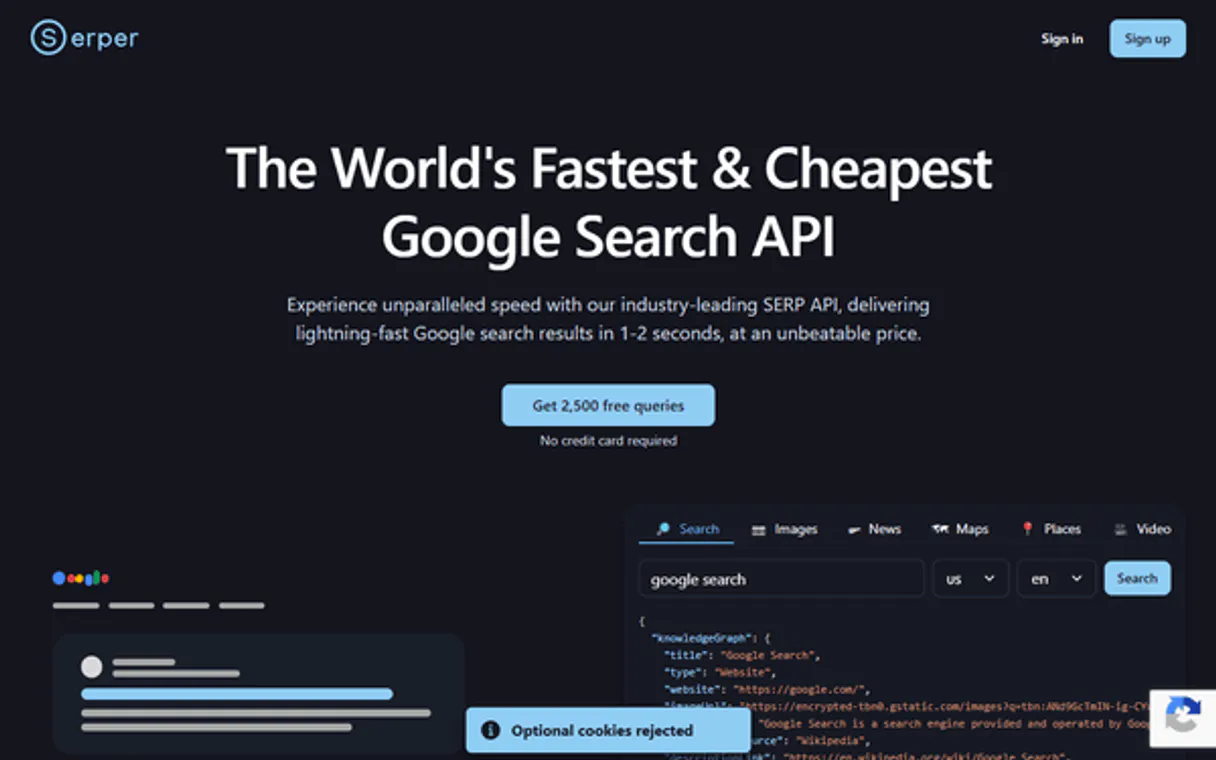
Serper MCP. Get structured search data—images, news, or web.
Works with every AI agent you already use
…and any MCP-compatible client

Just plug in your AI agents and start using Vinkius.
Serper is a dedicated MCP Server that connects your AI agent to real-time Google search data. It lets you run three distinct types of searches programmatically: general organic search results (`google_search`), the latest news articles (`google_news_search`), and visual image queries (`google_image_search`).
You get structured, actionable data—not just a web page dump—perfect for research pipelines or content aggregation.
What your AI agents can do
Google image search
Queries Google Images and returns structured results, giving you image URLs, titles, and source pages for visual research.
Google news search
Searches Google News to return a list of recent articles matching your query, including headlines, sources, dates, and summaries.
Google search
Executes a real-time Google Search for organic SERP results, providing titles, links, snippets, and positions instantly.
You query Google for standard organic results, receiving structured titles, links, snippets, and ranking positions.
The agent executes a search across Google News, pulling recent articles with their source, date published, and summary.
You perform an image search and get structured results listing the image URLs, titles, and where they originated.
Ask AI about this MCP
Supported MCP Clients
Waiting for input…
Serper MCP Server: 3 Tools for Web Research
Use these three specialized tools to gather structured web data—whether you need general search results, breaking news articles, or visual assets.
019d7606google image search
Queries Google Images and returns structured results, giving you image URLs, titles, and source pages for visual research.
019d7606google news search
Searches Google News to return a list of recent articles matching your query, including headlines, sources, dates, and summaries.
019d7606google search
Executes a real-time Google Search for organic SERP results, providing titles, links, snippets, and positions instantly.
Choose How to Get Started
Build a custom MCP for your own tools, or connect a ready-made integration from our catalog.
Build Your Own
Turn any API into an MCP. Import a spec, define Agent Skills, or deploy with MCPFusion.
- Import from OpenAPI, Swagger, or YAML specs
- Create Agent Skills with progressive disclosure
- Deploy to edge with MCPFusion framework
- Built in DLP, auth, and compliance on every call
- Real time usage dashboard and cost metering
- Publish to catalog or keep private
Make Your AI Do More
Start with Serper, then connect any of our 4,700+ other servers whenever your AI needs more. One click, no limits.
- Use this MCP plus 4,700+ others, all in one place
- Add new capabilities to your AI anytime you want
- Every connection is secured and compliant automatically
- Track usage and costs across all your servers
- Works with Claude, ChatGPT, Cursor, and more
- New servers added to the catalog every week
What you can do with this MCP connector
You need an API hook into real Google Search data for your agent? Forget scraping HTML; this Serper MCP Server gives your AI client direct, structured access to what's happening on the web. It lets you run three distinct kinds of searches programmatically: general organic results using google_search, tracking breaking stories with google_news_search, or pulling visual assets via google_image_search.
You get clean data—titles, links, snippets—not just a wall of text that breaks your pipeline.
When you run a standard search query through the google_search tool, you're not getting vague results; you're instantly receiving structured SERP data for organic web hits. This means your agent gets titles, direct links, descriptive snippets, and even the ranking position of those results. You can specify where you want to search from by using geolocation or language parameters, so the output always matches the context you need.
If you're tracking news—the kind that breaks overnight—you use google_news_search. This tool searches across Google News specifically and hands back a list of recent articles. For each hit, you get the headline, the source publication, the exact date it was published, and a summary of what it's about. It keeps your agent updated on breaking stories without having to monitor dozens of different RSS feeds.
For any visual research pipeline—maybe you need reference photos or asset sourcing for content—you use google_image_search. This tool runs an image query and returns structured data, listing the specific image URLs, titles, and where those images originated from. It's perfect when your agent needs to verify visuals or gather source material that requires a concrete link.
It’s all about actionable data streams. You run google_search for standard results, getting links, snippets, and positions instantly; you use google_news_search to pull recent articles with their sources, dates, and summaries; and you tap into google_image_search when you need structured URLs, titles, and source pages. Your agent doesn't just 'check' something—it gets precise data points it can actually work with for research or content aggregation.
You connect this server, input your key, and you’ve got three powerful search tools running right off the bat.
How Serper MCP Works
- 1 Subscribe to the Serper server and provide your API key within your AI client.
- 2 Your agent calls a tool (e.g.,
google_search) with specific parameters like query, location, or language code. - 3 Serper processes the request against Google's APIs and returns clean, structured JSON data directly to your agent.
The bottom line is: you tell your AI client what to search for, and it gets back organized, machine-readable data—not a messy webpage.
Who Is Serper MCP For?
SEO analysts, technical content creators, or research engineers need this. You're the person who gets frustrated trying to manually verify if a competitor just launched something new, requiring dozens of quick, targeted Google searches across different formats (news, images, general web). This tool eliminates manual clicking and copy-pasting.
Runs comparative keyword research by calling google_search multiple times with regional parameters to see how search results change across different markets.
Uses google_news_search and google_image_search together to pull background context (recent industry news + relevant diagrams) for a new whitepaper draft.
Builds automated monitoring scripts that periodically call google_search on competitor keywords to detect rapid changes in market visibility or ranking.
What Changes When You Connect
- Real-time Data: You get instant access to live Google results. Stop relying on cached data; use
google_searchfor up-to-the-minute insights. - Structured Output: The system doesn't return HTML garbage. It delivers clean JSON objects, so your agent can immediately parse titles, links, and snippets using any tool.
- Multifaceted Research: Need both the news and the visuals? Your agent runs
google_news_searchfor context and then usesgoogle_image_searchto gather supporting diagrams in one flow. - Localization Control: Don't just search globally. Use parameters with
google_searchto target specific geographic locations (gl) or languages (hl). - Cost-Effective Scaling: The free tier provides 2,500 searches monthly. This keeps initial testing cheap while giving you enough volume for serious small-scale projects.
Real-World Use Cases
Tracking competitor launches
A product manager needs to know if a rival just released a new feature or updated their site. They ask their agent: 'Check the latest news and general search for Acme Corp.' The agent calls google_news_search first, then runs google_search. This confirms any recent PR announcements or major keyword shifts.
Building a content brief
A technical writer is starting an article on 'quantum computing.' They tell their agent: 'Find key concepts and visuals.' The agent runs google_search to get top articles, then uses google_image_search to gather diagrams (e.g., circuit diagrams) for illustration ideas.
Investigating local market trends
An international sales team needs to understand consumer sentiment in Brazil regarding a new product category. They tell their agent: 'Search Google for X, but set the language and geo parameters for Brazil.' The agent uses google_search with localized settings to pull relevant search snippets.
Academic literature review
A data scientist needs visual examples of specific network architectures. They prompt their agent: 'Show me diagrams related to transformer models.' The agent executes google_image_search, gathering URLs and sources from reliable academic sites for the final paper.
The Tradeoffs
Relying on generic web scraping
Trying to write a script that hits Google search results directly via basic HTTP requests. You get massive chunks of messy HTML, and the data structure changes constantly.
→
Use Serper's dedicated tools. For general searches, use google_search. If you need news, run google_news_search instead—it gives you clean article metadata automatically.
Mixing up search types
Thinking that a standard web search will give you the most recent breaking story. You'll get general results, but miss out on dedicated journalism sources.
→
When looking for immediate updates, always start with google_news_search. It’s designed specifically to pull current headlines and reliable sources.
Forgetting localization
Running a search query that is generic and fails to account for language differences. You get US results when you needed UK data.
→
Use the geo (gl) and language (hl) parameters with google_search to ensure your search results are localized correctly for the target market.
When It Fits, When It Doesn't
Use Serper if your primary job is gathering diverse, structured real-time web data. You need to know what people are saying (news), how they're searching (general SERP), and what the visual context looks like (images). The key benefit here is that you don't have to write three separate API wrappers; Serper bundles them for your agent.
Don't use this if you just need a single, static piece of information (e.g., checking one specific price point) or if your data source is already internal and local. For those cases, a simple database lookup or an internal function call is faster and cheaper than hitting external APIs. If your goal is synthesis across multiple formats—like writing a report based on news articles AND accompanying diagrams—this server is built for you.
Independent Platform Disclaimer: Vinkius is an independent platform and is not affiliated with, endorsed by, sponsored by, verified by, or otherwise authorized by Serper. All third-party trademarks, logos, and brand names are the property of their respective owners. Their use on this website is strictly for informational purposes to identify service compatibility and interoperability.
VINKIUS INFRASTRUCTURE
Cloud Hosted
Managed infra
V8 Isolated
Sandboxed per request
Zero-Trust Proxy
No stored credentials
DLP Enforced
Policy on every call
GDPR Compliant
EU data residency
Token Compression
~60% cost reduction
Works with Claude, ChatGPT, Cursor, and more
The Model Context Protocol standardizes how applications expose capabilities to LLMs. Instead of operating in isolation, your AI gains direct access to external platforms, live data, and real-world actions through secure, standardized connections.
This server provides 3 capabilities that interface natively with Claude, ChatGPT, Cursor, and any MCP client. No middleware. No custom integration required.
Available Capabilities
Manual research requires jumping between tabs.
Today, checking competitive landscape status means opening Google, running a keyword search to see the general results. Then, you have to open another tab and go to Google News just to see if there's any breaking coverage. If you need visual proof—say, competitor product diagrams—you run a third search in an image tab. It's clicking, copying, pasting, and juggling three different data sets.
With the Serper MCP Server, your agent handles this whole workflow in one prompt. You ask for 'recent news and key visuals about X,' and it executes `google_news_search` and `google_image_search`. You get clean JSON results immediately—no tabs to juggle, no copy-pasting required.
Serper MCP Server: Pull structured web data into your agent.
Before Serper, getting real-time search data was a three-step manual headache. You’d run `google_search` for the text foundation, then manually jump to check if any major headlines hit via news sources, and finally find supporting images. It slowed down the entire pipeline.
Now, your agent can coordinate these calls seamlessly. You get structured data from all three tool types—titles, articles, diagrams—in one go. It's faster, cleaner, and keeps your workflow moving.
Common Questions About Serper MCP
How many free searches do I get? +
Serper offers 2,500 free searches per month — no credit card required. This includes Google Search, News, and Images queries. Paid plans start at $50/month for 50,000 searches with additional volume discounts.
Can I get results for specific countries and languages? +
Yes! Serper supports geolocation (gl parameter) and language (hl parameter) for all search types. For example, set gl='br' and hl='pt' for Brazilian Portuguese results, or gl='fr' and hl='fr' for French results. This works for Search, News, and Images endpoints.
What types of search results are available? +
Serper provides three search types: organic web results (with titles, links, snippets, and knowledge panels), Google News (with headlines, sources, dates), and Google Images (with image URLs and source pages). All results include structured metadata for easy parsing.
How do I set up Serper in my AI agent? +
You must subscribe to the server and provide your unique API key. Once configured, your AI client connects instantly and gains access to all three search tools.
What format does `google_search` deliver its data in? +
It returns structured JSON objects. You get titles, links, snippets, and positions—clean data your agent processes reliably without needing to parse messy HTML.
How fast are the results when using `google_news_search`? +
The latency is sub-100ms. This speed ensures your AI client receives real-time news data instantly, supporting quick decision-making workflows.
What if my usage hits a rate limit with Serper? +
You will receive standard HTTP error codes and clear messages detailing the issue. The system pauses your requests until the allotted time passes, protecting against data loss.
Can `google_image_search` work across different AI frameworks? +
Yes, it works with major frameworks like LangChain and CrewAI. Serper's MCP standard guarantees seamless integration regardless of your agent’s core language.
Use it with your favorite AI tools
Connect this server to Cursor, Claude, VS Code, and more.
More in this category
DictionaryAPI.dev
Access comprehensive English word definitions, phonetics, and usage examples directly through your AI agent.
Codefresh
Manage CI/CD and GitOps via Codefresh — track pipelines, trigger builds, and monitor delivery clusters directly from any AI agent.
Mattermost (Secure Team Collaboration)
Manage team collaboration via Mattermost — send messages, search channels, and audit team activities.
You might also like
Moneybird
Manage your accounting via Moneybird — list invoices, track contacts, and oversee estimates directly from your AI agent.
Hyrule Compendium
Access the comprehensive Breath of the Wild and Tears of the Kingdom compendium — search creatures, monsters, materials, and equipment directly from your AI agent.
Bitwarden
Manage Bitwarden organization resources—collections, events, groups, members, and policies—directly from your AI agent.