
MasterGo MCP. Ask your agent anything about your design files.
 Gemini
 Works with every AI agent you already use
…and any MCP-compatible client









Just plug in your AI agents and start using Vinkius.
MasterGo connects your AI client to a professional UI/UX design platform, letting your agent navigate complex project files, layers, and style libraries via natural conversation.
You can list all assets, audit typography, check version history, or pull team comments without ever touching the visual workspace.
What your AI agents can do
Get comments
Retrieves all comments left on a specific design file, showing team feedback.
Get file
Fetches the detailed metadata for any specified MasterGo design file.
Get file versions
Lists the version history of a file, tracking every major change and milestone.
The agent pulls lists of all available design projects and files in the MasterGo workspace.
You can map out a file's internal architecture by listing its nodes, layers, and frames.
The tool lists all defined design styles—like color palettes or font pairings—used across your files.
Retrieve file comments and track changes to monitor team feedback directly in the chat interface.
The agent pulls a complete history of design files, allowing you to see past versions and milestones.
List all users who are members of the organization or team for quick personnel checks.
Browse available teams within your MasterGo workspace structure.
Ask AI about this MCP
Supported MCP Clients
Gemini Waiting for input…
MasterGo MCP Server: 10 Tools for Design Asset Management
These tools allow your AI agent to perform detailed operations—from listing project assets to auditing design styles—all through conversational commands.
019d8455get comments
Retrieves all comments left on a specific design file, showing team feedback.
019d8455get file
Fetches the detailed metadata for any specified MasterGo design file.
019d8455get file versions
Lists the version history of a file, tracking every major change and milestone.
019d8455get org members
Pulls a list of all individuals who belong to your MasterGo organization.
019d8455get project files
Retrieves all the design files associated with a specific team project.
019d8455list files
Lists every single accessible design file and project within your MasterGo workspace.
019d8455list nodes
Returns the internal nodes, frames, and layers that make up a given design file's structure.
019d8455list projects
Lists all high-level team projects available in your MasterGo account.
019d8455list styles
Returns a list of defined design styles, including colors and typography variables, used across files.
019d8455list teams
Displays the names and IDs of all functional teams set up in MasterGo.
Choose How to Get Started
Build a custom MCP for your own tools, or connect a ready-made integration from our catalog.
Build Your Own
Turn any API into an MCP. Import a spec, define Agent Skills, or deploy with MCPFusion.
- Import from OpenAPI, Swagger, or YAML specs
- Create Agent Skills with progressive disclosure
- Deploy to edge with MCPFusion framework
- Built in DLP, auth, and compliance on every call
- Real time usage dashboard and cost metering
- Publish to catalog or keep private
Make Your AI Do More
Start with MasterGo, then connect any of our 4,700+ other servers whenever your AI needs more. One click, no limits.
- Use this MCP plus 4,700+ others, all in one place
- Add new capabilities to your AI anytime you want
- Every connection is secured and compliant automatically
- Track usage and costs across all your servers
- Works with Claude, ChatGPT, Cursor, and more
- New servers added to the catalog every week
What you can do with this MCP connector
MasterGo hooks your AI agent directly into a professional UI/UX design platform. You don't gotta click through dozens of nested files and layers; you just tell your agent what you need to know about the project, and it spits out clean data right in the chat window. This server lets your agent manage complex design file navigation and coordination as if it were an actual teammate sitting next to you.
When you're deep in a massive file, you can map out its exact internal architecture. The list_nodes tool returns every single node, frame, and layer that makes up the file’s structure, letting you see exactly how things are nested without opening the visual workspace. You can also get detailed metadata on any specific design file using get_file, giving you a full overview of its properties.
To manage your entire project scope, you've got several tools at your disposal. Start by listing all high-level team projects available in your MasterGo account with list_projects. If you need to see every single design file and project that’s accessible across the whole workspace, run list_files. You can also get a clean view of which functional teams are set up using list_teams, or find out who's working on a specific job by pulling all design files related to a team project via get_project_files.
When it comes to people, you don’t gotta hunt through company directories. Use get_org_members and you'll get a list of every individual belonging to your MasterGo organization. That’s quick personnel checking right there in the chat.
Design consistency is everything, so knowing what styles you're using is key. The list_styles tool returns an exhaustive list of all defined design styles—you can check color palettes, typography variables, and other reusable elements used across every file. You’ll also find a way to see the version history for any given file; running get_file_versions pulls a complete timeline that shows you every major change and milestone in the file's life.
Collaboration tracking is simple. If you need team feedback, use get_comments to retrieve all comments left on a specific design file. You can also check out who’s involved by listing all members of your organization using get_org_members. All this data—the history, the styles, the people, and the structure—is pulled into plain text for you to work with immediately.
How MasterGo MCP Works
- 1 First, subscribe to the MasterGo MCP server and input your API Token (X-MG-Authentication).
- 2 Next, connect this server to your preferred AI client (Claude, Cursor, etc.).
- 3 You then prompt your agent with natural language requests—for example, 'List all files in the mobile design system'—and get structured data back.
The bottom line is: you use conversational prompts to execute complex data retrieval tasks that normally require clicking through multiple UI sections.
Who Is MasterGo MCP For?
This is for the Product Manager who needs proof of design progress without bothering a designer, or the Design Ops specialist drowning in style guide inconsistencies. If your day involves jumping between file versions to check component usage, this saves you hours.
Uses the agent to pull design node details and color styles from multiple files quickly, instead of manually opening each one.
Monitors project progress by listing all accessible design assets and reviewing team comments across different projects via a unified interface.
Oversees the health of design systems by running style audits (list_styles) to check for consistent usage of typography and color variables organization-wide.
What Changes When You Connect
- Check team comments using
get_comments. Instead of clicking into a file and scrolling through comment threads, you just ask the agent for feedback on 'design-8821', getting a summary immediately. - Audit entire style libraries with
list_styles. You don't have to manually check dozens of files to verify if your primary brand color is used correctly; the tool lists every defined variable instantly. - Track file evolution using
get_file_versions. Need to know when a specific component was introduced or changed? The agent gives you the full version timeline, so you never lose track of milestones. - Map out complex structures with
list_nodes. You can pull the entire internal map of a screen by listing all nodes and layers in a file, giving you a complete structural overview without opening any tabs. - Keep everyone aligned by checking team structure using
get_org_membersorlist_teams. Quickly confirm who owns which design system component across different teams. - Streamline project setup with
get_project_files. Instead of navigating the file tree, you ask for 'all files related to the checkout flow' and get a targeted list immediately.
Real-World Use Cases
The Design System Audit
A Design Ops specialist needs to ensure that every instance of the primary brand color (e.g., #FF00AA) is defined consistently across three separate projects. Instead of opening three different file structures, they prompt the agent: 'What are all the styles for my brand colors?' The agent runs list_styles and returns a comprehensive list, flagging any missing or incorrectly named variables.
Understanding a Legacy Feature
A Product Manager joins a project mid-development. They need to know the component breakdown of an old landing page design. They prompt: 'Show me the structure for the V1 header.' The agent runs list_nodes and provides a detailed hierarchy (header -> logo, hero section, CTA block), letting them understand the asset grouping instantly.
Tracking Design Drift
A developer notices that a button component looks different in one file compared to another. They ask the agent: 'Compare the V2 and V3 versions of the primary button.' The agent runs get_file_versions and then uses list_nodes on both versions, showing exactly which nodes changed between milestones.
Quick Team Status Check
A PM needs to know who left feedback on the main dashboard design before a meeting. They prompt: 'Show me all comments for the Dashboard V4 file.' The agent runs get_comments and provides a list of users, along with snippets of their recent feedback, saving them from manual inbox checking.
The Tradeoffs
Trying to get everything in one go
The developer tries to prompt: 'Tell me about the project, files, nodes, and styles.' The agent struggles because it doesn't know which data point you need first.
→
Break it down. First, run list_projects to find the relevant grouping. Then, use get_project_files to narrow the scope. Finally, ask a specific question like 'What are the styles for this file?' using list_styles.
Forgetting version context
The designer assumes that the current live view of the component is the final source of truth, ignoring previous iterations and approved designs.
→
Always check the history. Use get_file_versions to review milestones. If you need a specific past state, use the version ID with get_file.
Over-relying on file names
The user only knows that 'the login screen' was updated but can't remember the exact file name or project.
→
Start by running list_projects to find the general area, then use get_project_files and filter results based on keywords. This gives you a manageable list of candidates.
When It Fits, When It Doesn't
Use this server if your primary bottleneck is navigating deep design file structures or coordinating cross-file asset compliance (e.g., 'Does every screen use the correct font stack?'). It's best for Design Ops and Product Managers who need macro-level oversight.
Don't use it if you are trying to execute complex code changes, manage user authentication outside of basic membership checks (get_org_members), or process raw image data. For those tasks—like running build scripts or validating local JSON schemas—you need a dedicated Code/Schema validation toolset instead.
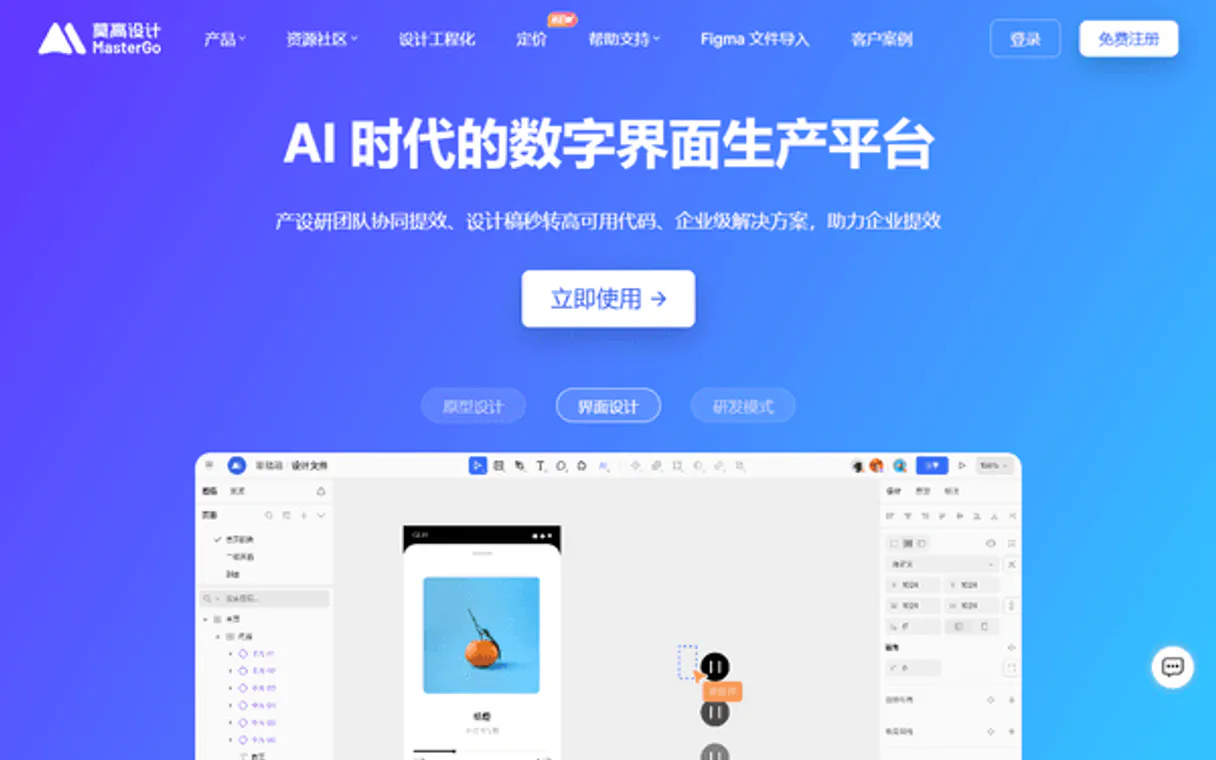
Independent Platform Disclaimer: Vinkius is an independent platform and is not affiliated with, endorsed by, sponsored by, verified by, or otherwise authorized by MasterGo. All third-party trademarks, logos, and brand names are the property of their respective owners. Their use on this website is strictly for informational purposes to identify service compatibility and interoperability.
VINKIUS INFRASTRUCTURE
Cloud Hosted
Managed infra
V8 Isolated
Sandboxed per request
Zero-Trust Proxy
No stored credentials
DLP Enforced
Policy on every call
GDPR Compliant
EU data residency
Token Compression
~60% cost reduction
Works with Claude, ChatGPT, Cursor, and more
The Model Context Protocol standardizes how applications expose capabilities to LLMs. Instead of operating in isolation, your AI gains direct access to external platforms, live data, and real-world actions through secure, standardized connections.
This server provides 10 capabilities that interface natively with Claude, ChatGPT, Cursor, and any MCP client. No middleware. No custom integration required.
Available Capabilities
Searching for one asset across dozens of files is tedious and slow.
Right now, finding a single element's style definition means opening the main design file, checking the global styles panel, then manually verifying that every child component—from buttons to headers—is actually referencing those defined variables. If you miss one instance, your whole system breaks.
With this MCP server, you just ask: 'List all typography rules for my core UI.' The agent runs `list_styles` and pulls the complete list of available font stacks and sizes from across every file in scope. You get a clean data payload; no clicking required.
MasterGo MCP Server: Control design assets with code.
You used to have to manually ask team leads, 'Did anyone comment on the pricing page?' Then you'd jump into the file, filter by comments, and read through a thread that might be weeks old. It was process heavy and prone to missing context.
Now, your agent runs `get_comments` for a given file ID. You get an immediate summary of recent threads, key feedback points (like 'Header color needs adjustment'), and the name of the person who left them. The communication becomes direct and data-driven.
Common Questions About MasterGo MCP
How do I obtain a MasterGo API Token? +
Log in to MasterGo, go to the Developer Center, and create a new application or generate a personal access token under your account settings.
Can I read specific layer information through this server? +
Yes. Use the list_nodes tool with the file key and optional node IDs. This allows your agent to retrieve detailed data about frames, layers, and their properties.
What is a 'fileKey' in MasterGo? +
The fileKey is the unique identifier found in the URL of your MasterGo design file. It typically appears after /file/ in the browser address bar.
If I run `get_file` and the design file doesn't exist, what does MasterGo tell my agent? +
The tool returns a structured error message indicating 'File Not Found.' This prevents your AI client from crashing; it just gives you clean data to handle the exception in your workflow.
When using `list_styles`, can my agent filter design styles by type, like only colors or only typography? +
The tool retrieves a comprehensive list of all defined styles across the file. You'll need to process that full data structure within your client to narrow down results (e.g., checking for hex codes vs. font names).
Are there usage limits or rate limits when calling `list_files`? +
Vinkius manages throttling based on your subscription tier. We recommend batching multiple requests rather than running continuous, rapid-fire calls to maintain smooth agent performance.
How does the `get_file_versions` tool limit the amount of historical data it retrieves? +
It pulls the most recent 50 version records by default. To keep your prompts concise, you should specify a date range in your agent’s prompt to focus only on relevant milestones.
Using `get_org_members`, how can my agent determine if an account has editing rights? +
This tool lists all organization members and their roles. The data structure includes role information, which you must check against your project's required permissions to confirm edit access.
Use it with your favorite AI tools
Connect this server to Cursor, Claude, VS Code, and more.
More in this category

Lovo AI (Genny TTS & Voice Synthesis API)
Generate high-quality AI voices and text-to-speech synthesis directly from your AI agent using Lovo AI's Genny API.

BlaBlaCar
AI carpool search: find rides, compare prices, and book shared journeys via agents.

BrightMove
Manage your hiring pipeline via BrightMove — track jobs, applicants, and references directly from any AI agent.
You might also like

OwnerRez
Manage vacation rental bookings, properties, guests, calendars, financials, inquiries, and channel connections for your OwnerRez account through natural conversation.

Argo CD (GitOps)
Manage Kubernetes deployments via Argo CD — sync applications, check logs, and manage clusters/repositories directly from your AI agent.

Exponential Smoothing Engine
Apply Simple Exponential Smoothing (Holt-Winters family) for local deterministic time-series forecasting.