
Sigma Computing MCP. Trace Dataset Lineage & Map BI Dependencies.
 Gemini
 Works with every AI agent you already use
…and any MCP-compatible client









Just plug in your AI agents and start using Vinkius.
Sigma Computing MCP Server lets your AI agent audit and map out entire BI environments directly from your IDE. It lists every workbook, traces which datasets they use, and maps connections to Snowflake or BigQuery.
You can also audit team structures and see who's in the organization without ever opening a browser tab. This is for deep metadata investigation: list workbooks, get details, trace dataset lineage, and map out dependencies using your agent.
What your AI agents can do
Get workbook details
Retrieves specific metadata details about one workbook by its ID.
List connections
Lists every external data source connection configured within the Sigma platform.
List datasets
Returns a list of all available datasets in the entire organization.
The agent pulls a full list of every workbook ID and name in the Sigma organization.
You trace which datasets are used by specific workbooks, providing an audit trail back to their source tables.
The server lists all external storage connections configured in Sigma, helping you understand the data's physical origin.
You retrieve specific metadata for a single dashboard, including its structure and pages.
The agent lists every user in the organization and maps them against defined team roles.
Ask AI about this MCP
Supported MCP Clients
Gemini Waiting for input…
Sigma Computing: 7 Tools for Data Asset Management
These seven tools allow your AI client to systematically discover, map, and audit every piece of metadata—from individual datasets to entire organizational team structures.
019d7607get workbook details
Retrieves specific metadata details about one workbook by its ID.
019d7607list connections
Lists every external data source connection configured within the Sigma platform.
019d7607list datasets
Returns a list of all available datasets in the entire organization.
019d7607list organization members
Lists every user account currently registered in the Sigma organization.
019d7607list organization teams
Retrieves a list of all defined teams and their members within the organizational structure.
019d7607list workbook pages
Lists every page contained inside a specific workbook ID, helping map out dashboard structure.
019d7607list workbooks
Returns names and IDs for all workbooks available across the Sigma organization.
Choose How to Get Started
Build a custom MCP for your own tools, or connect a ready-made integration from our catalog.
Build Your Own
Turn any API into an MCP. Import a spec, define Agent Skills, or deploy with MCPFusion.
- Import from OpenAPI, Swagger, or YAML specs
- Create Agent Skills with progressive disclosure
- Deploy to edge with MCPFusion framework
- Built in DLP, auth, and compliance on every call
- Real time usage dashboard and cost metering
- Publish to catalog or keep private
Make Your AI Do More
Start with Sigma Computing, then connect any of our 4,700+ other servers whenever your AI needs more. One click, no limits.
- Use this MCP plus 4,700+ others, all in one place
- Add new capabilities to your AI anytime you want
- Every connection is secured and compliant automatically
- Track usage and costs across all your servers
- Works with Claude, ChatGPT, Cursor, and more
- New servers added to the catalog every week
What you can do with this MCP connector
Forget lugging your laptop over to a machine just to check what data lives where. This Sigma Computing MCP Server lets your AI agent act like an autonomous metadata detective, running deep audits on your whole BI environment right from your IDE. You don't need to click through dashboards or open up browser tabs; you just ask for it.
Auditing Workbooks and Dashboards
You can use the server to map out every single thing built in Sigma. Start by calling list_workbooks; that pulls a complete list of all workbook IDs and names across the entire organization. If you need more depth on one specific dashboard, you'll call get_workbook_details, which fetches all the metadata for a single workbook ID.
You can even map out the structure inside by using list_workbook_pages against a workbook ID; that tells you every page contained within it.
Tracing Data Lineage and Connections
Understanding where your data actually comes from is crucial, so the server gives you two ways to trace its origin. First, you can run list_datasets, which returns a comprehensive list of every dataset available organization-wide. This lets you see what data pools exist. Second, for physical origins, calling list_connections lists every external storage connection configured in the Sigma platform.
By combining these tools, your agent maps out both the logical datasets and the actual backend connections to understand the full lineage.
Mapping Organizational Structure
This server doesn't just handle data; it audits people too. You can check who's working here by running list_organization_members, which pulls a list of every user account currently registered in your Sigma organization. To map out reporting lines and team ownership, you run list_organization_teams against the structure, getting a roster of all defined teams and detailing which members belong to each group.
This gives you a full view of who's using what data, without ever opening a user directory or a management console.
How Sigma Computing MCP Works
- 1 First, anchor this core interface directly into your MCP agent framework.
- 2 Next, safely store your
SIGMA_CLIENT_IDandSIGMA_CLIENT_SECRETpair in the workspace to secure access boundaries. - 3 Finally, prompt your agent: "List all BI workbooks related to North America and show me their dependencies!"
The bottom line is you give your AI client the credentials; it handles the complex API calls to map out the data landscape for you.
Who Is Sigma Computing MCP For?
This server is built for Data Governance Managers, BI Analysts, and Engineering Leads. You're the person who wakes up at 2 AM needing to know exactly where a key metric came from or which dashboard hasn't been updated in six months. If you spend too much time clicking through dashboards just to draw an architectural map, this is for you.
You use the server to audit dataset lineage and track dependencies across multiple workbooks, ensuring compliance before a major data migration.
You run prompts to list all available datasets or find every workbook related to a specific business unit, drastically speeding up initial discovery.
You audit the underlying connections and team structures to scope out required access permissions for a new feature build.
What Changes When You Connect
- Map the full data graph instantly. Instead of manually jumping between tabs, your agent uses
list_workbooksandget_workbook_detailsto map out every connected asset in one go. - Stop guessing where data comes from. You call
list_datasets, then uselist_connectionsto trace the exact storage pipe back to Snowflake or BigQuery. - Understand your team structure instantly. Run
list_organization_membersand cross-reference withlist_organization_teamsto know who owns which data asset without opening an HR portal. - Scope out dashboards faster than ever. You can use
list_workbooksfollowed bylist_workbook_pagesto map the internal layout of a dashboard, knowing exactly what’s on every tab. - Audit your whole stack with one prompt. Your agent combines calls—for instance, listing workbooks and then asking which datasets they depend on—saving hours of manual investigation.
Real-World Use Cases
Investigating an Out-of-Date Metric
A user sees a metric that seems wrong. They ask their agent to run list_workbooks and filter by the relevant department's dashboards. The agent then calls get_workbook_details on the top suspect, revealing the underlying dataset ID. This immediately tells the analyst which data source needs refreshing.
Onboarding a New BI Analyst
The manager wants to show a new team member everything they need to know about the current reporting landscape. Instead of endless tours, the agent runs list_datasets and presents a clean inventory, showing every available data asset in one view.
Security Audit for Data Access
A security officer needs to prove that only specific teams can access PII. They run list_organization_teams and cross-reference this with list_organization_members, quickly identifying all users who shouldn't have access.
Project Scoping for Data Integration
An engineer is starting a new project. They use the agent to call list_connections to map out every external system already integrated with Sigma, preventing them from building redundant pipes and saving weeks of discovery time.
The Tradeoffs
Manual Dashboard Discovery
A user has to navigate through the main dashboard menu, clicking into 'Finance,' then 'Q3 Reports,' and finally finding a specific workbook just to check its dependency list. It's slow, frustrating, and requires multiple logins.
→
Tell your agent: "List all finance workbooks." The agent runs list_workbooks and passes the IDs to get_workbook_details, delivering the dependency map immediately.
Guessing Data Lineage
A developer knows a dashboard exists but can't find it. They try searching every corner of the BI platform, wasting time because they don't know the right folder or dataset name.
→
Ask your agent to run list_datasets first. This gives you a master inventory. Then use that data to narrow down which dashboards (list_workbooks) are even possible.
Ignoring Team Context
An analyst needs to know who is responsible for the 'North America' metrics but doesn't know if the team exists or what its members are called. They start by emailing random people.
→
Directly ask your agent to run list_organization_teams and then filter that result using list_organization_members. It gives you a clear map of responsibility.
When It Fits, When It Doesn't
Use this server if the core problem is data visibility or asset mapping. You need to know what exists, where it's connected, and who owns it before writing any code. For example, if you want to trace a metric back from a dashboard to its source table, you must use list_workbooks -> get_workbook_details -> [dependencies] -> list_connections.
Don't use this if your goal is simply editing data or creating new content. For that, you need direct write access tools (which are not provided here). If all you need is a simple user directory without context, just running list_organization_members might be enough, but using the full suite lets your agent do the heavy lifting of connecting those people to specific assets.
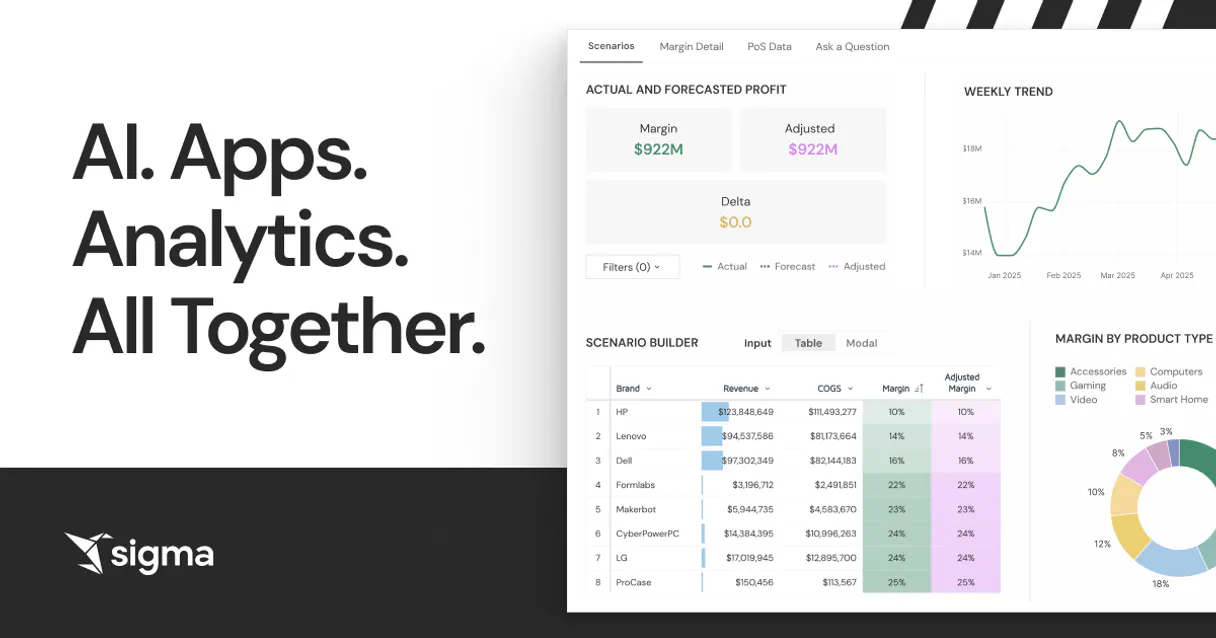
Independent Platform Disclaimer: Vinkius is an independent platform and is not affiliated with, endorsed by, sponsored by, verified by, or otherwise authorized by Sigma Computing. All third-party trademarks, logos, and brand names are the property of their respective owners. Their use on this website is strictly for informational purposes to identify service compatibility and interoperability.
VINKIUS INFRASTRUCTURE
Cloud Hosted
Managed infra
V8 Isolated
Sandboxed per request
Zero-Trust Proxy
No stored credentials
DLP Enforced
Policy on every call
GDPR Compliant
EU data residency
Token Compression
~60% cost reduction
Works with Claude, ChatGPT, Cursor, and more
The Model Context Protocol standardizes how applications expose capabilities to LLMs. Instead of operating in isolation, your AI gains direct access to external platforms, live data, and real-world actions through secure, standardized connections.
This server provides 7 capabilities that interface natively with Claude, ChatGPT, Cursor, and any MCP client. No middleware. No custom integration required.
Available Capabilities
Finding out what data exists shouldn't take 20 clicks and three hours.
Today, finding a single source of truth for a metric is a nightmare. You start on the dashboard, click through tabs, find the dataset name, then have to copy that name into another system just to see which database table it points to. If you want to know who owns that data or if it's even connected properly, you spend half your time clicking and the other half cross-referencing spreadsheets.
With this MCP server, you give your agent one prompt: "Map out all dashboards related to Q4 sales and show their sources." It automatically runs `list_workbooks` to find them, then uses `get_workbook_details` to pull metadata, and finally calls `list_connections` to map the underlying data pipes. You get a complete architectural view in seconds.
Sigma Computing MCP Server: Audit Data Lineage & Connections
The tedious parts that disappear are the manual lookups of dataset IDs, the need to open multiple browser tabs just for metadata reference, and the guesswork around ownership. You don't have to manually check if a user is part of a team or if a workbook actually exists before trying to use it.
Now, you treat your BI platform like an API endpoint. Your agent doesn't care about the UI; it just calls `list_workbooks` and gets the raw truth—a clean, actionable data map that lets you move straight to solving the problem.
Common Questions About Sigma Computing MCP
How do I see all possible datasets using list_datasets? +
You run list_datasets. This returns a complete inventory of every dataset available in the organization, allowing you to know exactly what data assets are ready for use.
Can I trace dependencies on a specific workbook using get_workbook_details? +
Yes. After running get_workbook_details with the correct ID, your agent provides metadata that reveals which datasets and connections the workbook relies upon.
How do I map all internal dashboards using list_workbooks? +
Start by calling list_workbooks. This returns a master list of every dashboard name and ID, giving you the starting point for any lineage investigation.
What is the difference between list_organization_members and list_organization_teams? +
The list_organization_members tool gives a roster of individual users. The list_organization_teams tool provides the structured groups those members belong to, letting you map roles.
If I run `get_workbook_details` and get an error, what does that mean? +
It usually means the agent lacks read access to that specific workbook ID. Your AI client must be authenticated with permissions that explicitly allow viewing metadata for the target Sigma environment.
After listing workbooks using `list_workbooks`, how do I find all its pages using `list_workbook_pages`? +
You first need to call get_workbook_details with the workbook ID. This step provides necessary contextual data that you then feed into the list_workbook_pages tool to see every tab.
When I use `list_connections`, what kind of permissions does my agent need? +
The agent needs read-only API credentials for Sigma. These permissions only allow listing connection metadata; they do not grant access to modify or delete the underlying data sources.
What happens if I run `list_datasets` and there are thousands of records? +
The tool handles large volumes by paginating results. If you encounter a rate limit, your agent should implement an exponential backoff strategy to pause and retry the call successfully.
Can the integration forcefully modify datasets or override workbook queries directly? +
No. By structured intent, this module is strictly bounded as an observational and auditing matrix targeting specifically organizational discovery heavily optimized securely natively. Explicit write protocols structurally enabling queries, mutation mappings, or data modifications systematically inherently simply completely systematically bypassed unconditionally directly universally.
Why construct this manually over leveraging the standard platform web UI interfaces? +
The native IDE integration context decisively grants explicitly your agent prompt active unadulterated runtime authority seamlessly querying real-time underlying arrays dynamically without latency immediately directly mapping structurally uniquely native taxonomies avoiding graphical interface lags flawlessly intrinsically seamlessly definitively completely.
Does my client credentials require explicit specific elevated Admin privileges exclusively natively? +
Yes explicitly securely seamlessly thoroughly definitively successfully extensively confidently conclusively exactly absolutely entirely solidly reliably exactly correctly perfectly. Creating API keys unequivocally cleanly exactly simply strongly thoroughly decisively distinctly clearly strictly conclusively intrinsically locally essentially requires inherently specifically explicit Administrative credentials securely internally distinctly correctly clearly deeply directly exclusively purely successfully thoroughly fully permanently precisely cleanly comprehensively successfully locally correctly definitively safely reliably directly cleanly seamlessly successfully seamlessly efficiently essentially firmly seamlessly inherently strictly smoothly uniquely.
Use it with your favorite AI tools
Connect this server to Cursor, Claude, VS Code, and more.
More in this category
Intrinio
Access real-time and historical financial market data via Intrinio API.

DOT Transportation / 美国交通部
Official U.S. DOT transportation data — decode VINs, check safety recalls, and audit ratings via AI.

Portal da Transparência (CGU)
Access Brazilian government transparency data — query social benefits (Bolsa Família, Auxílio Emergencial), public expenses, and SIAFI organizations.
You might also like

Zingtree
Analyze decision trees, workflows, and user session data via the Zingtree API.

Gradient AI (LLM API & Finetuning)
Access powerful LLMs, fine-tune models on your own data, and generate embeddings directly through your AI agent.
Sage Accounting
Automate business finances via Sage Accounting — manage invoices, banking, and contacts directly from any AI agent.