
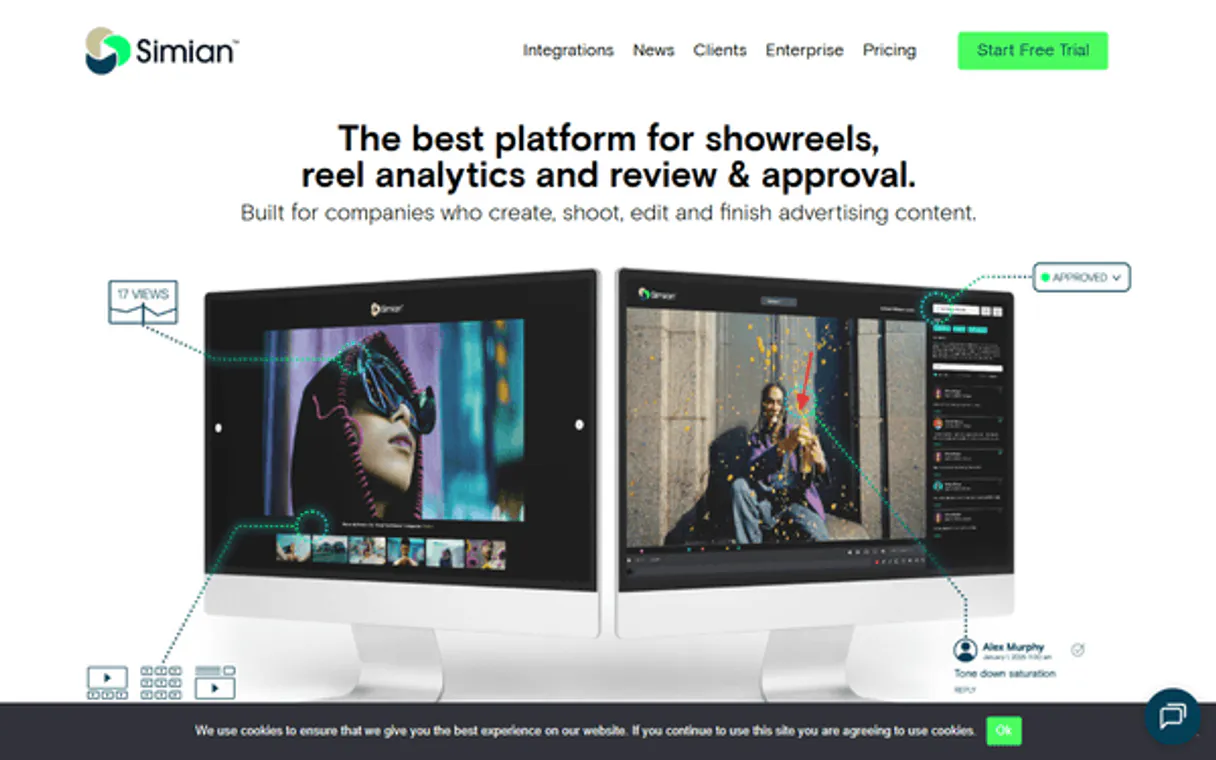
Simian MCP Server with 12 Tools Ready for AI Agents
 GDPR Free for Subscribers
Video sharing and collaboration platform. Unlock 12 tools ready out of the box. Connect this App Connector to instantly empower AI agents like Claude Code, Cursor, or any MCP-compatible client with advanced capabilities.
Ask AI about this App Connector
Vinkius delivers Streamable HTTP and SSE to any MCP client
* Every MCP server runs on Vinkius-managed infrastructure inside AWS - a purpose-built runtime with per-request V8 isolates, Ed25519 signed audit chains, and sub-40ms cold starts optimized for native MCP execution. See our infrastructure
What is the Simian MCP Server?
The Simian MCP Server gives AI agents like Claude, ChatGPT, and Cursor direct access to Simian via 12 tools. Video sharing and collaboration platform. Powered by the Vinkius - no API keys, no infrastructure, connect in under 2 minutes.
Built-in capabilities (12)
Tools for your AI Agents to operate Simian
Ask your AI agent "Get the review link for project 'Summer Campaign'." and get the answer without opening a single dashboard. With 12 tools connected to real Simian data, your agents reason over live information, cross-reference it with other MCP servers, and deliver insights you would spend hours assembling manually.
Works with Claude, ChatGPT, Cursor, and any MCP-compatible client. Powered by the Vinkius - your credentials never touch the AI model, every request is auditable. Connect in under two minutes.
Why teams choose Vinkius
One subscription gives you access to thousands of MCP servers - and you can deploy your own to the Vinkius Edge. Your AI agents only access the data you authorize, with DLP that blocks sensitive information from ever reaching the model, kill switch for instant shutdown, and up to 60% token savings. Enterprise-grade infrastructure and security, zero maintenance.
Build your own MCP Server with our secure development framework →The Simian App Connector works with every AI agent you already use
…and any MCP-compatible client









Use all 12 Simian tools with your AI agents right now
Empower your AI agents to connect to Simian and securely perform advanced actions on Vinkius infrastructure. Beyond a simple connection, you gain an advanced AI Gateway that provides complete visibility into agent activity, ensuring maximum governance and optimized token usage.
Add a new comment or approval status to a file
Create a new reel
Permanently remove a file from the library
Retrieve account details and usage statistics
Get metadata for a specific media file
Retrieve comments and annotations for a project file
Get details of a specific reel
List all media files in the library
List all active review and approval projects
List all created reels (presentations)
Send a reel to recipients via email or short link
Update metadata for a media file
What the Simian MCP Server unlocks
The Simian MCP server enables your AI agent to manage your creative workflows. Retrieve media links, orchestrate review processes, and analyze viewer engagement directly from the chat interface.
Frequently asked questions about the Simian MCP Server
Can I get the review link for a specific video project?
Yes, just ask the agent for the presentation link of your project and it will fetch it securely.
How do I check engagement analytics on my shared reel?
You can query the AI to summarize view counts, average watch times, and comments left by clients on your reel.
Is it possible to invite a reviewer via the chat?
Yes! Provide the reviewer's email and the project ID, and the agent will dispatch a secure invite link.
More in this category
Fireflies.ai
12 toolsTranscribe meetings, analyze conversation metrics, and query transcripts via AI agents with Fireflies.ai.

Spotio
12 toolsManage leads, pipelines, and field sales activities on Spotio with AI agents.

Appointlet
10 toolsBring Appointlet scheduling directly into your AI agent — list schedules, track bookings, cancel events, and manage attendees seamlessly.
You might also like

Rick and Morty
9 toolsExplore characters, locations, and episodes from the Rick and Morty universe via AI.
Open Emoji API
5 toolsAccess emoji data — audit characters, names, and categories via AI.
Bidsketch
10 toolsAutomate proposal creation via Bidsketch — list proposals, clients, and templates directly from any AI agent.