
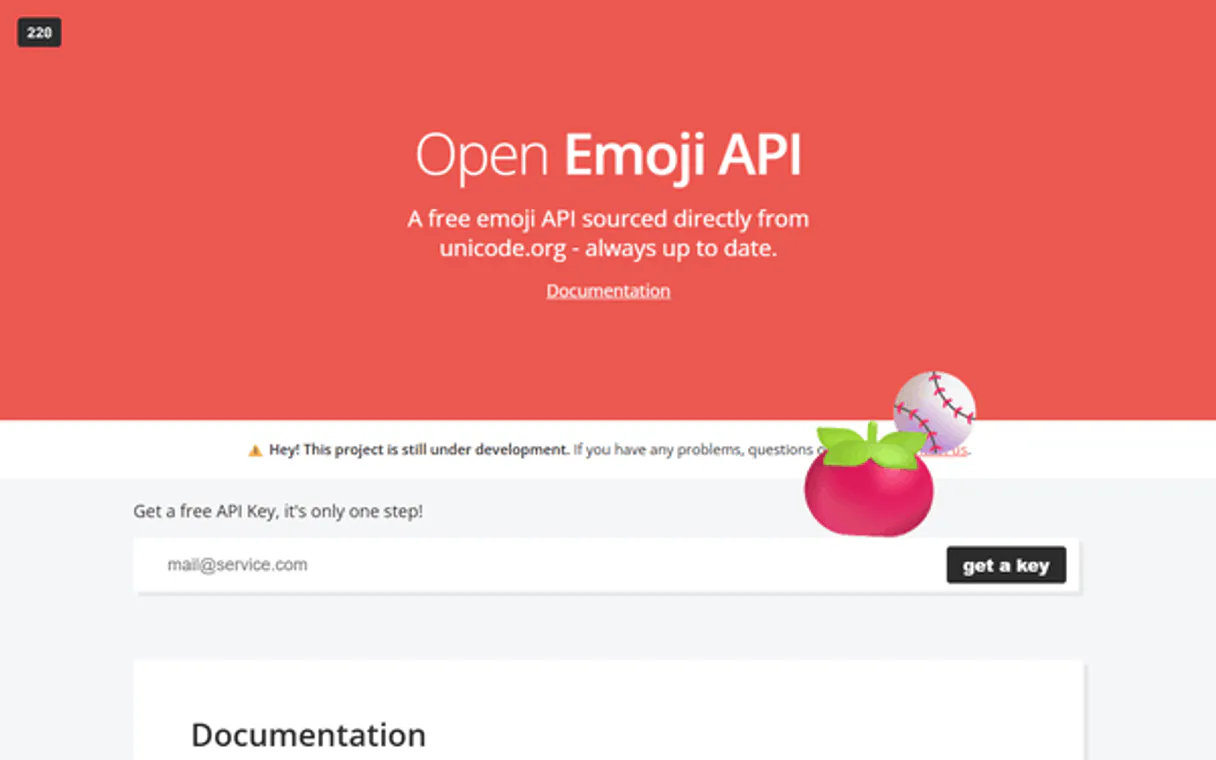
Open Emoji API MCP. Audit Unicode characters via natural language queries.
 Gemini
 Works with every AI agent you already use
…and any MCP-compatible client









Just plug in your AI agents and start using Vinkius.
Open Emoji API gives your AI agent full access to Unicode character metadata. It lets you audit emojis, search by keyword, or filter symbols by category (like 'food-drink').
Stop manually cross-referencing emoji tables; let your client query the entire dataset live via natural language.
What your AI agents can do
Check api status
Checks the Open Emoji API to confirm it's currently operational.
Get emojis by category
Retrieves all emojis belonging to a single, specific category.
List all emojis
Provides a complete list of every emoji available in the entire database.
Checks if the Open Emoji API connection is currently active and working.
Retrieves emojis matching a specific term, giving detailed metadata for each result.
Gets all symbols that belong to a single, specified emoji group (like 'activities').
Returns the complete catalog of primary emoji groups in the database.
Pulls a comprehensive inventory of every single emoji recorded in the API.
Ask AI about this MCP
Supported MCP Clients
Gemini Waiting for input…
Open Emoji API: 5 Tools for Metadata Access
These tools give you direct access to the emoji database functions—from checking status to listing categories and searching keywords.
019d8463check api status
Checks the Open Emoji API to confirm it's currently operational.
019d8463get emojis by category
Retrieves all emojis belonging to a single, specific category.
019d8463list all emojis
Provides a complete list of every emoji available in the entire database.
019d8463list emoji categories
Outputs a full menu listing all primary emoji categories available for searching.
019d8463search emojis
Searches the database and returns emojis that match a given keyword or name.
Choose How to Get Started
Build a custom MCP for your own tools, or connect a ready-made integration from our catalog.
Build Your Own
Turn any API into an MCP. Import a spec, define Agent Skills, or deploy with MCPFusion.
- Import from OpenAPI, Swagger, or YAML specs
- Create Agent Skills with progressive disclosure
- Deploy to edge with MCPFusion framework
- Built in DLP, auth, and compliance on every call
- Real time usage dashboard and cost metering
- Publish to catalog or keep private
Make Your AI Do More
Start with Open Emoji API, then connect any of our 4,700+ other servers whenever your AI needs more. One click, no limits.
- Use this MCP plus 4,700+ others, all in one place
- Add new capabilities to your AI anytime you want
- Every connection is secured and compliant automatically
- Track usage and costs across all your servers
- Works with Claude, ChatGPT, Cursor, and more
- New servers added to the catalog every week
What you can do with this MCP connector
You're gonna let your AI agent look right into the Unicode character dataset for emojis. This isn't some basic database lookup; it gives your client full access to emoji metadata—the good stuff—so you can treat symbols like any other piece of structured data. You won't have to cross-reference charts or write complex SQL queries just to figure out what a symbol means.
Your agent handles all that heavy lifting, letting you query thousands of emojis instantly through natural conversation.
When your client uses the API, it first checks if everything's running right using check_api_status and it confirms the Open Emoji API connection is currently operational; this lets you know immediately if there are any snags before you start building anything. If you need to see what kind of symbols are out there in general, your agent can pull a full menu listing all primary emoji groups via list_emoji_categories, which shows you the complete catalog available for searching.
If you wanna know everything recorded, regardless of group or use case, it'll grab a comprehensive inventory of every single emoji using list_all_emojis. For more targeted research, your agent can search the entire database and return emojis that match any keyword or name provided via search_emojis, giving you detailed metadata for each hit.
You can also narrow down your focus by retrieving all symbols belonging to a specific group—for example, if you're only interested in 'food-drink' items, it uses get_emojis_by_category to pull only those relevant emojis.
This means you can audit content or build UIs without ever touching a reference table manually. You don't need to worry about the structure of Unicode data; your agent just talks to this server and gets back what it needs. It lets you verify API health, discover all categories, grab the full dataset list, search by specific terms, and filter down to predefined groups—all through natural language commands.
Your client makes sure that whether you're checking status or pulling a complete inventory of every available emoji, the data flow is direct and reliable.
How Open Emoji API MCP Works
- 1 Subscribe to the Open Emoji API server and provide your unique key.
- 2 Connect your preferred AI client (Claude, Cursor, etc.) to the MCP Server using that key.
- 3 Ask your agent a question like: 'List all emojis in the food-drink category' or 'Search for pizza emojis.' The agent executes the correct tool call.
The bottom line is you ask the AI client what data you need, and it uses the right function to pull the specific metadata from the API.
Who Is Open Emoji API MCP For?
This server is for anyone whose job relies on accurate visual data. If you're a UI/UX Designer stuck manually checking if an emoji exists in your design system, or a Content Creator who needs to audit trends across thousands of symbols—this is for you. It cuts out the manual research phase.
Checks emoji availability and category distribution before building components. Uses tools like search_emojis or get_emojis_by_category to verify symbols.
Audits content for visual trends, using the API to pull relevant symbols based on keywords or emotional categories.
Incorporates emoji metadata into code logic and runs rapid audits of character markers via natural language queries.
What Changes When You Connect
- Accuracy: Don't guess about symbols. Use
search_emojisto get instant, accurate metadata for any keyword or name you throw at it. - Efficiency: Instead of manually browsing category tables, use
list_emoji_categoriesfirst, thenget_emojis_by_categoryto scope your search immediately. - Depth: The API provides group and subgroup markers. This means you get deep classification data for every emoji found.
- Reliability: Always run
check_api_statusfirst. You avoid wasted calls and failed workflows by knowing the endpoint is live before you start querying. - Scope: Need a quick overview? Use
list_all_emojisto see the sheer volume of assets available, giving you context on your data set.
Real-World Use Cases
Auditing an old content library
A Content Strategist finds a batch of old articles and needs to make sure they use modern, relevant emojis. They ask their agent: 'What are the most popular food-drink symbols?' The agent uses get_emojis_by_category to pull the full list, letting them audit trends in minutes.
Checking UI component availability
A UI/UX Designer needs to ensure a new feature can support a pizza emoji. They ask their agent: 'Search for emojis related to pizza.' The agent uses search_emojis and gets immediate confirmation (🍕) plus its full Unicode classification data.
Debugging an API workflow
A developer needs to integrate emoji metadata into a new service. Before writing complex code, they first run check_api_status. The agent confirms the connection is green, allowing them to proceed confidently with building their data pipeline.
Cataloging all possible symbols
An operations lead needs a full inventory of what's available for a client presentation. They ask: 'List everything.' The agent uses list_all_emojis, providing the complete, comprehensive catalog to ensure nothing is missed.
The Tradeoffs
Brute-forcing data retrieval
Trying to manually list all 30k+ emojis using list_all_emojis when you only need the 'food' symbols. This is slow, overkill, and risks hitting rate limits.
→
Don't dump everything. First run list_emoji_categories. Then use the targeted tool, get_emojis_by_category, for 'food-drink'. It’s faster and more precise.
Assuming functionality
Starting a complex research task without checking if the connection is live. Your agent wastes time calling other tools only to fail because the API key expired or the service is down.
→
Always run check_api_status first. It's a simple call that confirms your entire workflow can actually start.
Vague searching
Asking for 'fun emojis.' This is too vague and might lead to bad results or unnecessary API calls.
→
Be specific. Use search_emojis with a concrete keyword like 'party' or 'balloon'. Or, if you know the category, use get_emojis_by_category for better focus.
When It Fits, When It Doesn't
Use this server if your primary need is metadata auditing: checking what an emoji is, where it belongs, and what its Unicode markers are. You want data structure validation (e.g., 'What group does the 🍕 symbol belong to?').
Don't use it if you need real-time rendering or translation—this server doesn't show you how an emoji looks in a specific font set, nor does it translate its meaning. For those needs, look at dedicated visual asset libraries.
If you are only checking the status, check_api_status is all you need. If you know the category but not the keyword, use list_emoji_categories first. Only when you have a specific term or group should you run search_emojis or get_emojis_by_category. It's about scoping the query, every time.
Independent Platform Disclaimer: Vinkius is an independent platform and is not affiliated with, endorsed by, sponsored by, verified by, or otherwise authorized by Open Emoji API. All third-party trademarks, logos, and brand names are the property of their respective owners. Their use on this website is strictly for informational purposes to identify service compatibility and interoperability.
VINKIUS INFRASTRUCTURE
Cloud Hosted
Managed infra
V8 Isolated
Sandboxed per request
Zero-Trust Proxy
No stored credentials
DLP Enforced
Policy on every call
GDPR Compliant
EU data residency
Token Compression
~60% cost reduction
Works with Claude, ChatGPT, Cursor, and more
The Model Context Protocol standardizes how applications expose capabilities to LLMs. Instead of operating in isolation, your AI gains direct access to external platforms, live data, and real-world actions through secure, standardized connections.
This server provides 5 capabilities that interface natively with Claude, ChatGPT, Cursor, and any MCP client. No middleware. No custom integration required.
Available Capabilities
Finding which emoji means what shouldn't require opening five different reference guides.
Right now, if you need to audit a batch of content for symbols, it’s a mess. You open the Unicode chart, then you check your style guide, then you look at the category map. You end up copying and pasting metadata into a spreadsheet just to know if that symbol is even grouped correctly or what its official name is.
With this MCP server, you ask your agent directly: 'What are the full names for all food emojis?' It runs `get_emojis_by_category` on your behalf. You get back clean, structured data—the metadata you need, instantly.
Using Open Emoji API to search symbols by concept.
Before this server, if you needed a symbol for 'birthday', you were limited to what was already categorized. You'd have to check every category list individually: are they in food? Are they in people? It was manual checking across dozens of tabs.
Now, the agent uses `search_emojis`. You just say 'birthday,' and it pulls all relevant symbols—cake, gifts, candles—regardless of which thematic bucket they live in. The search handles the cross-referencing for you.
Common Questions About Open Emoji API MCP
How do I check if the Open Emoji API is working? +
Run check_api_status. This tool confirms that the entire connection and endpoint are operational. If this call fails, nothing else you try will work until the issue is fixed.
What should I use if I want to find emojis related to a topic? +
Use search_emojis. This tool takes keywords (like 'pizza' or 'party') and searches across all metadata, giving you the most relevant symbols immediately.
How do I get only smileys emojis? +
First, use list_emoji_categories to confirm the exact category name. Then, run get_emojis_by_category using the precise string (e.g., 'smileys-emotion').
Can I list every single emoji with Open Emoji API? +
Yes, you can use list_all_emojis. Be aware this returns a huge payload; it's best used when you genuinely need the entire dataset inventory.
How do I list all available emoji categories using the `list_emoji_categories` tool? +
It returns a complete index of every major category group. This list shows you the thematic buckets—like 'food-drink' or 'people-body'—so you know exactly what data is organized in the database.
How can I get deep metadata, such as subgroup markers, when running `search_emojis`? +
Every result from a search includes detailed classification data. You don't just get the emoji; you get its Unicode name, the main 'group,' and specific 'subgroups.' This helps with precise visual auditing.
What happens if I need more than 100 results from `get_emojis_by_category`? +
The tool handles large data volumes through built-in pagination. You simply request the category, and it automatically delivers all results in manageable chunks until you get the full list.
Can I filter my searches using `search_emojis` by a specific metadata type? +
Yes, you can narrow your search beyond just keywords. You pass filters specifying criteria like 'group' or 'subgroup,' allowing for highly accurate data retrieval.
How do I find my Open Emoji API Key? +
Register for a free account at emoji-api.com, and you will receive your API access key via email. Copy and paste it below.
Can the agent search for specific emojis? +
Yes. Use the search_emojis tool providing a keyword (e.g., 'smile' or 'coffee'). Your agent will return matching characters and metadata instantly.
Does it support emoji categories? +
Yes. The list_emoji_categories and get_emojis_by_category tools allow your agent to audit symbols by their thematic groupings.
Use it with your favorite AI tools
Connect this server to Cursor, Claude, VS Code, and more.
More in this category

ScreenshotAPI
Capture full-page website screenshots programmatically with custom viewport sizes, delays, and rendering options via a simple API.

Routific
Connect your AI assistant to Routific to solve complex vehicle routing problems, dispatch drivers, and manage global delivery timelines natively through chat.
Google Forms
Analyze datasets actively — list active Google Forms, query exact responses, and fetch metadata programmatically.
You might also like

Pricefx
Equip your AI with advanced enterprise CPQ capabilities — fetch products, manage customers, and generate automated pricing quotes directly via chat.

K-Means Cluster Engine
Group complex data points into optimal clusters with deterministic, high-speed Euclidean K-Means classification.
IBGE Nomes — Nomes do Brasil
Discover the history behind every Brazilian name: birth frequency by decade since the 1930s, national popularity rankings, and regional trends — the viral dataset that captivated 200 million Brazilians.