4,500+ servers built on MCP Fusion
Vinkius

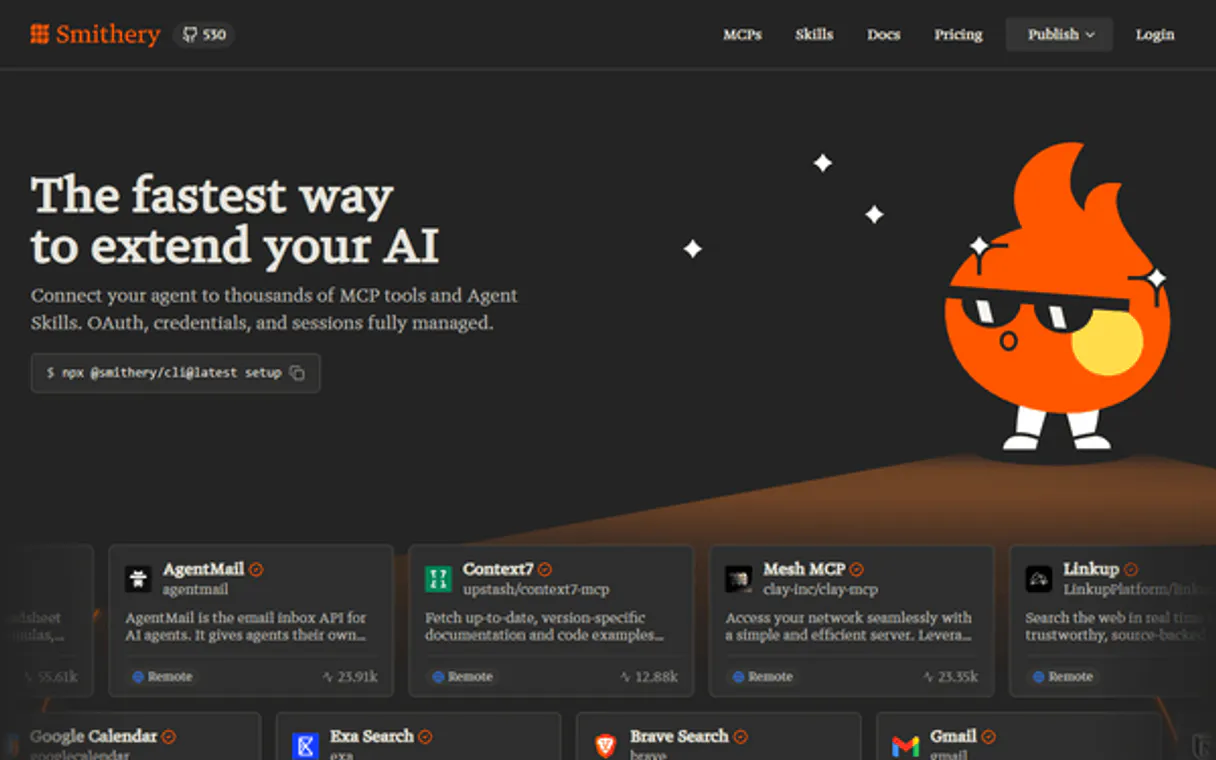
Smithery MCP. Connect your agent to any service, credentials included.

Claude Claude
ChatGPT ChatGPT
Cursor Cursor
Gemini Gemini
Windsurf Windsurf
VS Code VS Code
JetBrains JetBrains
Vercel Vercel
See Vinkius in Action

Works with every AI agent you already use

…and any MCP-compatible client

Smithery MCP on Cursor AI Code Editor MCP Client Smithery MCP on Claude Desktop App MCP Integration Smithery MCP on OpenAI Agents SDK MCP Compatible Smithery MCP on Visual Studio Code MCP Extension Client Smithery MCP on GitHub Copilot AI Agent MCP Integration Smithery MCP on Google Gemini AI MCP Integration Smithery MCP on Lovable AI Development MCP Client Smithery MCP on Mistral AI Agents MCP Compatible Smithery MCP on Amazon AWS Bedrock MCP Support

Just plug in your AI agents and start using Vinkius.

Smithery provides an MCP registry for discovering, managing, and connecting external AI services. It centralizes access control by handling OAuth and tokens automatically.

Use it to let your agent find any compatible service—from Stripe or GitHub—and establish secure connections without manual credentials.

What your AI agents can do

Create connection

Creates a managed connection to an MCP server, handling all OAuth and session complexity automatically for your application.

Create service token

Generates a secure, time-limited token with restricted permissions for frontends or agents that shouldn't use your main API key.

Delete connection

Removes an MCP server connection from the registry; this action revokes access and cannot be undone.

+ 8 more capabilities included
Discover Servers

Search and retrieve detailed metadata about any registered MCP server using search_servers.

Inspect Server Capabilities

List every available tool, data resource, or prompt template exposed by a specific server using dedicated getter tools (e.g., get_server_tools).

Manage Connections

Establish and revoke secure connections to external MCP services using create_connection and delete_connection.

Generate Access Tokens

Create short-lived, scoped service tokens (create_service_token) that limit access permissions for specific frontends or agents.

Audit Usage Metrics

Monitor adoption rates and performance issues by retrieving usage analytics for a server using get_server_analytics.

Supported MCP Clients

Claude Claude
ChatGPT ChatGPT
Cursor Cursor
Gemini Gemini
Windsurf Windsurf
VS Code VS Code
JetBrains JetBrains
Vercel Vercel
+ other MCP clients
Free for Subscribers

Waiting for input…

AI Agent

Smithery: 11 Tools for Agent Integration

Use these twelve tools to discover servers, manage authentication credentials, and inspect the full capabilities of any connected service.

create019d760a

create connection

Creates a managed connection to an MCP server, handling all OAuth and session complexity automatically for your application.

create019d760a

create service token

Generates a secure, time-limited token with restricted permissions for frontends or agents that shouldn't use your main API key.

delete019d760a

delete connection

Removes an MCP server connection from the registry; this action revokes access and cannot be undone.

get019d760a

get connection

Retrieves detailed status information about a specific, existing MCP connection for review or debugging purposes.

get019d760a

get server analytics

Fetches usage metrics and adoption data for a named MCP server to help you monitor performance and identify trends.

get019d760a

get server details

Retrieves core metadata about an MCP server from the registry, letting you check its status before connecting it.

get019d760a

get server prompts

Lists reusable prompt templates available on a server, giving you insight into pre-defined workflows for your agent.

get019d760a

get server resources

Returns all data resources exposed by the server, including their names and MIME types, so you know what data is readable.

get019d760a

get server tools

Lists every function (tool) available on a server, providing input schemas and descriptions so your agent knows what actions it can take.

list019d760a

list connections

Returns a list of all existing connections within a namespace, allowing you to audit which services are currently linked up.

search019d760a

search servers

Searches the entire Smithery registry for MCP servers using name, tags, or description filters to find what you need.

Choose How to Get Started

Build a custom MCP for your own tools, or connect a ready-made integration from our catalog.

Build Your Own

Turn any API into an MCP. Import a spec, define Agent Skills, or deploy with MCPFusion.

  • Import from OpenAPI, Swagger, or YAML specs
  • Create Agent Skills with progressive disclosure
  • Deploy to edge with MCPFusion framework
  • Built in DLP, auth, and compliance on every call
  • Real time usage dashboard and cost metering
  • Publish to catalog or keep private
Start building

Make Your AI Do More

Start with Smithery, then connect any of our 4,700+ other servers whenever your AI needs more. One click, no limits.

  • Use this MCP plus 4,700+ others, all in one place
  • Add new capabilities to your AI anytime you want
  • Every connection is secured and compliant automatically
  • Track usage and costs across all your servers
  • Works with Claude, ChatGPT, Cursor, and more
  • New servers added to the catalog every week

What you can do with this MCP connector

Smithery handles the messy part of connecting your AI agent to outside services. You don't wanna write boilerplate OAuth code or deal with token expiration every time you build something new. Smithery acts as the centralized control plane, letting your agent find and connect to external MCP servers—whether that's Stripe, GitHub, or some niche database—without you needing to manage credentials manually.

Discovering Services

Need to know what services are out there? You use search_servers to scan the entire registry. You can filter results by a server's name, specific tags, or even keywords in its description field; it’ll spit back everything that matches your criteria. Once you narrow down what you need, you can check the core metadata of any registered service using get_server_details.

This lets you confirm the current status and basic info before you commit to connecting.

Inspecting Capabilities

You gotta know exactly what a server can do before your agent tries it. Smithery gives you three main views: first, use get_server_tools to list every single function—or 'tool'—available on that server. This output includes the necessary input schemas and descriptions so your agent knows precisely which actions it can take; it’s like reading a full API contract for its capabilities.

Second, if you wanna see what data is sitting there waiting to be read, get_server_resources returns all exposed data resources, giving you their names and MIME types. Finally, check out the built-in workflows: get_server_prompts lists reusable prompt templates available on a server, which gives your agent pre-defined ways to structure its requests.

Managing Connections and Credentials

Connecting is where Smithery saves your bacon. Instead of handling complex OAuth handshakes yourself, you use create_connection. This tool handles the entire authentication and session complexity automatically for your application. Once that’s done, it gives you a managed connection to use. Need to audit what's hooked up? Run list_connections to get a full list of every existing connection within a specific namespace.

You can also check the status or review details of any single, established link using get_connection. If that service relationship breaks down or you need to cut ties completely, use delete_connection; this removes the server connection from the registry and revokes access immediately, but remember, this action is final.

Security and Monitoring

For security, don't just hand out your main API key. Use create_service_token to generate a secure, time-limited token that has restricted permissions. This keeps the blast radius small for any frontends or agents you deploy. When things get complex and you need to know if a service is performing right, run get_server_analytics.

This pulls usage metrics and adoption data for a named server, helping you spot trends and figure out where performance issues are kicking off. The whole process means your agent doesn't need specialized knowledge of every vendor’s API; it just needs to ask Smithery where the data or service is located.

How Smithery MCP Works

  1. 1 Your AI agent uses the search_servers tool to find the desired service (e.g., 'Stripe') and gets its qualified name.
  2. 2 The agent then calls get_server_tools using that name to verify exactly what actions are available, then executes create_connection to manage authentication.
  3. 3 Finally, your application uses the connection ID provided by Smithery to run the service's functions without managing any OAuth details.

The bottom line is you use natural language commands to let your agent handle all discovery, authentication, and management overhead.

Who Is Smithery MCP For?

Platform engineers who are tired of building custom connection layers for every new service. Agent architects struggling with OAuth complexity. Backend developers needing a single source of truth for API capabilities. If your job involves connecting multiple third-party services, this is for you.

Platform Engineer

Uses list_connections and get_server_analytics to maintain a centralized view of the entire service mesh and spot usage bottlenecks.

Agent Architect

Designs multi-step workflows by first calling search_servers, then using create_connection, making sure the agent can talk to any backend without hardcoding credentials.

Backend Developer

Relies on Smithery's automatic OAuth handling via create_connection so they don't have to manage token rotation or complex authentication flows themselves.

What Changes When You Connect

  • Forget manual OAuth. Use create_connection to establish secure links in one go. Smithery handles the token flow and session management automatically, so you never deal with expired secrets again.
  • Stop guessing what a server can do. Calling get_server_tools gives your agent an immediate catalog of every available function, letting it build complex multi-step actions right out of the gate.
  • Audit everything easily. The list_connections tool lets you see all active connections across namespaces. This is critical for compliance and finding those forgotten dev environments.
  • Stay secure with limited tokens. Instead of exposing your main API key, use create_service_token. You define the exact scope (read-only, specific resources) needed, minimizing risk.
  • Understand adoption rates. Use get_server_analytics to track which services are actually getting used. This data helps justify migration efforts or resource scaling.

Real-World Use Cases

01

Need to connect a new niche API

A developer needs to use a brand-new accounting service (AcmeCorp). Instead of manually reading AcmeCorp's OAuth docs and integrating the flow, they simply run search_servers for 'AcmeCorp', then call get_server_details to confirm it’s ready. The agent then uses create_connection, and suddenly, the API is available in their code with zero credential headache.

02

Debugging a flaky service integration

The agent reports an error on a connection. Instead of blindly checking logs, the architect calls get_server_analytics for that specific service. The analytics show a sudden spike in failures around 3 AM UTC, pointing to a rate limit issue. They then use get_connection to review the current usage limits and fix the scope.

03

Building a secure multi-client dashboard

A platform needs to let three different teams access Stripe, GitHub, and Jira data simultaneously but with varying permissions. Instead of creating three separate credential vaults, they use create_service_token for each team's specific scope (e.g., 'read: billing' vs 'write: tickets'), keeping the main API key safe.

04

Onboarding a new developer to the platform

A junior dev needs to understand all available data sources for a project. They use search_servers with broad tags like 'finance'. The agent then systematically calls get_server_resources and get_server_tools on each result, creating an instant, comprehensive inventory map without the developer having to read dozens of docs.

The Tradeoffs

Hardcoding OAuth credentials

The dev copies a giant block of API key/secret into the app configuration file for every single service (Stripe, GitHub, etc.). It's brittle and impossible to audit.

Use Smithery. First, run search_servers to find the server name. Then, call create_connection. This abstracts away all credential management, giving you a connection ID instead of raw secrets.

Over-scoping access tokens

The team generates one master token that gives read/write access to everything just 'to be safe.' If that key leaks, the whole system is compromised.

Use create_service_token and define permissions granularly. Limit it by namespace or specific resource (e.g., only allowing reads on billing data). This minimizes blast radius.

Guessing what tools exist

The agent fails because the developer assumed the 'User' server had a get_email function, but it actually has a different endpoint structure.

Always call get_server_tools. This tool returns the exact input schema and description for every available action on the server, preventing guesswork.

When It Fits, When It Doesn't

Use Smithery if your core problem is governance or complexity. If you have more than two external services that require API integration, this platform saves months of work. It forces standardization by making all connections flow through a single point of truth.

Don't use it if: 1) You are building a simple proof-of-concept with only one service and no security concerns (you might just skip the registry for now). 2) Your needs involve specialized, real-time data feeds that require direct websocket connections—Smithery focuses on standard MCP tool calls. If you're only reading public documentation, use search_servers; if you need to act on it, use create_connection.

Independent Platform Disclaimer: Vinkius is an independent platform and is not affiliated with, endorsed by, sponsored by, verified by, or otherwise authorized by Smithery. All third-party trademarks, logos, and brand names are the property of their respective owners. Their use on this website is strictly for informational purposes to identify service compatibility and interoperability.

VINKIUS INFRASTRUCTURE

Cloud Hosted

Managed infra

V8 Isolated

Sandboxed per request

Zero-Trust Proxy

No stored credentials

DLP Enforced

Policy on every call

GDPR Compliant

EU data residency

Token Compression

~60% cost reduction

How we secure it →

Works with Claude, ChatGPT, Cursor, and more

The Model Context Protocol standardizes how applications expose capabilities to LLMs. Instead of operating in isolation, your AI gains direct access to external platforms, live data, and real-world actions through secure, standardized connections.

This server provides 11 capabilities that interface natively with Claude, ChatGPT, Cursor, and any MCP client. No middleware. No custom integration required.

Available Capabilities

create_connection create_service_token delete_connection get_connection get_server_analytics get_server_details get_server_prompts get_server_resources get_server_tools list_connections search_servers

Managing credentials for every external service is a nightmare.

Right now, setting up an AI agent means logging into the Stripe dashboard, copying API keys; then going to GitHub and doing it again. For every new integration—be it Salesforce or Twilio—you repeat that cycle: copy, paste, configure a separate vault entry, and manually audit the OAuth scopes. It’s tedious, risky, and slows down development.

With Smithery, you let your agent handle this mess. You just ask the registry to 'connect to Stripe.' The agent calls `create_connection`, handles all the token exchange behind the scenes, and hands you a connection ID. You get instant connectivity without ever touching a secret key or worrying about OAuth expiration.

Smithery MCP Server: Connect your agents to any service.

The biggest waste of time is the manual overhead around authentication. Before Smithery, if you wanted to know what data a server offered, you had to read its documentation (or hope). You couldn't programmatically list every resource or tool without making assumptions.

Now, it’s simple: call `get_server_resources` or `get_server_tools`. The platform gives you the definitive manifest of everything the server offers. It makes your agent smarter and your codebase cleaner—it just works.

Common Questions About Smithery MCP

How do I find available MCP servers using Smithery? +

You use the search_servers tool. You can filter by name, tags, or description to narrow down results and get a list of qualified names for services you want to connect.

Can I test an MCP server before making a live connection using Smithery? +

Yes. Before calling create_connection, use get_server_details to review the metadata and confirm the server's status. You can also run get_server_tools to see its capabilities first.

What is the difference between `list_connections` and `get_connection` in Smithery? +

list_connections gives you a list of all connection IDs and names across your namespace for an audit. You use get_connection when you want full details—like creation dates or specific metadata—for one particular ID.

Does Smithery help with security tokens? +

Absolutely. Use the create_service_token tool to generate limited-scope, time-bound tokens. This prevents your agent from using a master key and greatly reduces the risk if credentials leak.

When I call `get_server_analytics`, what kind of performance data or rate limits can I monitor? +

The analytics report tracks usage volume, adoption trends, and overall server health. While it shows throughput metrics, remember that your client needs to handle any specific API rate limit errors.

What information do I get from `get_server_tools` regarding input data schemas? +

It returns the tool name, description, and detailed input schema for every function. This lets you build calls that match the server's required parameters exactly.

If I have connectivity issues, how does `get_connection` help me troubleshoot? +

It provides the current status, connection ID, and metadata for a specific link. This helps you confirm if the connection is active or review configuration details when things break.

How granular can I make permissions when using `create_service_token`? +

You define highly scoped tokens based on policy. You control access by specifying namespaces, resources, operations, and the token's expiration time (TTL).

Do I need a Smithery account to use this MCP server? +

Yes, you need a free Smithery account to generate an API key. Sign up at smithery.ai, then go to Account Settings > API Keys to create your key. The key gives access to the registry search, server details, and connection management features.

How does Smithery Connect handle OAuth for MCP servers? +

Smithery Connect automatically handles OAuth flows, token refresh, and session management for MCP servers that require authentication. You don't need to configure redirect URIs, client IDs, or manage token expiration. Simply create a connection and Smithery manages the authentication lifecycle, providing your agents with seamless access.

Can I search for verified MCP servers only? +

Yes! Use the verified filter in the search_servers tool by setting verified=true. This returns only servers that have been verified by Smithery, ensuring higher quality and security standards. Verified servers display a verification badge and have undergone additional review.

More in this category

You might also like

Built & Managed by Vinkius 30s setup 11 tools

We've already built the connector for Smithery. Just plug in your AI agents and start using Vinkius.

No hosting. No infrastructure. No complex setup.
All 11 tools are live and waiting. You're up and running in seconds.

Claude Claude
ChatGPT ChatGPT
Cursor Cursor
Gemini Gemini
Windsurf Windsurf
VS Code VS Code
JetBrains JetBrains
Vercel Vercel
+ other MCP clients

Vinkius gives your AI agents access to the full catalog of app connectors, all fully managed, secure, and enterprise-ready. One subscription, every tool you need.

Zero hosting required Full MCP catalog included Enterprise-grade security Auto-updated by Vinkius

Built, hosted, and secured by Vinkius. You just connect and go.