
South Korea KOSIS MCP. Pull official Korean government statistics, not general news data.
 Gemini
 Works with every AI agent you already use
…and any MCP-compatible client









Just plug in your AI agents and start using Vinkius.
South Korea KOSIS MCP Server lets your agent pull raw, official statistics directly from the Korean Statistical Information Service. You can find tables on everything—from GDP and trade to demographics using 'search_korea_statistics', then execute specific data fetches with 'get_korea_stats_data'.
It gives you granular, government-certified numbers for market analysis.
What your AI agents can do
Get korea stats data
Retrieves raw statistical figures from a specific, identified table in the KOSIS database.
Search korea statistics
Searches the entire KOSIS national database by keyword to locate relevant tables and their necessary IDs.
You search the entire KOSIS database using keywords (e.g., 'semiconductor' or 'employment') to find relevant tables, receiving the necessary IDs for data retrieval.
The agent retrieves precise figures from a specific KOSIS table, requiring you to provide the correct organization and table identifiers.
You narrow down statistical results using start and end date parameters (YYYYMM), ensuring the data reflects the exact historical window you need.
The system pulls national account data, such as GDP or trade volume, providing reliable figures for macro-economic modeling.
You pull detailed information on population trends, fertility rates, and employment figures across specific industries.
Ask AI about this MCP
Supported MCP Clients
Gemini Waiting for input…
South Korea KOSIS: 2 Tools for National Statistics
These two tools allow your agent to first discover the right statistical table in the Korean government database, and then pull precise numerical data points from that source.
019d75c3get korea stats data
Retrieves raw statistical figures from a specific, identified table in the KOSIS database.
019d75c3search korea statistics
Searches the entire KOSIS national database by keyword to locate relevant tables and their necessary IDs.
Choose How to Get Started
Build a custom MCP for your own tools, or connect a ready-made integration from our catalog.
Build Your Own
Turn any API into an MCP. Import a spec, define Agent Skills, or deploy with MCPFusion.
- Import from OpenAPI, Swagger, or YAML specs
- Create Agent Skills with progressive disclosure
- Deploy to edge with MCPFusion framework
- Built in DLP, auth, and compliance on every call
- Real time usage dashboard and cost metering
- Publish to catalog or keep private
Make Your AI Do More
Start with South Korea KOSIS, then connect any of our 4,700+ other servers whenever your AI needs more. One click, no limits.
- Use this MCP plus 4,700+ others, all in one place
- Add new capabilities to your AI anytime you want
- Every connection is secured and compliant automatically
- Track usage and costs across all your servers
- Works with Claude, ChatGPT, Cursor, and more
- New servers added to the catalog every week
What you can do with this MCP connector
You're looking at the KOSIS MCP Server—the Korean National Statistics Data toolset. It lets your agent pull raw, official statistics straight from the Korean Statistical Information Service (KOSIS). This isn't general data; it's government-certified numbers for serious market analysis.
It works in two distinct phases: finding the right dataset and then pulling the exact figures you need. You gotta start by using the search_korea_statistics tool. You feed it a keyword—say, 'semiconductor,' or maybe 'employment'—and the system sweeps through the entire KOSIS national database. This search doesn't just give you results; it finds and returns the necessary table IDs, organization IDs, and names for relevant tables across everything from population metrics to trade flows.
Once that search gives you a list of candidates, you then use get_korea_stats_data. You gotta provide this tool with the specific organization ID (orgId) and the table ID (tableId) that matched your needs. This action pulls precise, raw numerical data from that exact KOSIS table.
When pulling figures, remember you can narrow down what you're looking at. The system lets you filter results by date range using start and end date parameters in YYYYMM format. You can also restrict the scope of your analysis using a classification period. This means you control exactly which historical window or specific category the numbers represent.
If you're modeling macro-economics, for example, this server handles national account data like GDP figures or total trade volume. It gives you reliable, granular statistics that are crucial for building out economic models. You can track industrial output and see how various sectors measured up. If your focus is on the people—the demographics and labor side of things—you'll pull detailed information on population trends, fertility rates, and employment figures across specific industries.
This means you don't just get a total; you segment the data by industry or category.
In short, search_korea_statistics helps your agent find the perfect dataset using keywords, giving you the identifiers needed for retrieval. Then, get_korea_stats_data uses those identifiers—the orgId and tableId—to yank raw figures from KOSIS. You're always in control of the scope; you set the dates, you choose the classification period. This gives your AI client access to hard numbers, whether you need to track changes in trade flows over a decade or analyze labor force participation rates for a single quarter.
It’s direct data access that bypasses general APIs and hits the source tables directly.
How South Korea KOSIS MCP Works
- 1 Start by calling
search_korea_statisticswith your topic keywords (e.g., 'semiconductor exports'). - 2 Review the output to identify the required
orgIdandtableId, which define the data set you want. - 3
get_korea_stats_datauses those IDs and any desired date ranges to fetch the raw, official numbers.
The bottom line is: search for what you need first; then run the specific command with the resulting IDs.
Who Is South Korea KOSIS MCP For?
Market researchers and economic analysts who spend time navigating government statistics sites are going to love this. If your job requires tracking granular data—like semiconductor exports year-over-year, or correlating local employment rates with national GDP figures—you need this. It takes the guesswork out of finding the right data source.
Uses search_korea_statistics to locate tables on specific industries, then runs 'get_korea_stats_data' to pull competitor market shares or sector growth metrics.
Queries trends in national accounts (GDP, trade) by filtering data using get_korea_stats_data with specific time periods to model economic shifts.
Tracks raw manufacturing output or export volumes for key components (like memory chips) using the KOSIS database via 'get_korea_stats_data'.
What Changes When You Connect
- See precise figures for semiconductor exports. Instead of guessing, your agent pulls exact trade numbers from the official source using 'get_korea_stats_data'.
- Track population shifts and demographics with accuracy. You can use KOSIS to see current growth rates or historical fertility trends.
- Get national account metrics instantly. Model things like GDP or employment levels by filtering data through
get_korea_stats_datausing specific date ranges. - Find the right source quickly. Use 'search_korea_statistics' first, so you don't waste time guessing IDs when you need to pull data later.
- Avoid stale reports. The KOSIS connection provides access to highly granular and recently updated government statistics.
Real-World Use Cases
Analyzing the semiconductor boom
A user needs to know South Korea's export numbers for memory chips over the last five years. They ask their agent, which first uses 'search_korea_statistics' (keyword: 'semiconductor'). It finds the right table ID, and then calls 'get_korea_stats_data' using that ID and a 5-year date range to build a complete trend line.
Modeling labor force changes
A firm wants to compare employment rates in the auto sector versus electronics over two quarters. The agent uses 'search_korea_statistics' for both sectors, collects the necessary IDs, and then runs multiple calls to 'get_korea_stats_data', ensuring all numbers are pulled from the same official source.
Understanding demographic pressure
A researcher needs to confirm the current population growth rate. They query KOSIS for demographics, which returns a direct answer based on the latest available data, showing the impact of low fertility rates immediately.
Comparing regional economic health
A consultant wants to compare housing market trends across different regions and time periods. The agent uses 'search_korea_statistics' to identify multiple relevant tables (e.g., by region code) before running targeted, filtered data calls via 'get_korea_stats_data'.
The Tradeoffs
Asking for numbers without IDs
User prompts: 'What was the GDP in 2015?' Agent fails because it doesn't know which KOSIS table ID to query.
→
First, run search_korea_statistics with keywords like 'GDP'. Use the returned IDs and then pass them into get_korea_stats_data along with the year 2015.
Assuming a simple search is enough
User asks for data, but the initial search only returns general table names, not the specific raw numbers they need.
→
Remember: search_korea_statistics finds the container (the table ID). You must always follow up with get_korea_stats_data to pull the actual numerical data.
Running overlapping queries
Trying to query demographics and trade flows in one single prompt, which confuses the underlying API calls.
→ Break it down. Use separate, focused prompts: first search for 'demographics', then separately search for 'trade'. Run two distinct data retrieval sequences.
When It Fits, When It Doesn't
Use this if you need official, granular statistical proof points—like GDP figures, trade volumes, or specific employment metrics. The data must come from the Korean government's central database. Don't use it if you just want general market sentiment, quick news summaries, or qualitative analysis; those require other tools.
Crucially, don't try to skip steps. You must run search_korea_statistics first to get the identifiers (tableId, orgId). These IDs are necessary inputs for get_korea_stats_data. If you only need a general idea of a topic, use search; if you need numbers and dates, use both tools in sequence.
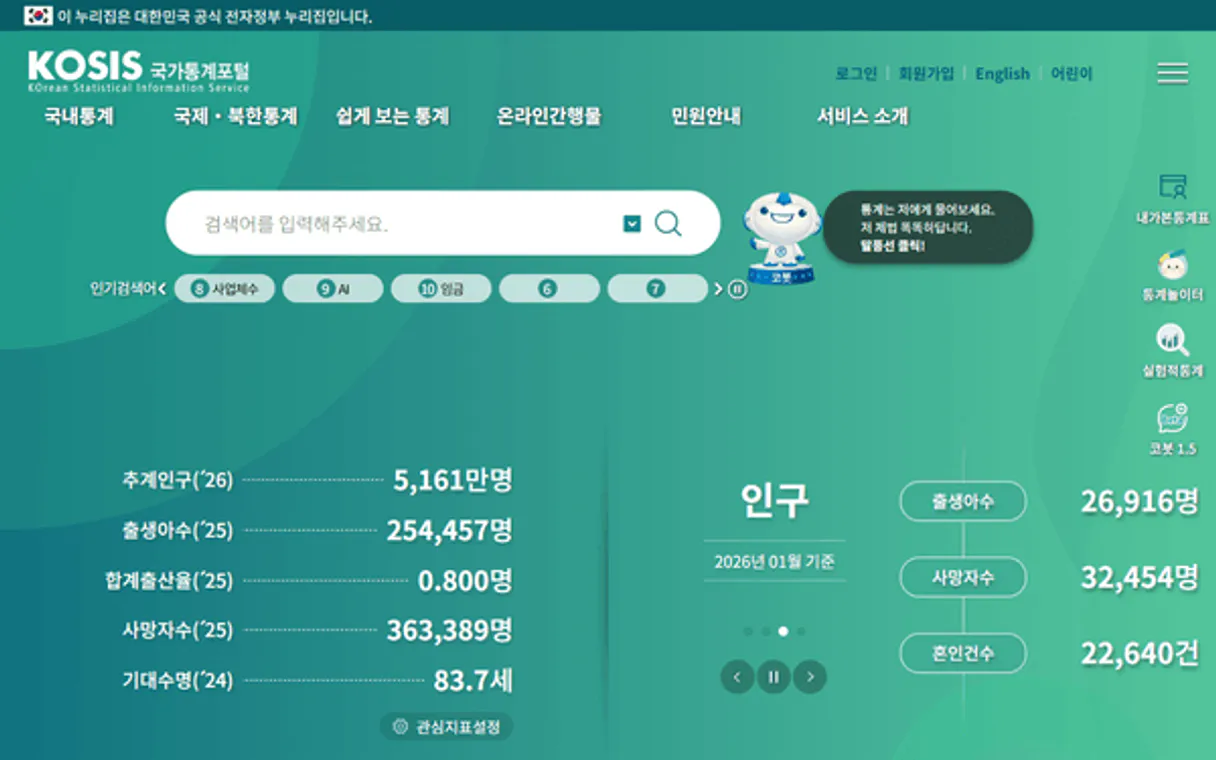
Independent Platform Disclaimer: Vinkius is an independent platform and is not affiliated with, endorsed by, sponsored by, verified by, or otherwise authorized by KOSIS (Statistics Korea). All third-party trademarks, logos, and brand names are the property of their respective owners. Their use on this website is strictly for informational purposes to identify service compatibility and interoperability.
VINKIUS INFRASTRUCTURE
Cloud Hosted
Managed infra
V8 Isolated
Sandboxed per request
Zero-Trust Proxy
No stored credentials
DLP Enforced
Policy on every call
GDPR Compliant
EU data residency
Token Compression
~60% cost reduction
Works with Claude, ChatGPT, Cursor, and more
The Model Context Protocol standardizes how applications expose capabilities to LLMs. Instead of operating in isolation, your AI gains direct access to external platforms, live data, and real-world actions through secure, standardized connections.
This server provides 2 capabilities that interface natively with Claude, ChatGPT, Cursor, and any MCP client. No middleware. No custom integration required.
Available Capabilities
Getting reliable stats shouldn't feel like navigating bureaucracy.
Before this, getting hard data meant jumping between government websites. You’d find a PDF here, an Excel sheet there, and you’d spend hours cross-referencing dates and units just to build one chart. It was manual, slow, and prone to copy/paste errors.
Now, your agent handles the complexity. You simply tell it what data point you need—like semiconductor exports for 2018—and the system handles the search, ID lookup, and raw retrieval process in a single workflow. You get clean numbers, ready for analysis.
South Korea KOSIS MCP Server: Get verified data using `get_korea_stats_data`
The most tedious step used to be figuring out the exact table ID and organization code for a specific metric—was it 'employment rate' or 'labor force participation'? You had to manually sift through dozens of index pages.
Now, you use `search_korea_statistics` to pinpoint the data source. Then, by passing the IDs to `get_korea_stats_data`, you execute a clean, targeted retrieval. It’s immediate, accurate, and verifiable.
Common Questions About South Korea KOSIS MCP
How do I start with South Korea KOSIS MCP Server? +
You always start by using search_korea_statistics. This tool searches the database by keywords (like 'GDP' or 'population') and gives you the IDs needed for the next step.
Do I need to run both tools, `get_korea_stats_data` and `search_korea_statistics`? +
Yes. You must use search_korea_statistics first because it generates the necessary table IDs that you then pass into get_korea_stats_data to actually pull the numbers.
Can I filter data using South Korea KOSIS MCP Server? +
Absolutely. When calling get_korea_stats_data, you can pass start/end period parameters (YYYYMM format) to narrow down the results to a specific time frame.
What data types are available in South Korea KOSIS MCP Server? +
The server covers demographics, national accounts (GDP), trade flows, technology adoption rates, and employment statistics across various industries.
What do I need to use the `get_korea_stats_data` tool? +
You must register for an API key at kosis.kr first. The server requires this credential to authenticate your request before running any queries.
How do I find the necessary identifiers for `get_korea_stats_data`? +
Run the search_korea_statistics tool first. This returns all the required orgId, tableId, and names you need to pass into the data retrieval function.
What formats are accepted for time period filtering in `get_korea_stats_data`? +
The tool accepts two primary date formats: YYYYMM (for full year/month precision) or YYYY (for year-only data). Always check the documentation to confirm which format fits your required granularity.
If I use an incorrect table ID, what should I do? +
The server will return a specific error indicating invalid parameters. You shouldn't guess IDs; always start by calling search_korea_statistics to verify the correct organization and table identifiers.
How do I get a KOSIS API key? +
Register at kosis.kr, then apply for API access in the Open API section. Your API key is issued instantly upon application.
What makes Korean data unique? +
South Korea is the world's leading producer of memory semiconductors and a major hub for display panels, batteries, and shipbuilding. KOSIS provides granular production, export, and trade data for these critical industries that is unavailable from any other source.
Does the API provide historically consistent data? +
Yes, KOSIS standardizes time-series data ensuring that demographic, industrial, and national accounts figures remain historically consistent, often providing data points spanning several decades.
Use it with your favorite AI tools
Connect this server to Cursor, Claude, VS Code, and more.
More in this category
Appbot
Analyze app reviews and sentiment with Appbot — track user feedback, ratings, and topics across iOS and Android via AI.

IBESTAT (Estadística Illes Balears)
Access official statistical data from the Balearic Islands — query operations, resources, and detailed datasets directly from your AI agent.

Storm Glass Marine & Weather
Universal marine and weather intelligence — get global wave, tide, and bio data via AI.
You might also like
MoonMail
Manage email marketing via MoonMail — track campaigns, subscriber lists, and engagement directly from your AI agent.

Blackboard Learn
Manage courses, announcements, attendance, and grades directly from your AI agent via Blackboard Learn.

pgvector (Vector Database)
Run vector similarity searches, manage embedding tables, and build AI-powered retrieval pipelines — all directly inside your existing PostgreSQL database.