
Appbot MCP. Analyze App Reviews and User Sentiment Data
 Gemini
 Works with every AI agent you already use
…and any MCP-compatible client









Just plug in your AI agents and start using Vinkius.
Appbot MCP Server analyzes app reviews and sentiment. Track user feedback, star ratings, and common topics across iOS and Android.
Your AI agent pulls structured data, letting you gauge overall user feeling, find specific bugs, or monitor feature reception from millions of reviews.
What your AI agents can do
Get account info
Retrieves your Appbot account details and confirms the connection status.
Get review details
Fetches the complete text and metadata for one specific user review.
Get reviews by custom topic
Pulls reviews specifically linked to a user-defined custom topic.
The agent determines if a review is positive, negative, neutral, or mixed, giving you a quick gauge of user satisfaction.
You can retrieve reviews using criteria like a specific star rating, a keyword, or a defined app version.
The agent pulls common themes or categories from the reviews, whether they are standard (like 'Performance') or custom-defined.
You can list all apps tracked, available countries, and supported languages to narrow your data scope.
The agent checks your Appbot connection status and retrieves general account details before running analysis.
Ask AI about this MCP
Supported MCP Clients
Gemini Waiting for input…
Appbot MCP Server: 10 Tools for Review and Topic Analysis
Use these tools to pull specific data sets: list apps, filter reviews by country, track topics, or check account details. Everything is designed to give you a clean, structured report.
019d754fget account info
Retrieves your Appbot account details and confirms the connection status.
019d754fget review details
Fetches the complete text and metadata for one specific user review.
019d754fget reviews by custom topic
Pulls reviews specifically linked to a user-defined custom topic.
019d754flist apps
Lists all apps currently tracked by your Appbot account.
019d754flist countries
Provides a list of all countries available for filtering review data.
019d754flist custom topics
Shows all user-defined custom topics you've set up in the Appbot dashboard.
019d754flist languages
Lists all languages that the system supports for sentiment analysis.
019d754flist reviews
Finds reviews for a specific app using optional filters like sentiment, star rating, or keywords.
019d754flist topics
Lists standard topics that the Appbot AI has automatically identified in your reviews.
019d754flist versions
Retrieves a list of app versions detected within your review dataset.
Choose How to Get Started
Build a custom MCP for your own tools, or connect a ready-made integration from our catalog.
Build Your Own
Turn any API into an MCP. Import a spec, define Agent Skills, or deploy with MCPFusion.
- Import from OpenAPI, Swagger, or YAML specs
- Create Agent Skills with progressive disclosure
- Deploy to edge with MCPFusion framework
- Built in DLP, auth, and compliance on every call
- Real time usage dashboard and cost metering
- Publish to catalog or keep private
Make Your AI Do More
Start with Appbot, then connect any of our 4,700+ other servers whenever your AI needs more. One click, no limits.
- Use this MCP plus 4,700+ others, all in one place
- Add new capabilities to your AI anytime you want
- Every connection is secured and compliant automatically
- Track usage and costs across all your servers
- Works with Claude, ChatGPT, Cursor, and more
- New servers added to the catalog every week
What you can do with this MCP connector
Appbot MCP Server gives your AI agent deep insight into your app's user feedback. You'll pull reviews, analyze sentiment trends, and find key topics from your iOS, Android, and other platform reviews using natural language. Before you get started, you can use get_account_info to check your Appbot connection status and grab your account details.
You can then use list_apps to see every app you're tracking. To narrow down your data, check list_countries for all available regions and list_languages for supported languages. You can also check list_custom_topics to see what custom topics you've set up. When you're ready to look at reviews, you can use list_reviews to find reviews for a specific app, filtering by star rating, sentiment, or keywords.
You can get the full scoop on one specific review using get_review_details. To find reviews about a specific subject, use get_reviews_by_custom_topic with a defined topic. The system automatically identifies standard topics with list_topics, or you can pull reviews using list_topics if you want to see what's going on with standard themes.
To keep track of new releases, you can get a list of app versions using list_versions. If you need to drill down into what users are saying about a certain topic, list_custom_topics shows you what's available. You'll get a quick gauge of user satisfaction because the agent analyzes sentiment, determining if a review is positive, negative, neutral, or mixed.
You can filter reviews by criteria like a specific star rating, a keyword, or an app version. You can find out what users are talking about by identifying key topics; the agent pulls common themes, whether they're standard or custom. You can manage your app metadata by listing all tracked apps, available countries, and supported languages to really narrow down your data scope.
The agent checks your Appbot connection status and retrieves general account details before running analysis.
How Appbot MCP Works
- 1 First, connect your Appbot API credentials (Username and Secret) to the MCP Server.
- 2 Next, tell your AI agent what you need. For example: 'Show me negative reviews for the latest version in Germany.'
- 3 The agent runs the necessary tools, pulls the data, and gives you a summary of the findings, like the top three complaints.
The bottom line is, you talk to your agent like you talk to a human analyst; it handles the API calls and data processing in the background.
Who Is Appbot MCP For?
Product Managers need this when they want to know if the latest feature actually solved the pain point, not just if people are giving 4 stars. Customer Support Leads use it to spot emerging issues—like a sudden spike in 'login failure' complaints—before they flood the help desk. App Developers rely on it to filter technical feedback, keeping bug reports separate from general usability comments.
Evaluates the reception of new features and pinpoints specific pain points by filtering reviews and analyzing sentiment against defined product goals.
Monitors overall sentiment and spots emerging, systemic issues by running global insights across different languages or regions.
Tracks technical feedback and bug reports by filtering reviews by keywords or specific app versions, keeping the code review cycle efficient.
What Changes When You Connect
- See global user trends by filtering reviews by country or language. You can understand regional pain points—for instance, noticing a bug only affects users in Brazil, using the
list_countriestool. - Pinpoint exact technical failures. Instead of sifting through thousands of reviews, use
list_reviewsto filter by a specific app version or a bug keyword, saving hours of manual searching. - Gauge feature success instantly. Use
list_topicsto see which standard themes are popping up. If 'Onboarding' suddenly rises, you know exactly where to focus your next dev sprint. - Track feature reception over time. By using
list_versions, you compare feedback from v2.1 to v3.0. This shows if your new update actually fixed the issues from the last release. - Understand the 'why' behind the stars.
get_reviews_by_custom_topiclets you build specialized reports. You can track 'Login Issues' or 'Billing Questions' separately from general 'Usability' feedback. - Avoid manual data cleanup. The server automatically processes sentiment, so you get a clean classification (Positive/Negative/Neutral) without needing to write complex parsing logic.
Real-World Use Cases
Investigating a Major Performance Drop
A developer notices user complaints spiked last week. They use list_versions to isolate reviews from the current build (v3.2). They then run list_reviews filtered by 'lag' and 'performance' to quickly confirm the scope and severity of the bug.
Understanding a New Market's Needs
The marketing team wants to launch in Japan. They use list_countries and list_languages to narrow down the data. They run list_reviews on the filtered set, revealing that the primary complaint isn't the UI, but the payment flow, informing the product roadmap.
Tracking Post-Launch Feature Health
The Product Manager just shipped a revamped checkout flow. They use get_reviews_by_custom_topic to monitor only 'Checkout' feedback for the next month. They then run sentiment analysis on those results to measure the feature's actual impact.
Debugging a Specific User Complaint
A customer support agent gets a complaint about a specific interaction. They use get_review_details to grab the full text, and then use the agent to identify the specific standard topic and sentiment to provide a detailed report to the engineering team.
The Tradeoffs
Over-relying on general search
Just asking the agent, 'What are people complaining about?' This returns a huge, unorganized wall of text that requires you to read through hundreds of reviews to find the signal.
→
Use list_reviews with specific filters. Start by calling list_apps to confirm the app ID, then filter by starRating (e.g., 1 star) and run sentiment analysis to narrow the focus immediately.
Ignoring data segmentation
Running a general sentiment analysis across all time and all regions. You might find 'Negative' sentiment, but you won't know if it's a global issue or isolated to one country.
→
Always start by using list_countries and list_languages to scope the data. Then, run list_reviews on the subset to confirm the root cause before drawing conclusions.
Mixing up topic types
Assuming that the general 'Performance' topic found via list_topics is the same as a specific 'Slow Loading' issue found via a custom topic.
→
Check the data source. If the issue is recurring and needs continuous tracking, use list_custom_topics. If it's a general, high-level theme, use list_topics.
When It Fits, When It Doesn't
Use this server if your core problem is understanding why users feel the way they do. You need to move beyond just knowing the star rating and actually categorize the complaints, the bugs, or the successful features. You should use it when you need to filter reviews by multiple dimensions: app version, country, sentiment, AND a keyword.
Don't use this if you just need a simple list of recent reviews. For that, list_reviews is enough. Don't use it if you only need to know the total count of reviews. The complexity of Appbot is for deep analysis, not simple data fetching. If you only need to know which countries are supported, just call list_countries.
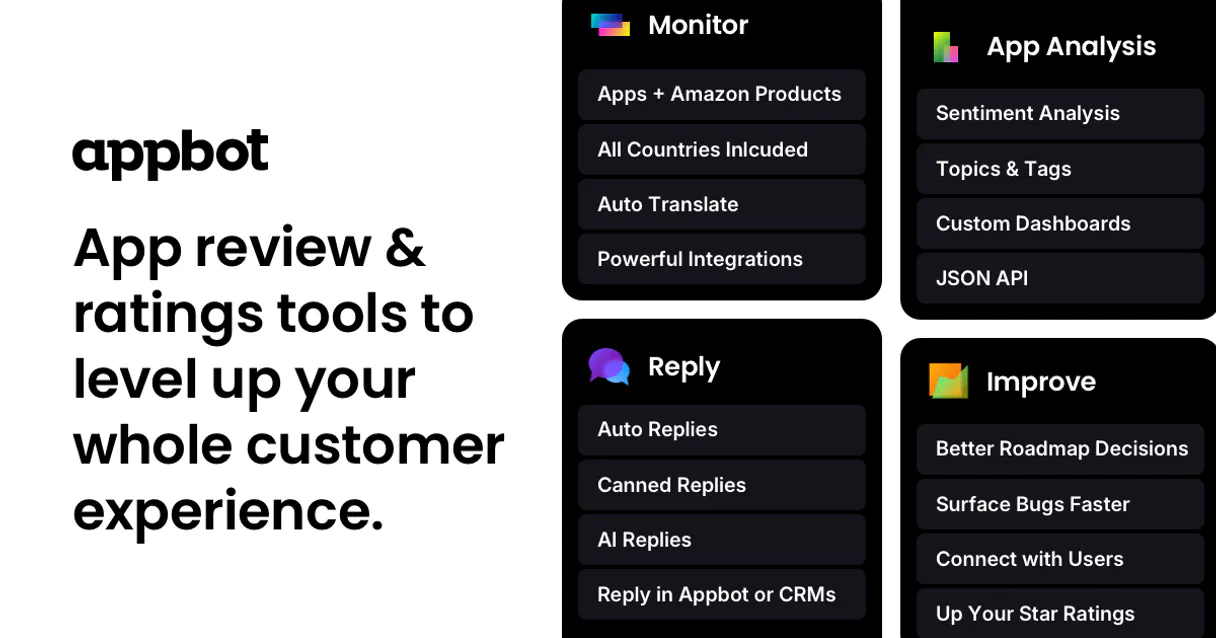
Independent Platform Disclaimer: Vinkius is an independent platform and is not affiliated with, endorsed by, sponsored by, verified by, or otherwise authorized by Appbot. All third-party trademarks, logos, and brand names are the property of their respective owners. Their use on this website is strictly for informational purposes to identify service compatibility and interoperability.
VINKIUS INFRASTRUCTURE
Cloud Hosted
Managed infra
V8 Isolated
Sandboxed per request
Zero-Trust Proxy
No stored credentials
DLP Enforced
Policy on every call
GDPR Compliant
EU data residency
Token Compression
~60% cost reduction
Works with Claude, ChatGPT, Cursor, and more
The Model Context Protocol standardizes how applications expose capabilities to LLMs. Instead of operating in isolation, your AI gains direct access to external platforms, live data, and real-world actions through secure, standardized connections.
This server provides 10 capabilities that interface natively with Claude, ChatGPT, Cursor, and any MCP client. No middleware. No custom integration required.
Available Capabilities
Sifting through thousands of reviews is a full-time job.
Every Product Manager knows the pain: The support dashboard is a firehose of raw text. You spend hours copy-pasting snippets into spreadsheets, manually grouping complaints into 'Login' vs. 'UI' vs. 'Payment.' You're just trying to find the signal in the noise.
With the Appbot MCP Server, you don't read reviews; you query them. You ask your agent, 'What are the top 3 recurring issues for Android users who rated it 1 star?' You get structured data: a list of bugs, the percentage of users affected, and the overall sentiment score.
Appbot MCP Server: Get structured feedback and topics from reviews
Forget manually checking which app version generated the complaint, or if the language filter was right. The Appbot MCP Server handles all the scoping for you. It manages the connection via `get_account_info` and runs the complex filtering required to narrow down the scope.
You just talk to your agent. It handles the multi-step filtering—checking the app ID, then the version, then the country—and delivers a clean, actionable report. It’s analysis, not just data retrieval.
Common Questions About Appbot MCP
How do I use the list_reviews tool in Appbot MCP Server? +
You call list_reviews by specifying the app ID and then applying filters like starRating=1 or sentiment=negative. This narrows down the results immediately, so you only see the most relevant complaints.
What is the difference between list_topics and list_custom_topics in Appbot MCP Server? +
Standard topics are general themes (like 'Performance') automatically found by Appbot AI (list_topics). Custom topics are specific themes you define and want to track for your product, like 'Widget Bug' or 'Dark Mode.'
Can Appbot MCP Server analyze reviews by app version? +
Yes, you use the list_versions tool first to get the version numbers, and then filter your review search using those specific versions to see if a bug was introduced in a new release.
Does Appbot MCP Server support multiple languages? +
Yes, the list_languages tool shows you which languages are supported. You can then filter reviews by these languages to get global insights, even if your team is based in one country.
How do I use the list_languages tool to filter my reviews? +
You first call list_languages to see all supported languages. Then, you pass the desired language code to list_reviews to narrow down the results for sentiment analysis.
What is the role of list_countries when running a review analysis? +
list_countries provides a list of available geographic filters. You use the resulting country codes to refine list_reviews and understand your global audience's feedback.
If I get an API error, how does `get_account_info` help me troubleshoot? +
get_account_info confirms your connection status and provides necessary account details. Check this tool first when troubleshooting access issues or unexpected data gaps.
Which tool should I use to find reviews for a specific app version? (list_versions) +
You should use list_versions to get the exact version number. Then, pass that version number as a filter when calling list_reviews to target feedback for that specific release.
How do I find my Appbot API credentials? +
Log in to your Appbot dashboard, go to your team settings, and navigate to the API section. You can generate an API Key which consists of a Username and a Password.
Can I filter reviews for a specific app version? +
Yes, you can use the list_versions tool to see detected versions and then use the list_reviews tool with the version filter to see feedback for that specific release.
What types of sentiment does Appbot detect? +
Appbot classifies reviews into four sentiment categories: positive, negative, neutral, and mixed. You can filter reviews using these categories in the list_reviews tool.
Use it with your favorite AI tools
Connect this server to Cursor, Claude, VS Code, and more.
More in this category

Intercom
Connect with customers through AI-powered chat, targeted messages, and product tours that drive engagement and reduce churn.

Wati
Send WhatsApp template and session messages, and manage contacts on Wati — the leading WhatsApp Business API solution.

Zendesk QA (Klaus)
Export QA reviews, search conversations, and import ticket data via the Klaus (Zendesk QA) API.
You might also like

Arize AI
Automate LLM and ML observability via Arize — monitor models, track telemetry, run evaluations, and analyze data drift directly from any AI agent.

Zerion (DeFi Portfolio)
Track DeFi portfolios, NFT holdings, and transaction history across 500+ protocols and multiple chains via Zerion.

AudD Music Recognition
Universal music recognition — identify songs from URLs, search lyrics, and find streaming links via AI.