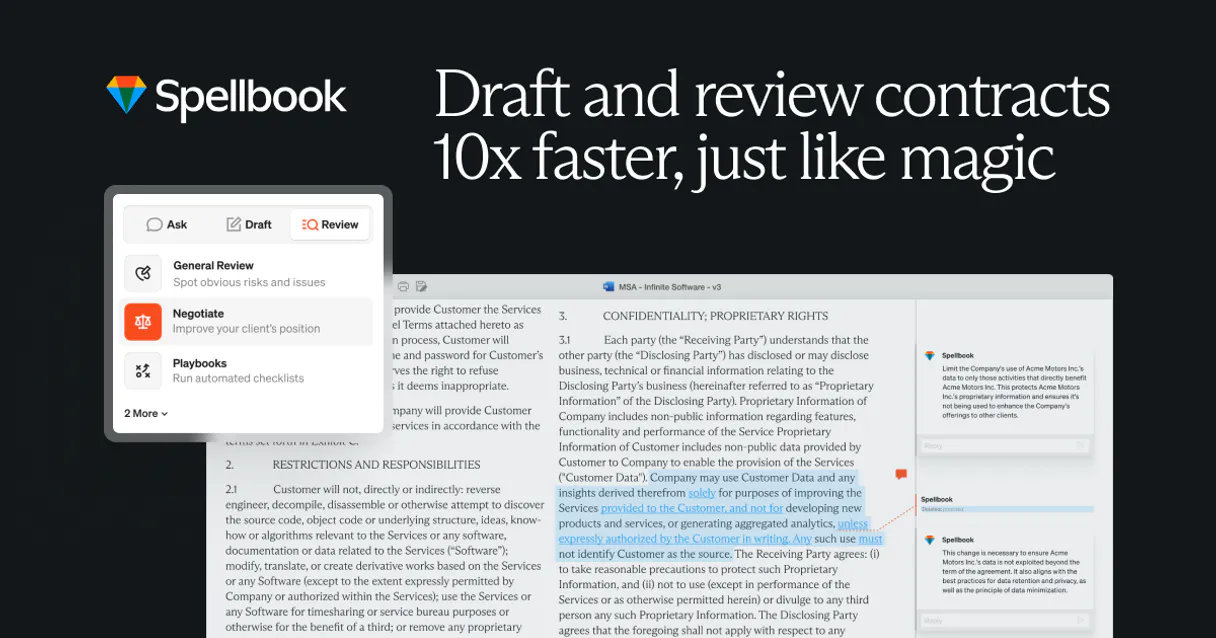
Spellbook Legal AI MCP. Identify risks, draft clauses, and compare market standards.
Works with every AI agent you already use
…and any MCP-compatible client

Just plug in your AI agents and start using Vinkius.
Spellbook Legal AI is an MCP server for drafting and analyzing legal contracts. It lets your agent review complex documents for risk, suggests market-standard clauses, compares contract versions, and checks compliance against internal playbooks using over 2,000 established precedents.
What your AI agents can do
Analyze spellbook contract
Analyzes a specific contract document for general risks, issues, or targeted compliance checks.
Check spellbook playbook
Compares a given contract against your company's pre-defined playbook rules to check for deviations.
Compare spellbook contracts
Flags and details every difference between two different versions of the same document.
Analyzes an uploaded or specified document to pinpoint high-risk clauses, missing provisions, and non-standard terms.
Generates precise contract language (e.g., Limitation of Liability) based on required jurisdiction and which party's interests need protecting.
Identifies all changes—additions, deletions, or modifications—between two different document IDs.
Compares specific clause terms against known market standards (pro-buyer, pro-seller, and neutral) to show where a contract deviates.
Lists or searches your stored contracts by status (e.g., 'In Review') or type (e.g., 'NDA'), making retrieval fast.
Ask AI about this MCP
Supported MCP Clients
Waiting for input…
Spellbook Legal AI MCP Server: 13 Tools for Contract Law
These tools let your agent perform every function a contract lawyer needs—from drafting new clauses to flagging subtle changes between document versions.
019d760banalyze spellbook contract
Analyzes a specific contract document for general risks, issues, or targeted compliance checks.
019d760bcheck spellbook playbook
Compares a given contract against your company's pre-defined playbook rules to check for deviations.
019d760bcompare spellbook contracts
Flags and details every difference between two different versions of the same document.
019d760bdraft spellbook clause
Generates a new, specific contract clause based on type, jurisdiction, and required party position.
019d760bget spellbook clause suggestions
Provides AI-generated suggestions for clauses that could strengthen an existing contract document.
019d760bget spellbook document
Retrieves detailed metadata and information about a specific, identified contract document.
019d760bget spellbook market comparison
Presents how a clause's terms stack up against market-standard positions (buyer/seller/neutral).
019d760bget spellbook risk assessment
Provides a detailed, structured risk score and remediation advice for an entire contract document.
019d760blist spellbook documents
Retrieves a list of all your stored contracts, allowing filtering by status or date range.
019d760bsearch spellbook clause library
Finds standard, tested clause language within the platform's massive internal legal library.
019d760bsearch spellbook documents
Searches your stored contract documents using general keywords or document names.
019d760bsummarize spellbook contract
Creates a concise summary of a lengthy contract, pulling out key obligations and terms.
019d760bupload spellbook document
Sends a new document file to the platform for initial analysis and storage within your library.
Choose How to Get Started
Build a custom MCP for your own tools, or connect a ready-made integration from our catalog.
Build Your Own
Turn any API into an MCP. Import a spec, define Agent Skills, or deploy with MCPFusion.
- Import from OpenAPI, Swagger, or YAML specs
- Create Agent Skills with progressive disclosure
- Deploy to edge with MCPFusion framework
- Built in DLP, auth, and compliance on every call
- Real time usage dashboard and cost metering
- Publish to catalog or keep private
Make Your AI Do More
Start with Spellbook Legal AI, then connect any of our 4,700+ other servers whenever your AI needs more. One click, no limits.
- Use this MCP plus 4,700+ others, all in one place
- Add new capabilities to your AI anytime you want
- Every connection is secured and compliant automatically
- Track usage and costs across all your servers
- Works with Claude, ChatGPT, Cursor, and more
- New servers added to the catalog every week
What you can do with this MCP connector
Spellbook Legal AI lets your agent handle complex contracts—drafting them and tearing apart the fine print. You connect this server to your preferred client, and you get professional-grade contract analysis right where you need it.
Handling Document Lifecycle & Retrieval:
You can keep track of everything with list_spellbook_documents, which pulls a complete list of all your stored contracts; you'll also find that using search_spellbook_documents lets you quickly locate documents by general keywords or name. For more granular control, if you know the document ID, get_spellbook_document gives you all the metadata about that specific contract.
When a new deal comes in, just use upload_spellbook_document to send it over for storage and initial analysis within your library. To make sense of massive legal texts, run summarize_spellbook_contract, and you'll get a clean summary that pulls out the key terms and obligations without the fluff.
For deep research, you can search standard language using search_spellbook_clause_library to find tested clauses in the platform's massive internal library. If you need to know exactly what kind of risk a contract has, run get_spellbook_risk_assessment; it gives you a detailed, structured score and tells you how to fix high-risk areas.
For specific compliance checks against your company rules, use check_spellbook_playbook, which compares the document directly against your pre-defined playbook guidelines.
Drafting and Improving Clauses:
Need language that'll hold up in court? You can generate brand new clauses using draft_spellbook_clause. This tool lets you specify the clause type, the required jurisdiction, and which party needs its interests protected. If the contract is solid but could be tougher, run get_spellbook_clause_suggestions to get AI-generated ideas that strengthen existing text.
To see how a specific clause stacks up against the industry norm—whether it favors the buyer, the seller, or is neutral—you use get_spellbook_market_comparison. When you're dealing with two different versions of the same agreement, compare_spellbook_contracts flags every single change; it details additions, deletions, and modifications between Document A and Document B.
Finally, if you just need to check a document for general risks, specific issues, or targeted compliance points—not against your internal rules—you run analyze_spellbook_contract.
How Spellbook Legal AI MCP Works
- 1 Subscribe to the server and enter your Spellbook API key in your agent's settings.
- 2 Start by using a high-level function, like
list_spellbook_documents, to get or upload the document IDs you need for analysis. - 3 Then, call specialized tools—for example, run
analyze_spellbook_contractwith the correct ID and desired analysis type.
The bottom line is: your AI client uses these structured calls to access deep legal knowledge that plain chat models don't have.
Who Is Spellbook Legal AI MCP For?
Transactional lawyers, in-house counsel, and contract managers. You use this when you need to prove a document is legally sound or spot exactly where the negotiating partner went wrong. Stop guessing if a clause holds up—let your agent check it against thousands of precedents.
Uses draft_spellbook_clause and get_spellbook_market_comparison to quickly build complex clauses that satisfy specific client demands.
Runs list_spellbook_documents and filters them by status or type, ensuring the entire contract workflow remains auditable and compliant.
Employs check_spellbook_playbook to automatically verify vendor contracts against internal corporate standards before they ever hit a signature page.
What Changes When You Connect
- Spotting hidden risk: Instead of reading 50 pages to find one problem spot, running
get_spellbook_risk_assessmentgives you a structured report detailing high-priority issues. You get remediation advice right away. - Instant clause drafting: Need an Indemnification clause for Delaware? Use
draft_spellbook_clause. It handles the jargon and jurisdiction rules, saving you hours of deep research. - Never miss a change: If two parties send updated drafts, running
compare_spellbook_contractsinstantly flags every single difference—not just 'changes,' but additions, deletions, and modifications. This is crucial for due diligence. - Market-grade knowledge: Don't rely on memory or basic LLM training. Use
get_spellbook_market_comparisonto see if your current clause aligns with the market standard (65% consensus) vs. a single party's aggressive position. - Full document lifecycle control: From uploading with
upload_spellbook_documentto filtering finalized records usinglist_spellbook_documents, you manage every contract stage in one place.
Real-World Use Cases
Vetting a vendor agreement for compliance
A legal ops manager receives an MSA from a new vendor. They first use upload_spellbook_document to ingest the file. Then, they run check_spellbook_playbook against it. The agent flags three deviations: one regarding data retention and two related to required insurance minimums. The manager knows exactly which clauses need renegotiation before signing.
Comparing negotiation drafts
You're finalizing a partnership contract, but you have the initial draft (ID 123) and the final version from opposing counsel (ID 456). Instead of manually comparing side-by-side in Word, running compare_spellbook_contracts instantly shows that they added a new liability cap and deleted your preferred termination clause. You fix it immediately.
Quickly generating boilerplate language
You need to add a confidentiality agreement for a client in California, but you don't want the default text. Running draft_spellbook_clause with parameters (Confidentiality, pro-buyer, California) generates perfectly formatted, jurisdictionally aware text that you can copy/paste directly.
Analyzing a messy contract pile
You just dumped 10 contracts on your desk. Instead of reading them all, you upload the batch and run get_spellbook_risk_assessment for each one. The agent returns a clear list: Document A is Medium-High risk (due to liability), while Document B needs minor revisions.
The Tradeoffs
Asking general LLMs to check legality
Prompting an AI client generally, 'Is this contract okay?' This yields vague platitudes and cannot pinpoint specific legal risks or compare against actual market precedents.
→
You must use the specialized tools. First, run get_spellbook_risk_assessment on the document ID, then follow up with get_spellbook_market_comparison to validate any questionable clauses.
Trying to find a clause by keyword only
Using general search functions that pull irrelevant results because they can't distinguish between 'mentioning' a term and 'enacting' a legal rule. It gives you volume, not value.
→
Use search_spellbook_clause_library to retrieve vetted, standard clauses written for specific purposes (e.g., 'Indemnification'). This guarantees quality.
Forgetting the document ID
Simply uploading a file and asking it to analyze without confirming the document's unique ID first. The system might process the upload but lose the context needed for subsequent calls.
→
Always use list_spellbook_documents or confirm the output of upload_spellbook_document to grab the correct document ID, then pass that explicit ID into analysis tools like analyze_spellbook_contract.
When It Fits, When It Doesn't
Use this server if your task involves comparing legal texts, drafting specialized clauses, or checking compliance against external standards. You need depth and precedent knowledge.
Don't use it if you are simply summarizing a document (use summarize_spellbook_contract instead) or extracting basic facts like dates/names. For pure data retrieval, other simple APIs might suffice. However, if the task is 'Is this clause legally sound?'—this server is necessary because it connects to 2,000+ market precedents that no general LLM knows.
Independent Platform Disclaimer: Vinkius is an independent platform and is not affiliated with, endorsed by, sponsored by, verified by, or otherwise authorized by Spellbook Legal AI. All third-party trademarks, logos, and brand names are the property of their respective owners. Their use on this website is strictly for informational purposes to identify service compatibility and interoperability.
VINKIUS INFRASTRUCTURE
Cloud Hosted
Managed infra
V8 Isolated
Sandboxed per request
Zero-Trust Proxy
No stored credentials
DLP Enforced
Policy on every call
GDPR Compliant
EU data residency
Token Compression
~60% cost reduction
Works with Claude, ChatGPT, Cursor, and more
The Model Context Protocol standardizes how applications expose capabilities to LLMs. Instead of operating in isolation, your AI gains direct access to external platforms, live data, and real-world actions through secure, standardized connections.
This server provides 13 capabilities that interface natively with Claude, ChatGPT, Cursor, and any MCP client. No middleware. No custom integration required.
Available Capabilities
Manually comparing contracts and clauses sucks time out of your week.
Today, checking a contract requires jumping between Word documents, PDF readers, and spreadsheet comparisons. You’re hunting for discrepancies in liability caps or missing definitions—a tedious process that means you're spending billable hours just comparing texts instead of advising on them.
With this MCP server, the comparison is automated. Running `compare_spellbook_contracts` instantly shows every single line added, deleted, or modified between two versions. You get a clean, actionable list, not a stack of redlines.
Spellbook Legal AI: Draft clauses and assess contractual exposure.
Before this server, drafting complex language—say, an Indemnification clause that accounts for three different state laws—required consulting multiple specialized guides. You had to manually build the text from component parts, increasing risk with every omission.
Now, you simply tell your agent what you need: 'Draft a pro-buyer limitation of liability clause for New York.' The `draft_spellbook_clause` tool handles all the complex legal boilerplate and jurisdiction rules in one call. It's done.
Common Questions About Spellbook Legal AI MCP
What types of contracts can Spellbook analyze? +
Spellbook can analyze a wide range of commercial contracts including NDAs, MSAs, SOWs, employment agreements, vendor agreements, customer contracts, licensing agreements, real estate contracts, and more. The AI is trained on thousands of market precedents and can identify risks, non-standard terms, and missing clauses across all common commercial contract types.
How does the market comparison feature work? +
The market comparison feature compares your contract clauses against 2,000+ market precedents to show how your terms compare to market standards. It shows pro-buyer, pro-seller, and market-standard positions for each clause type, helping you understand whether your terms are favorable, aggressive, or in line with market norms.
How do I get a Spellbook API key? +
Visit Spellbook.legal and sign up for an account. Navigate to Settings → Integrations or API Settings in your account dashboard to generate an API key. The key gives you access to contract analysis, clause drafting, risk detection, and market comparison features. Contact Spellbook support if you need help setting up API access.
Can Spellbook draft custom clauses for specific jurisdictions? +
Yes! When drafting clauses with draft_spellbook_clause, you can specify the jurisdiction (e.g. New York, Delaware, California, UK, EU), party position (pro-buyer, pro-seller, neutral), and custom instructions. The AI generates clauses tailored to the specified jurisdiction's legal requirements and your preferred negotiating position.
How do I use the `list_spellbook_documents` tool to organize my contract library? +
The tool lets you filter your documents by status, type, or date range. You can specify parameters like 'In Review' for current work or narrow results to a specific document type (e.g., NDA).
When I use `upload_spellbook_document`, what format must the file content be in? +
The tool requires the file content to be Base64-encoded. You must provide both a file name and the encoded content, along with the document type, for Spellbook to analyze it.
How does the `analyze_spellbook_contract` tool handle different levels of contract review? +
You control the depth using the optional analysis_type parameter. You can run a 'full' review (default), check for risks only, or focus solely on specific clause compliance checks.
What does the `compare_spellbook_contracts` tool identify when comparing drafts? +
It shows precise differences between two contract versions using their respective document IDs. You can specify whether you want a full comparison or limit the output to just clauses and risks.
Use it with your favorite AI tools
Connect this server to Cursor, Claude, VS Code, and more.
More in this category
Hugging Face
Access thousands of pre-trained AI models for NLP, vision, and audio tasks with the largest open-source machine learning hub.
Linkup (AI Search & RAG)
Power your AI agents with real-time web search via Linkup — execute semantic queries and extract RAG-ready content.
AirOps
AI workflow orchestration — execute models, manage agents, and query memory via AI.
You might also like
Autobidder
Optimize your ad spend with AI-powered bidding strategies that automatically adjust bids across advertising platforms.
Hevo Data (ETL & Data Pipeline)
Manage data pipelines via Hevo — list pipelines, monitor destinations, and track usage.
Precisely
Equip your AI with precise location intelligence — geocode addresses, resolve property risks, calculate local taxes, and analyze demographics globally.