
Sympla MCP. Manage event check-ins and attendee data directly from your chat.
 Gemini
 Works with every AI agent you already use
…and any MCP-compatible client









Just plug in your AI agents and start using Vinkius.
Sympla MCP Server gives your AI agent direct control over event ticketing, attendance lists, and sales data from Sympla. You can list events, pull full participant rosters, process check-ins by ticket number or ID, and get real-time revenue stats—all without opening a browser.
What your AI agents can do
Checkin participant by id
Validates a person's entry using their specific participant ID number.
Checkin participant by ticket
Validates a person's entry by submitting the associated ticket number.
Get event details
Retrieves detailed information about one specific event using its ID.
Validate an attendee's entry into the event using either their unique participant ID or their ticket number.
Fetch a list of every published event associated with your Sympla account.
Get the complete roster of participants for an event, allowing filtering by date or ticket status.
Fetch detailed information about a specific customer order (purchase) and monitor its payment status.
Look up a single person's full profile details using their unique participant ID.
Ask AI about this MCP
Supported MCP Clients
Gemini Waiting for input…
Sympla MCP Server: 10 Tools for Event Management
These tools let your agent list events, pull participant rosters, track orders, and automate check-ins directly from the Sympla platform.
019d8486checkin participant by id
Validates a person's entry using their specific participant ID number.
019d8486checkin participant by ticket
Validates a person's entry by submitting the associated ticket number.
019d8486get event details
Retrieves detailed information about one specific event using its ID.
019d8486get order details
Gets full details for a single order, including payment status and associated items.
019d8486get participant details
Fetches the complete profile information for one participant using their ID.
019d8486list event orders
Retrieves a list of all purchase orders made for a specific event.
019d8486list event participants
Lists every participant registered for an event, allowing filtering by status or date range.
019d8486list event presentations
Retrieves a list of presentations associated with multi-date events.
019d8486list events
Lists all distinct events that belong to your Sympla account.
019d8486search participant by ticket
Finds a participant's record using only their ticket number, which is useful for quick lookups.
Choose How to Get Started
Build a custom MCP for your own tools, or connect a ready-made integration from our catalog.
Build Your Own
Turn any API into an MCP. Import a spec, define Agent Skills, or deploy with MCPFusion.
- Import from OpenAPI, Swagger, or YAML specs
- Create Agent Skills with progressive disclosure
- Deploy to edge with MCPFusion framework
- Built in DLP, auth, and compliance on every call
- Real time usage dashboard and cost metering
- Publish to catalog or keep private
Make Your AI Do More
Start with Sympla, then connect any of our 4,700+ other servers whenever your AI needs more. One click, no limits.
- Use this MCP plus 4,700+ others, all in one place
- Add new capabilities to your AI anytime you want
- Every connection is secured and compliant automatically
- Track usage and costs across all your servers
- Works with Claude, ChatGPT, Cursor, and more
- New servers added to the catalog every week
What you can do with this MCP connector
Listen up. This server gives your AI agent direct control over everything happening at Sympla—the whole ticketing process. You're not opening a browser; you just talk to your agent and it handles the data for you. It lets you list events, pull full participant rosters, check people in using their ticket number or ID, and grab real-time sales stats.
Finding Events and People.
Need to know what's going on? You can start by getting a rundown of every distinct event tied to your Sympla account using list_events. If you need the deep dive on one specific show, use get_event_details with the ID. When it comes to attendees, you pull all the data through list_event_participants, which gives you the complete roster for an event.
You can narrow that list down by date range or even filter people based on their ticket status. If you just need a person's full background—their profile—you grab those details with get_participant_details using their unique participant ID. Need to find someone fast? You can search for any registered person just by knowing their ticket number, running through the search_participant_by_ticket tool.
Processing Tickets and Payments.
You gotta manage the money side of things, right? To see what was bought, you use list_event_orders, which pulls a list of all purchase orders for an event. If you need to know the full breakdown of one specific transaction—like checking payment status or seeing exactly what items were purchased—you run get_order_details.
Running Check-Ins.
This is where it gets real. You can process check-ins programmatically for speed. If you have a participant's unique ID, your agent validates their entry using checkin_participant_by_id. Alternatively, if they just hand over the ticket stub, you validate them with checkin_participant_by_ticket by submitting that associated ticket number.
It’s all about direct action. You use these tools to pull data on event listings and details (list_events, get_event_details), get full participant lists and profiles (list_event_participants, get_participant_details), process payments and check order status (list_event_orders, get_order_details), or run a quick check-in using either the person's ID number (checkin_participant_by_id) or their ticket number (checkin_participant_by_ticket).
You can also quickly find an attendee record by running search_participant_by_ticket.
How Sympla MCP Works
- 1 Subscribe to the server and log in with your Sympla account credentials.
- 2 Go to Integrations > API on Sympla to generate a Personal Access Token (s_token) and identify the necessary Event IDs.
- 3 Input your s_token and specific Event IDs into the provided fields, then call the required tool.
The bottom line is: you provide the token and event context, and the agent handles the API calls to get the data you need.
Who Is Sympla MCP For?
Event organizers who hate manual check-in sheets. Marketing ops staff needing real-time sales numbers without logging into a dashboard. Venue managers integrating event data directly into facility systems.
Needs to automate daily attendee list pulls and process bulk check-ins right before the doors open.
Tracks ticket sales performance against revenue targets, needing immediate data on occupancy rates after a campaign launch.
Integrates event attendance data into broader facility management systems to track physical resource usage and capacity limits.
What Changes When You Connect
- You can automate check-in. Instead of scanning barcodes manually, call
checkin_participant_by_idorcheckin_participant_by_ticketto process entry instantly. - Roster management gets easier. Use
list_event_participantsto pull the full attendee list and filter it by ticket status—no more manual CSV sorting. - Track revenue in real-time. By calling tools that access performance metrics, you get sales data (like occupancy rate) directly into your conversation, bypassing dashboard logins.
- Understand purchases fully.
get_order_detailslets you look up a specific transaction to confirm payment status or retrieve the necessary QR code for verification. - See all your events at once. The
list_eventstool gives you an immediate inventory of every event published under your account ID.
Real-World Use Cases
The daily check-in rush
A coordinator needs to process 200 attendees at a conference. Instead of running the physical scanner and logging into Sympla, they ask their agent: 'Check in everyone with ticket numbers starting ABC.' The agent uses checkin_participant_by_ticket repeatedly until all entries are confirmed.
Post-event sales summary
A marketing manager asks for the performance of a recent festival. The agent calls tools that aggregate sales data, returning not just the total revenue figure but also showing peak selling hours and current occupancy rate via get_event_details.
Investigating a missing attendee
An ops team member needs to find out who bought tickets for an event last month. They prompt the agent: 'List all participants for Event ID 123, filtered by General Admission tickets.' The agent uses list_event_participants and filters the results immediately.
Verifying a single ticket buyer
A venue staff member has only a partial record of an attendee. They use the agent to 'Find participant with ticket TKT-901'. The agent executes search_participant_by_ticket, providing the staff member with the full profile details in seconds.
The Tradeoffs
Asking for data without IDs
User asks: 'Show me all event sales.' This is too vague. The system doesn't know which account, date range, or specific event to pull the numbers from.
→
Always specify context. Use list_events first to narrow down the Event ID. Then use get_event_details with that precise ID to get accurate performance data.
Assuming participant status
User asks: 'Did John Doe come?' Without enough info, you can't answer. The system needs a unique identifier or ticket number.
→
Start by calling get_participant_details using the known ID. If that fails, try running search_participant_by_ticket with their ticket number.
Mixing up participant and order data
User asks: 'What is John's payment status?' Payment status belongs to the order, not the person. The agent needs separate calls.
→
First use get_participant_details for the person. Second, use list_event_orders (with the event ID) and then get_order_details using the specific Order ID.
When It Fits, When It Doesn't
Use this server if your primary need is managing the lifecycle of people and tickets within a structured event environment. If you only need to read general platform data (like user names or simple text records), another database connector might work better.
Don't use it if:
* You need to manage vendor payments outside of Sympla's ticketing system; those require different financial tools.
* Your primary goal is scheduling meetings across multiple calendars, in which case a calendar API (Google or Outlook) would be necessary.
You must use this server if you are dealing with the specific actions: checking people in (checkin_participant_by_id), listing registrations (list_event_participants), or seeing transaction details (get_order_details). These tools require Sympla's unique context and data structure.

Independent Platform Disclaimer: Vinkius is an independent platform and is not affiliated with, endorsed by, sponsored by, verified by, or otherwise authorized by Sympla. All third-party trademarks, logos, and brand names are the property of their respective owners. Their use on this website is strictly for informational purposes to identify service compatibility and interoperability.
VINKIUS INFRASTRUCTURE
Cloud Hosted
Managed infra
V8 Isolated
Sandboxed per request
Zero-Trust Proxy
No stored credentials
DLP Enforced
Policy on every call
GDPR Compliant
EU data residency
Token Compression
~60% cost reduction
Works with Claude, ChatGPT, Cursor, and more
The Model Context Protocol standardizes how applications expose capabilities to LLMs. Instead of operating in isolation, your AI gains direct access to external platforms, live data, and real-world actions through secure, standardized connections.
This server provides 10 capabilities that interface natively with Claude, ChatGPT, Cursor, and any MCP client. No middleware. No custom integration required.
Available Capabilities
Manual check-ins are a nightmare. Finding who showed up shouldn't take 20 clicks.
Today, managing attendance means juggling spreadsheets, physical sign-in sheets, and the Sympla dashboard. You have to manually cross-reference names against ticket numbers—it’s slow, error-prone, and you're always racing the clock right before doors open.
With this MCP server, you skip all that friction. Simply tell your agent: 'Process check-ins for all participants in Event ID 123.' The agent runs `list_event_participants` and then uses `checkin_participant_by_ticket`, updating the record instantly. You get a clean confirmation count—no more manual data cleanup.
Using `get_order_details`: Knowing exactly what was purchased.
Before, if a customer questioned their payment or you needed to verify a ticket purchase, you had to navigate deep into the order management area. You'd find an Order ID, copy it, switch tabs, and manually inspect the details—a massive time sink.
Now, your agent handles that lookup in one step. Give it an Order ID, and `get_order_details` gives you everything: payment status, items bought, and even the QR code data. It's immediate verification.
Common Questions About Sympla MCP
How do I get a full list of all attendees for my event using list_event_participants? +
You must provide the Event ID first. The agent runs list_event_participants and returns every registered person, allowing you to filter that roster by ticket status or registration date.
Can I check someone in using only their name? (checkin_participant_by_id) +
No. The checkin_participant_by_id tool requires a unique participant ID to validate the entry. You must pass that specific number.
What is the difference between list_event_participants and search_participant_by_ticket? +
Use list_event_participants when you need to see a large group (the entire roster). Use search_participant_by_ticket when you only have one piece of information—a ticket number—and just need that single person's profile.
Do I need an event ID for get_order_details? +
Yes. While get_order_details takes the Order ID, it needs context from a specific Event ID to pull accurate purchase data and payment history.
If I need to check which events I can manage, what is the best way to start using list_events? +
The list_events tool retrieves all event IDs associated with your active Sympla API token. If you get an error, it usually means the access token (s_token) has expired or hasn't been properly inserted into the server fields.
If I run checkin_participant_by_ticket and it fails, what does that mean for my event? +
Failure means the ticket number provided is invalid or not linked to an active participant record. The tool response will specify if the error is due to data format issues or a non-existent ID.
Before I run list_event_participants, should I use get_event_details first? +
Yes; get_event_details pulls crucial metadata—like the event dates, capacity limits, and overall title. This context helps you verify if the participant list you're about to pull is for the correct instance of the event.
What’s the functional difference between viewing participants versus using list_event_orders? +
list_event_orders focuses strictly on transactions, showing payment status and purchase records. The participant list is broader; it shows who registered, even if their ticket order data isn't fully available.
Can my AI automatically list all participants for a specific event? +
Yes! Use the list_participants tool with the Event ID. Your agent will return a complete list of attendees, including their registration data and ticket status.
How do I process a check-in via the AI agent? +
Use the checkin_participant tool with the unique Ticket ID. The agent will notify the Sympla server that the participant has arrived, updating the event statistics in real-time.
Can I monitor real-time ticket sales performance? +
Yes! The get_event_stats tool retrieves granular metrics on total tickets sold, revenue generated, and remaining inventory for your specific event.
Use it with your favorite AI tools
Connect this server to Cursor, Claude, VS Code, and more.
More in this category

Referly
Automate affiliate programs via Referly — manage partners, track conversions, and monitor workflows directly.

Stannp
Automate direct mail and physical letters via Stannp — manage letters, postcards, and campaigns directly from any AI agent.

Customers.ai
Identify anonymous website visitors by name and turn them into leads with AI-powered visitor identification and outreach automation.
You might also like
Routific
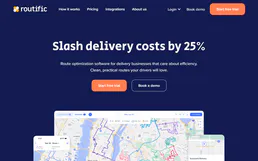
Connect your AI assistant to Routific to solve complex vehicle routing problems, dispatch drivers, and manage global delivery timelines natively through chat.

Huddle01 (Web3 Video API)
Build and manage Web3 video meetings with Huddle01 — create rooms, track live sessions, and retrieve meeting recordings directly from your AI agent.

CleverTap
Manage customer engagement and analytics via CleverTap — track campaigns, monitor user segments, and audit event data directly from any AI agent.