
Routific MCP. Resolve complex multi-stop routes and manage dispatch from chat.
 Gemini
 Works with every AI agent you already use
…and any MCP-compatible client









Just plug in your AI agents and start using Vinkius.
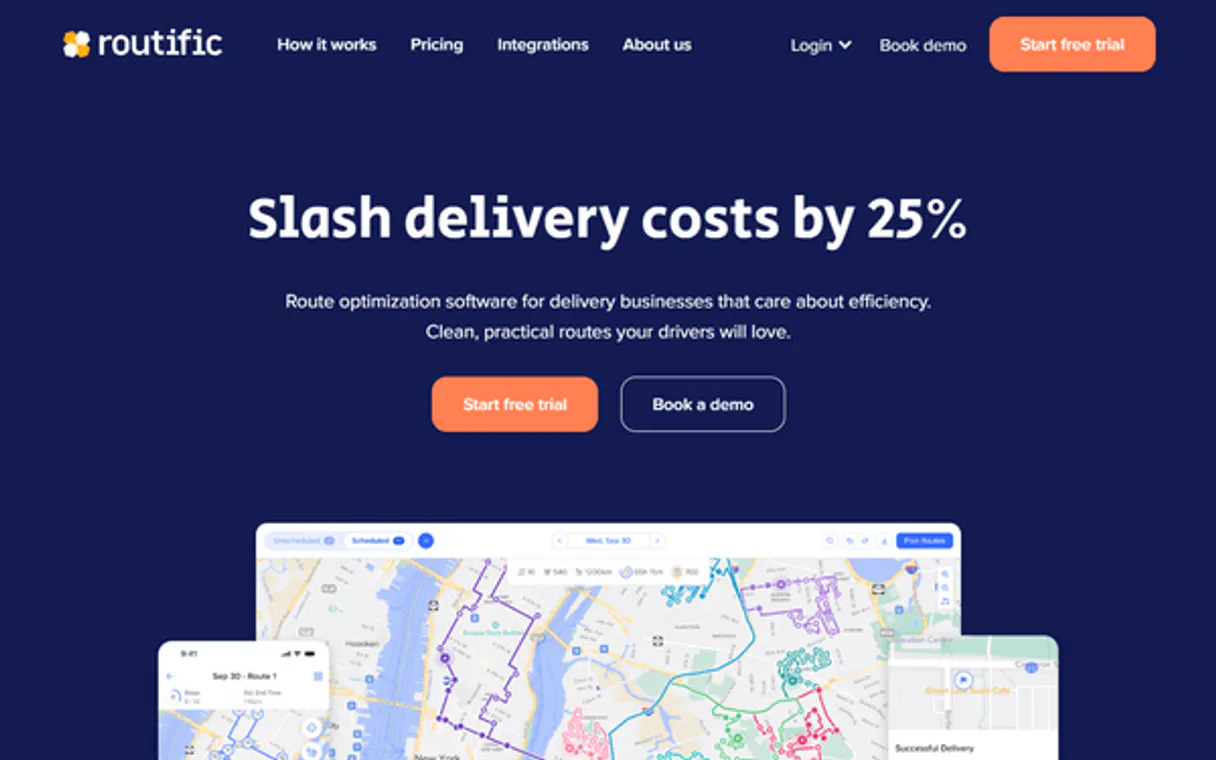
Routific MCP Server solves complex vehicle routing problems and manages entire dispatch operations through natural language chat. It lets your AI client plan multi-stop routes, audit pending delivery jobs across the platform, and push finalized manifests directly to driver mobile apps.
What your AI agents can do
Cancel saas job
Deletes and cancels a delivery job from the platform. This action cannot be undone.
Create platform route
Generates a new, initial route plan within the Routific system.
Create saas job
Creates an entirely new delivery job in the platform by providing structured order details (JSON).
Calculates optimized driving routes for specific addresses or large groups of visits.
Creates, updates, lists, or cancels the status of delivery orders within the platform.
Retrieves a detailed, stop-by-stop schedule including estimated arrival times for any completed route.
Sends the final, calculated manifest directly into a designated driver's mobile application.
Ask AI about this MCP
Supported MCP Clients
Gemini Waiting for input…
Routific MCP Server: 10 Tools for Logistics Management
Manage the full delivery job lifecycle—from initial creation and background solving to timeline review and final dispatch—using these ten specialized tools.
019d7600cancel saas job
Deletes and cancels a delivery job from the platform. This action cannot be undone.
019d7600create platform route
Generates a new, initial route plan within the Routific system.
019d7600create saas job
Creates an entirely new delivery job in the platform by providing structured order details (JSON).
019d7600get route timeline
Retrieves a detailed, stop-by-stop timeline for any given route.
019d7600list platform jobs
Lists all outstanding delivery jobs currently recorded in the Routific platform.
019d7600poll async solution
Checks and retrieves the current status of a large, background Vehicle Routing Problem (VRP) calculation by its job ID.
019d7600publish route to driver
Sends the final route plan directly to the targeted driver's mobile application for immediate action.
019d7600solve async vrp long
Starts a massive Vehicle Routing Problem calculation in the background, returning an ID you must poll later.
019d7600solve standalone vrp
Calculates an optimized route for a small set of visits right away without needing to run it on the whole platform.
019d7600update saas job
Modifies or changes details for an existing delivery job that is already in the system.
Choose How to Get Started
Build a custom MCP for your own tools, or connect a ready-made integration from our catalog.
Build Your Own
Turn any API into an MCP. Import a spec, define Agent Skills, or deploy with MCPFusion.
- Import from OpenAPI, Swagger, or YAML specs
- Create Agent Skills with progressive disclosure
- Deploy to edge with MCPFusion framework
- Built in DLP, auth, and compliance on every call
- Real time usage dashboard and cost metering
- Publish to catalog or keep private
Make Your AI Do More
Start with Routific, then connect any of our 4,700+ other servers whenever your AI needs more. One click, no limits.
- Use this MCP plus 4,700+ others, all in one place
- Add new capabilities to your AI anytime you want
- Every connection is secured and compliant automatically
- Track usage and costs across all your servers
- Works with Claude, ChatGPT, Cursor, and more
- New servers added to the catalog every week
What you can do with this MCP connector
You're connecting your AI client straight up to Routific. This isn't some gimmick; it turns your chat interface into a full-blown dispatch manager. You can build multi-stop routes, audit every outstanding order in the system, and push finalized manifests right into the driver’s mobile app—all without ever leaving the chat window.
When you need to figure out where things are going, Routific handles the complex routing math for you. If you've got a small cluster of stops that just need optimizing, you can run it immediately with solve_standalone_vrp, which calculates an optimized route right away. But what if you’re dealing with dozens of stops across multiple depots? You launch that massive job using solve_async_vrp_long.
This starts the Vehicle Routing Problem calculation in the background, giving you a unique ID; you gotta use that ID to check its status later by calling poll_async_solution until it's done. Before you even solve anything, you can generate an initial plan for the whole system using create_platform_route.
To manage the actual deliveries—the jobs themselves—you've got total control. You start a new delivery order in the platform by calling create_saas_job, where you feed it structured JSON with all the necessary order details. If an existing job changes, don't sweat it; you can modify or change details for any active record using update_saas_job.
Need to see what's pending? You run list_platform_jobs and get a comprehensive list of every outstanding delivery job on file. And if a job gets canceled before it even starts, you hit the kill switch with cancel_saas_job, which deletes and cancels that delivery job from the platform—just be warned, that action is irreversible.
Once the route is solved and the jobs are in place, you need to know the timeline. You retrieve a detailed, stop-by-stop schedule including estimated arrival times for any completed or planned run using get_route_timeline. When everything's locked down and the plan is set, you send that final manifest directly into the targeted driver’s mobile application with one command: publish_route_to_driver.
It's a simple flow. Your agent handles the complexity. You tell it what needs to happen—whether it's creating the job via structured data (create_saas_job), solving the logistics puzzle (solve_standalone_vrp), checking on its progress (poll_async_solution), or pushing the final directions out (publish_route_to_driver). You don't write complicated API calls; you just chat, and your agent does the heavy lifting.
How Routific MCP Works
- 1 Install the Routific operations module into your active MCP network architecture.
- 2 Sign in to your Routific backend console using administrator permissions and get an API Bearer Token.
- 3 Paste the generated
Routific API Tokeninto the secure variables, then issue a plain text command (e.g., 'Solve route for 5 visits and publish it').
The bottom line is: You talk to your agent, it talks to Routific, and you get an actionable delivery plan back without touching any web forms.
Who Is Routific MCP For?
Fleet owners who manage dispatchers. Logistics center operations staff dealing with constant change. Dispatch managers tired of switching between the routing engine and job tracking dashboards.
Uses this to handle real-time chaos: listing outstanding jobs via list_platform_jobs or adjusting a route mid-day using update_saas_job.
Builds new service capacity by running large batch calculations with solve_async_vrp_long, then checking status periodically with poll_async_solution.
Needs to test quick routes or validate a single day's schedule by running synchronous solves via solve_standalone_vrp before committing the plan.
What Changes When You Connect
- Real-time job visibility. Use
list_platform_jobsto see every outstanding order in one command, eliminating the need to jump between different tracking dashboards. - Instant small-scale planning. If you just need a quick route for four stops, use
solve_standalone_vrp. You get an immediate result without submitting it to the main platform queue. - Massive capacity solving. For multi-depot or week-long routes, run background calculations with
solve_async_vrp_longand monitor progress usingpoll_async_solution. - Full dispatch control. Once a route is calculated, use
publish_route_to_driverto push the final manifest directly into the driver's hands instantly. - Dynamic job lifecycle management. You can create new jobs with constraints (
create_saas_job) or fix errors by runningupdate_saas_job, all without logging into a web GUI.
Real-World Use Cases
The last-minute detour
A dispatcher notices an order needs to be rerouted due to traffic. Instead of manually editing the route on a dashboard, they ask their agent to run update_saas_job first, then use get_route_timeline to check the new ETAs before telling the driver with publish_route_to_driver. The job is corrected in three steps.
End-of-day audit
The operations lead needs to know exactly what deliveries were left undone overnight. They run list_platform_jobs to get a full inventory, identify the missing pieces, and then use create_saas_job to inject them back into the system for tomorrow.
Solving a large batch problem
The regional manager has 50 new stops across three depots. They can't solve it all at once. They use solve_async_vrp_long to submit the big job, and then repeatedly call poll_async_solution until the result is ready for final review.
Testing a quick fix
A driver reports an issue with 3 stops on their current manifest. The agent can't wait for the full system update, so it runs solve_standalone_vrp immediately to generate a temporary, optimized path that can be sent right away.
The Tradeoffs
Trying to fix everything in one go
Asking the agent: 'Fix all my jobs and send them to drivers.' This is too vague. The system doesn't know which job, or what constraints apply.
→
Break it down. First, use list_platform_jobs to identify the IDs. Then, run specific commands like update_saas_job for one ID, followed by get_route_timeline before finally calling publish_route_to_driver.
Assuming a route is ready
Calling publish_route_to_driver immediately after asking to solve the problem. The calculation hasn't run yet, and the tool will fail.
→
Always check the status first. If you ran a large job, use poll_async_solution until it reports 'completed.' Only then do you proceed with publishing.
Overwriting data blindly
Using create_saas_job when the order already exists. This risks creating duplicate, unsynced job records.
→
Always check the existing inventory first by running list_platform_jobs. If the job is found, use update_saas_job instead.
When It Fits, When It Doesn't
Use Routific if your core problem involves complex vehicle routing, multi-stop scheduling, and active dispatch management. This server handles the entire job lifecycle: from creating a pending order (create_saas_job) to solving massive batches (solve_async_vrp_long), checking status (poll_async_solution), viewing details (get_route_timeline), and finally deploying it (publish_route_to_driver).
Don't use this if your need is simple geographical mapping (use a dedicated map API) or if you only need to store job data without solving the routing logic. If you just want basic list views, list_platform_jobs handles that. The complexity of these tools means they are for operations teams who manage live logistics flows, not for general consumers.
Independent Platform Disclaimer: Vinkius is an independent platform and is not affiliated with, endorsed by, sponsored by, verified by, or otherwise authorized by Routific API. All third-party trademarks, logos, and brand names are the property of their respective owners. Their use on this website is strictly for informational purposes to identify service compatibility and interoperability.
VINKIUS INFRASTRUCTURE
Cloud Hosted
Managed infra
V8 Isolated
Sandboxed per request
Zero-Trust Proxy
No stored credentials
DLP Enforced
Policy on every call
GDPR Compliant
EU data residency
Token Compression
~60% cost reduction
Works with Claude, ChatGPT, Cursor, and more
The Model Context Protocol standardizes how applications expose capabilities to LLMs. Instead of operating in isolation, your AI gains direct access to external platforms, live data, and real-world actions through secure, standardized connections.
This server provides 10 capabilities that interface natively with Claude, ChatGPT, Cursor, and any MCP client. No middleware. No custom integration required.
Available Capabilities
Manually coordinating routes and jobs is a nightmare.
Right now, if you need to change a route or check on outstanding jobs, you have to jump between the main routing dashboard, the job list screen, and maybe an internal spreadsheet. You're clicking through tabs just to verify that 25 stops are still valid for today.
With this MCP server, you ask your agent: "List all pending delivery jobs." It runs `list_platform_jobs` and gives you a clean, actionable list right in the chat. No clicks required.
Routific MCP Server: Get routes and job status from chat.
You no longer have to run an entire batch calculation through a complicated web form, wait 10 minutes for it to process, and then manually check the result ID. You just ask your agent to submit the big routing problem using `solve_async_vrp_long`.
It sends back a job ID—which you can reference immediately with `poll_async_solution` until it's done. Then, one command gets the final ETA details via `get_route_timeline`. It’s that simple.
Common Questions About Routific MCP
How do I list all pending jobs using list_platform_jobs? +
You simply ask your agent to run list_platform_jobs. This tool returns an immediate snapshot of every active delivery job ID and its current status in the Routific platform.
What is the difference between solve_standalone_vrp and solve_async_vrp_long? +
solve_standalone_vrp solves a small, immediate route synchronously (right now). solve_async_vrp_long handles massive routing problems that take time; it kicks off the job in the background and returns an ID you must poll.
Can I send a finished route to the driver using publish_route_to_driver? +
Yes. After calculating the optimal path, you use publish_route_to_driver to push the final manifest directly into the designated mobile app for the driver.
How do I update an old job after it's been created? +
Use the update_saas_job tool. You need to provide the existing job ID and a JSON object containing only the fields you want to change.
When using `create_saas_job`, what specific fields must I include to ensure the job respects order constraints? +
You must provide a JSON object that explicitly lists all required details, including any priority flags and physical constraints. If critical information is missing, the API call fails validation immediately.
After running `solve_async_vrp_long`, how do I check if the large routing job has finished using `poll_async_solution`? +
You repeatedly query the status endpoint. The response will cycle through states (like PENDING or PROCESSING) until it returns a final result object or an explicit error code.
Using `get_route_timeline`, what exact metrics do I get for every stop on the completed route? +
The tool provides sequential, detailed data points. This includes the estimated time of arrival (ETA), necessary service time at the location, and the distance to the next point.
What happens if my bearer token is invalid when I try to run `create_platform_route`? +
The system immediately throws an authorization error. You'll need to verify your API key in the Routific backend console and ensure it has owner-level permissions.
Can the AI push routes dynamically to drivers' smartphones automatically? +
Yes! Activating the publish_route_to_driver function dynamically interacts with the saas infrastructure, natively pushing an authorized manifest to the delivery team's active Routific phone apps flawlessly.
Does `solve_standalone_vrp` handle extremely large thousands of stops simultaneously efficiently? +
For very large batches, use solve_async_vrp_long instead. It processes the request asynchronously and you can poll for results with poll_async_solution. The standalone solver is best for smaller, real-time requests.
Can the integration update a delivery job after it has been created? +
Yes. Use update_saas_job to modify constraints, priorities, or delivery details on an existing job without having to delete and recreate it.
Use it with your favorite AI tools
Connect this server to Cursor, Claude, VS Code, and more.
More in this category

Zeev
Digitize business processes with BPMN workflows, electronic forms, and approval chains that replace paper and email chaos.

ProcessOn
Online flowchart and mind mapping platform — manage diagrams, collaborations, and exports via AI.

ContentGroove
Equip your AI agent to automatically generate video highlights, splice long-form clips, and manage video projects natively with ContentGroove.
You might also like

360dialog
Send WhatsApp messages at scale, manage templates, and track delivery with the official 360dialog Business API integration.
NavAPI
Manage maritime navigation — audit ports, routes, and traffic via AI.

U.S. Census Income — Median Income, Poverty & Economy
Explore economic indicators across America using Census and CBP data. Get median household income, poverty rates, educational attainment, business establishments, employees, and payroll for any state or county.