
Flock MCP. Audit team groups, channels, and full user rosters.
 Gemini
 Works with every AI agent you already use
…and any MCP-compatible client









Just plug in your AI agents and start using Vinkius.
Flock MCP Server gives your AI agent full control over your team's communication. Use it to send rich, formatted messages (FlockML) into any chat, list all public channels, or audit private groups and organizational rosters.
Your agent can pull historical chat logs, check who is in a specific group, and pull user metadata directly from the company's identity structure.
What your AI agents can do
Channels get info
Gets the description and banner mapping logic for a specific channel.
Channels list members
Lists the active UUIDs of members attached to a specific channel.
Channels list public
Lists all active public channels in the Flock workspace.
Runs channels_list_public to get a list of every public channel active in your workspace.
Uses chat_send_message to send formatted messages, supporting rich attachments and complex layouts.
Runs groups_list_members to check the active UUIDs and verify who has read access to a private group.
Runs groups_list_private to identify and list bounded private groups within your organization.
Runs users_get_metadata to pull structured data like time zone and LDAP properties for a specific user alias.
Uses chat_fetch_messages to pull raw, chronological JSON logs from any chat room.
Ask AI about this MCP
Supported MCP Clients
Gemini Waiting for input…
Flock MCP Server: 10 Tools for Chat & Group Ops
Use these tools to manage everything from listing public channels to auditing private group memberships and fetching chat history.
019d759bchannels get info
Gets the description and banner mapping logic for a specific channel.
019d759bchannels list members
Lists the active UUIDs of members attached to a specific channel.
019d759bchannels list public
Lists all active public channels in the Flock workspace.
019d759bchat fetch messages
Pulls raw JSON chat logs and historical messages from a specific chat room.
019d759bchat send message
Sends a formatted message to a chat, supporting rich enterprise attachments via FlockML.
019d759bgroups get info
Inspects the deep internal credentials and metadata of a private group.
019d759bgroups list members
Checks which users have read permissions within a private group.
019d759bgroups list private
Lists all bounded private groups that track specific IAM boundaries.
019d759broster list directory
Maps every user's `@` alias to their absolute UUID across the entire company directory.
019d759busers get metadata
Extracts profile metadata (like time zone or SSO details) for a specific Flock user.
Choose How to Get Started
Build a custom MCP for your own tools, or connect a ready-made integration from our catalog.
Build Your Own
Turn any API into an MCP. Import a spec, define Agent Skills, or deploy with MCPFusion.
- Import from OpenAPI, Swagger, or YAML specs
- Create Agent Skills with progressive disclosure
- Deploy to edge with MCPFusion framework
- Built in DLP, auth, and compliance on every call
- Real time usage dashboard and cost metering
- Publish to catalog or keep private
Make Your AI Do More
Start with Flock, then connect any of our 4,700+ other servers whenever your AI needs more. One click, no limits.
- Use this MCP plus 4,700+ others, all in one place
- Add new capabilities to your AI anytime you want
- Every connection is secured and compliant automatically
- Track usage and costs across all your servers
- Works with Claude, ChatGPT, Cursor, and more
- New servers added to the catalog every week
What you can do with this MCP connector
Flock MCP Server gives your AI agent full control over your team's communication. Your agent can send formatted messages using chat_send_message, supporting rich attachments and complex layouts. You can list all active public channels with channels_list_public, and you can check a specific channel's description and banner logic using channels_get_info. Your agent pulls raw, chronological JSON logs and historical messages from any chat room using chat_fetch_messages.
To manage private groups, you can list all bounded private groups that track specific IAM boundaries with groups_list_private, and you can verify who has read access to a private group by running groups_list_members. You'll find out which users are attached to a specific channel by running channels_list_members. To audit the entire company's identity, your agent maps every user's @ alias to their absolute UUID across the company directory using roster_list_directory.
You can extract profile metadata, like time zone or SSO details, for any specific user using users_get_metadata. Furthermore, your agent can inspect the deep internal credentials and metadata of a private group by calling groups_get_info. You'll use these tools to make your AI agent a central hub for managing communication and data across your whole team.
How Flock MCP Works
- 1 Subscribe to the Flock MCP Server and provide your Bot Token.
- 2 Your AI client calls a specific tool (e.g.,
roster_list_directory) to request data. - 3 The server executes the tool, fetches the data, and passes the structured result back to your AI client.
The bottom line is you tell your agent what data you need, and it uses the available tools to pull the specific details from Flock.
Who Is Flock MCP For?
This is for Ops Engineers who need to audit team boundaries without jumping through three different admin dashboards. It's for IT Admins who need to verify group membership and roster mappings using natural language. And for Team Leads who want to coordinate announcements and private groups without leaving the chat window.
Auditing channel memberships or verifying organizational roster mappings for compliance checks.
Monitoring public channels or managing private team communications in real-time, pulling chat logs for incident reports.
Sending official announcements or coordinating tasks within private groups directly from the chat interface.
What Changes When You Connect
- Manage rich messages directly. Use
chat_send_messageto send announcements with rich attachments, bypassing simple Markdown limits and getting them right into the chat. - See the full scope of your workspace.
channels_list_publicimmediately gives you a list of every public channel, whilechannels_get_infodetails its specific banners and descriptions. - Audit group boundaries instantly. Run
groups_list_privateto find all private groups, thengroups_list_membersto see exactly who has read access to that group. - Map out the entire company structure.
roster_list_directoryconverts every@alias into a definitive UUID, solving routing problems for any user. - Deep dive into user identities.
users_get_metadatapulls more than just a name; it gets time zones and LDAP/SSO details for compliance checks. - Get all the history.
chat_fetch_messagespulls raw JSON logs from any chat room, giving you the complete historical record you need to review.
Real-World Use Cases
Checking who can see a sensitive group
A security auditor needs to verify that only the HR department can access the 'Executive Salary' group. They ask their agent to run groups_list_private to find the group ID, then use groups_list_members to check the explicit UUIDs and confirm read permissions. This confirms the group's access boundaries without manual navigation.
Sending a company-wide announcement
The Marketing Manager needs to announce a product launch to everyone. They ask their agent to use roster_list_directory to find all active user UUIDs, then use chat_send_message to blast the formatted announcement across all relevant channels. The whole process happens in one chat thread.
Investigating a chat dispute
An Ops Engineer needs the full history of a discussion that happened last week. They ask their agent to run chat_fetch_messages on the specific room ID. The tool pulls the raw JSON payload, giving the engineer the exact, time-stamped record they need for review.
Mapping out department channels
A developer needs to know every public communication channel available. They ask their agent to run channels_list_public. The agent returns a list of all environments, and the developer can then run channels_get_info on any channel name to see its specific setup.
The Tradeoffs
Manually guessing user IDs
Trying to send a message to a group or user but forgetting the correct UUID, forcing the developer to manually search the documentation or guess the alias.
→
Always start with roster_list_directory to map every @ alias to its UUID, or use users_get_metadata for a specific user's profile data. This solves the routing problem before you send anything.
Missing private group definitions
Assuming a private group exists just because it sounds important, and then failing to find it because the developer didn't check the system's bounded groups.
→
First, run groups_list_private to get the definitive list of all bounded private groups. Then, use groups_get_info on the returned ID to confirm its details.
Sending simple text when rich formatting is needed
Posting a project update with bullet points and attachments, but the system only supports basic Markdown, making the message look flat and unprofessional.
→
Use chat_send_message. This tool supports the flockml format, letting you send richly formatted payloads and attachments directly into the chat.
When It Fits, When It Doesn't
Use this MCP Server if your workflow centers on internal team communication, membership auditing, or complex user identity mapping within Flock. It’s necessary if you need to know who belongs where or what the full history is. Don't use it if you only need to check a single user's basic profile (use a simpler directory tool) or if you are managing external SaaS integrations. If your task involves reading messages or managing internal group structure, this is the right toolset. If you need to process large volumes of external, unstructured data, look into a different data processing category.
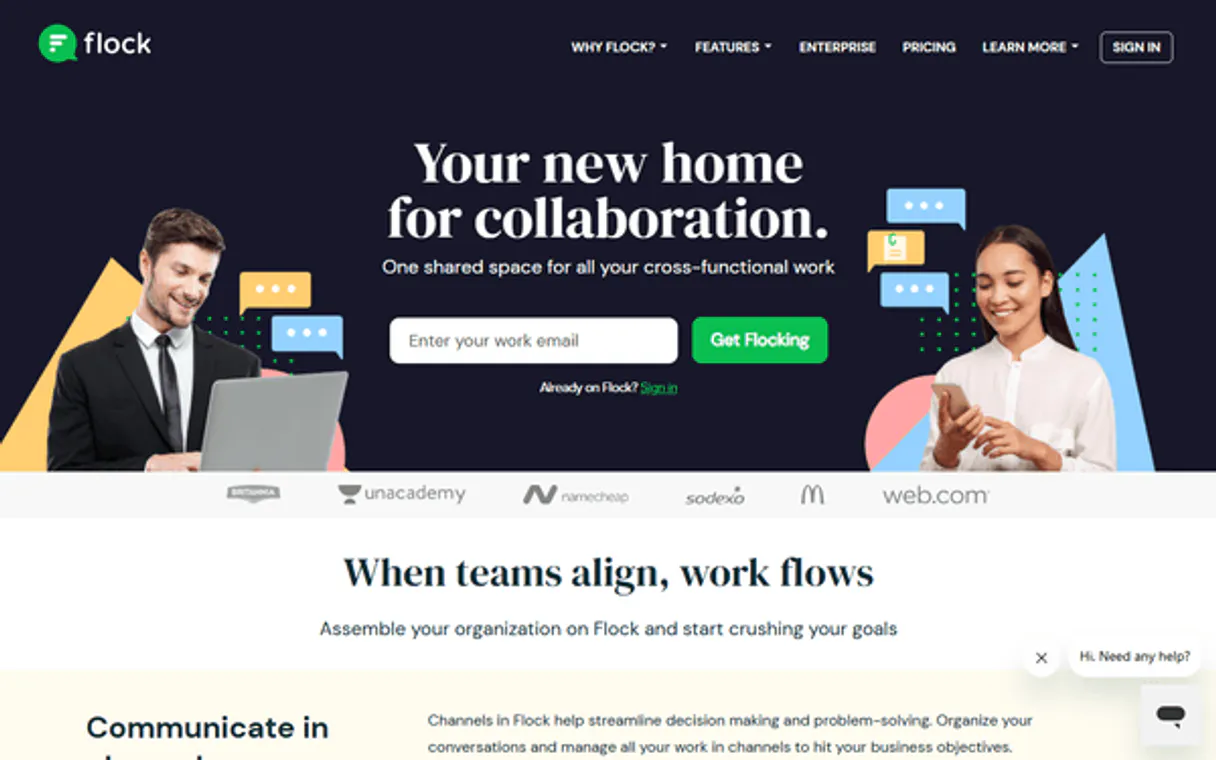
Independent Platform Disclaimer: Vinkius is an independent platform and is not affiliated with, endorsed by, sponsored by, verified by, or otherwise authorized by Flock. All third-party trademarks, logos, and brand names are the property of their respective owners. Their use on this website is strictly for informational purposes to identify service compatibility and interoperability.
VINKIUS INFRASTRUCTURE
Cloud Hosted
Managed infra
V8 Isolated
Sandboxed per request
Zero-Trust Proxy
No stored credentials
DLP Enforced
Policy on every call
GDPR Compliant
EU data residency
Token Compression
~60% cost reduction
Works with Claude, ChatGPT, Cursor, and more
The Model Context Protocol standardizes how applications expose capabilities to LLMs. Instead of operating in isolation, your AI gains direct access to external platforms, live data, and real-world actions through secure, standardized connections.
This server provides 10 capabilities that interface natively with Claude, ChatGPT, Cursor, and any MCP client. No middleware. No custom integration required.
Available Capabilities
Finding out who is in a group shouldn't take three different dashboards.
Today, checking group membership means logging into the main chat interface, navigating to the group's settings tab, clicking 'Members', and then sometimes clicking a secondary 'Permissions' tab to see who can read the messages. It's a manual, multi-step process that takes context switching and copy-pasting UUIDs.
With the Flock MCP Server, you just ask your agent to 'List the members of the Alpha Team group.' The agent runs `groups_list_members` and returns the precise, structured list of active UUIDs instantly. You get the data, period.
Flock MCP Server: Audit team groups and memberships.
Before, determining the full scope of communication required manually cross-referencing the main roster, the public channel list, and the private group list. This meant multiple logins and guesswork about which IDs were correct.
Now, the server coordinates `groups_list_private`, `channels_list_public`, and `roster_list_directory` together. You get a single, unified view of the entire organization's communication boundaries, all from one chat prompt. No more guessing IDs.
Common Questions About Flock MCP
How do I send formatted messages using the `chat_send_message` tool? +
You must pass the payload using the special flockml format. This tool specifically detects this format and converts it, letting you send rich attachments and complex layouts that standard Markdown can't handle.
Does `roster_list_directory` give me UUIDs for all users? +
Yes. The roster_list_directory tool returns an explicit array mapping every user's @ alias to their absolute string UUID, solving routing for the entire company.
Can I list all public channels with `channels_list_public`? +
Yes. channels_list_public enumerates every public channel that is active within your Flock workspace, giving you the full set of available public environments.
What is the difference between `groups_list_private` and `groups_list_members`? +
groups_list_private returns the list of private groups themselves. groups_list_members takes a group ID and audits the IAM boundaries to verify which specific UUIDs have read permissions.
What data does `chat_fetch_messages` return? +
It pulls raw JSON objects containing historical strings from the chat. This raw data is useful because it preserves the original, structural format of the messages for deep analysis.
How do I check for active members in a specific channel using `channels_list_members`? +
The tool returns an array of active UUIDs. This lets you verify exactly who has read access to a given channel. You'll get a definitive list of users who can participate.
What information can I get about a private group using `groups_get_info`? +
It returns deep credentials identifying the group's specific structure. This includes metadata needed to confirm the group's operational boundaries within your organization.
Where do I find the raw data structure when I use `chat_fetch_messages`? +
The tool extracts raw JSON objects. These objects map historical chat strings, allowing you to process the raw data for custom analytics outside of the chat interface.
Can my agent send formatted messages using FlockML? +
Yes. Use the 'chat_send_message' tool and provide your XML string in the 'flockml' parameter. The agent will bypass standard Markdown limits to render rich enterprise attachments and layouts natively in Flock.
How do I list all members of a specific private group via chat? +
Use the 'groups_list_members' tool. Provide the Group UUID. Your agent will surface the explicitly mapped profiles within that group, helping you verify sensitive message targets securely.
Can I search for a user's UUID using their '@' alias through the agent? +
Absolutely. The 'roster_list_directory' tool discovers global identity blocks mapping direct aliases to absolute string UUIDs, ensuring you can route messages accurately to anyone in your company.
Use it with your favorite AI tools
Connect this server to Cursor, Claude, VS Code, and more.
More in this category
Obsidian Publish
Empower your AI to read your public or private Obsidian Publish sites. Index files, crawl navigation trees, and retrieve deep markdown knowledge.
Clockify
Manage time tracking and projects via Clockify — track entries, monitor projects, and audit team hours directly from any AI agent.
AiMasher
Generate marketing content, social media posts, and creative assets using multiple AI models in a single unified workspace.
You might also like

Polar Alternative
Access your Polar Flow data — training sessions, daily activity, sleep metrics, and physical info directly from your AI agent.

Google Ads
Equip your AI agent with direct access to Google Ads — manage search, display, and shopping campaigns, track conversions, and optimize ad spend without opening the Google Ads console.
Fireflies.ai
Record, transcribe, and search across all your meetings with AI that captures every conversation and makes it instantly findable.