
Tettra MCP. Access internal wikis and Q&A from your IDE.
 Gemini
 Works with every AI agent you already use
…and any MCP-compatible client









Just plug in your AI agents and start using Vinkius.
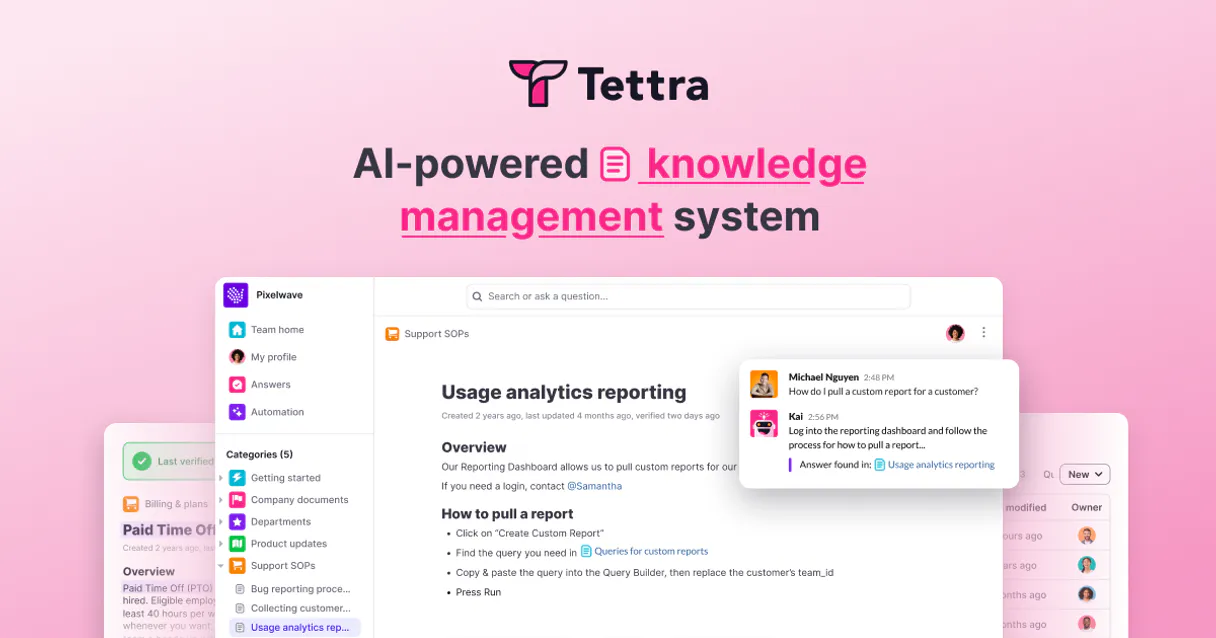
Tettra MCP Server connects your company's internal wiki directly to your AI agent. It lets you search, read, update, and create technical guides and SOPs without leaving Cursor or Claude.
Run deep full-text searches across all categories, draft new articles using `create_wiki_page`, or post questions instantly with `create_qa_question`. Access your entire knowledge base on demand.
What your AI agents can do
Create qa question
Posts a new question into the Tettra Q&A system board.
Create wiki page
Creates and publishes a brand-new wiki page in a specific category using provided title, content, and ID.
Get category details
Retrieves metadata and details for a specified Tettra documentation category.
Runs a deep search across all Tettra wiki pages and returns up to five matching articles.
Creates a brand-new wiki page in a specified category, requiring you to provide the title, content, and target ID.
Fetches both the title and the full Markdown/HTML body of any specific Tettra page for review.
Posts a new question to the team's internal Q&A system or lists all existing questions.
Lists top-level categories, subcategories under a parent, or pages within a given category ID.
Changes the title or content of an existing wiki page, or marks it as verified and current.
Ask AI about this MCP
Supported MCP Clients
Gemini Waiting for input…
Tettra MCP Server: 12 Tools for Knowledge Ops
These twelve tools give your agent full command over your internal wiki structure, allowing you to search, create, manage Q&A boards, and update documentation on demand.
019d7612create qa question
Posts a new question into the Tettra Q&A system board.
019d7612create wiki page
Creates and publishes a brand-new wiki page in a specific category using provided title, content, and ID.
019d7612get category details
Retrieves metadata and details for a specified Tettra documentation category.
019d7612get page content
Fetches the full content (title, Markdown/HTML body) of one specific Tettra wiki page.
019d7612list categories
Lists all top-level categories available in the entire Tettra wiki knowledge base.
019d7612list pages in category
Returns a list of pages that exist within one specific, defined category ID.
019d7612list qa questions
Lists all questions currently posted and tracked in the Tettra Q&A system.
019d7612list subcategories
Retrieves a list of subcategories nested under a given parent category ID.
019d7612search pages
Performs a full-text search across all Tettra wiki pages, returning up to five relevant results.
019d7612suggest new page
Suggests an article topic or new wiki page draft to the team for review and creation.
019d7612update wiki page
Changes the title or content of an existing Tettra page using its ID and providing new fields.
019d7612verify wiki page
Marks a specific Tettra page as verified, certifying it is current and up-to-date for the team.
Choose How to Get Started
Build a custom MCP for your own tools, or connect a ready-made integration from our catalog.
Build Your Own
Turn any API into an MCP. Import a spec, define Agent Skills, or deploy with MCPFusion.
- Import from OpenAPI, Swagger, or YAML specs
- Create Agent Skills with progressive disclosure
- Deploy to edge with MCPFusion framework
- Built in DLP, auth, and compliance on every call
- Real time usage dashboard and cost metering
- Publish to catalog or keep private
Make Your AI Do More
Start with Tettra, then connect any of our 4,700+ other servers whenever your AI needs more. One click, no limits.
- Use this MCP plus 4,700+ others, all in one place
- Add new capabilities to your AI anytime you want
- Every connection is secured and compliant automatically
- Track usage and costs across all your servers
- Works with Claude, ChatGPT, Cursor, and more
- New servers added to the catalog every week
What you can do with this MCP connector
The Tettra MCP Server hooks your company's internal knowledge base directly into your AI client. This ain't just another search bar; it lets your agent actually do stuff with your wiki, making it a functional part of your developer workflow. You can deep dive into guides and SOPs without ever leaving Cursor or Claude.
If you need an answer, you hit up search_pages. It runs a full-text sweep across every page in the entire Tettra knowledge base, pulling back up to five relevant articles that match your query. If you're looking for something specific and know the ID, you can use get_page_content. That tool pulls the whole shebang—the title and the complete Markdown or HTML body—so you get the full context of any single wiki page for review.
Need to map out what documentation exists? You got tools for that. You start big with list_categories, which spits out all the top-level buckets in your Tettra knowledge base. If a category has sub-sections, you use list_subcategories against a parent ID to see those nested levels. Then, if you know the main section and want to see every page listed under it, run list_pages_in_category.
To get details on any specific grouping—like its metadata or rules—you call get_category_details, feeding it just the category's ID.
When it comes to content creation and edits, the server gives you full control. If your team needs a brand-new guide published, you use create_wiki_page. You gotta provide three things for this: the title, the actual content, and the target ID where it's gonna live. If an article is already out there but needs tweaking—maybe the process changed or someone fixed a typo—you call update_wiki_page, giving it the page ID and the new fields you want to change.
Sometimes, the whole wiki needs maintenance. You can use suggest_new_page when your agent thinks the team should write an article on a certain topic; it drafts that suggestion for review. And once someone writes or updates something, if they verify it's current and solid, they mark it as up-to-date using verify_wiki_page.
For the Q&A side of things, it’s dead simple. If you got a question that needs an answer from the team, run create_qa_question, which posts it right into your internal Tettra Q&A system board. To see what's already been asked and tracked, just use list_qa_questions.
Basically, you can handle everything: you search deep, you pull the content, you build new guides with create_wiki_page, you update old ones with update_wiki_page, you organize the whole structure using the list tools, and you manage questions by posting or listing them. It keeps your entire knowledge base right where it needs to be: callable by your agent.
How Tettra MCP Works
- 1 Subscribe to this server and input your Tettra Team ID and API Key (Pro/Scaling plan required).
- 2 Tell your agent what you need—for example, 'Search for the database migration checklist.'
- 3 The agent runs
search_pagesor another tool. You get back the relevant page title and content directly in the chat.
The bottom line is: it brings your company's entire documentation library into your AI client, letting you work with internal data without context switching.
Who Is Tettra MCP For?
Software Engineers who hate leaving their IDE to look up architecture decisions. Operations Leads needing to rapidly document new SOPs and publish them. Product Managers who need to audit documentation gaps across product lines.
Uses search_pages or get_page_content to find old architecture decisions, setup steps, or API specs without leaving Cursor.
Runs create_wiki_page and update_wiki_page to draft new guides or fix outdated documentation instantly via chat.
Uses the Q&A tools (create_qa_question, list_qa_questions) to capture and track process gaps that need formal documentation.
What Changes When You Connect
- Stop context switching. Instead of leaving Cursor to check an API spec, just run
search_pagesand get the answer in chat. - Build documentation faster. Use
create_wiki_pagedirectly through your agent after drafting content, then publish it straight to Tettra's structure. - Keep knowledge current. When a process changes, use
update_wiki_pageinstead of manually editing the source and hoping nobody misses the update. - Understand documentation gaps. Use
list_categoriesfollowed bylist_subcategoriesto map out where your team is missing guides. - Manage questions automatically. Capture user pain points using
create_qa_question, turning random queries into tracked, actionable knowledge.
Real-World Use Cases
Onboarding a new engineer
A junior dev needs to know the correct environment setup steps. Instead of asking three different people or clicking through five guides, they run an agent prompt: 'What's the full guide for setting up local auth services?' The agent runs search_pages and provides the direct link and summary from the internal wiki.
Updating a broken SOP
An operations lead finds an old Standard Operating Procedure. They use get_page_content to pull the outdated text, refine it in their chat window, then run update_wiki_page with the new content and mark it verified via verify_wiki_page. The process is done in minutes.
Capturing tribal knowledge
Someone mentions a random internal tool that isn't documented. They use their agent to run create_qa_question immediately, logging the query and forcing the team to formalize the answer before it gets lost.
Mapping out content needs
A product manager wants to audit all documentation in the 'Finance' area. They run list_categories to confirm the top structure, then use list_subcategories to drill down into specific department sections.
The Tradeoffs
Manual Copy/Paste Searching
Copying text from a browser search result and pasting it into the chat, hoping your agent figures out what page ID or category that content belongs to.
→
Don't paste. Use search_pages. Give the tool your keywords, and let it find the article for you. If you need the full text, run get_page_content on the returned result.
Trying to guess page IDs
When trying to update content, guessing a random ID like '123' into the tool call and failing because you don't know which category it belongs to.
→
First, run list_categories to see the structure. Then use list_pages_in_category with the correct Category ID before attempting an update via update_wiki_page.
Asking for general knowledge
Prompting your agent: 'What is it like working here?' The AI will hallucinate a generic, useless answer because it can't access the specific HR policy page.
→
Be specific. Ask: 'Use search_pages to find the current PTO accrual rules.' This forces the tool to pull verified data from the wiki.
When It Fits, When It Doesn't
Use this server if your primary job involves reading, writing, or structuring company-specific documentation (wikis and SOPs). If you need to know how something works on Tettra, use it. Don't use it just because you want a generic search engine; the search_pages tool is for deep knowledge retrieval, not general web browsing.
Do NOT use this if your goal is: 1) Real-time chat support (use a ticketing system); or 2) Managing external customer data (use a CRM). If you just need to see what documentation exists, run list_categories first. If you know the exact article ID and want to fix it, use update_wiki_page. Never assume content is current; always follow up any reading with a check of the page's status or verification date.
Independent Platform Disclaimer: Vinkius is an independent platform and is not affiliated with, endorsed by, sponsored by, verified by, or otherwise authorized by Tettra. All third-party trademarks, logos, and brand names are the property of their respective owners. Their use on this website is strictly for informational purposes to identify service compatibility and interoperability.
VINKIUS INFRASTRUCTURE
Cloud Hosted
Managed infra
V8 Isolated
Sandboxed per request
Zero-Trust Proxy
No stored credentials
DLP Enforced
Policy on every call
GDPR Compliant
EU data residency
Token Compression
~60% cost reduction
Works with Claude, ChatGPT, Cursor, and more
The Model Context Protocol standardizes how applications expose capabilities to LLMs. Instead of operating in isolation, your AI gains direct access to external platforms, live data, and real-world actions through secure, standardized connections.
This server provides 12 capabilities that interface natively with Claude, ChatGPT, Cursor, and any MCP client. No middleware. No custom integration required.
Available Capabilities
Finding internal policy details shouldn't take 10 clicks across three different dashboards.
Today, finding an updated API spec or onboarding guide means opening Confluence, switching tabs to the 'Engineering' section, filtering by date, and hoping the right person hasn't moved it. It’s a manual clicking mess that kills momentum.
With this MCP server, your agent runs `search_pages`. You ask the question in plain English—'What is the latest payment gateway spec?'—and you get the exact article ID and content snippet instantly. No clicks required.
Tettra MCP Server: Publish structured knowledge with one command.
The old way was drafting a guide in Google Docs, exporting it to markdown, finding the right category ID, and then submitting a pull request just to get someone else to hit 'Publish'. It's slow, fragile, and requires multiple handoffs.
Now, you draft content in your chat. You tell the agent: 'Draft an SOP on refunds for the Support section.' The agent runs `create_wiki_page`, publishes it with proper formatting, and it immediately appears searchable across Tettra. It's done.
Common Questions About Tettra MCP
How do I find a specific old guide using search_pages? +
Just give the tool keywords or a phrase like 'Database Migration Checklist'. The agent runs search_pages and returns up to five matching guides, including titles and category context. You don't need an ID.
Can I update content using update_wiki_page? +
Yes. You must provide the existing page ID along with your new title or body content. This tool lets you make targeted changes to specific guides without affecting others.
Do I need list_categories before creating a wiki page? +
It’s smart to run list_categories first just to confirm the exact name and ID of your target section. This prevents publishing your new guide in the wrong department.
What is the difference between search_pages and get_page_content? +
search_pages finds relevant articles based on keywords across the whole wiki. get_page_content retrieves the full, definitive text (the body/markdown) for one single article once you know its ID.
When using `create_wiki_page`, what authentication details are required? +
You need a Tettra Team ID and an API Key. The server requires either the Professional or Scaling plan to authorize new page publication. This ensures that the content being written is properly mapped to your organizational structure.
What impact does running `verify_wiki_page` have on a document? +
It officially marks the page as verified and up-to-date within Tettra. The system logs the verification date, which builds trust in your knowledge base by signaling that human teams reviewed it recently.
Which tool should I use to map a category's full hierarchy using `list_subcategories`? +
list_subcategories retrieves all subfolders under a specified parent. This function is key for understanding the depth of your documentation structure, going beyond just the top-level categories or immediate children.
If I have a new query, should I use `create_qa_question` or create a wiki article? +
Use create_qa_question when you need a quick answer and want the question logged on your Q&A board. If it’s a permanent topic that needs step-by-step instructions, then use create_wiki_page instead.
Why do I get an error when providing my token? +
Tettra's API keys are exclusively available to workspaces on their Scaling or Professional subscription tiers. If your team operates on a free or basic plan, the API credentials menu will not be accessible and requests will be blocked.
Can the AI rewrite existing company wiki articles? +
Yes. Using the update_wiki_page function, the AI can overwrite existing body content and titles. It adopts your user profile's access permissions, meaning it can only update pages you personally have edit rights for in the Tettra UI.
Where do I track down my Tettra Team ID? +
Your Team ID is the slug prefix used in your Tettra domain. For example, if you access your wiki primarily through https://app.tettra.co/teams/acme-corp, your Team ID is exactly acme-corp.
Use it with your favorite AI tools
Connect this server to Cursor, Claude, VS Code, and more.
More in this category

Readwise
Equip your AI to directly search, read, and retrieve your unified digital highlights, books, and Reader documents stored in Readwise.
FRED GeoFRED — Regional Economic Data
Access regional economic data for every U.S. state, county, metro area, and Federal Reserve district — unemployment by state, median income by MSA, GDP by county, all from the official GeoFRED database.

Hightouch (Reverse ETL)
Synchronize data via Hightouch — list syncs, monitor runs, and manage data models.
You might also like

Correios API (REST)
Track Brazilian postal objects and calculate shipping prices and deadlines directly through the official Correios REST API.
HighLevel
Automate CRM and marketing via HighLevel — manage contacts, opportunities, and calendars directly from any AI agent.
OPML Podcast & RSS Parser
Turn standard OPML export files from your podcast app or RSS reader into clean JSON data. Let your AI analyze your subscriptions and become your personal content curator.