
TheMealDB MCP. Access Thousands of Global Recipes Instantly
 Gemini
 Works with every AI agent you already use
…and any MCP-compatible client









Just plug in your AI agents and start using Vinkius.
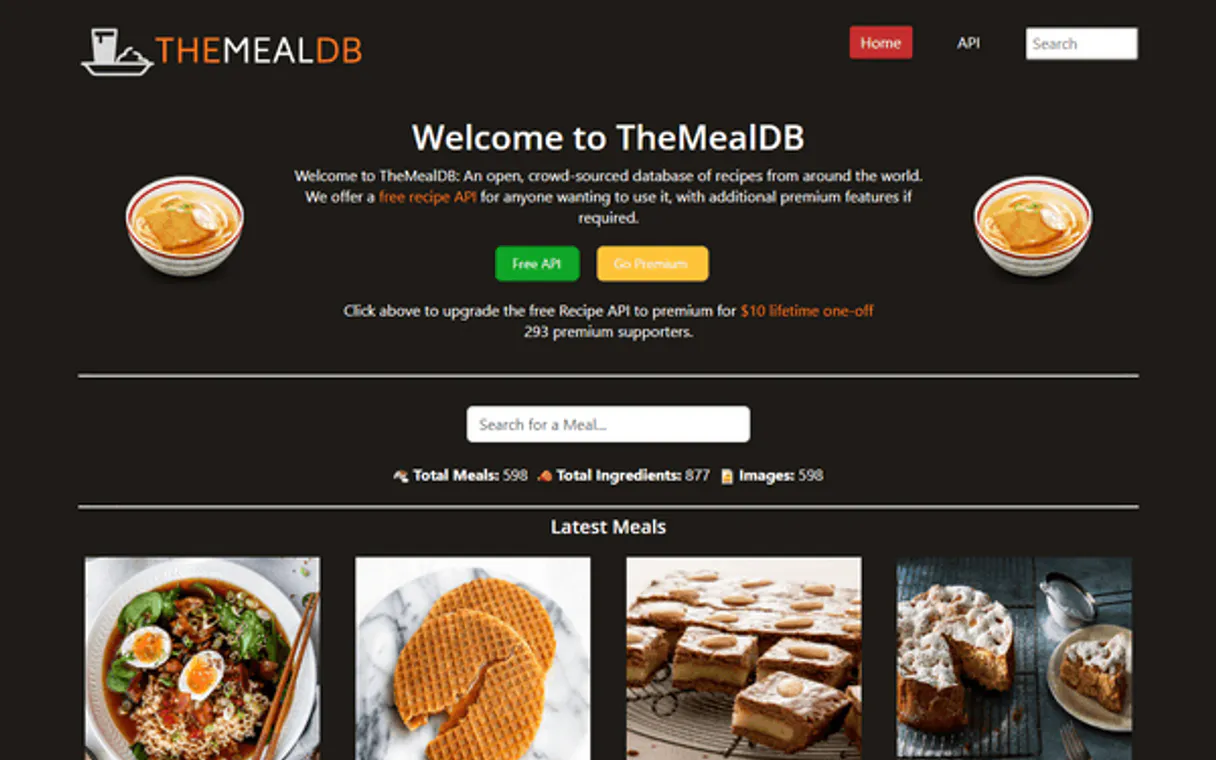
TheMealDB MCP Server connects your AI agent to an international database containing thousands of recipes. Find meals by name, browse by food type (like Vegan or Pasta), filter by national cuisine (Japanese, Mexican, Italian), or get a random idea when you're stuck.
Each recipe comes with full ingredients, measurements, and step-by-step cooking instructions.
What your AI agents can do
Get meal details
Retrieves every piece of information for one specific recipe using its unique ID.
Get meals by category
Finds all recipes that fall under a major food group, like Vegan or Dessert.
Get meals by cuisine
Filters the database to show only dishes from a specific country, such as Japanese or Indian.
The agent runs a search query, and the server returns full recipe records matching ingredients or dish names.
You specify a country (like Mexican or Chinese), and the server pulls all available recipes from that cuisine's dataset.
The agent filters the database to show only meals belonging to a specific category, such as Vegetarian or Breakfast.
You provide a unique Meal ID, and the server returns every piece of data associated with that single recipe record.
The agent executes a call to get an unexpected but complete recipe suggestion for immediate use.
Ask AI about this MCP
Supported MCP Clients
Gemini Waiting for input…
TheMealDB MCP Server: 5 Tools for Recipe Data Access
These five tools allow your agent to search, filter, and retrieve comprehensive recipe data across dozens of international cuisines.
019d7612get meal details
Retrieves every piece of information for one specific recipe using its unique ID.
019d7612get meals by category
Finds all recipes that fall under a major food group, like Vegan or Dessert.
019d7612get meals by cuisine
Filters the database to show only dishes from a specific country, such as Japanese or Indian.
019d7612get random meal
Provides an immediate recipe idea when you need inspiration and don't know what to search for.
019d7612search meals
Searches the entire database using general keywords, returning full recipes that match your query (e.g., 'chicken').
Choose How to Get Started
Build a custom MCP for your own tools, or connect a ready-made integration from our catalog.
Build Your Own
Turn any API into an MCP. Import a spec, define Agent Skills, or deploy with MCPFusion.
- Import from OpenAPI, Swagger, or YAML specs
- Create Agent Skills with progressive disclosure
- Deploy to edge with MCPFusion framework
- Built in DLP, auth, and compliance on every call
- Real time usage dashboard and cost metering
- Publish to catalog or keep private
Make Your AI Do More
Start with TheMealDB, then connect any of our 4,700+ other servers whenever your AI needs more. One click, no limits.
- Use this MCP plus 4,700+ others, all in one place
- Add new capabilities to your AI anytime you want
- Every connection is secured and compliant automatically
- Track usage and costs across all your servers
- Works with Claude, ChatGPT, Cursor, and more
- New servers added to the catalog every week
What you can do with this MCP connector
This whole setup connects your agent straight to TheMealDB, a massive international recipe database. You're looking at thousands of recipes—everything from some classic Italian pasta dish to spicy Indian curry. It’s structured data; you ain't dealing with messy files here.
To find what you need, you got five main ways to go. Let's start with the big guns: running a general search or narrowing down by specific rules. search_meals lets your agent run a keyword query across the entire database. You just drop in terms like 'tacos,' 'chicken breast,' or even 'curry spices,' and it spits out full recipe records that match those ingredients or dish names.
These results aren't just titles; they include full ingredient lists, precise measurements, and step-by-step instructions for making the whole damn thing.
If you know what kind of food you want but don't have a keyword, you can filter by geography or type. You use get_meals_by_cuisine when you only wanna see dishes from a specific country—say, Mexican or Japanese. You specify the nation, and the server pulls every available recipe from that cuisine’s dataset.
If you're thinking about food groups instead of countries, get_meals_by_category is what you use. It filters the database to show only meals belonging to a specific food type, like Vegetarian, Dessert, or Breakfast.
Need every single detail on one recipe? You call get_meal_details. All you gotta do is provide that unique Meal ID, and the server dumps every piece of data associated with that single record. It's a deep dive; it gives you everything—the full process, measurements, the works.
Stuck for ideas? You don't even have to think about it. get_random_meal runs an immediate call and hands you a complete recipe suggestion right off the bat. It’s perfect when you need inspiration but don't wanna scroll through fifty pages of options. This whole system lets your agent handle complex dietary requirements, national cuisine filtering, or just finding a quick dinner idea using minimal input.
How TheMealDB MCP Works
- 1 You ask your agent to find meals (e.g., 'I need Italian pasta').
- 2 Your agent calls the appropriate tool, like
search_mealsorget_meals_by_cuisine, passing required parameters. - 3 The server executes the query against TheMealDB and returns structured JSON data containing ingredients, instructions, and measurements.
The bottom line is your agent accesses a massive culinary knowledge graph without needing to know how the database is organized.
Who Is TheMealDB MCP For?
Food bloggers who need instant recipe content; meal planning apps that require diverse suggestions; and developers building cooking chatbots. If you build tools around food, this server is your reference point for structured culinary data.
Uses search_meals to find specific recipes (e.g., 'taco') and then uses get_meal_details to grab all ingredients and instructions for a full blog post.
Integrates the API endpoints into an app, using get_meals_by_category and get_meals_by_cuisine to build advanced filtering UI components for users.
Writes prompts that force the agent to use tools sequentially—first checking a category, then getting details—to create complex multi-step culinary workflows.
What Changes When You Connect
- Structured Data Access: You get full ingredients, measurements, and instructions for every recipe. This isn't just a list; it's deployable cooking data.
- Precise Filtering: Don't guess the right query. Use
get_meals_by_cuisineto pull only dishes from 27+ countries (e.g., use 'Thai' instead of searching for general Asian food). - Workflow Flexibility: When a user needs an idea, run
get_random_meal. This solves the 'what should I cook?' problem instantly without needing complex prompting. - Granular Detail Retrieval: After finding a match via
search_meals, useget_meal_detailsto pull every single piece of data—the full instructions and YouTube links included. - Categorical Depth: Need something light? Use
get_meals_by_categoryfor types like 'Seafood' or 'Vegetarian'. It’s a quick way to narrow down massive result sets.
Real-World Use Cases
The dinner dilemma (No idea what to cook)
A user asks, "What should I make tonight?" The agent runs get_random_meal. It returns a complete recipe for 'Beef Stew,' including the full ingredient list and cooking steps. Problem solved in two tool calls.
The specialized query (Need something French)
A developer needs to build an app filter specifically for French cuisine. Instead of searching general keywords, they use get_meals_by_cuisine with the 'French' parameter. The agent gets a clean list of only French dishes.
The content sprint (Need ideas fast)
A food blogger needs 10 recipes for an article on Vegan cooking. They run get_meals_by_category using the 'Vegan' filter, then iterate through results, calling get_meal_details for each one to gather comprehensive data.
The refinement loop (Need something quick)
A user first searches broadly with search_meals for 'pasta'. The initial results are too varied. They refine the query by running a second tool, get_meals_by_category, specifically filtering by 'Pasta' to get more accurate suggestions.
The Tradeoffs
Over-relying on general search
Asking the agent simply, "Give me a good Indian recipe." The server might return generic results that aren't limited to India or are too broad.
→
First, narrow it down. Use get_meals_by_cuisine with 'Indian'. Then use search_meals with keywords like 'curry' on the filtered results.
Ignoring category filters
Asking for a dessert recipe and getting main course suggestions because you only used general search terms.
→
Always use get_meals_by_category first. Filter by 'Dessert'. This guarantees the results are in the correct food group, narrowing your scope immediately.
Calling details without ID
Trying to get all data for a meal simply by naming it: "Give me everything about Spaghetti Carbonara."
→
First, use search_meals or get_meals_by_cuisine to find the dish and retrieve its unique Meal ID. Then pass that specific ID into get_meal_details.
When It Fits, When It Doesn't
Use this server if your primary goal is accessing structured, international culinary data. You need reliable details: ingredients, measurements, instructions. If you only need general inspiration (e.g., 'make me something'), start with get_random_meal. However, don't use it just because you want a single function; the real power comes from combining tools. For example, if your user specifies both cuisine and category, run get_meals_by_cuisine first to narrow the pool, then follow up with targeted calls using search_meals. Don't try to pass all parameters into one tool—it’s more reliable to filter by area, then search within that limited set of results.
Independent Platform Disclaimer: Vinkius is an independent platform and is not affiliated with, endorsed by, sponsored by, verified by, or otherwise authorized by TheMealDB. All third-party trademarks, logos, and brand names are the property of their respective owners. Their use on this website is strictly for informational purposes to identify service compatibility and interoperability.
VINKIUS INFRASTRUCTURE
Cloud Hosted
Managed infra
V8 Isolated
Sandboxed per request
Zero-Trust Proxy
No stored credentials
DLP Enforced
Policy on every call
GDPR Compliant
EU data residency
Token Compression
~60% cost reduction
Works with Claude, ChatGPT, Cursor, and more
The Model Context Protocol standardizes how applications expose capabilities to LLMs. Instead of operating in isolation, your AI gains direct access to external platforms, live data, and real-world actions through secure, standardized connections.
This server provides 5 capabilities that interface natively with Claude, ChatGPT, Cursor, and any MCP client. No middleware. No custom integration required.
Available Capabilities
Searching for recipes shouldn't be a multi-step guessing game.
Today, if you want an Italian pasta recipe, you might start with a general Google search. You end up clicking through forums and blog posts, manually copying ingredients from one site and measurements from another. It's guesswork, and the data is messy.
With this MCP server, your agent handles it. You just say, "Find me an Italian pasta recipe." The agent runs `get_meals_by_cuisine` (filtering by Italy) and then uses `search_meals` (searching for 'pasta'). You get structured JSON output with the exact measurements—no copy-pasting involved.
TheMealDB MCP Server: Get full recipe data from your chat.
Manual workflows require you to first identify a meal, then find its ID, and finally call another endpoint just to get the instructions. It's brittle and requires three separate API calls for one dish.
Now, by chaining tools like `get_meal_details` after an initial search, your agent handles the entire process automatically. You talk to it once; you get a complete recipe card back.
Common Questions About TheMealDB MCP
How do I find recipes only from Mexican cuisine using TheMealDB MCP Server? +
You use get_meals_by_cuisine and pass 'Mexican' as the area. This limits your search pool immediately, giving you only dishes originating from Mexico.
Does the `search_meals` tool handle ingredient lists? +
Yes. The search_meals tool returns full recipe details, which include comprehensive ingredient lists and specific measurements for everything needed.
What if I just want a spontaneous cooking idea? Should I use get_random_meal? +
Exactly. If you're stuck on what to cook tonight, get_random_meal is the simplest tool. It skips filtering entirely and gives you an immediate recipe suggestion.
Can I find vegetarian recipes from Thai cuisine? +
Yes, this requires two steps: First, use get_meals_by_cuisine with 'Thai'. Then, run a targeted search using keywords like 'vegetarian' within the results.
Does using the `search_meals` tool require an API key or any authentication setup? +
No, you don't. The server requires zero authentication, so your agent can connect and start searching immediately without needing any keys or credentials.
What specific data points do I receive when using the `get_meal_details` tool? +
You get complete details for that single meal. This includes the full ingredient list, exact measurements, and step-by-step cooking instructions.
How should my agent combine results from `get_meals_by_category` and `get_meals_by_cuisine`? +
You run them sequentially. Your AI client can first filter the cuisine to narrow the region, and then apply a category tool—like 'Vegan' or 'Pasta'—to refine the list further.
If my query for `search_meals` comes up empty, what should I tell my agent? +
Try broadening your search terms. If one specific dish doesn't work, pivot to using get_meals_by_category or try searching by a general ingredient instead.
Do I need an API key? +
No. TheMealDB provides free open access for development and personal projects. No registration or API key required.
Use it with your favorite AI tools
Connect this server to Cursor, Claude, VS Code, and more.
More in this category

everbill
Invoice clients, track expenses, and manage your freelance finances with clean accounting tools that save tax season headaches.

Teamwork Projects
Manage projects, tasks, milestones, time entries, and messages via Teamwork API.

Funil de Vendas
Manage CRM opportunities, sales funnels, and activities via Funil de Vendas directly from your AI agent.
You might also like

Newslit
Track news coverage, analyze media impact, and discover press opportunities with media intelligence tools for communications teams.

Canva
Empower your AI agents to manage Canva designs, upload branding assets, and trigger automatic exports directly from your chat.

Candid (GuideStar)
Access comprehensive non-profit data via Candid — search organizations, verify charity status, and retrieve detailed financials directly from any AI agent.