
Toast MCP. Get instant reports on sales, labor, and menus.
 Gemini
 Works with every AI agent you already use
…and any MCP-compatible client









Just plug in your AI agents and start using Vinkius.
Toast connects your AI client to the full operational backend of a restaurant. Ask it questions about sales, labor costs, menu availability, and table status using natural language.
It reads order details, lists employee schedules, tracks revenue centers, and manages floor plans—all from one conversational interface.
What your AI agents can do
Get order
Retrieves a detailed breakdown of any single customer check, including all purchased items and discounts.
Get restaurant
Fetches general information about the specific restaurant location.
List dining options
Lists available dining options, considering online ordering status and in-house behavior settings.
Get immediate data on daily revenue, top-selling items, voids, and comps using the list_orders tool.
List all employees (list_employees) or check time clock entries (list_time_entries) to calculate labor costs against revenue.
View the current floor plan, see which tables are occupied, and manage section assignments using list_tables.
Drill down into a single check or order to review item details, pricing history, tips, and payment methods via get_order.
Break down total sales by physical location, channel (bar vs. dining room), or specific category using list_revenue_centers.
Ask AI about this MCP
Supported MCP Clients
Gemini Waiting for input…
Toast MCP Server: 10 Tools for Restaurant Operations
These tools give your AI agent direct access to every core function of the Toast POS system—from tracking individual orders to managing full employee schedules.
019d7613get order
Retrieves a detailed breakdown of any single customer check, including all purchased items and discounts.
019d7613get restaurant
Fetches general information about the specific restaurant location.
019d7613list dining options
Lists available dining options, considering online ordering status and in-house behavior settings.
019d7613list employees
Provides a roster of employees for labor management and scheduling purposes.
019d7613list menu items
Lists all available menu items, allowing you to check prices or find the most expensive dishes.
019d7613list menus
Retrieves a list of current restaurant menus, including categories and availability windows.
019d7613list orders
The core tool; lists all sales and order data for a specified date range to track daily performance.
019d7613list revenue centers
Segments total revenue by source, such as bar sales versus dining room sales, for detailed reporting.
019d7613list tables
Provides the current status of all tables on the floor plan, helping manage seating capacity.
019d7613list time entries
Retrieves employee clock-in and clock-out records necessary for payroll and scheduling adjustments.
Choose How to Get Started
Build a custom MCP for your own tools, or connect a ready-made integration from our catalog.
Build Your Own
Turn any API into an MCP. Import a spec, define Agent Skills, or deploy with MCPFusion.
- Import from OpenAPI, Swagger, or YAML specs
- Create Agent Skills with progressive disclosure
- Deploy to edge with MCPFusion framework
- Built in DLP, auth, and compliance on every call
- Real time usage dashboard and cost metering
- Publish to catalog or keep private
Make Your AI Do More
Start with Toast, then connect any of our 4,700+ other servers whenever your AI needs more. One click, no limits.
- Use this MCP plus 4,700+ others, all in one place
- Add new capabilities to your AI anytime you want
- Every connection is secured and compliant automatically
- Track usage and costs across all your servers
- Works with Claude, ChatGPT, Cursor, and more
- New servers added to the catalog every week
What you can do with this MCP connector
You're connecting your AI agent straight to Toast's backend. This server lets you talk shop about every part of running a restaurant—from payroll headaches to how busy the patio is right now. You don't have to pull five different reports; you just ask, and your agent talks back using real-time data.
When you wanna check daily sales performance, the list_orders tool gives you every piece of order data for a date range. That lets you track not only total revenue but also voids and comps. Need to know exactly what one specific customer spent? The get_order tool dives into any single check, showing all purchased items, discounts applied, tips, and the payment methods used.
For staff management and payroll, the system keeps things tight. You can pull a roster of employees using list_employees, which is key for checking labor costs against revenue goals. If you need to audit time worked, list_time_entries retrieves every clock-in and clock-out record necessary for scheduling adjustments or payroll verification.
These tools let you calculate your total labor expenditure instantly.
Managing the physical space is another thing we handle. The list_tables tool gives you a live view of the entire floor plan, letting you see which tables are occupied and helping you manage seating capacity across different sections. You can also use list_dining_options to check what’s available for customers, whether they're ordering online or dining in.
If you need to know about product availability or pricing history, the server has you covered. list_menu_items lists every item on the menu so you can check prices or find out which dishes are your most expensive sellers. The list_menus tool retrieves all current restaurant menus, showing categories and when those menus are available for use.
You'll never be guessing about what's sold.
For detailed financial reporting, we segment everything for you. Using list_revenue_centers, you can break down your total sales by source—like separating bar revenue from dining room revenue—which is crucial for deep dives into profitability. Finally, the get_restaurant tool supplies general info about the specific location, keeping all your operational context centralized.
How Toast MCP Works
- 1 You prompt your AI client with a natural language request (e.g., "How was the labor cost last week?").
- 2 The MCP Server analyzes the query, identifies required data points, and calls one or more specific tools (like
list_time_entriesandlist_orders). - 3 The server aggregates the raw tool output into a single, coherent answer that your AI client presents to you.
The bottom line is: it translates complex POS database queries into simple chat commands for your agent.
Who Is Toast MCP For?
This server is built for the operational leaders who spend too much time clicking through dashboards just to get a quick answer. It's for managers and owners tired of pulling 10 different reports at 2 AM. If your job involves understanding sales patterns, staffing gaps, or menu performance, this is what you need.
Uses the server to calculate labor cost percentage against daily revenue and analyze peak hour selling trends.
Asks high-level questions like, "What was our total gross sales across all locations yesterday?" to get instant P&L intelligence without logging into accounting software.
Queries menu items (list_menu_items) and order history (list_orders) to spot the most popular dishes or identify items that need cost adjustment.
What Changes When You Connect
- Stop manually cross-referencing sheets. You can ask for yesterday's total revenue and the top 5 items using
list_ordersin a single conversation. - Labor cost analysis is immediate. By running
list_time_entries, you compare scheduled hours against actual sales metrics to find staffing gaps. - Understand where money comes from. Use
list_revenue_centersto segment total revenue by specific areas—like the patio versus the main dining room—instantly. - Know your menu limits before a rush. Run
list_menu_itemsto check pricing and availability, or uselist_tablesto see exactly how many seats you have open right now. - Audit sales on the fly. Instead of pulling a full report, target one transaction using
get_orderto review specific item costs, comps, and payment types.
Real-World Use Cases
The Morning Sales Check
It's 8 AM. The GM needs to know yesterday's performance. They prompt the agent: "What were our total sales and top items?" The agent runs list_orders, processes the data, and gives a summary that highlights which menu item was most popular (e.g., Grilled Ribeye) so they can prep stock.
The Overtime Problem
A manager suspects overstaffing. They ask: "Show me the labor cost for last Tuesday and compare it to sales." The agent calls list_time_entries and cross-references that data with revenue centers, pinpointing exactly where staff time exceeded value.
The Menu Pricing Error
A chef wants to know if they can raise the price of a specialty item. They ask: "What is the current price and how often do we sell it?" The agent uses list_menu_items for pricing, then runs list_orders to check sales volume before giving advice.
The Seating Crisis
A host needs real-time capacity. Instead of checking a physical sign, they ask the agent: "How many tables are available in the bar section?" The agent calls list_tables and reports the exact number of open seats instantly.
The Tradeoffs
Trying to calculate total inventory.
Assuming the server can look up stock levels for every item just because it lists menu items. This is incorrect; the tools focus on sales, not physical count.
→
For sales metrics, use list_orders and get_order. Inventory tracking requires a separate system connection or tool.
Asking for accounting ledger entries.
Treating the server like QuickBooks. While it tracks payments (get_order), it cannot generate full, GAAP-compliant financial statements.
→
Use list_revenue_centers to segment sales data; this gives you actionable revenue groupings, not a full accounting ledger.
Ignoring employee roles when scheduling.
Simply calling list_employees without context. You get names and IDs, but no idea who is assigned where or what their pay rate is.
→
Combine list_employees with list_time_entries to analyze actual clock-in/out patterns against required roles.
When It Fits, When It Doesn't
Use this server if your core need is answering operational 'How much?' or 'What happened?' questions about the restaurant's day-to-day running. Specifically, use it when you need to correlate sales data (from list_orders) with staffing costs (list_time_entries) or physical capacity (list_tables).
Don't use this if your primary goal is deep financial accounting or payroll calculation—you will still need dedicated tools for that. If you only need a simple list of menu items, list_menu_items works fine. But if you need to know why an item was sold and how it affected revenue centers, the full suite is required.
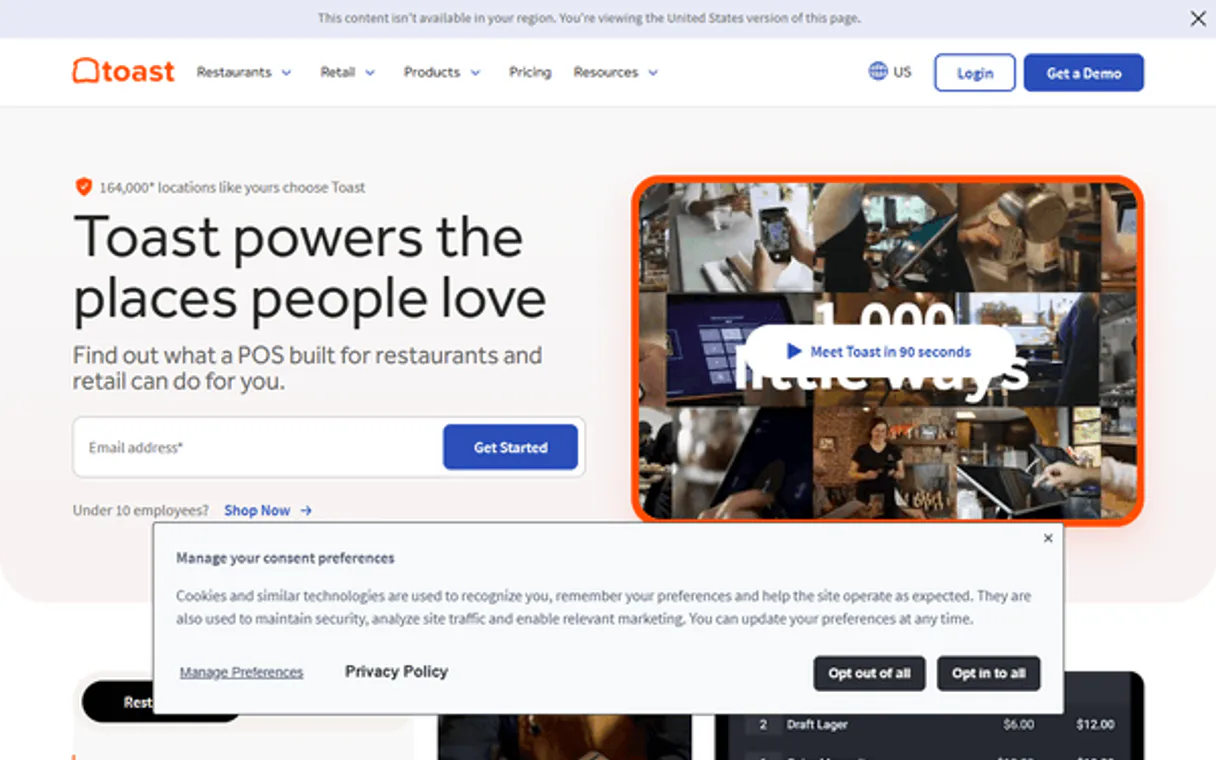
Independent Platform Disclaimer: Vinkius is an independent platform and is not affiliated with, endorsed by, sponsored by, verified by, or otherwise authorized by Toast. All third-party trademarks, logos, and brand names are the property of their respective owners. Their use on this website is strictly for informational purposes to identify service compatibility and interoperability.
VINKIUS INFRASTRUCTURE
Cloud Hosted
Managed infra
V8 Isolated
Sandboxed per request
Zero-Trust Proxy
No stored credentials
DLP Enforced
Policy on every call
GDPR Compliant
EU data residency
Token Compression
~60% cost reduction
Works with Claude, ChatGPT, Cursor, and more
The Model Context Protocol standardizes how applications expose capabilities to LLMs. Instead of operating in isolation, your AI gains direct access to external platforms, live data, and real-world actions through secure, standardized connections.
This server provides 10 capabilities that interface natively with Claude, ChatGPT, Cursor, and any MCP client. No middleware. No custom integration required.
Available Capabilities
Checking yesterday's sales used to mean juggling five different dashboards.
Before this server, figuring out last night's performance meant opening the POS dashboard for gross sales, then switching tabs to find void reports, clicking another section to see revenue splits (bar vs. dining room), and finally pulling a separate report just for top-selling items. It was slow, clunky, and required four different logins.
Now, you ask your agent: "What were our total sales yesterday?" The server runs the necessary tools (`list_orders`, `list_revenue_centers`) instantly, consolidating all those data points into one readable report. You get immediate answers without leaving the chat.
Toast MCP Server: Get real-time order and labor visibility.
You no longer have to wait for end-of-day reports or manually check if enough staff are scheduled. You can ask the agent to compare current table occupancy (`list_tables`) against employee shifts (`list_time_entries`) before a busy dinner service starts.
The difference is speed and context. We connect all those systems—the tables, the people, and the money—so you know exactly what's happening on the floor without ever opening another tab.
Common Questions About Toast MCP
How do I check yesterday’s total sales using list_orders? +
You ask your agent to use list_orders and specify the date range. It returns a summary of all transactions, allowing you to see gross revenue and key metrics like average check size.
Can I find out my labor cost percentage using list_time_entries? +
Yes. The server uses list_time_entries for clocked hours and cross-references that with sales data from list_orders. This calculates the ratio you need to spot staffing inefficiencies.
What is the difference between list_revenue_centers and list_orders? +
list_orders shows every transaction. list_revenue_centers takes all those transactions and segments the total money earned by source (e.g., bar sales vs. patio sales), giving a clearer picture of profit streams.
How can I check if an item is still available on the menu? +
Run list_menu_items. This tool checks not only the price but also the current status and availability settings for every dish listed in the POS system.
How does the `get_order` tool structure the data for a single check? +
The get_order function provides a deep dive into one transaction. You get line-item details, payment method breakdowns (cash vs card), and any applied comps or voids associated with that specific order number.
How do I handle large historical data sets when calling `list_orders`? +
When you run list_orders, the system supports chunking, so don't expect everything at once. The API manages pagination, allowing you to process massive amounts of sales data in controlled batches.
What specific operational data does the `list_tables` tool provide about floor capacity? +
The list_tables tool reports real-time seating status for your entire floor plan. It tells you which sections are currently occupied, available, or reserved, helping managers track flow and maximize seating.
When using `list_menu_items`, how do I ensure pricing changes sync across all ordering channels? +
The system manages synchronization for menu items. When you update an item's price or availability, the change immediately pushes to both your main POS devices and online ordering portals.
How many restaurants use Toast? +
Toast powers 112,000+ restaurants in the US — from food trucks and cafes to fine dining and multi-unit chains. It's the #1 restaurant POS platform.
Use it with your favorite AI tools
Connect this server to Cursor, Claude, VS Code, and more.
More in this category
Carta
Equip your AI agent with direct access to Carta — query cap tables, review equity grants, and monitor 409A valuations without opening the equity management dashboard.

Amazon DSP
Demand-Side Platform orchestration — manage display campaigns, audiences, and creatives via AI.

Nuvei
Connect your AI agent to Nuvei to track transactions, manage payments, and securely tokenize cards through natural conversation.
You might also like

Convex
Interact with your Convex backend directly—execute queries, mutations, and actions from any AI agent.

Moodle
Power your e-learning environment with the world most flexible open-source LMS for course creation and student management.

Elai AI Video
Equip your AI agent to generate AI videos, manage avatars, and track rendering status via the Elai.io API.