
Tock Reservations MCP. Access booking data and guest history via natural language.
 Gemini
 Works with every AI agent you already use
…and any MCP-compatible client









Just plug in your AI agents and start using Vinkius.
Tock Reservations. Connects your AI agent directly to Tock's API for managing restaurant operations. You can list every reservation, pull detailed guest profiles, or check real-time business metrics like total covers and occupancy rates—all via natural conversation.
What your AI agents can do
Get business detailed data
Retrieves detailed settings and core information for a specific Tock business venue.
Get business performance metrics
Calculates and returns a summary of key performance metrics (e.g., covers, average check) for a given business.
Get reservation details
Gets the full content and current status for one specific reservation.
Get instant performance data, including total expected covers and average check sizes for any business.
List all registered guests in the system directory to check visit history or contact details.
Get lists of all reservations, future bookings, or special pop-up events for a specific business.
Fetch the full content and current status for any single reservation by its unique ID.
List all individual businesses or venues managed under your main Tock account.
Ask AI about this MCP
Supported MCP Clients
Gemini Waiting for input…
Tock Reservations: 10 Tools for Hospitality Data
Use these tools to gather reservation details, list guests, check performance metrics, and audit operations across all managed venues.
019d7613get business detailed data
Retrieves detailed settings and core information for a specific Tock business venue.
019d7613get business performance metrics
Calculates and returns a summary of key performance metrics (e.g., covers, average check) for a given business.
019d7613get reservation details
Gets the full content and current status for one specific reservation.
019d7613get tock account metadata
Retrieves metadata, usage limits, and configuration details for your entire Tock account.
019d7613list business guests
Lists every guest registered in the business directory associated with a venue.
019d7613list business reservations
Generates a list of all reservations tied to a specific business.
019d7613list business special events
Lists records for special events and pop-up bookings hosted at the venue.
019d7613list future scheduled reservations
Identifies reservations scheduled to happen on a date in the future.
019d7613list managed businesses
Lists all distinct businesses and venues currently managed under your Tock account.
019d7613quick hospitality volume audit
Pulls a high-level summary of reservations, guests, and events across the entire operation.
Choose How to Get Started
Build a custom MCP for your own tools, or connect a ready-made integration from our catalog.
Build Your Own
Turn any API into an MCP. Import a spec, define Agent Skills, or deploy with MCPFusion.
- Import from OpenAPI, Swagger, or YAML specs
- Create Agent Skills with progressive disclosure
- Deploy to edge with MCPFusion framework
- Built in DLP, auth, and compliance on every call
- Real time usage dashboard and cost metering
- Publish to catalog or keep private
Make Your AI Do More
Start with Tock Reservations, then connect any of our 4,700+ other servers whenever your AI needs more. One click, no limits.
- Use this MCP plus 4,700+ others, all in one place
- Add new capabilities to your AI anytime you want
- Every connection is secured and compliant automatically
- Track usage and costs across all your servers
- Works with Claude, ChatGPT, Cursor, and more
- New servers added to the catalog every week
What you can do with this MCP connector
Listen up. This MCP Server connects your agent straight into Tock’s API, letting you manage every single thing that happens at a restaurant without opening a dashboard or typing endless database queries. You can talk to it like talking to a seasoned manager; your AI client handles all the messy booking and guest data retrieval using natural conversation.
When you use this server, you get immediate operational oversight. The quick_hospitality_volume_audit pulls a high-level summary of reservations, guests, and special events across your entire operation right away. You can also check out what's going on with the whole Tock account itself; the get_tock_account_metadata function gives you usage limits and configuration details for your main setup.
Need to know how a single venue is running? The list_managed_businesses tool shows you all distinct businesses or venues that live under your master Tock account. For any specific location, you'll get the core operational info with get_business_detailed_data, and you can track real-time business performance using get_business_performance_metrics. This gives you instant data on key metrics like total expected covers or average check sizes for that single venue.
When it comes to bookings, you've got coverage. You can pull a full list of all reservations tied to any specific business using list_business_reservations, and you can identify all pop-up events or special happenings with list_business_special_events. If you need to plan ahead, the agent uses list_future_scheduled_reservations to show you every booking set for a date in the future.
To deep dive into any single appointment, get_reservation_details pulls the full content and current status for that specific reservation ID.
Managing people is just as easy. The system lets your agent pull a list of every guest registered in the business directory using list_business_guests, helping you check visit history or contact details across multiple venues. If you need to know everything about one venue, the server can also retrieve performance data and general metrics for that single location through dedicated calls.
How Tock Reservations MCP Works
- 1 Connect the Tock integration to your AI client.
- 2 Authorize access using your Tock REST API Key (found in your business dashboard settings).
- 3 Use natural language prompts to query booking details, guest lists, or performance metrics.
The bottom line is you get a single conversational interface for all of your reservation and operations data.
Who Is Tock Reservations MCP For?
This server is built for restaurant managers and operations teams who are tired of jumping between multiple dashboards to piece together a picture of the day. If you spend time manually checking occupancy rates or digging through guest notes, this is for you.
Checks daily total covers and upcoming reservation counts instantly from a chat window.
Looks up specific guest notes or full visit history by name to personalize the service before they even sit down.
Monitors occupancy trends and pulls high-level metadata on event volume to assess overall business health.
What Changes When You Connect
- Check occupancy rates instantly. Instead of logging into a dashboard to find out how many covers are expected, ask your agent for
get_business_performance_metricsand get the number immediately. - Personalize service on the fly. If you need to know if 'Sarah Connor' is a repeat customer, use
list_business_guests. Your agent pulls her entire visit history in one go. - Audit everything quickly. Forget digging through tabs for general health checks. The
quick_hospitality_volume_audittool gives you a summary of reservations, guests, and events right away. - Manage multiple locations easily. Need to know what venues are set up? Run
list_managed_businesses. It shows every location under your Tock account in one list. - Isolate booking data. If you only care about the next week's schedule, use
list_future_scheduled_reservationsinstead of listing everything forever.
Real-World Use Cases
Checking for VIP Guests
A host needs to check on a high-value guest. They prompt: 'Who is the next party arriving?' The agent runs list_business_reservations, finds John Miller, and then uses get_reservation_details to pull up his special notes and history.
End-of-Day Performance Review
The manager asks: 'How did we do last night?' The agent runs get_business_performance_metrics, returning the total covers, average check size, and occupancy rate in a single chat response.
Planning for Pop-Ups
The ops team needs to plan marketing around upcoming non-standard events. They ask: 'What special pop-ups are coming up?' The agent runs list_business_special_events and provides a list of dates and venues.
Troubleshooting Guest Data
A team member can't find a guest. They ask the agent to search, which uses list_business_guests. The agent returns the full name, contact info, and total visit count for verification.
The Tradeoffs
Over-relying on general dashboards
The user opens the main Tock dashboard, clicks 'Reservations', then filters by date, then copies a guest name into another system just to check history.
→
Instead of clicking around, tell your agent: 'List all reservations for tonight and show me John Miller's guest notes.' The agent uses list_business_reservations and get_reservation_details in sequence.
Asking for data in vague terms
Prompting: 'Give me some numbers about the business.' This is too broad and forces multiple follow-up questions.
→
Be specific. Ask for get_business_performance_metrics or run a quick_hospitality_volume_audit. The agent knows exactly which data points you need.
Assuming the tool has write access
The user tries to prompt: 'Change John Miller's reservation time.' This will fail because the listed tools are for reading only.
→
Remember, this server reads data. To check status or details, use get_reservation_details. It won't let you change anything.
When It Fits, When It Doesn't
Use this if your primary need is analysis: 'What happened?' or 'Who was here?'. This server gives you read-only access to all booking data—guest history, revenue metrics, and schedules. Don't use it if you need to change anything (e.g., cancel a reservation, update a guest's phone number). For those actions, you'll need a dedicated write/writeback service. If you only need high-level summaries of what the entire account is doing, start with quick_hospitality_volume_audit. If you need granular data on one specific booking or guest, use get_reservation_details or list_business_guests, respectively.
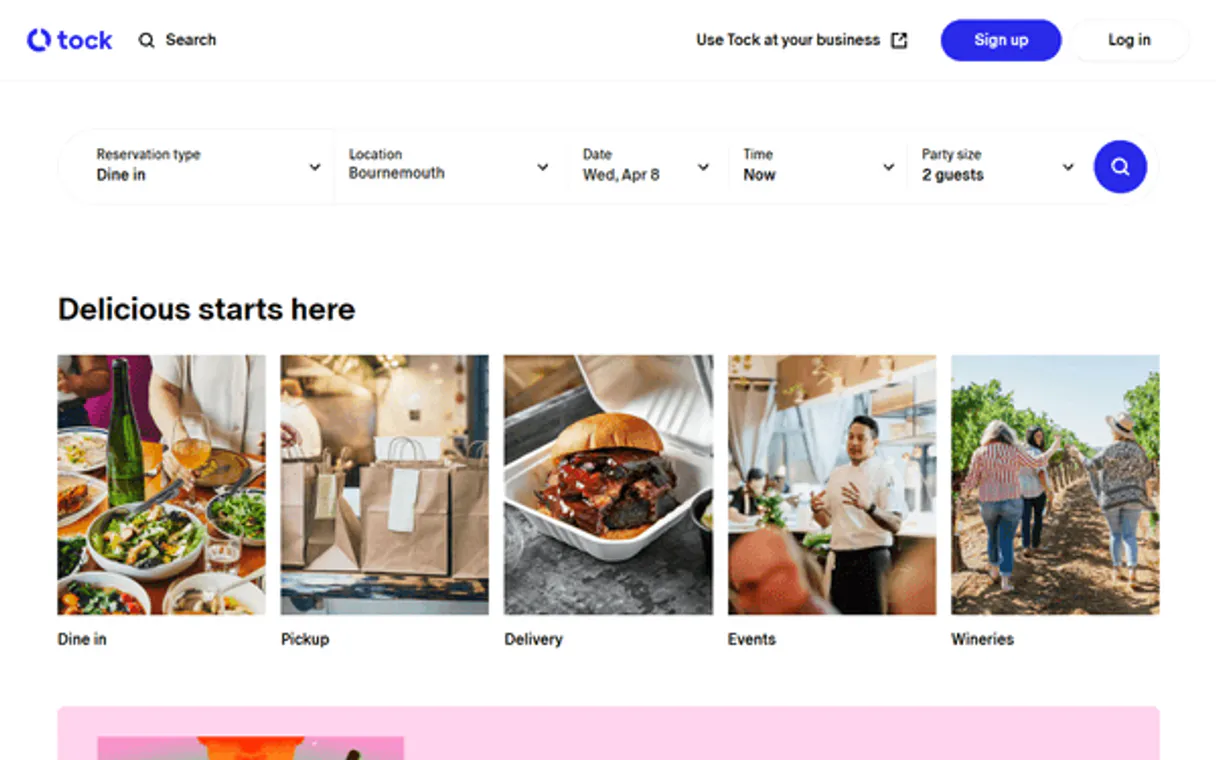
Independent Platform Disclaimer: Vinkius is an independent platform and is not affiliated with, endorsed by, sponsored by, verified by, or otherwise authorized by Tock Reservations. All third-party trademarks, logos, and brand names are the property of their respective owners. Their use on this website is strictly for informational purposes to identify service compatibility and interoperability.
VINKIUS INFRASTRUCTURE
Cloud Hosted
Managed infra
V8 Isolated
Sandboxed per request
Zero-Trust Proxy
No stored credentials
DLP Enforced
Policy on every call
GDPR Compliant
EU data residency
Token Compression
~60% cost reduction
Works with Claude, ChatGPT, Cursor, and more
The Model Context Protocol standardizes how applications expose capabilities to LLMs. Instead of operating in isolation, your AI gains direct access to external platforms, live data, and real-world actions through secure, standardized connections.
This server provides 10 capabilities that interface natively with Claude, ChatGPT, Cursor, and any MCP client. No middleware. No custom integration required.
Available Capabilities
Checking a restaurant's status used to mean opening ten different tabs.
Today, checking if a venue is busy means jumping through hoops. You open the booking dashboard for reservations, then switch to the guest CRM just to check notes, and finally pull up a separate analytics tab to see overall occupancy rates. It's slow, it requires five different logins, and you lose context trying to copy-paste data across screens.
With this server, all that information is consolidated. You ask your agent: 'What are the expected covers for tonight?' The agent runs `get_business_performance_metrics` and gives you a single number in chat. It's fast, it's accurate, and you never leave the conversation.
Tock Reservations MCP Server: Access booking data from your agent.
Manual checks for guest history are a nightmare. You might find a name in one system, but struggle to link it to the right visit count or check their notes across different dates and venues. It’s scattered data that takes hours of manual investigation.
Now, you run `list_business_guests`. The agent pulls all records for 'Jane Doe,' showing her total visits, last date, and any flagged details—all in one structured output. You get the full picture without opening a single tab.
Common Questions About Tock Reservations MCP
How do I check overall business health using get_business_performance_metrics? +
You prompt your agent to 'get business performance metrics.' The tool returns real-time data like total covers, occupancy rates, and average check size for the specific venue you reference.
Can I use list_business_guests to find a person's history? +
Yes. list_business_guests retrieves all registered guests in your directory. It lets you see their total visit count and last recorded visit date.
What is the difference between list_business_reservations and list_future_scheduled_reservations? +
They are similar, but different. list_business_reservations gets all current bookings (past and future). list_future_scheduled_reservations only pulls records set for a date after today.
Do I need to use get_tock_account_metadata first? +
No. While you can run get_tock_account_metadata to check limits, the agent can proceed with querying reservations and guests without it.
If I want to see upcoming pop-ups or special one-off events, should I use list_business_special_events? +
Yes, run list_business_special_events for that. This tool specifically pulls a list of organized activities and temporary pop-ups. It keeps these separate from standard reservations, letting you see the venue's broader event calendar.
What information do I get when I call get_reservation_details? +
The tool returns every piece of data tied to a single booking. You get full content, status updates (like checked in or cancelled), and all associated party details for that specific reservation ID.
How do I find the IDs needed for other calls if I don't know which businesses are managed? +
You must first run list_managed_businesses. This tool provides a list of all venues and business identifiers registered in your Tock account. Use these resulting IDs to feed into tools like get_business_performance_metrics.
What is the difference between quick_hospitality_volume_audit and getting performance metrics? +
The audit provides a simple, immediate summary of reservations, guests, and events. The get_business_performance_metrics tool offers deeper analysis, providing trends like average check size and historical occupancy rates.
How do I get a Tock API Key? +
Log in to your Tock dashboard as an administrator, navigate to Settings > API, and you can generate or retrieve your unique REST API Key from there. Ensure you have an active business subscription.
Does the integration show guest dietary preferences? +
Yes, you can use the get_reservation_details tool to retrieve specific guest notes, which typically include dietary restrictions, special occasions, and seating preferences.
Can the agent make new reservations? +
This integration currently focuses on listing and auditing existing reservations, guests, and events. Making new reservations or processing payments should be handled via the Tock booking widget or dashboard interface.
Use it with your favorite AI tools
Connect this server to Cursor, Claude, VS Code, and more.
More in this category

Layup
Manage digital lay-by orders, track deposits, and fetch checkout customer data via Layup straight from your AI agent.

Endorsal Testimonials
Equip your AI agent to manage testimonials, track display widgets, and approve reviews via the Endorsal API.

Focus Varejo
Emit NFC-e, NFCom, manifest documents and manage retail invoices via Focus NFe API.
You might also like

FOSSA (License Compliance)
Manage license compliance and security vulnerabilities via FOSSA — list projects, inspect revisions, and track dependencies directly from your AI agent.
Octoparse
Connect your AI agent to Octoparse to trigger cloud web scraping tasks, monitor crawler statuses, and retrieve scraped data directly into chat.
Traction Guest
Manage visitor operations via Traction Guest — list hosts, locations, invites, sign-ins, and group visits directly from any AI agent.