
Octoparse MCP. Pull structured web data directly into your AI client.
 Gemini
 Works with every AI agent you already use
…and any MCP-compatible client









Just plug in your AI agents and start using Vinkius.
Octoparse connects your AI agent to run cloud web scraping tasks. Use it to launch scrapers, monitor their status in real time, pause runaway bots, and pull structured data directly into your chat context window for analysis.
What your AI agents can do
Clear task data
Deletes all stored data for a specific Octoparse task, useful before running new test crawls.
Get task data
Exports scraped web rows from a completed task using offset-based pagination (max 1000 limit).
Get task status
Retrieves the current running status of an Octoparse cloud scraping task.
Triggers a cloud scraping task to begin crawling specified websites.
Immediately halts any active or running web crawling task.
Retrieves the current operational status of a scraping job, showing if it's queued, running, or failed.
Dynamically modifies core task settings like the target URL or injected keywords without restarting the project setup.
Pulls structured, scraped web data from a completed task and injects it into your AI client's context.
Provides a list of all configured scraping tasks, including their IDs and creation dates.
Ask AI about this MCP
Supported MCP Clients
Gemini Waiting for input…
Octoparse MCP Server: 10 Tools for Data Extraction
These tools let you manage the entire lifecycle of a web scraping task—from authentication and starting the crawl to pulling structured data out.
019d75e2clear task data
Deletes all stored data for a specific Octoparse task, useful before running new test crawls.
019d75e2get task data
Exports scraped web rows from a completed task using offset-based pagination (max 1000 limit).
019d75e2get task status
Retrieves the current running status of an Octoparse cloud scraping task.
019d75e2get token
Obtains a fresh OAuth 2.0 access token needed to authorize API calls to Octoparse.
019d75e2list task groups
Lists all top-level task groups (folders) contained within your Octoparse account structure.
019d75e2list tasks
Lists all configured cloud scraping tasks, providing IDs and status information for management.
019d75e2mark data exported
Marks all data currently stored in an Octoparse task as successfully extracted from the system.
019d75e2start task
Initiates a specified cloud scraping task, changing its status to running immediately.
019d75e2stop task
Forcefully terminates any currently executing Octoparse cloud scraping task.
019d75e2update task params
Changes the core search URL or required parameters of a running task without needing to open the Octoparse IDE.
Choose How to Get Started
Build a custom MCP for your own tools, or connect a ready-made integration from our catalog.
Build Your Own
Turn any API into an MCP. Import a spec, define Agent Skills, or deploy with MCPFusion.
- Import from OpenAPI, Swagger, or YAML specs
- Create Agent Skills with progressive disclosure
- Deploy to edge with MCPFusion framework
- Built in DLP, auth, and compliance on every call
- Real time usage dashboard and cost metering
- Publish to catalog or keep private
Make Your AI Do More
Start with Octoparse, then connect any of our 4,700+ other servers whenever your AI needs more. One click, no limits.
- Use this MCP plus 4,700+ others, all in one place
- Add new capabilities to your AI anytime you want
- Every connection is secured and compliant automatically
- Track usage and costs across all your servers
- Works with Claude, ChatGPT, Cursor, and more
- New servers added to the catalog every week
What you can do with this MCP connector
This server lets your AI agent talk directly to Octoparse's cloud scraping system. You don't have to open the dashboard or manually click buttons; you just tell your agent what data you need, and it handles the whole process—from authentication through data extraction.
Octoparse MCP Server - Cloud Web Scraping for AI lets you execute complex web crawling tasks as if they were simple API calls. Your AI client manages the entire lifecycle: initiating a crawl, keeping tabs on its status, adjusting parameters mid-flight, and pulling structured rows directly into your chat context window for analysis.
Getting Started and Discovery
Before you scrape anything, your agent first needs credentials. You'll use get_token to pull a fresh OAuth 2.0 access token. This token authorizes every single API call so the system knows it’s legit. To understand what tasks are available, you can list all top-level task groups using list_task_groups. That gives you an overview of your account structure.
Next, run list_tasks to pull a full roster of every configured scraping job, getting both their unique IDs and current status information.
Running and Controlling the Crawl
Need fresh data? You call start_task, which immediately changes the specified task's status to running. If the bot gets stuck or you change your mind mid-crawl, you can force it to stop using stop_task. The system constantly tracks what’s happening; use get_task_status whenever you need confirmation—it tells you if the job is queued, actively running, or if it failed.
Don't assume anything.
If the target website changes or your search criteria shift, you don't have to rebuild the whole project in Octoparse’s IDE. You can use update_task_params to dynamically change core settings, like swapping out the primary search URL or injecting new keywords into a running task.
Handling and Retrieving Data
Once a job finishes successfully, you've got structured data waiting to be pulled. Use get_task_data to export those scraped web rows. This function uses offset-based pagination, letting your agent pull up to 1000 records in one go. The extracted results then get injected right into your AI client’s context window—it's ready for the LLM to format tables or summarize findings immediately.
When you pull data successfully, remember two crucial steps: first, call mark_data_exported. This tells the system that those rows are officially out of the server. Second, if you're starting a new crawl and want a clean slate, run clear_task_data to delete all stored web data associated with that specific task ID.
You’ll use this before any test crawls to ensure your results aren't mixed up.
How Octoparse MCP Works
- 1 Enter your Octoparse Premium API credentials (Username/Email and Password) into the Vinkius Marketplace.
- 2 Instruct your AI agent to check the task status using
get_task_statusor list tasks withlist_tasksto confirm readiness. - 3 Call
get_task_datawith the correct parameters. The agent then receives the raw, structured web data and can process it immediately.
The bottom line is: your AI client manages the entire scraping lifecycle by calling these tools sequentially, eliminating manual dashboard checking.
Who Is Octoparse MCP For?
This server is for anyone whose job requires regular data extraction from public websites. Think Data Analysts who can't wait for nightly reports, or Growth Hackers who need to rapidly gather competitive pricing matrices. If your workflow involves turning a website into structured data, this is what you need.
Uses get_task_data and list_tasks to pull competitor price lists scraped overnight, asking the agent to summarize all observed price drops in a single conversation.
Runs a LinkedIn or Amazon scraper using start_task, then asks the AI to format the extracted records into a clean, actionable email list.
Monitors complex data collection pipelines via get_task_status and debugs schema issues by dumping JSON samples using get_task_data without leaving the terminal environment.
What Changes When You Connect
- Never manually check a dashboard again. Use
get_task_statusto get real-time confirmation of whether a crawl is running, paused, or failed. - Stop runaway bots instantly. If an Amazon scraper gets stuck on a CAPTCHA or infinite loop, call
stop_taskright away and save your run time. - Process data without leaving your IDE. Running
get_task_datadumps the scraped rows directly into your chat context, letting the AI format it immediately. - Debug schemas faster. Use
list_tasksto see all configured jobs andget_task_datawith pagination (offset) to dump JSON samples for schema review. - Adapt on the fly. If a target website changes its layout or keyword structure, you can call
update_task_paramsto adjust the task without rebuilding it.
Real-World Use Cases
Competitive Pricing Matrix Buildout
A business analyst needs pricing for 50 competing products. They use start_task on a dedicated Amazon scraper, wait until the task is confirmed running via get_task_status, and then ask their agent to run get_task_data. The AI receives all 50 data points and instantly generates a summary table comparing average price drops.
Debugging Web Scraping Schema
A developer suspects the scraper isn't catching certain fields. Instead of manually checking logs, they call list_tasks to find the task ID, then use get_task_data with offset-based pagination (e.g., 10 rows) to dump a JSON sample directly into the chat for quick schema validation.
Managing Large Real Estate Data Sets
A researcher runs a massive NYC property scraper. When the job is done, they use get_task_data repeatedly with increasing offsets to pull all data safely (avoiding memory crashes). Finally, they run mark_data_exported so they know the dataset is clean.
Handling Mid-Run Website Changes
The target website changes its product categorization. Instead of having to rebuild the whole scraping project, the agent uses update_task_params to change the search URL or keywords in the running task, keeping the data collection live.
The Tradeoffs
Trying to scrape a massive dataset in one go
Calling get_task_data without specifying pagination parameters, expecting it to dump everything at once.
→
You must use offset-based pagination with get_task_data. Always limit your requests (max 1000) and iterate through the offsets to ensure you pull all data safely.
Assuming a task is running when it's paused
Telling the agent to process data immediately after calling start_task, without checking if the crawl actually finished.
→
First, always check the status using get_task_status. Only call get_task_data once the tool confirms the task is in a 'Completed' state.
Forgetting to secure credentials
Hardcoding API keys directly into your agent prompt, risking exposure.
→
Always use get_token first. This tool retrieves the temporary access token needed for all subsequent, authenticated calls.
When It Fits, When It Doesn't
Use this server if your core problem is extracting structured data from public websites (e-commerce, listings, blogs). The tools are built entirely around the web scraping lifecycle: setup, execution, monitoring, and retrieval. Don't use it if you need to query a private database or interact with an internal CRM—you’ll need a dedicated database connector tool for that. If your workflow requires complex data transformations before extraction (e.g., needing API calls to fetch user profiles), you might need additional tools, but Octoparse handles the scraping part perfectly.
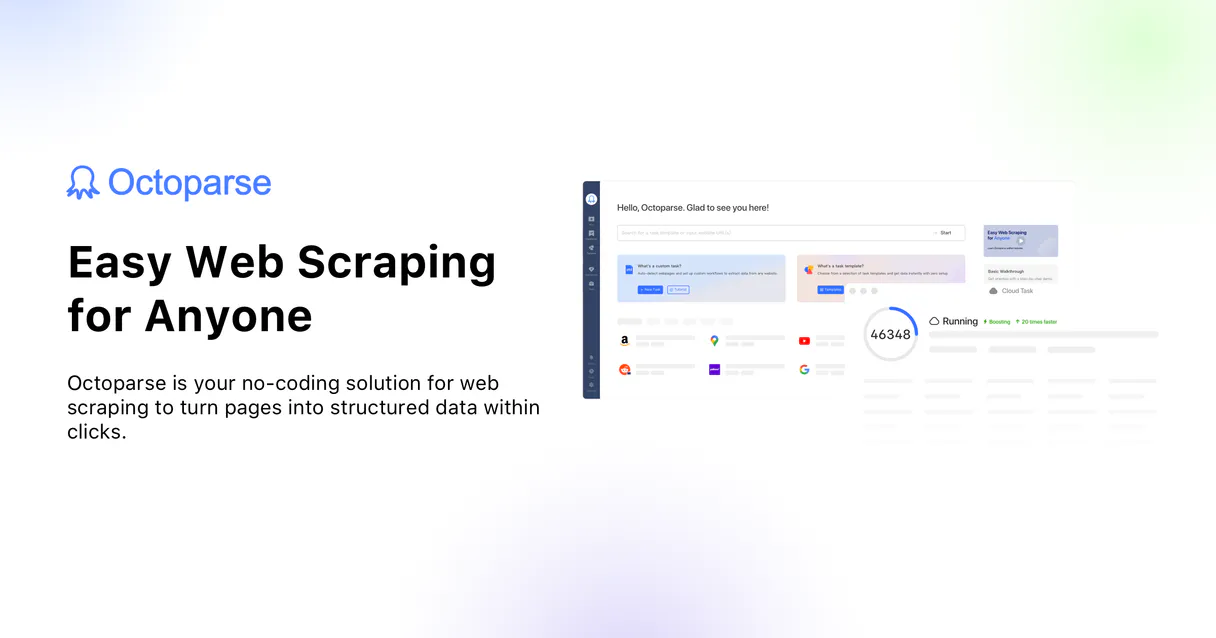
Independent Platform Disclaimer: Vinkius is an independent platform and is not affiliated with, endorsed by, sponsored by, verified by, or otherwise authorized by Octoparse. All third-party trademarks, logos, and brand names are the property of their respective owners. Their use on this website is strictly for informational purposes to identify service compatibility and interoperability.
VINKIUS INFRASTRUCTURE
Cloud Hosted
Managed infra
V8 Isolated
Sandboxed per request
Zero-Trust Proxy
No stored credentials
DLP Enforced
Policy on every call
GDPR Compliant
EU data residency
Token Compression
~60% cost reduction
Works with Claude, ChatGPT, Cursor, and more
The Model Context Protocol standardizes how applications expose capabilities to LLMs. Instead of operating in isolation, your AI gains direct access to external platforms, live data, and real-world actions through secure, standardized connections.
This server provides 10 capabilities that interface natively with Claude, ChatGPT, Cursor, and any MCP client. No middleware. No custom integration required.
Available Capabilities
Data gathering used to mean dozens of browser tabs and manual copy-pasting.
Today's process? You open the website, find the data table you want. Then, you manually select the columns, right-click, and paste them into a spreadsheet. If you need 50 pages of that data, you repeat the whole cycle—downloading CSVs, renaming columns, and then pasting everything into your analysis tool.
With this MCP server, you just send an instruction to your agent. The agent calls `start_task` on your cloud scraper. It handles the pagination and scraping in the background. When done, it runs `get_task_data`, delivering a clean, structured data dump directly into your chat context.
Octoparse MCP Server: Manage web crawls with real-time control.
You no longer have to wait hours for a scheduled job. If the task hits a roadblock—like missing required parameters or changing site structure—you can call `get_task_status` and then use `update_task_params`. You keep control of the data flow.
The difference is command-line precision versus GUI guesswork. We treat web scraping like any other API call, making it predictable, auditable, and immediately actionable within your agent.
Common Questions About Octoparse MCP
How do I start an Octoparse task using the `start_task` tool? +
You must first ensure you have a valid API token by calling get_token. Then, call start_task, providing the specific ID of the task you want to run. The task status will change to 'Running' almost instantly.
What is the difference between `list_tasks` and `list_task_groups`? +
list_task_groups shows you the high-level folders or categories in your Octoparse account. list_tasks lists the actual, individual scraping jobs (the tasks) inside those groups, giving you their IDs.
If I call `get_task_data`, what should I do next? +
After receiving the raw data dump from get_task_data, it's best practice to run mark_data_exported. This tool signals that the data has been successfully extracted, which is good for record-keeping.
Can I adjust a scraper mid-run using Octoparse MCP Server? +
Yes. If you need to change the search URL or inject new keywords into an active task, use the update_task_params tool. This avoids having to rebuild the entire project.
How do I obtain or refresh my API access token using the `get_token` tool? +
You call get_token to retrieve an OAuth 2.0 access token. This token is crucial; you must store it and reuse it for every subsequent API call until it expires.
If I run a test scrape, how do I securely purge the stored data using `clear_task_data`? +
clear_task_data wipes all recorded information associated with an Octoparse task. Use this tool whenever you need to delete testing footprints before starting a new, clean production crawl.
After I successfully call `get_task_data`, why should I use the `mark_data_exported` tool? +
You must run mark_data_exported to signal that the data has been reviewed and extracted. This action updates the task's status, confirming the data is available for downstream processes.
What if I need to change a scraper's target URL mid-run? Can `update_task_params` help? +
update_task_params lets you dynamically adjust parameters, like the core search URL or injected keywords. This means you can scale parameterized bots without having to rebuild the entire workflow.
Can I have my AI format the scraped JSON into a clean Markdown table? +
Absolutely. Because Octoparse MCP connects natively via the get_task_data capability directly into the AI's isolated context window, the language model can instantly translate cumbersome JSON fields into polished, structured, and legible tabular outputs on demand.
Is it possible to track task progress percentage in the chat? +
Yes. When you instruct your agent to run get_task_status, it fetches the real-time runtime progress metrics from Octoparse's cloud. You'll see whether it's Waiting, Running, or Completed, along with how many rows have been extracted so far.
Do I need a paid Octoparse plan for API capabilities to work? +
Yes. Octoparse explicitly limits their Advanced Cloud APIs strictly to their paid subscription levels. A Free tier account will reject the authentication tokens when attempting to fetch the runtime data.
Use it with your favorite AI tools
Connect this server to Cursor, Claude, VS Code, and more.
More in this category

UUID & ULID Generator
Stop LLMs from hallucinating fake or repeated IDs. Generate mathematically guaranteed v4 UUIDs and time-sortable ULIDs natively.

LMNT (Ultra-low Latency Speech Synthesis)
Synthesize ultra-low latency AI speech, clone voices instantly, and manage your LMNT audio assets directly from any AI agent.

Fastn
Automate and execute low-code workflows via Fastn — manage flow definitions, monitor executions, and handle connector credentials directly.
You might also like

DBpedia
Access the world's largest open knowledge graph — execute SPARQL queries, lookup entities, and monitor Wikipedia updates in real-time.

Europe PMC
Access over 33 million life science publications and research grants. Search PubMed, Agricola, and more directly from your AI agent.

Zoho Campaign
AI email marketing: manage campaigns, contacts, and mailing lists via agents.