
Tomorrow.io Extended MCP. Plan logistics around real-time environmental conditions.
 Gemini
 Works with every AI agent you already use
…and any MCP-compatible client









Just plug in your AI agents and start using Vinkius.
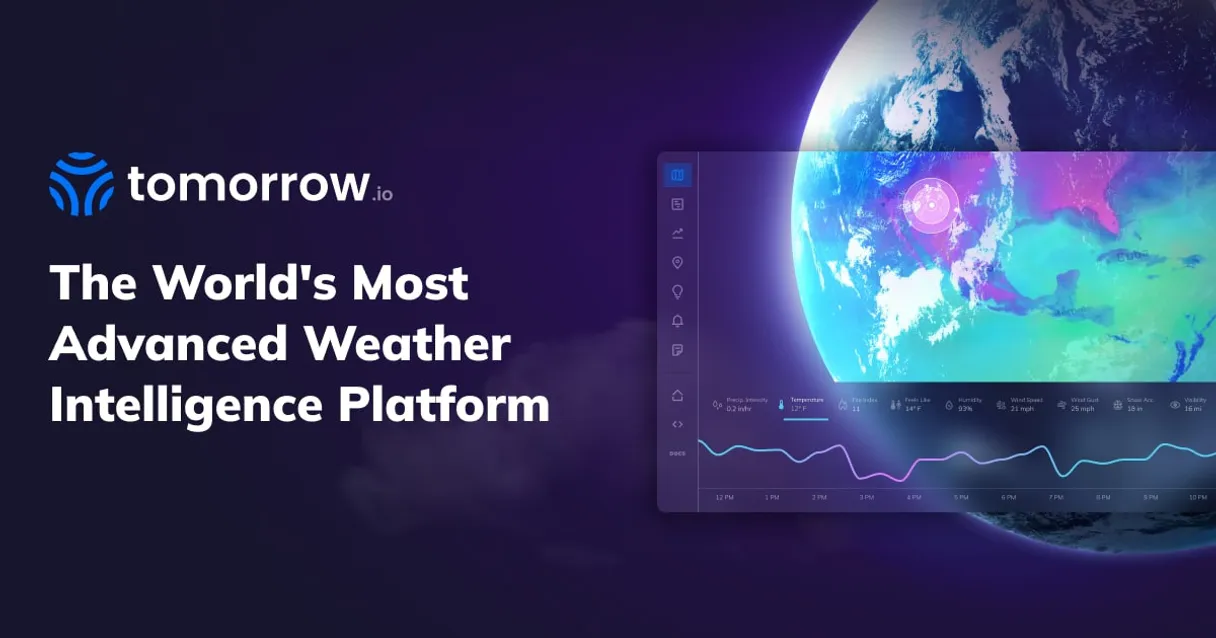
Tomorrow.io Extended gives your AI client access to hyper-local, minute-by-minute environmental intelligence. It provides real-time weather conditions, detailed forecasts across multiple timesteps, historical trend analysis, and up-to-date air quality indices (AQI).
If planning anything outdoors—from supply runs to farming operations—you need this data streamed directly into your agent.
What your AI agents can do
Get air quality
Retrieves the current Air Quality Index and pollution levels for a given location.
Get realtime weather
Fetches immediate weather data, including temperature, humidity, and wind speed, for any area.
Get recent history
Gathers historical weather records to analyze environmental patterns that occurred over the last 24 hours.
It pulls immediate data points, like temperature and humidity, for a specified location.
You can retrieve detailed forecasts, allowing the agent to plan around predicted changes in wind or rain over time.
The server fetches past weather data, letting your AI client track trends and identify patterns over a 24-hour period.
It reports on current pollution levels and the Air Quality Index (AQI) for any given city or area.
The agent checks if there are active weather warnings issued for a specific geographic zone.
Ask AI about this MCP
Supported MCP Clients
Gemini Waiting for input…
Tomorrow.io Extended: 5 Tools for Environmental Data
Access five specialized functions that allow your AI client to check real-time weather, forecast future conditions, analyze historical trends, and monitor air quality.
019d848fget air quality
Retrieves the current Air Quality Index and pollution levels for a given location.
019d848fget realtime weather
Fetches immediate weather data, including temperature, humidity, and wind speed, for any area.
019d848fget recent history
Gathers historical weather records to analyze environmental patterns that occurred over the last 24 hours.
019d848fget weather forecast
Provides a detailed prediction of future weather conditions, allowing for customizable time steps (hourly, daily).
019d848flist weather alerts
Checks for and lists all active severe weather warnings issued for specified geographic areas.
Choose How to Get Started
Build a custom MCP for your own tools, or connect a ready-made integration from our catalog.
Build Your Own
Turn any API into an MCP. Import a spec, define Agent Skills, or deploy with MCPFusion.
- Import from OpenAPI, Swagger, or YAML specs
- Create Agent Skills with progressive disclosure
- Deploy to edge with MCPFusion framework
- Built in DLP, auth, and compliance on every call
- Real time usage dashboard and cost metering
- Publish to catalog or keep private
Make Your AI Do More
Start with Tomorrow.io Extended, then connect any of our 4,700+ other servers whenever your AI needs more. One click, no limits.
- Use this MCP plus 4,700+ others, all in one place
- Add new capabilities to your AI anytime you want
- Every connection is secured and compliant automatically
- Track usage and costs across all your servers
- Works with Claude, ChatGPT, Cursor, and more
- New servers added to the catalog every week
What you can do with this MCP connector
Tomorrow.io Extended hands your AI client access to hyper-local, minute-by-minute environmental intelligence. You're not just getting a general forecast; you’re getting actionable data streams for everything outdoors. If your agent needs to plan anything—whether it’s a supply run or running farming operations—it pulls this stuff directly from the source.
Getting Real-Time Conditions: When you need immediate stats, the get_realtime_weather tool feeds you live data points. You get temperature readings, humidity levels, and wind speed for any area right now. This tells your agent what's happening on site at this exact moment.
Forecasting Future Weather Risk: Planning ahead means using get_weather_forecast. This tool gives detailed predictions of future weather conditions, letting you customize the time steps—you can pull hourly updates or full daily outlooks. Your agent uses these details to plan around predicted changes, like when wind speeds are expected to spike or if rain is coming in a few hours.
Analyzing Environmental History: You don't just look at today; you need context. The get_recent_history tool gathers historical weather records. It lets your AI client track environmental patterns and spot trends that happened over the last 24 hours, helping you understand typical operating conditions for a given time of day.
Monitoring Air Safety: Knowing the air quality is critical, so we built in get_air_quality. This tool reports current pollution levels and provides the precise Air Quality Index (AQI) for any city or zone. You'll know if the environment is safe for breathing or if your team needs to take precautions.
Tracking Severe Alerts: Safety first, always. If there’s a severe weather warning out, you need to know it immediately. The list_weather_alerts tool checks and lists all active severe warnings issued for specific geographic areas, so your agent never misses an evacuation or preparation deadline.
This whole setup lets you run complex environmental queries without having to open up five different apps. Your agent uses this single connection to manage everything from current temperature readings via get_realtime_weather to checking if a hurricane warning is active through list_weather_alerts. It's tough; it’s all in one place.
Your AI client can cross-reference multiple data streams. For instance, you could ask your agent: 'What was the average wind speed over the last 24 hours (get_recent_history) compared to the predicted conditions for tomorrow afternoon (get_weather_forecast), and is the air quality currently acceptable (get_air_quality)'—all in one prompt. The server handles it.
The system's strength lies in its granularity. You’re not getting vague regional averages; you’re pulling hyper-local, minute-by-minute intelligence that matters when time counts. Whether your goal is assessing agricultural yield based on historical rainfall patterns or just sending people out safely today, the data supports it.
It's built to feed directly into your agent's logic: detecting a drop in AQI might trigger a message via your client; seeing high wind speeds predicted hourly might automatically adjust a drone flight path. The combination of detailed forecasting (get_weather_forecast), instant readings (get_realtime_weather), and historical context (get_recent_history) gives you the operational picture you need to make tough, time-sensitive calls.
How Tomorrow.io Extended MCP Works
- 1 First, subscribe to the Tomorrow.io Extended server and input your API key.
- 2 Then, instruct your AI client (Claude, Cursor, etc.) on the required environmental data—for example, 'What's the air quality in Denver?'
- 3 Your agent calls the correct tool (
get_air_quality), receives structured JSON data, and presents it to you as actionable information.
The bottom line is that your AI client manages all the API calls; you just ask a question about environmental conditions.
Who Is Tomorrow.io Extended MCP For?
Field Operations Coordinators, Logistics Managers, and Agricultural Planners use this. The pain point isn't having data—it's integrating diverse, time-sensitive metrics (wind speed, AQI, rain probability) into a single decision workflow. They need to know right now if a plan is viable or if they need to reroute before the truck even leaves the yard.
Uses get_weather_forecast and list_weather_alerts to vet multi-stop routes, ensuring no segment encounters predicted high winds or severe weather warnings.
Runs get_recent_history and get_weather_forecast to decide the optimal timing for irrigation cycles or harvesting based on local temperature trends.
Checks list_weather_alerts and get_realtime_weather before an outdoor event starts, confirming safety parameters are met for attendees.
What Changes When You Connect
- Safety first:
list_weather_alertsimmediately flags severe warnings, ensuring your agent never misses a critical safety advisory before operations begin. - Predictive planning: Using
get_weather_forecast, you can model outcomes for next week's route—it tells you if high winds are expected Tuesday afternoon. - Deep context: The combination of
get_realtime_weatherandget_recent_historylets your agent compare what is happening right now against the last few hours, spotting rapid changes like sudden drops in temperature. - Health compliance:
get_air_qualityprovides the AQI reading. This is crucial for any operation where worker or public health depends on clean air. - Operational flexibility: You don't need multiple API calls. Your agent handles fetching current weather, historical context, and alerts in one cohesive workflow.
Real-World Use Cases
Rerouting a shipment due to sudden fog
A logistics manager asks: 'Can we ship the parts today?' The agent first calls get_realtime_weather and gets current wind/temp data. It then uses list_weather_alerts, finds an active visibility warning, and immediately suggests waiting until conditions improve.
Optimizing irrigation timing for crops
An agricultural planner needs to know when the ground will be driest. They run get_recent_history to see rainfall over the past week, then use get_weather_forecast to predict low precipitation in the next 48 hours, allowing them to schedule watering now.
Planning a high-altitude outdoor event
An organizer asks about safety: 'Will it be safe for hiking tomorrow?' The agent calls get_weather_forecast for the specific elevation and checks list_weather_alerts. If it finds frost warnings, it recommends rescheduling.
Assessing a site before construction starts
A project lead needs to know if the site is stable. They check both get_air_quality (to assess dust/pollution) and get_realtime_weather (for current wind speed) simultaneously to confirm safe start conditions.
The Tradeoffs
Just checking the temperature
Asking only, 'What is the weather?' and getting a single number like 15°C. This gives no context about wind or air quality.
→
Don't stop at temperature. To get full situational awareness, ask your agent to run get_realtime_weather AND get_air_quality. That combination provides the necessary depth for a real decision.
Ignoring alerts
Relying only on general forecasts without checking active warnings. You might see 'rain,' but miss an immediate, life-threatening flash flood alert.
→
Always include list_weather_alerts in your query stack. That tool must be the first one checked to ensure critical, time-sensitive warnings take priority over all other data.
Confusing forecast with current status
Assuming that because today's weather was clear, tomorrow will be too. You need specific data for both points in time.
→
Separate your queries: use get_realtime_weather for the immediate moment, and use get_weather_forecast specifically when you want to model changes 1 hour or 3 days out.
When It Fits, When It Doesn't
Use this server if your decision depends on environmental conditions (e.g., 'Can I move this truck now?' or 'Should we plant here?'). You need the breadth—the ability to cross-reference current readings (get_realtime_weather) against historical norms (get_recent_history), and then predict future risks (get_weather_forecast). Don't use it if you only need a single, simple data point (like 'What is the temperature?'). For that, a basic API call will do. However, if your task requires context—if you must confirm safety and viability—this suite of five tools provides the necessary depth and cross-validation layer.
Independent Platform Disclaimer: Vinkius is an independent platform and is not affiliated with, endorsed by, sponsored by, verified by, or otherwise authorized by Tomorrow.io. All third-party trademarks, logos, and brand names are the property of their respective owners. Their use on this website is strictly for informational purposes to identify service compatibility and interoperability.
VINKIUS INFRASTRUCTURE
Cloud Hosted
Managed infra
V8 Isolated
Sandboxed per request
Zero-Trust Proxy
No stored credentials
DLP Enforced
Policy on every call
GDPR Compliant
EU data residency
Token Compression
~60% cost reduction
Works with Claude, ChatGPT, Cursor, and more
The Model Context Protocol standardizes how applications expose capabilities to LLMs. Instead of operating in isolation, your AI gains direct access to external platforms, live data, and real-world actions through secure, standardized connections.
This server provides 5 capabilities that interface natively with Claude, ChatGPT, Cursor, and any MCP client. No middleware. No custom integration required.
Available Capabilities
Environmental planning shouldn't require toggling between three different dashboards.
Today, if a logistics manager needs to plan a day’s route, they typically open one app for weather, another for air quality data, and maybe a third site just to check active warnings. They spend twenty minutes copy-pasting location IDs, switching tabs, and cross-referencing three different time zones or metrics.
With the Tomorrow.io Extended MCP Server, your agent handles all that complexity in the background. You ask one question—'Is Route Beta clear for today?'—and you get a single, comprehensive answer drawn from `get_realtime_weather`, `list_weather_alerts`, and air quality data.
Tomorrow.io Extended MCP Server: Get full environmental intelligence.
Forget manually fetching 1-hour forecasts, then checking the AQI, and finally looking up if there are any active storm warnings for that region. These three steps used to take minutes of manual effort and risked human error.
Now, your agent runs `get_weather_forecast`, calls `get_air_quality`, and checks `list_weather_alerts` in sequence. The result is a single, synthesized narrative: the environmental status for that exact location, right now.
Common Questions About Tomorrow.io Extended MCP
How do I use get_realtime_weather to check current conditions? +
You provide the agent with the specific latitude and longitude. The tool returns immediate data points like temperature, wind speed, and humidity without needing a forecast window.
What is the difference between get_weather_forecast and list_weather_alerts? +
get_weather_forecast gives you predicted conditions (e.g., 'rain expected at 3 PM'). list_weather_alerts only shows active, severe warnings issued right now, like a mandatory evacuation or flash flood warning.
Can I use get_air_quality with historical data? +
The get_air_quality tool primarily provides real-time AQI readings. For historical pollution analysis, you'll need to combine it with get_recent_history.
Does get_weather_forecast include wind speed? +
Yes, the forecast is detailed enough to include predicted changes in wind speed and direction over the specified time intervals (e.g., hourly or daily).
What credentials are required to run get_air_quality? +
You must provide a valid Tomorrow.io API Key upon setup. Your agent uses this key for authentication on every call, which ensures secure access only to your account's data.
What time zone does the output from get_recent_history use? +
The historical data returns timestamps in UTC by default. This standard format makes it simple for your agent to process and adjust the time zone within your client logic.
Are there rate limits when using get_realtime_weather? +
Yes, the API implements defined rate limits. If you exceed these thresholds, expect a 429 error; it's best practice to build exponential backoff logic into your agent.
Does list_weather_alerts cover all global regions? +
Coverage depends on the subscription tier and physical sensor network. Always confirm the specific geographic area's support via the Tomorrow.io documentation before running alerts.
Can I get weather updates for a specific set of coordinates? +
Yes! You can provide coordinates (latitude, longitude) in the location parameter for any tool to get hyper-local data for that exact point.
What timesteps are supported for weather forecasts? +
Tomorrow.io supports 1m (minute-by-minute), 1h (hourly), and 1d (daily) timesteps. Specify your preference in the timesteps parameter of the get_weather_forecast tool.
Does the air quality tool provide specific pollutant levels? +
Yes, the get_air_quality tool retrieves data for various pollutants including PM2.5, PM10, O3, NO2, and CO, along with the overall Air Quality Index (AQI).
Use it with your favorite AI tools
Connect this server to Cursor, Claude, VS Code, and more.
More in this category
Zapier Smart Home
Control smart home devices via natural language through Zapier NLA API — access 5000+ app integrations for home automation.
AT&T IoT
IoT Control Center -- Manage SIM devices, activation, data pools, shared plans, and connectivity diagnostics via AT&T IoT API.
Composio Smart Home
Access 1000+ smart home tool integrations via Composio API — control devices through structured arguments or natural language commands.
You might also like

Twist
Automate asynchronous communication workflows via Twist — manage workspaces, channels, threads, comments, and direct messages via any AI agent.
Eden AI
Equip your AI agent to manage unified AI workflows, track providers, and monitor API usage via the Eden AI platform.

CleverTap
Manage customer engagement and analytics via CleverTap — track campaigns, monitor user segments, and audit event data directly from any AI agent.