
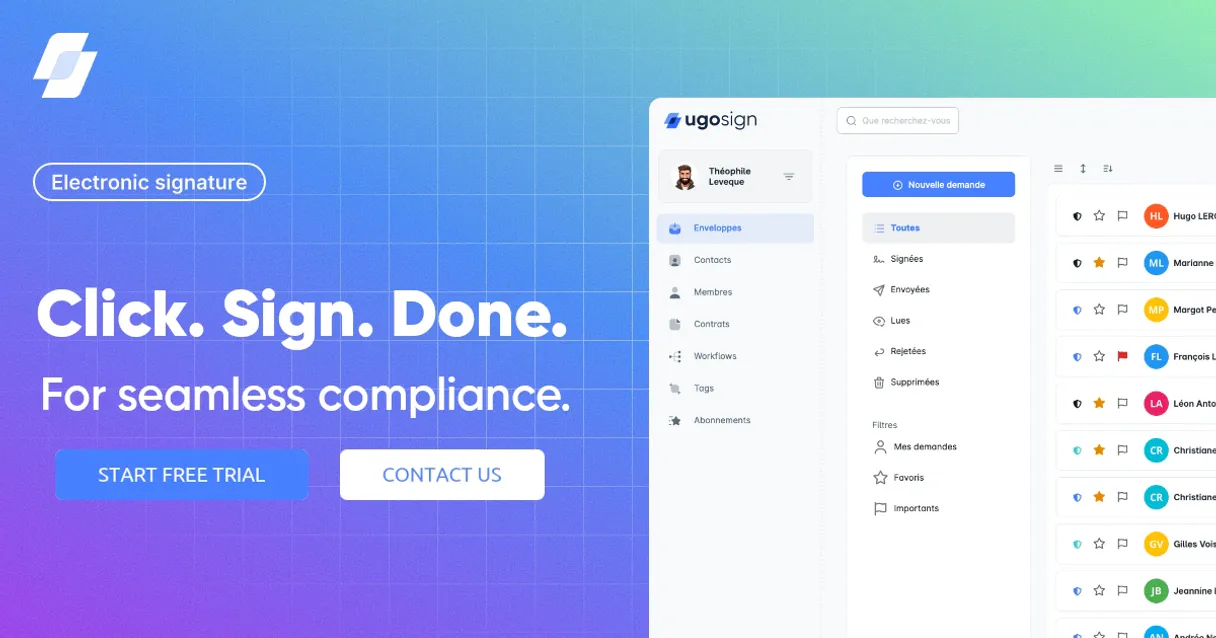
Ugosign MCP Server with 6 Tools Ready for AI Agents
 GDPR Free for Subscribers
Sign documents electronically with a platform that supports advanced electronic signatures and complies with European regulations. Unlock 6 tools ready out of the box. Connect this App Connector to instantly empower AI agents like Claude Code, Cursor, or any MCP-compatible client with advanced capabilities.
Ask AI about this App Connector
Vinkius delivers Streamable HTTP and SSE to any MCP client
* Every MCP server runs on Vinkius-managed infrastructure inside AWS - a purpose-built runtime with per-request V8 isolates, Ed25519 signed audit chains, and sub-40ms cold starts optimized for native MCP execution. See our infrastructure
What is the Ugosign MCP Server?
The Ugosign MCP Server gives AI agents like Claude, ChatGPT, and Cursor direct access to Ugosign via 6 tools. Sign documents electronically with a platform that supports advanced electronic signatures and complies with European regulations. Powered by the Vinkius - no API keys, no infrastructure, connect in under 2 minutes.
Built-in capabilities (6)
Tools for your AI Agents to operate Ugosign
Ask your AI agent "List all active signature requests in Ugosign." and get the answer without opening a single dashboard. With 6 tools connected to real Ugosign data, your agents reason over live information, cross-reference it with other MCP servers, and deliver insights you would spend hours assembling manually.
Works with Claude, ChatGPT, Cursor, and any MCP-compatible client. Powered by the Vinkius - your credentials never touch the AI model, every request is auditable. Connect in under two minutes.
Why teams choose Vinkius
One subscription gives you access to thousands of MCP servers - and you can deploy your own to the Vinkius Edge. Your AI agents only access the data you authorize, with DLP that blocks sensitive information from ever reaching the model, kill switch for instant shutdown, and up to 60% token savings. Enterprise-grade infrastructure and security, zero maintenance.
Build your own MCP Server with our secure development framework →The Ugosign App Connector works with every AI agent you already use
…and any MCP-compatible client









Use all 6 Ugosign tools with your AI agents right now
Empower your AI agents to connect to Ugosign and securely perform advanced actions on Vinkius infrastructure. Beyond a simple connection, you gain an advanced AI Gateway that provides complete visibility into agent activity, ensuring maximum governance and optimized token usage.
Pass data as a JSON string. Create a new signature request
Get document details
Get organization details
Get signature request details
List all documents
List all signature requests
What the Ugosign MCP Server unlocks
Connect your Ugosign account to any AI agent to streamline your electronic signature and document approval workflows. Ugosign provides a powerful REST API for programmatically managing signature requests, tracking document statuses, and maintaining a secure audit trail of all signed agreements.
What you can do
- Signature Request Orchestration — List and create new electronic signature requests for one or more recipients with detailed tracking
- Document Lifecycle Tracking — Monitor the real-time status of your documents and signature requests from draft to fully executed
- Audit Trail Monitoring — Access detailed metadata for all signature requests to maintain a secure and compliant record of your agreements
- Organization Intelligence — Retrieve detailed information about your Ugosign organization to maintain an overview of your team's signing capacity
- Frictionless Approvals — Get a comprehensive overview of active signature requests and pending actions using natural language commands
How it works
1. Subscribe to this server
2. Enter your Ugosign API Key from your developer portal
3. Start managing your electronic signatures from Claude, Cursor, or any MCP client
Who is this for?
- Legal & Compliance Teams — monitor agreement statuses and manage audit trails more efficiently using natural language
- Sales Operations — automate the creation of signature requests for contracts and order forms
- Developers — integrate real-time electronic signature intelligence into custom business and legal dashboards
Frequently asked questions about the Ugosign MCP Server
How do I get my Ugosign API Key?
Log in to your Ugosign account, navigate to the Developer API or Integrations section, and copy your secret Bearer Token.
Can I track the status of a specific signature request?
Yes, use the get_signature_request tool with the unique ID to see if it is 'pending', 'viewed', or 'signed'.
Does it support multiple recipients?
Absolutely. You can specify one or more recipients when creating a new signature request via the create_signature_request tool.
More in this category
eSignly Electronic Signature
10 toolsEquip your AI agent to manage e-signature documents, track templates, and monitor audit trails via the eSignly API.
Aspose.Words
10 toolsGenerate, convert, and manipulate Word documents programmatically with enterprise-grade document processing capabilities.
FutureVault
12 toolsManage digital vaults, track documents, and oversee folder structures via AI agents with FutureVault.
You might also like
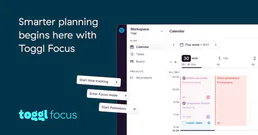
Toggl Plan
10 toolsManage your team's visual timelines, track project phases, and balance workloads securely via your AI agent.

Gumlet
12 toolsOptimize images and stream video with automatic format conversion, lazy loading, and CDN delivery that loads pages faster.
Friendbuy
8 toolsManage referral programs, track purchases, and oversee rewards via AI agents with Friendbuy.