
eSignly Electronic Signature MCP. Track signer progress and compliance logs in conversation.
 Gemini
 Works with every AI agent you already use
…and any MCP-compatible client









Just plug in your AI agents and start using Vinkius.
eSignly Electronic Signature. Equip your AI agent to manage document signing workflows. Use this server to list all documents, check a document's current signing status, and retrieve complete audit trails for compliance checks.
It helps track signers, monitor templates, and oversee document lifecycle management directly via natural language conversation.
What your AI agents can do
Get document detailed data
Gets detailed settings and the current status for a specific document.
Get esignly account metadata
Retrieves metadata and usage limits for your eSignly account.
Get template details
Gets detailed settings for a specific reusable eSign template.
Retrieves specific information and the real-time signing status for one eSign document using get_document_detailed_data.
Retrieves a list of all documents in your account using list_esign_documents and identifies which are pending or complete.
Lists all signers associated with a document and reports their current signing status using list_document_signers.
Retrieves the full audit trail for a document, including event times, actions taken, and IP addresses, via list_document_audit_trail.
Provides a summary of document and template activity using quick_signing_volume_audit.
Retrieves detailed settings for a specific document template using get_template_details.
Ask AI about this MCP
Supported MCP Clients
Gemini Waiting for input…
eSignly Electronic Signature MCP Server: 10 Tools for Document Ops
Use these 10 tools to manage the entire document lifecycle, from listing documents to checking compliance logs, all through conversation.
019d7591get document detailed data
Gets detailed settings and the current status for a specific document.
019d7591get esignly account metadata
Retrieves metadata and usage limits for your eSignly account.
019d7591get template details
Gets detailed settings for a specific reusable eSign template.
019d7591list document audit trail
Gets the full, chronological record of all events for a specified document.
019d7591list document signers
Lists every signer for a document and shows their current status (e.g., pending, completed).
019d7591list esign contacts
Lists all contacts saved in your eSignly address book.
019d7591list esign documents
Lists all documents currently stored in your eSignly account.
019d7591list esign templates
Lists all reusable document templates available in your account.
019d7591list successfully signed documents
Identifies and lists documents where all required parties have completed the signature process.
019d7591quick signing volume audit
Retrieves a high-level summary of recent document and template activity.
Choose How to Get Started
Build a custom MCP for your own tools, or connect a ready-made integration from our catalog.
Build Your Own
Turn any API into an MCP. Import a spec, define Agent Skills, or deploy with MCPFusion.
- Import from OpenAPI, Swagger, or YAML specs
- Create Agent Skills with progressive disclosure
- Deploy to edge with MCPFusion framework
- Built in DLP, auth, and compliance on every call
- Real time usage dashboard and cost metering
- Publish to catalog or keep private
Make Your AI Do More
Start with eSignly Electronic Signature, then connect any of our 4,700+ other servers whenever your AI needs more. One click, no limits.
- Use this MCP plus 4,700+ others, all in one place
- Add new capabilities to your AI anytime you want
- Every connection is secured and compliant automatically
- Track usage and costs across all your servers
- Works with Claude, ChatGPT, Cursor, and more
- New servers added to the catalog every week
What you can do with this MCP connector
You're gonna equip your AI agent to manage document signing workflows. Use this server to list documents, check a document's current signing status, and pull complete audit trails for compliance checks. You'll track signers, monitor templates, and oversee the whole document lifecycle straight through conversation.
List all documents and their statuses: Your agent can pull a list of all documents in your eSignly account using list_esign_documents, and it'll identify which ones are pending or finished.
Check a document's status and details: If you need specific info or the real-time signing status for one eSign document, your agent uses get_document_detailed_data to pull the details.
Monitor the document's signing process: To see who signed what, your agent calls list_document_signers to list every signer on a document and reports their current signing status, whether they're pending or done.
Review complete compliance logs: You can pull the full audit trail for a document, including event times, actions taken, and IP addresses, by running list_document_audit_trail.
Review high-level usage metrics: Your agent can get a summary of recent document and template activity using quick_signing_volume_audit.
Check reusable template definitions: If you need to know the setup for a reusable eSign template, your agent pulls detailed settings using get_template_details.
Manage eSignly contacts and templates: Your agent can list all contacts saved in your eSignly address book with list_esign_contacts, and it can pull a list of all reusable document templates available in your account via list_esign_templates.
Identify completed documents: You can use list_successfully_signed_documents to find documents where every required party has finished signing.
Get account usage info: Your agent checks your eSignly account metadata and usage limits using get_esignly_account_metadata.
How eSignly Electronic Signature MCP Works
- 1 Connect the eSignly integration to your AI client and authorize it with your API credentials.
- 2 Tell your agent the task (e.g., 'What's the status of the Q3 Vendor Agreement?').
- 3 The server runs the necessary tools and returns the structured data to your agent for a conversational summary.
The bottom line is that your AI client runs the eSignly tools, and you get back a conversational summary of the results.
Who Is eSignly Electronic Signature MCP For?
Legal and Compliance teams need this when they have to prove a document's signing history. Sales Operations uses it to check contract status during a live deal review. HR and Admin teams rely on it to track template usage and organizational document metadata.
Checks document audit trails and completion statuses for compliance reviews, proving exactly who signed and when.
Queries active contract statuses and signer progress via chat during the deal tracking phase.
Monitors template usage and organizational document metadata instantly to ensure compliance with internal policies.
What Changes When You Connect
- See the full signing history for any contract. Running
list_document_audit_trailgives you a complete, timestamped record of every view, send, and sign action, crucial for compliance. - Know exactly who needs to sign what. Use
list_document_signersto see individual progress against a document's required signers, stopping deals from stalling in the dark. - Keep tabs on your reusable forms.
list_esign_templateslets you view all available templates, confirming field definitions and placeholder roles without opening the web UI. - Get a snapshot of your account health.
quick_signing_volume_auditpulls high-level data on document and template activity, helping you quickly gauge overall organizational signing throughput. - Manage your document library.
list_esign_documentslists every document in your account, letting you find what you need by name or status before diving into details. - Confirm final status instantly.
list_successfully_signed_documentsfilters out the noise and only shows documents that have passed the final sign-off threshold.
Real-World Use Cases
The Compliance Review
A legal team needs to prove that a vendor agreement was signed correctly. They ask their agent to run list_document_audit_trail on the document ID. The agent immediately returns the full chain of events, proving the document's validity and meeting compliance standards.
Closing the Deal
A sales rep needs to know if the client signed the final NDA. They ask the agent to check the status using list_document_signers. The agent reports, 'Three signers are pending.' This tells the rep exactly who to follow up with, speeding up the deal cycle.
Onboarding New Employees
The HR specialist needs to track which onboarding documents are ready. They run list_esign_documents to get a list, then use get_document_detailed_data to check the status of the 'Employee Handbook' document, confirming if it's awaiting review or already complete.
System Health Check
An admin needs to know if the signing process is bottlenecked. They run quick_signing_volume_audit to get a summary. This immediately shows if template usage is spiking or if the document volume is suddenly low, flagging potential operational issues.
The Tradeoffs
Manually tracking status across tabs
A user logs into eSignly, clicks 'Documents', finds the contract, then clicks 'Audit Trail' to check history, and finally opens 'Signers' to see who signed. This requires 4-5 distinct clicks and jumping between screens.
→
Ask your agent to consolidate the information. Use list_document_signers and list_document_audit_trail in one prompt. The agent runs both tools and gives you a single, comprehensive status report.
Guessing document readiness
A user sees a contract listed but assumes it's signed because it's not marked 'Pending'. They check the document details only to find the signature section is incomplete.
→
Always confirm the final state. Use list_successfully_signed_documents to filter out only the contracts that are 100% complete. This prevents relying on visual cues.
Forgetting template context
A user knows they need to update a form but doesn't know the exact internal field name or what the template is called, leading to guesswork in the UI.
→
First, run list_esign_templates to get a master list of all available templates. Then, use get_template_details on the specific template ID to confirm all required fields before making changes.
When It Fits, When It Doesn't
Use this server if your workflow depends on verifiable compliance data or status updates. You need to know who signed, when they signed it, and what the current state of the contract is. You must prove the document's lifecycle. Don't use this if you just need to generate a document or manage users—use a dedicated user management or content generation tool instead. If you only need a simple list of file names, use list_esign_documents. If you need to check the overall health of your system, run quick_signing_volume_audit first.
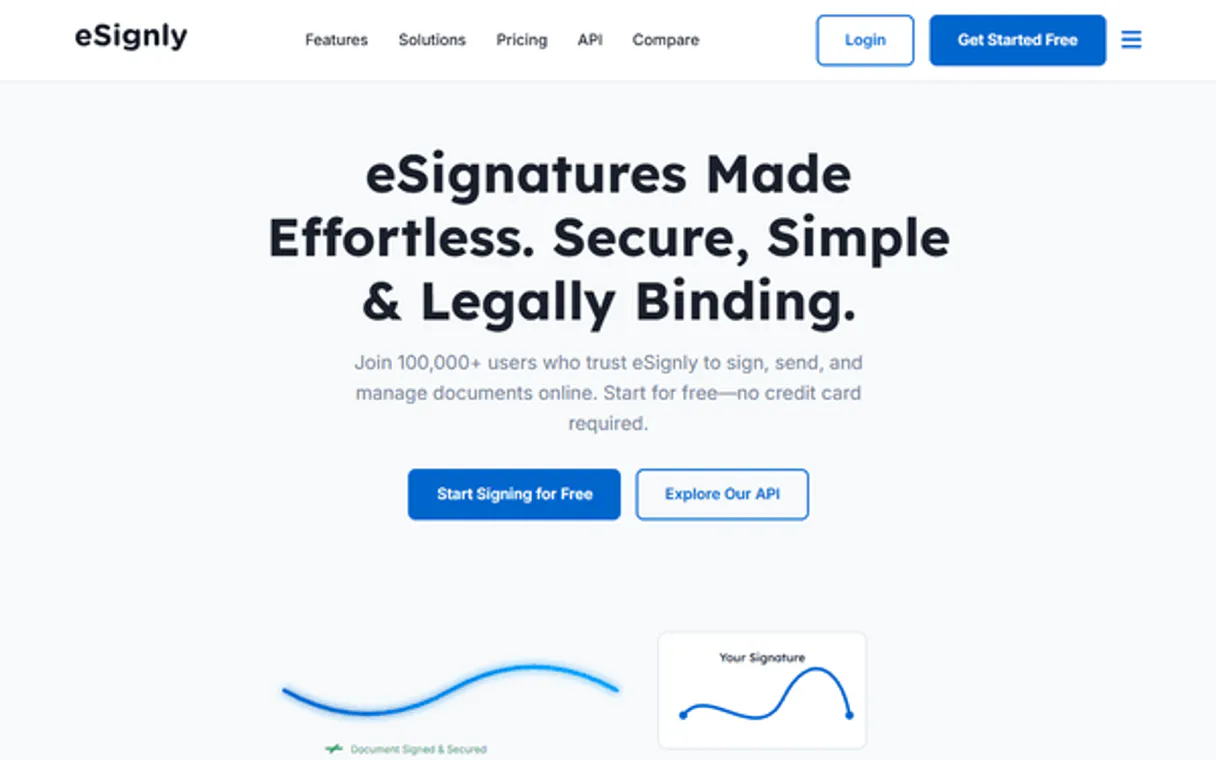
Independent Platform Disclaimer: Vinkius is an independent platform and is not affiliated with, endorsed by, sponsored by, verified by, or otherwise authorized by eSignly Electronic Signature. All third-party trademarks, logos, and brand names are the property of their respective owners. Their use on this website is strictly for informational purposes to identify service compatibility and interoperability.
VINKIUS INFRASTRUCTURE
Cloud Hosted
Managed infra
V8 Isolated
Sandboxed per request
Zero-Trust Proxy
No stored credentials
DLP Enforced
Policy on every call
GDPR Compliant
EU data residency
Token Compression
~60% cost reduction
Works with Claude, ChatGPT, Cursor, and more
The Model Context Protocol standardizes how applications expose capabilities to LLMs. Instead of operating in isolation, your AI gains direct access to external platforms, live data, and real-world actions through secure, standardized connections.
This server provides 10 capabilities that interface natively with Claude, ChatGPT, Cursor, and any MCP client. No middleware. No custom integration required.
Available Capabilities
Checking a contract's status shouldn't require jumping between tabs.
Today, checking a contract's status means logging into the platform, finding the document ID, clicking on 'Details,' then opening 'Audit Trail' to see if it was viewed, and finally clicking 'Signers' to see if everyone signed. It's a multi-step, click-heavy process.
With this MCP server, you just ask your agent, 'What's the status of the Service Agreement?' It runs `list_document_signers` and `list_document_audit_trail` and gives you the answers in one chat reply. It's instant.
eSignly Electronic Signature MCP Server: Check Document Status
You no longer have to manually pull report data from different modules (signers, templates, audit logs) and correlate them in a spreadsheet. The agent handles the data merging.
You get a single, authoritative source of truth for document status and compliance history, immediately available through conversation. No more manual data gathering.
Common Questions About eSignly Electronic Signature MCP
How do I check the signing status of a document using the eSignly Electronic Signature MCP Server? +
You use list_document_signers to see who signed and their status. For a full compliance check, combine list_document_signers with list_document_audit_trail to see both the status and the event history.
What is the difference between `list_esign_documents` and `list_document_signers`? +
list_esign_documents gives you a list of all documents in your account. list_document_signers only reports the signers for a single, specified document.
How can I find out if a document is fully signed using the eSignly Electronic Signature MCP Server? +
Use list_successfully_signed_documents. This tool is specifically designed to filter the list down to only those documents where every required party has completed their action.
Do I need the API key to check template details with `get_template_details`? +
Yes, the server needs authentication via your API key to access the template library. This ensures you only view definitions for templates associated with your eSignly account.
How do I use `list_document_audit_trail` to track who viewed a document? +
It retrieves a full history of activity for the document. The audit trail logs events like 'Viewed by [User]' and includes timestamps and IP addresses for every action.
What is the purpose of `get_esignly_account_metadata`? +
This tool shows the limits and overall health of your eSignly account. You can check usage quotas and see any defined API access limits before running major tasks.
When should I use `list_esign_templates` versus `get_template_details`? +
list_esign_templates gives you a directory of all available templates. Use get_template_details when you need specific information, like field definitions, for one template ID.
What information can I get using `list_successfully_signed_documents`? +
This tool lists documents that have reached final status. It confirms that all required signers have completed their actions and the document is fully executed.
How do I get eSignly API credentials? +
Log in to your eSignly account, navigate to Settings > API, and you can find your unique API ID and API Key there. Ensure you have a plan that includes API access.
Can the agent send new documents for signature? +
This integration currently focuses on listing and auditing documents, templates, and contacts. Creating or sending new documents for signature should be managed via the eSignly web portal or automated template triggers.
Does the integration show real-time signing status? +
Yes, you can use the list_document_signers tool to retrieve the current completion status for every signer associated with a specific document.
Use it with your favorite AI tools
Connect this server to Cursor, Claude, VS Code, and more.
More in this category
Zoho WorkDrive
Manage files, folders, and team workspaces via Zoho WorkDrive directly from your AI agent.

Better Proposals
Create and manage professional proposals via Better Proposals — list proposals, contacts, and templates directly from any AI agent.

GovInfo (GPO Legislative Docs)
Access official US government documents, legislative bills, and federal registers directly from the GPO.
You might also like

Guru
Manage enterprise knowledge cards, track collections, and search your wiki via AI agents with Guru.

Classy.org
Manage fundraising and donations via Classy (GoFundMe Pro) — track campaigns, monitor transactions, and manage supporters directly from any AI agent.

Comunidad de Madrid (Portal Regional)
Access the official Open Data portal of the Community of Madrid. Search datasets, inspect public resources, and query the datastore for regional information.