
Uniconta MCP. Audit GLs, check invoices, list debtors instantly.
 Gemini
 Works with every AI agent you already use
…and any MCP-compatible client









Just plug in your AI agents and start using Vinkius.
Uniconta MCP Server lets your AI agent run complex ERP reports instantly. Get debtor details, audit invoices, check GL journals, and list inventory directly from Uniconta without logging into the web app.
It handles all global accounting ledgers via natural chat.
What your AI agents can do
Get debtor details
Fetches all metadata for a single debtor (customer) ID from Uniconta.
List creditors
Lists every vendor or company registered as a creditor in the system.
List daily journals
Retrieves daily journal entries, providing the raw transaction log for general ledger auditing.
Retrieves specific metadata (like legal name, address, credit limit) for any single debtor ID.
Generates a list of every active customer registered in Uniconta, including their unique IDs.
Pulls all invoices issued to a specific debtor ID, allowing you to track outstanding balances over time.
Retrieves a complete list of vendors and companies who supply services or goods to your business.
Lists all daily journal entries, giving you access to the raw transaction history for accounting audits.
Retrieves a complete list of products in the catalog, including current stock levels and pricing.
Provides a full directory of every general ledger account code used within Uniconta.
Ask AI about this MCP
Supported MCP Clients
Gemini Waiting for input…
Uniconta MCP Server: 8 Tools for Financial Data Retrieval
Use these eight tools to pull specific accounting records—from GL journals to inventory counts—directly from Uniconta into your AI workflow.
019d7619get debtor details
Fetches all metadata for a single debtor (customer) ID from Uniconta.
019d7619list creditors
Lists every vendor or company registered as a creditor in the system.
019d7619list daily journals
Retrieves daily journal entries, providing the raw transaction log for general ledger auditing.
019d7619list debtor invoices
Generates a list of all invoices issued to a specific debtor ID by your company.
019d7619list debtors
Lists every active customer record in Uniconta, giving you access to their unique IDs and basic info.
019d7619list employees
Retrieves a list of all employee accounts registered within the Uniconta system.
019d7619list gl accounts
Provides a directory listing of every General Ledger (GL) account code available for reporting.
019d7619list inventory items
Lists all products in your catalog, including current stock count and pricing details.
Choose How to Get Started
Build a custom MCP for your own tools, or connect a ready-made integration from our catalog.
Build Your Own
Turn any API into an MCP. Import a spec, define Agent Skills, or deploy with MCPFusion.
- Import from OpenAPI, Swagger, or YAML specs
- Create Agent Skills with progressive disclosure
- Deploy to edge with MCPFusion framework
- Built in DLP, auth, and compliance on every call
- Real time usage dashboard and cost metering
- Publish to catalog or keep private
Make Your AI Do More
Start with Uniconta, then connect any of our 4,700+ other servers whenever your AI needs more. One click, no limits.
- Use this MCP plus 4,700+ others, all in one place
- Add new capabilities to your AI anytime you want
- Every connection is secured and compliant automatically
- Track usage and costs across all your servers
- Works with Claude, ChatGPT, Cursor, and more
- New servers added to the catalog every week
What you can do with this MCP connector
You gotta connect your Uniconta ERP right to your AI client. This server gives your agent direct access to core financial data—no logging into the clunky web app required. Your agent runs complex reports instantly by calling specific tools that read debtor records, audit invoices, check General Ledger (GL) journals, and list inventory without you having to click a single button.
Getting Customer and Vendor Information:
When you need details on a customer or vendor, you don't waste time searching. To get the full roster of active customers, use list_debtors, which gives you every registered account ID and basic contact info. If you know the specific ID, running get_debtor_details pulls all the metadata for that single debtor—you'll grab everything from their legal name to their credit limit.
Tracking what your company supplies is just as easy; use list_debtor_invoices when you need a list of every invoice sent out to one specific debtor ID, letting you track outstanding balances over time.
You can also get the complete picture of who owes money by calling list_creditors, which lists every vendor and company registered in the system that supplies your business.
Mastering Accounting Ledgers:
When it comes to bookkeeping, your agent handles all the complexity. To audit the General Ledger, you run list_daily_journals. This tool pulls the raw transaction log for daily journal entries, giving you the full history needed for any accounting review. Before diving into transactions, you can use list_gl_accounts to pull a directory listing of every single general ledger account code used in Uniconta.
You'll also find that your agent can list all employee accounts registered within the system by calling list_employees, which keeps HR data available for financial context.
Managing Assets and Stock:
For asset management, you don't need to guess what’s on hand. Running list_inventory_items gives you a complete catalog of every product your company sells, including current stock counts and accurate pricing details right away. If you need a quick check on who provided goods or services, running list_creditors gets you the full list of vendors supplying those items.
Your AI client uses these tools to read all this data natively through conversation. You simply tell your agent what you need—say, "Show me all invoices for customer ID 123." It runs list_debtor_invoices, and bam, the data appears. No more jumping between dashboards just to find a specific address or reconcile an old balance.
Your agent handles it, pulling exact company data directly from Uniconta's core system.
How Uniconta MCP Works
- 1 First, you manually subscribe this core server context and provide your Uniconta credentials (Username, Password, Company ID) to the AI client.
- 2 Next, you instruct your agent with a plain language query (e.g., 'Show me all unpaid invoices for debtor 104').
- 3 The agent calls the appropriate tool (
list_debtor_invoices), receives the structured data from Uniconta, and presents it to you in natural text.
The bottom line is: You talk to your AI client like a teammate; it talks to Uniconta's API for you. No manual dashboard navigation needed.
Who Is Uniconta MCP For?
Financial Auditors who need audit trails instantly, or Account Executives who waste time looking up unpaid invoices before meetings. If your job involves reconciling discrepancies between physical paper and digital records, this tool saves you hours of clicking through ERP dashboards.
Uses list_daily_journals to pull transaction histories quickly for compliance checks. They need fast data sets instead of massive CSV exports.
Calls get_debtor_details and list_debtor_invoices before sending statements, ensuring the client's latest balance is correct.
Uses list_creditors to confirm vendor details or checks invoices by calling tools that pull billing data.
What Changes When You Connect
- Check Debtor Status Instantly: Instead of logging into Uniconta to find a client's address or unpaid balance, just ask the AI. Use
get_debtor_detailsorlist_debtor_invoicesand get the answer in seconds. - Audit Books Without CSVs: Financial auditors can query daily journals using
list_daily_journals. This pulls transaction histories directly into your chat window, skipping the pain of exporting massive Excel files for review. - Inventory on Demand: Need to verify stock while building an order? Call
list_inventory_itemsright from a conversation. You get item records, prices, and available stock simultaneously. - Better AP/AR Visibility: Keep track of who you owe money to or who owes you money using
list_creditorsorlist_debtors. It’s a single source of truth for all your receivables and payables. - Master the Ledger: Use
list_gl_accountsalongsidelist_daily_journalsto map out how every dollar moves through your company's books. It makes complex financial oversight simple.
Real-World Use Cases
Pre-Meeting Credit Check
An Account Executive is about to meet a client and needs to know if they have any outstanding balances. Instead of logging into the ERP, they prompt their agent: 'What's the current status for Global Tech Solutions?' The agent calls get_debtor_details and list_debtor_invoices, reporting back if payments are due.
End-of-Day Reconciliation
The Bookkeeper needs to confirm the day's transactions. They ask the agent: 'List today's general ledger journals.' The agent calls list_daily_journals, providing a real-time summary of all recorded movements, bypassing manual journal entry review.
Urgent Inventory Count
The Sales team needs to confirm stock levels for three different products immediately. They prompt the agent: 'List items with less than 50 units.' The agent uses list_inventory_items and gives them a precise list of low-stock SKUs, preventing overselling.
Vendor Verification
The Purchasing Agent needs to confirm if 'Widget Supply Co' is still an active vendor before submitting a PO. They prompt the agent: 'What are my registered creditors?' The agent uses list_creditors and confirms the necessary details, saving them a phone call.
The Tradeoffs
Copying and Pasting Data
The user downloads 10 different reports (invoices, debtors, journals) as massive CSV files. They then open them in Excel and spend an hour manually cross-referencing the dates and account codes to build a single view.
→
Don't do that. Ask your agent to run multiple tools—say, list_debtor_invoices followed by get_debtor_details—and ask it to synthesize the data into one readable report instantly.
Relying on UI Filters
The user has to navigate deep into Uniconta's interface, clicking through multiple tabs and setting complex date filters just to find a small batch of journals from Q3.
→
Just ask the agent. Use list_daily_journals and specify the quarter in your prompt. It handles the filtering logic for you.
Assuming Data Linkage
The user sees a debtor ID in one report but can't figure out if that client has corresponding GL entries or recent invoices without manually searching two different modules.
→
Use get_debtor_details first to confirm the client, then call list_debtor_invoices. This confirms the data link and gives you a complete picture in sequence.
When It Fits, When It Doesn't
You should use this Uniconta MCP Server if your core job requires reading specific financial records—like knowing exactly which invoices are open, or what the general ledger shows—and doing it quickly without logging into the ERP web portal. It's best for auditing and data retrieval.
Don't use it if you need to create new records (like generating a full invoice or posting a journal entry); this server only reads existing data. If your goal is to build complex, multi-step reporting logic that joins 10 different datasets automatically, consider an external ETL tool instead. But for the job of 'What does the system currently say about X?'—this is exactly what you need.

Independent Platform Disclaimer: Vinkius is an independent platform and is not affiliated with, endorsed by, sponsored by, verified by, or otherwise authorized by Uniconta. All third-party trademarks, logos, and brand names are the property of their respective owners. Their use on this website is strictly for informational purposes to identify service compatibility and interoperability.
VINKIUS INFRASTRUCTURE
Cloud Hosted
Managed infra
V8 Isolated
Sandboxed per request
Zero-Trust Proxy
No stored credentials
DLP Enforced
Policy on every call
GDPR Compliant
EU data residency
Token Compression
~60% cost reduction
Works with Claude, ChatGPT, Cursor, and more
The Model Context Protocol standardizes how applications expose capabilities to LLMs. Instead of operating in isolation, your AI gains direct access to external platforms, live data, and real-world actions through secure, standardized connections.
This server provides 8 capabilities that interface natively with Claude, ChatGPT, Cursor, and any MCP client. No middleware. No custom integration required.
Available Capabilities
Finding a client's full financial history shouldn't take five browser tabs and three logins.
Today, if you need to check a customer’s credit status and their past invoices, you open the debtor module. You search by name, then copy that ID into the billing screen. Then, you might have to run a separate report just for outstanding balances—all while hoping your credentials haven't expired.
With this MCP server, you tell your AI agent: 'Give me all payment history and current balance for ABC Corp.' The agent calls `get_debtor_details` and `list_debtor_invoices`, compiling the answer immediately. You get the data structure you need without touching a dashboard.
Uniconta MCP Server: Get full visibility into General Ledger journals.
Manually, auditing daily journal entries means navigating to the GL module, setting date ranges, and then exporting the massive data set. You end up with an Excel sheet that requires hours of manual filtering just to see if a specific account type was used correctly last month.
Now, you simply ask your AI client to run `list_daily_journals`. It pulls those raw transaction records directly into chat, letting you review the flow instantly. The data arrives structured and ready for your eyes.
Common Questions About Uniconta MCP
How do I list all my customers using list_debtors? +
You prompt the agent with a simple request like, 'List all active debtors.' It runs list_debtors and returns an unformatted list of every customer ID and name registered in Uniconta.
Can I use get_debtor_details to check a client's credit limit? +
Yes. You pass the debtor's ID to get_debtor_details. The tool returns metadata that includes their current maximum credit threshold, allowing you to check compliance instantly.
What is the best way to audit invoices using list_debtor_invoices? +
Just give the debtor's ID and ask for outstanding invoices. The agent calls list_debtor_invoices, returning a comprehensive list of billing records associated with that specific client.
Do I need to use list_gl_accounts before running list_daily_journals? +
No, you don't. While list_gl_accounts gives you the directory, calling list_daily_journals pulls the actual transactions directly. You can check both for full context.
When I use `list_creditors`, can my agent distinguish between active and archived vendors in Uniconta? +
Yes, the tool includes a status field. This allows your AI client to separate current suppliers from inactive or archived ones immediately.
If I run `list_inventory_items`, what is the maximum number of product records I can retrieve in one call? +
The tool handles batch retrieval, typically supporting up to 500 items per request. For larger sets, you must use the pagination parameters.
Using `list_employees`, how do I determine if a user account has been deactivated or is pending termination? +
The output includes an 'account status' field. Your agent reads this to tell you instantly whether the employee record is active, suspended, or retired.
How can I filter the results from `list_daily_journals` to include only transactions from a specific date range? +
You pass start and end dates directly into the call. This ensures your agent retrieves all ledger entries within that exact historical window.
Can it search through all GL accounts at once? +
Yes. Command the LLM to 'list_gl_accounts'. It connects directly to the ERP tables handling your General Ledger mappings and provides a comprehensive, raw listing natively within seconds.
How do I securely retrieve the data from a single specific Debtor when preparing for a client call? +
Have the agent execute 'get_debtor_details' by supplying their account code or RowID. It extracts all assigned contacts, limits, local address formats, and primary balance metrics directly into reading text.
Is it possible to inspect pending inventory items and pricing directly dynamically and easily? +
Yes, trigger 'list_inventory_items' via standard chat protocols. The bot will automatically retrieve available catalogs, yielding active identifiers and current pricing arrays inherently.
Use it with your favorite AI tools
Connect this server to Cursor, Claude, VS Code, and more.
More in this category

Zeev
Digitize business processes with BPMN workflows, electronic forms, and approval chains that replace paper and email chaos.

Zakeke
Manage customized product designs, 3D configurations, and orders via Zakeke.

ServiceNow
Manage incidents, service requests, change orders, and CMDB records on ServiceNow — the enterprise ITSM backbone.
You might also like
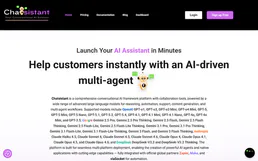
Chatsistant
Deploy white-label AI assistants for your clients with custom branding, knowledge bases, and conversation analytics.

Sinch
Enable your AI agent to send SMS messages, monitor delivery reports, and manage contact groups via the Sinch API.

Builder.io
Manage your visual CMS via Builder.io — track content entries, models, and symbols directly from any AI agent.