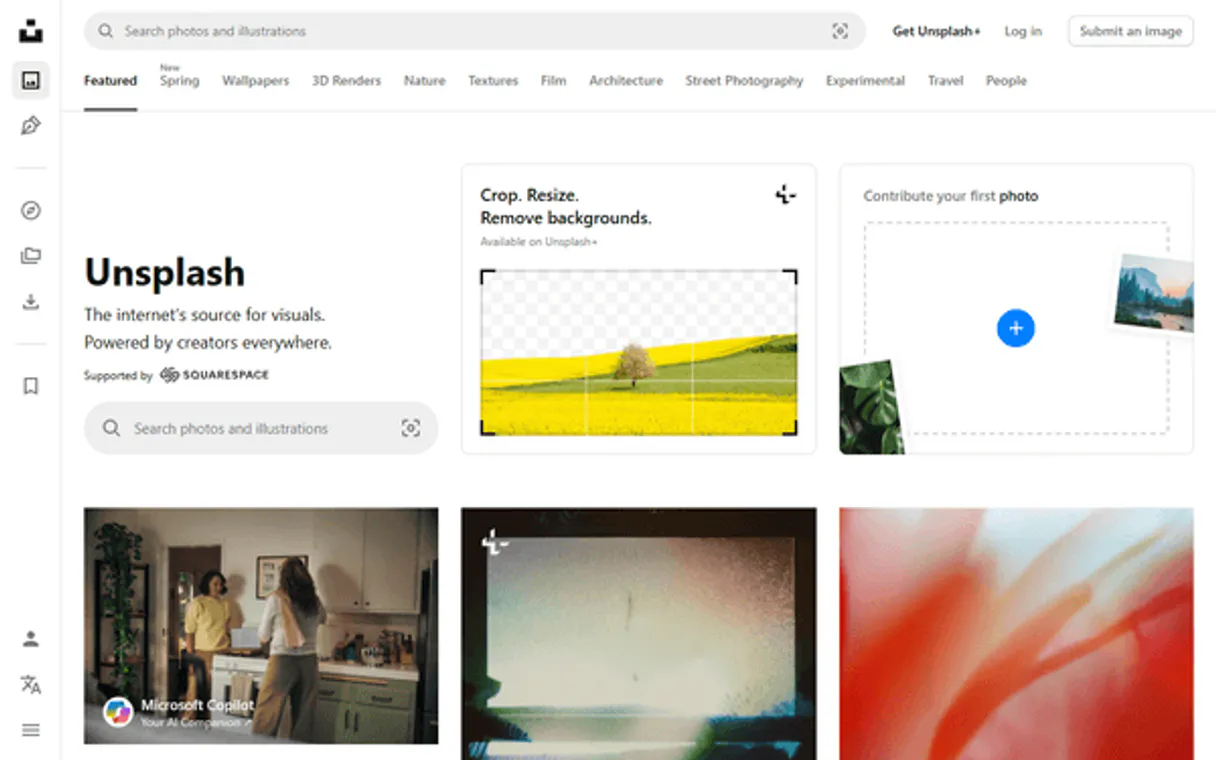
Unsplash Alternative MCP. Query Photos, Users, and Collections via AI.
Works with every AI agent you already use
…and any MCP-compatible client

Just plug in your AI agents and start using Vinkius.
Unsplash Alternative MCP Server lets your AI agent search for photos, users, and collections directly. You can get photo metadata, audit creator portfolios, or find random high-quality images without touching a browser dashboard.
It connects structured visual data—metadata, user IDs, collection lists—straight into your workflow via natural conversation.
What your AI agents can do
Get collection
Retrieves detailed information for a single, specified photo collection.
Get photo
Gets all metadata and details for one specific photo ID.
Get photo stats
Pulls usage statistics (like views) for a given photograph ID.
Runs targeted queries against Unsplash's database to find high-resolution images based on text input.
Retrieves all associated data for a specific image ID, including descriptions and photographer information.
Fetches details about a creator's profile and lists every single photograph they have uploaded to the platform.
Grabs a high-quality, unscheduled photo suitable for quick visual concepting or filler content.
Searches through curated groups of photos to find specific thematic imagery instantly.
Ask AI about this MCP
Supported MCP Clients
Waiting for input…
Unsplash Alternative: 10 Tools for Creative Discovery
These tools give your AI agent the power to query Unsplash data—from searching photos by keyword to auditing entire user portfolios.
019d8495get collection
Retrieves detailed information for a single, specified photo collection.
019d8495get photo
Gets all metadata and details for one specific photo ID.
019d8495get photo stats
Pulls usage statistics (like views) for a given photograph ID.
019d8495get random photo
Fetches details for a random, high-quality photo on the platform.
019d8495get user
Retrieves profile information for a specific Unsplash user ID.
019d8495get user photos
Lists all photos uploaded by a specified user account.
019d8495list topics
Provides a list of current, curated visual topics available on Unsplash.
019d8495search collections
Searches and lists curated photo collections based on keywords or themes.
019d8495search photos
Performs keyword-based searches across the entire library of high-quality photos.
019d8495search users
Finds and returns user profiles based on names or keywords.
Choose How to Get Started
Build a custom MCP for your own tools, or connect a ready-made integration from our catalog.
Build Your Own
Turn any API into an MCP. Import a spec, define Agent Skills, or deploy with MCPFusion.
- Import from OpenAPI, Swagger, or YAML specs
- Create Agent Skills with progressive disclosure
- Deploy to edge with MCPFusion framework
- Built in DLP, auth, and compliance on every call
- Real time usage dashboard and cost metering
- Publish to catalog or keep private
Make Your AI Do More
Start with Unsplash Alternative, then connect any of our 4,700+ other servers whenever your AI needs more. One click, no limits.
- Use this MCP plus 4,700+ others, all in one place
- Add new capabilities to your AI anytime you want
- Every connection is secured and compliant automatically
- Track usage and costs across all your servers
- Works with Claude, ChatGPT, Cursor, and more
- New servers added to the catalog every week
What you can do with this MCP connector
You're dealing with visual assets, right? Forget clicking through dashboards or messing around in a browser UI. This server connects your AI agent straight into the Unsplash database so you can run complex photo queries using plain language.
Searching for Images
Need a specific vibe? You just tell it what you're looking for, and the tool search_photos runs targeted keyword searches across the whole library. If you know exactly which image you want, use get_photo to pull all the metadata and details tied to that single photo ID. Want to know how popular a picture is? get_photo_stats pulls usage figures like view counts for any specific photograph.
If you're just brainstorming or need filler content fast, run get_random_photo. It grabs a random, high-quality image so you don't have to hunt for something quick. You can also discover themed imagery using dedicated collections; try search_collections to list groups based on keywords, or use list_topics to see what curated visual topics are trending right now.
Managing Users and Portfolios
If you're keeping tabs on creators, this is killer. Use get_user with a specific Unsplash user ID, and your agent pulls that creator’s profile information immediately. To audit a whole body of work—like seeing every single photo one person has uploaded—just call get_user_photos. It lists all the images associated with that specified account.
How it Works
This setup takes complex visual API calls and turns 'I need X' into an actionable command for your agent. You don't navigate; you just talk to it. You can check photo details, run deep keyword searches across massive image libraries, pull user profiles, and list everything a creator has ever posted—all in one conversation flow.
How Unsplash Alternative MCP Works
- 1 Subscribe to the server and input your Unsplash Access Key (Client ID).
- 2 Instruct your AI client: 'Find a photo of X' or 'Show me photos from user Y'.
- 3 The agent runs the necessary tool calls (
search_photos,get_user, etc.) and delivers the structured metadata directly to you.
The bottom line is your AI client handles all the API calling. You just talk to it, and it gets the data back.
Who Is Unsplash Alternative MCP For?
Designers who spend too much time manually clicking through image libraries need this. Content marketers tired of verifying brand alignment across dozens of stock sites will use it. If you're an Art Director whose day involves auditing visual trends or gathering specific metadata, this server gives you the API control you need without writing boilerplate code.
Uses search_photos to find alternatives quickly and runs get_photo_stats on promising images to check their usage reach.
Runs list_topics to identify trending visual themes for upcoming campaigns, then uses the results in a draft article.
Uses search_collections and get_user together to audit specific creators' work against defined brand guidelines.
What Changes When You Connect
- Audit creator work instantly. Use
get_userfollowed byget_user_photosto pull an entire portfolio list for a specific photographer without manual effort. - Validate image quality with data. After finding a photo using
search_photos, runget_photo_statsto check its performance metrics before committing to it. - Rapid concepting with random assets. If you're blocked, call
get_random_photo. It grabs a high-quality fallback image so your presentation never looks empty. - Discover themes automatically. Use
list_topicsto see what visuals are trending right now, guiding your creative brief before the client meeting even starts. - Target specific groups of images. Don't just search broadly; use
search_collectionsto find highly curated themed imagery for a precise look.
Real-World Use Cases
Need assets for an upcoming product launch?
Instead of browsing, your agent runs this: 1) Use list_topics to see what's hot (e.g., 'Minimal Tech'). 2) Run search_photos with that topic. 3) If you find a great image by a specific creator, use get_user and then get_user_photos to check their other work for brand consistency.
The client needs proof of concept images.
You ask your agent: 'Find 5 photos related to urban nature.' The agent runs search_photos. You select one, and the agent immediately uses get_photo to pull all the metadata—descriptions, photographer name, etc.—so you have everything in structured data.
We need to check a competitor's visual style.
Run this sequence: 1) Use search_users to find the account. 2) Run get_user_photos to list all their uploads. 3) Use get_photo_stats on three key images to see if they are generating any visible activity.
Curating a seasonal mood board.
You ask: 'What visual themes should we focus on for fall marketing?' The agent runs list_topics, giving you a list of ready-to-use, curated categories. You can then use search_collections to pull examples from the top two topics.
The Tradeoffs
Doing multiple manual searches
A designer opens Unsplash in a browser, manually types 'mountain', clicks results, then opens a new tab and searches for 'alpine' because the first search failed.
→
Tell your agent: 'Find photos of alpine mountains.' The agent handles both keywords using search_photos and gives you all relevant metadata in one response. It eliminates the manual back-and-forth.
Assuming basic search is enough
A marketer just runs a general keyword search, but the results don't give them the creator name or usage stats they need for approval.
→
Always follow up. Use search_photos first to get the ID, then pass that ID to get_photo and get_photo_stats to build a complete data package.
Ignoring curated content
Only searching via keywords misses out on high-quality, themed sets of images because they are grouped into collections.
→
Use search_collections first. This lets you find entire 'mood boards' or visual themes that might not be discoverable through simple keyword matching.
When It Fits, When It Doesn't
Use this server if your primary bottleneck is structured data extraction from visual assets—meaning, you need metadata, user lists, or usage stats. You should use it when your workflow requires querying multiple related entities (e.g., User -> Photos -> Stats). Don't use it if all you need is quick inspiration; then just browse the site manually.
If you simply want to see if a photo exists, search_photos works fine. But if you need to know who took it and how many photos they uploaded, you must chain calls: start with get_user and follow up with get_user_photos. If you're dealing with complex data pipelines that require type validation for every attribute, remember that the raw output of these 10 tools is what your agent client handles.
Independent Platform Disclaimer: Vinkius is an independent platform and is not affiliated with, endorsed by, sponsored by, verified by, or otherwise authorized by Unsplash. All third-party trademarks, logos, and brand names are the property of their respective owners. Their use on this website is strictly for informational purposes to identify service compatibility and interoperability.
VINKIUS INFRASTRUCTURE
Cloud Hosted
Managed infra
V8 Isolated
Sandboxed per request
Zero-Trust Proxy
No stored credentials
DLP Enforced
Policy on every call
GDPR Compliant
EU data residency
Token Compression
~60% cost reduction
Works with Claude, ChatGPT, Cursor, and more
The Model Context Protocol standardizes how applications expose capabilities to LLMs. Instead of operating in isolation, your AI gains direct access to external platforms, live data, and real-world actions through secure, standardized connections.
This server provides 10 capabilities that interface natively with Claude, ChatGPT, Cursor, and any MCP client. No middleware. No custom integration required.
Available Capabilities
Sifting through photo libraries shouldn't feel like detective work.
Right now, finding a good image means opening Unsplash and manually typing keywords. You search 'dog', get 50 results, click into one to see the metadata, then realize you need an outdoor shot, so you hit back and refine the query. This copy-paste, tab-switching process is slow and loses context.
With this MCP server, your agent handles that entire conversation for you. You just tell it: 'Find a high-quality photo of dogs in an urban setting by professional photographers.' The system runs `search_photos` and pulls the metadata details for every match instantly.
The Unsplash Alternative MCP Server gets structured data from search_photos.
Before, if you found a photo that looked good, you'd have to manually copy the URL and then go somewhere else—maybe an internal spreadsheet—to paste it in just to track its stats or who uploaded it. It was a multi-step data transfer nightmare.
Now, after `search_photos` delivers the ID, your agent can instantly run `get_photo_stats` on that exact asset. You get the usage numbers and metadata structured right alongside the search results. The whole process stays in one chat window.
Common Questions About Unsplash Alternative MCP
How do I find my Unsplash Access Key? +
Log in to the Unsplash Developer portal, create a new Application, and you will find your Access Key (Client ID) under the 'Keys' section. Copy and paste it below.
Can the agent filter photos by orientation? +
Yes. Use the search_photos tool providing the orientation parameter (landscape, portrait, or squarish). Your agent will return matching images instantly.
Is it possible to retrieve photo statistics via the agent? +
Yes. The get_photo_stats tool allows your agent to fetch real-time download and view counts for any specific photo by providing its Photo ID, helping you audit image reach.
If I run `search_photos` with bad parameters, how does the agent handle the error? +
The agent reports clear failure messages when a search fails. It doesn't just crash; it tells you exactly which parameter was invalid or if the request exceeded limits. You can then adjust your prompt and try again.
Are there rate limits for running `get_user_photos` or `search_collections`? +
Yes, access keys are subject to Unsplash's published rate limits. The agent will notify you when you hit a limit and advise on the wait time before retrying your request.
What specific metadata does `get_photo` return for an image? +
The tool provides rich data, including detailed descriptions, the photographer's name, creation date, aspect ratio, and high-resolution URLs. This lets you build context around the visual asset.
When I use `get_user_photos`, are results paginated for large portfolios? +
The tool handles pagination automatically by default. Instead of dumping thousands of photos, it returns results in manageable batches, letting you request the next set until all uploads are retrieved.
Can I use `search_users` to check if a specific creator is active? +
You can use this tool to search for users by name or username. The resulting details confirm the existence of an account and provide basic profile metadata, confirming their presence on Unsplash.
Use it with your favorite AI tools
Connect this server to Cursor, Claude, VS Code, and more.
More in this category
Canva
Empower your AI agents to manage Canva designs, upload branding assets, and trigger automatic exports directly from your chat.
autoRetouch
Retouch product photos at scale with AI-powered background removal, color correction, and beauty editing for e-commerce.
PlaceDog
Generate dog placeholder images with custom dimensions for your design and development projects.
You might also like
AirOps
AI workflow orchestration — execute models, manage agents, and query memory via AI.
EmailOctopus
Equip your AI agent to manage email campaigns, track contact lists, and monitor reports via the EmailOctopus API.
LeanCloud
Scalable backend-as-a-service platform — manage data classes, users, and push notifications via AI.