
USDA NASS MCP. Analyze crop yields and farm economics instantly.
 Gemini
 Works with every AI agent you already use
…and any MCP-compatible client









Just plug in your AI agents and start using Vinkius.
USDA NASS connects your AI client to the National Agricultural Statistics Service (NASS) API. Query detailed US data on crop yields, cattle inventory, farm economics, and demographics using natural language.
Get production statistics for corn, soybeans, wheat, and more—all from one place.
What your AI agents can do
Get crop summary
Gets production summaries for major crops like corn or soybeans, letting you filter by state and year.
Get demographics data
Retrieves data about farm operators (age, occupation) using the demographics sector, optionally filtered by state/year.
Get economics data
Pulls economic metrics—like prices paid or production expenses—for a given commodity, state, and year.
Gets detailed yield and production statistics for any major crop by commodity name, with optional filters for state or year.
Retrieves population data about farms—like operator age or occupation—with optional filtering by state and year.
Pulls financial metrics, including prices paid/received by farmers, commodity expenses, and land values.
Provides current production summaries for various livestock commodities like cattle, hogs, chickens, milk, or eggs.
Uses a parameter discovery tool to show you what values are valid for any filter (states, commodities, units) before you build your main query.
Runs a wide search across all available data—production, price, and inventory—for a specific commodity name.
Ask AI about this MCP
Supported MCP Clients
Gemini Waiting for input…
USDA NASS MCP Server: 8 Tools for Agricultural Analysis
These tools allow your AI agent to perform specific data retrievals across five core areas of US agriculture—from crop yields to farm economics.
019d8496get crop summary
Gets production summaries for major crops like corn or soybeans, letting you filter by state and year.
019d8496get demographics data
Retrieves data about farm operators (age, occupation) using the demographics sector, optionally filtered by state/year.
019d8496get economics data
Pulls economic metrics—like prices paid or production expenses—for a given commodity, state, and year.
019d8496get livestock summary
Provides current inventory and production totals for livestock commodities like cattle, hogs, milk, or eggs.
019d8496get param values
Lists available values (like valid states, units, or commodity names) so you know what parameters to use in your queries.
019d8496get quick stats
Runs a general query across the NASS database using multiple filters like sector, state, year, and frequency (annual/monthly).
019d8496get survey info
Displays metadata about USDA NASS surveys, detailing what data is collected and how frequently.
019d8496search by commodity
Performs a broad search for all available statistics—production, price, inventory, acreage—for one specific commodity name.
Choose How to Get Started
Build a custom MCP for your own tools, or connect a ready-made integration from our catalog.
Build Your Own
Turn any API into an MCP. Import a spec, define Agent Skills, or deploy with MCPFusion.
- Import from OpenAPI, Swagger, or YAML specs
- Create Agent Skills with progressive disclosure
- Deploy to edge with MCPFusion framework
- Built in DLP, auth, and compliance on every call
- Real time usage dashboard and cost metering
- Publish to catalog or keep private
Make Your AI Do More
Start with USDA NASS, then connect any of our 4,700+ other servers whenever your AI needs more. One click, no limits.
- Use this MCP plus 4,700+ others, all in one place
- Add new capabilities to your AI anytime you want
- Every connection is secured and compliant automatically
- Track usage and costs across all your servers
- Works with Claude, ChatGPT, Cursor, and more
- New servers added to the catalog every week
What you can do with this MCP connector
Connecting your AI client to the National Agricultural Statistics Service (NASS) API means you can query deep, detailed US data on farming—from corn yields to cattle counts—using plain English. You don't have to wrestle with those complicated government websites; your agent handles all that dirty work.
Crop Production Summaries: The get_crop_summary tool lets you pull production totals and yield stats for major crops like soybeans or wheat. You can narrow down the results by specific states or years, so you get exactly what you need.
Livestock Inventory Totals: If you're tracking animal populations, get_livestock_summary provides current inventory counts and production summaries for commodities like cattle, hogs, chickens, milk, or eggs. It gives you the latest numbers across those sectors.
Agricultural Economic Data: You can get financial metrics by running get_economics_data. This pulls stuff like prices paid to farmers, commodity expenses, or even land values for a specific state and year. It's all tied together by commodity.
Farm Demographics: Need to know who’s working the farms? The get_demographics_data tool retrieves population data about farm operators. You can filter this down by age, occupation, or even pinpoint it to a specific state and year.
Search Broad Commodity Data Sets: When you're just trying to figure out what data exists for a certain commodity—say, 'barley'—you run search_by_commodity. This gives you a wide search across all available stats: production numbers, price history, and inventory counts. It’s your starting point.
General Data Querying: The get_quick_stats tool lets you run a general query against the whole NASS database. You feed it multiple filters—like sector, state, year, or if you want annual or monthly figures—and it runs the report. It’s super flexible.
Parameter Discovery: Before you hit send on any major query, use get_param_values. This tool lists all the valid values for every filter NASS uses—states, commodities, units. You'll know exactly what parameters to plug in, which saves a ton of time.
Data Metadata Lookup: If you want to know what data set exists or how often it gets updated, get_survey_info displays metadata about the USDA NASS surveys. It tells you precisely what data they collect and the frequency of that collection. You'll also use get_demographics_data if you wanna see population trends by specific sectors.
Commodity Identification: To make sure you’re using the right terms, you can run a broad search for all available statistics—production, price, or inventory—for one specific commodity name. This is how you nail down your subject matter before building the final report.
When you use these tools together, your AI client acts like an expert agricultural analyst. You don't just get data; you get full context on farming economics and demographics that you can ask for in plain English.
How USDA NASS MCP Works
- 1 Subscribe to the server and provide your USDA NASS API Key (free at nass.usda.gov/developer).
- 2 Tell your AI client what data you need in plain language, referencing specific commodities or states.
- 3 The agent uses the correct tool (e.g.,
get_crop_summary) to fetch and format the statistics for you.
The bottom line is: You ask a question about American farming, and your AI client gets the precise data from NASS APIs without any manual API calls or web navigation.
Who Is USDA NASS MCP For?
This tool's for analysts who spend hours clicking through government websites. If you're a commodity trader tracking price shifts, or a researcher needing historical farm demographics, this saves weeks of manual data collection.
Uses get_quick_stats to compare yield trends across multiple states and tracks price volatility over time.
Runs broad searches using search_by_commodity to monitor production volumes and inventory levels before making a market call.
Combines data from get_economics_data and get_demographics_data to model how regional farm income correlates with operator age.
What Changes When You Connect
- Compare full-cycle data points. You can combine yield metrics from
get_crop_summarywith the average price paid by farmers viaget_economics_datato understand total market value for any commodity. - Map resource constraints easily. Use
get_livestock_summaryalongsideget_quick_stats(setting sector to ANIMALS & PRODUCTS) to track how changes in cattle inventory correlate with regional economic shifts. - Build reports without guessing parameters. Instead of failing, run
get_param_valuesfirst. This shows you exactly which states or commodity codes are valid for your query before you spend time building it. - Understand the source data quality. Use
get_survey_infoto check how often a metric is collected and what methodology NASS used, giving you context that raw numbers can't provide. - Analyze population trends alongside production. You can cross-reference crop yields (
get_crop_summary) with farmer demographics (get_demographics_data) to see if shifts in the operator age group correlate with declining local output.
Real-World Use Cases
Assessing regional risk for soybeans.
A trader needs to know if Iowa's soybean production is sustainable. They start by running get_crop_summary for SOYBEANS and a specific year. Then, they run get_economics_data on that same region to check the average price received, giving them two key data points in one sequence.
Building a demographic report.
A researcher wants to link farm structure to output. They first pull demographics using get_demographics_data for a region and then use the resulting states/years as filters when calling get_quick_stats to get correlated crop yield data.
Tracking dairy market health.
A dairy consultant needs an overview. They run get_livestock_summary for MILK and EGGS to check current inventory levels, then use search_by_commodity to pull in related economic data to see price trends over the last five years.
Quickly finding all available metrics.
A new analyst doesn't know what sectors are available. They start with get_param_values. This immediately lists every possible commodity and sector, guiding them to use the correct parameters for a subsequent call like get_quick_stats.
The Tradeoffs
Searching by vague terms
Asking your agent: 'Tell me about farm issues in the Midwest.' This is too broad and will fail because NASS requires specific commodity, state, or year parameters.
→
Be precise. Use get_param_values to check valid states (e.g., IL, IA). Then, use that state code with a targeted tool like get_crop_summary for WHEAT in the correct year.
Ignoring data source limitations
Assuming get_quick_stats provides real-time market prices. It's based on historical NASS reports, not live exchange feeds.
→
Use get_economics_data for past price metrics. If you need current pricing, that data source isn't available here; this tool is built for deep historical analysis.
Overloading a single query
Trying to get everything—crops, livestock, and demographics—in one massive get_quick_stats call with too many conflicting filters.
→
Break it up. Run the three core tools sequentially: first, get_crop_summary; second, get_livestock_summary; third, get_demographics_data. This keeps the results clean and focused.
When It Fits, When It Doesn't
Use this server if your goal is to build a multi-layered historical picture of US agriculture. Specifically, you need to correlate metrics across different domains—for instance, how changes in farm demographics (age/occupation) relate to shifts in cattle inventory or commodity prices.
Don't use this if: 1) You need real-time market data that requires direct exchange feeds; 2) You are modeling non-agricultural variables (e.g., local cultural consumption patterns not tracked by NASS); or 3) You just want a quick, single number without context.
If you only need one piece of information—say, corn yield—then get_crop_summary is enough. But if your job requires connecting why the yield changed (demographics) with what the farmer earned (economics), this suite of tools is necessary.
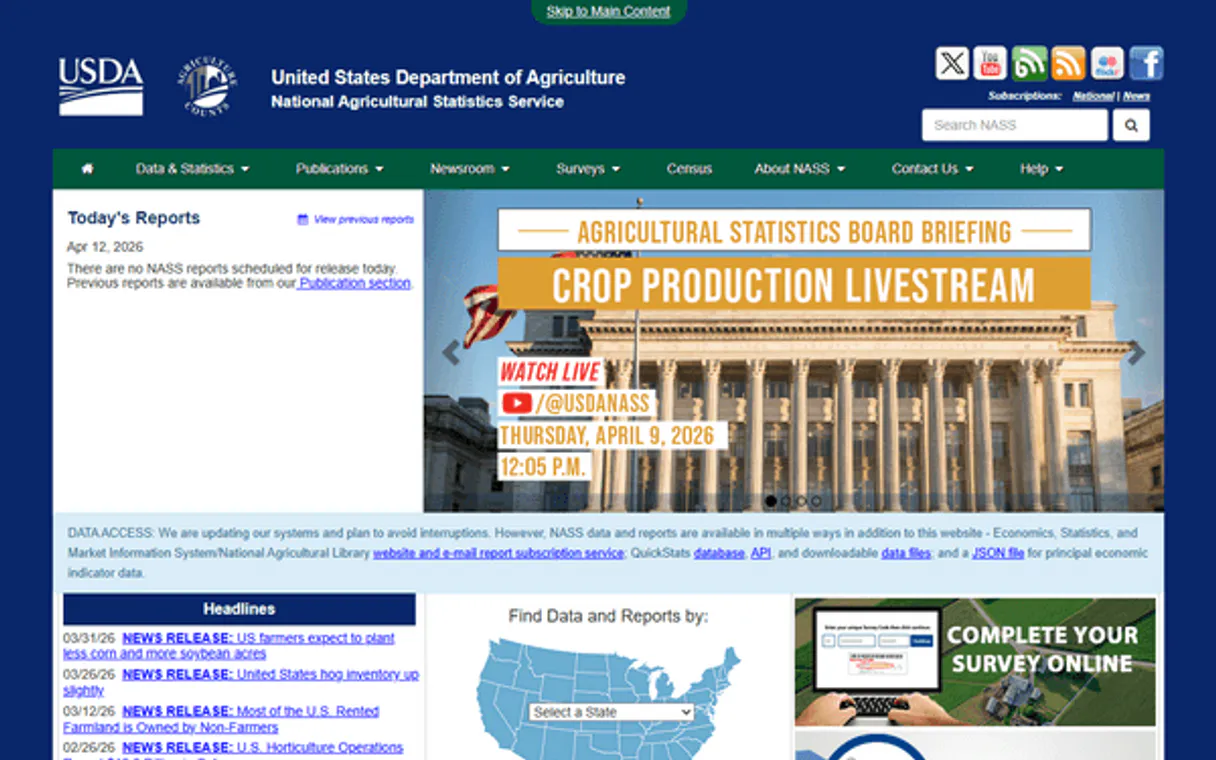
Independent Platform Disclaimer: Vinkius is an independent platform and is not affiliated with, endorsed by, sponsored by, verified by, or otherwise authorized by USDA NASS. All third-party trademarks, logos, and brand names are the property of their respective owners. Their use on this website is strictly for informational purposes to identify service compatibility and interoperability.
VINKIUS INFRASTRUCTURE
Cloud Hosted
Managed infra
V8 Isolated
Sandboxed per request
Zero-Trust Proxy
No stored credentials
DLP Enforced
Policy on every call
GDPR Compliant
EU data residency
Token Compression
~60% cost reduction
Works with Claude, ChatGPT, Cursor, and more
The Model Context Protocol standardizes how applications expose capabilities to LLMs. Instead of operating in isolation, your AI gains direct access to external platforms, live data, and real-world actions through secure, standardized connections.
This server provides 8 capabilities that interface natively with Claude, ChatGPT, Cursor, and any MCP client. No middleware. No custom integration required.
Available Capabilities
Sifting through USDA websites shouldn't feel like a PhD thesis.
Think about what it used to take. To compare corn yields and local farm economics, you needed to jump between the Quick Stats page for crops, then find the dedicated economic survey link, and manually cross-reference state codes and years across multiple spreadsheets. It was a tedious loop of clicking, downloading, and data cleaning.
Now, your AI agent handles it all. You just tell it: 'What were the corn yields in Iowa versus the average price received by farmers there in 2018?' The agent knows to run `get_crop_summary` and then `get_economics_data`, compiling a clean answer for you.
USDA NASS MCP Server: Get historical data across multiple sectors.
The biggest headache was connecting disparate datasets. If you needed to analyze how cattle inventory (from `get_livestock_summary`) correlated with the value of land (tracked in `get_economics_data`), you'd have to manage three separate data pipelines and ensure all timeframes matched up.
With this server, the AI manages the complexity. It handles the cross-referencing logic for different sectors—crops, livestock, economics, demographics—giving you one unified analysis that feels like talking to a seasoned consultant.
Common Questions About USDA NASS MCP
How do I get a USDA NASS API key? +
Visit nass.usda.gov/developer and register for a free API key. The key is delivered instantly via the web form. It's completely free with no usage cost.
What crops and commodities are available? +
The NASS Quick Stats database covers all major US agricultural commodities: CORN, SOYBEANS, WHEAT, COTTON, RICE, SORGHUM, OATS, BARLEY, HAY, PEANUTS, POTATOES for crops; CATTLE, HOGS, CHICKENS, TURKEYS, MILK, EGGS, HONEY for livestock; plus fruit, vegetables, nursery products and many more. Use get_param_values with param 'commodity' to see the complete list.
Can I filter data by state and year? +
Yes! All query tools support optional state and year parameters. State can be the full name (e.g. 'IOWA') or abbreviation (e.g. 'IA'). Year accepts specific years (e.g. '2024') or ranges. The data returned includes the state, year, commodity, value and unit for each record.
What kind of economic data is available? +
The ECONOMICS sector includes: prices received by farmers for crops and livestock, prices paid by farmers (inputs, feed, fuel), farm production expenses, farm real estate values, cash rent for cropland and pasture, and agricultural income data. Use get_economics_data to query by commodity, state and year.
How do I find all valid parameters before running a query with `get_quick_stats`? +
Start by calling the get_param_values() tool. This function returns the complete list of acceptable values for any filter—like states, commodities, or frequency types. Use this first; it's how you debug your input before querying data.
What is the best way to correlate crop production with farm income? +
You need a two-step process using separate tools. First, use get_crop_summary() for yield and acreage. Next, run get_economics_data(). Make sure you filter both calls by the same state and year so the data points match up.
I need a broad view; how do I search across multiple types of statistics for one commodity? +
Run search_by_commodity(commodity_name). This tool pulls in all available stats—production, price, inventory, and acreage—in one query. It's much faster than running individual summaries for each data type.
How do I know which survey data is the most recent or how often it’s collected? +
Check the metadata first by calling get_survey_info(). This tells you about collection frequencies and methodologies. If you're looking for operator details, use get_demographics_data() separately.
Use it with your favorite AI tools
Connect this server to Cursor, Claude, VS Code, and more.
More in this category
Metabase (Business Intelligence & Analytics)
Manage your BI environment via Metabase — list dashboards, retrieve visual questions (cards), and search data entities.

Emissions API
Manage your environmental research — audit air quality and gas emissions via AI.

Haversine Distance Engine
Calculate precise geographic distances between GPS coordinates instantly. Uses the Haversine formula for exact spherical routing.
You might also like
Uptime.com
Monitor website and API uptime from 30+ global locations with instant alerts when downtime hits any of your services.

Ayuntamiento de Barcelona (CKAN)
Access the Open Data BCN portal to query urban datasets, environmental records, and public statistics directly through AI.

DottedSign
E-signature and document management with DottedSign.