
UserStack User-Agent Lookup MCP. Identify OS, browser, and device from any raw string.
 Gemini
 Works with every AI agent you already use
…and any MCP-compatible client









Just plug in your AI agents and start using Vinkius.
UserStack User-Agent Lookup. This MCP server parses raw User-Agent strings, instantly identifying device type, operating system, browser version, and brand from any client request.
Your AI agent gets structured data about who's making the call—whether it’s a desktop Chrome user or a Googlebot crawler.
What your AI agents can do
Detect user agent
Parses a User-Agent string and returns structured data identifying the device, operating system, browser version, and bot status.
The tool determines if the request originates from a mobile phone, desktop, or tablet.
It pulls out the specific operating system (like macOS or Windows) and the full browser version used by the client.
The server reads the string to provide the manufacturer's name, such as Apple or Samsung.
It checks if a request is from a known search engine bot (like Googlebot) versus a human user.
The tool takes the messy User-Agent string and converts it into clean, usable parameters for your agent to process.
Ask AI about this MCP
Supported MCP Clients
Gemini Waiting for input…
UserStack User-Agent Lookup: 1 Tool for Client Analysis
Use the single `detect_user_agent` tool to take raw web traffic strings and convert them into actionable, structured data about the client's environment.
019d8497detect user agent
Parses a User-Agent string and returns structured data identifying the device, operating system, browser version, and bot status.
Choose How to Get Started
Build a custom MCP for your own tools, or connect a ready-made integration from our catalog.
Build Your Own
Turn any API into an MCP. Import a spec, define Agent Skills, or deploy with MCPFusion.
- Import from OpenAPI, Swagger, or YAML specs
- Create Agent Skills with progressive disclosure
- Deploy to edge with MCPFusion framework
- Built in DLP, auth, and compliance on every call
- Real time usage dashboard and cost metering
- Publish to catalog or keep private
Make Your AI Do More
Start with UserStack User-Agent Lookup, then connect any of our 4,700+ other servers whenever your AI needs more. One click, no limits.
- Use this MCP plus 4,700+ others, all in one place
- Add new capabilities to your AI anytime you want
- Every connection is secured and compliant automatically
- Track usage and costs across all your servers
- Works with Claude, ChatGPT, Cursor, and more
- New servers added to the catalog every week
What you can do with this MCP connector
When your AI agent runs into messy web traffic logs, it doesn't know what to do with raw User-Agent strings. That’s where the UserStack User-Agent Lookup server steps in. It uses a single tool, detect_user_agent, to instantly turn that jumble of text into structured data your agent can actually use.
This isn't just reading a string; it’s parsing complex client requests to figure out exactly who's making the call—whether it’s a human browsing on an iPhone or some automated search crawler.
Your AI agent gets granular details about the requesting device. The detect_user_agent tool first classifies the entire platform, telling you immediately if the request came from a mobile phone, a desktop computer, or a tablet. It handles the subtle differences between these categories so your agent knows how to adjust its behavior accordingly.
It pulls out deep technical details about the client's software. You’ll get the specific operating system—be it macOS, Windows, Android, or iOS—along with the full browser version number used by the client. This is crucial; knowing if a user is on Chrome 120 versus Chrome 123 changes how your agent needs to format outgoing requests.
Beyond just OS and browser versions, the server identifies the manufacturer's name. It reads the string to provide the brand data for the device, giving you names like Apple or Samsung. This level of detail helps your agent profile user hardware reliably.
The tool also checks if a request is coming from a known automated source. It detects whether the call originates from a human user or an established search engine bot, such as Googlebot. Your agent gets clear binary data on this front: human interaction versus programmatic scraping. This capability helps you differentiate between real-world usage and algorithmic polling.
The entire process revolves around taking that messy User-Agent string—the raw input—and converting it into clean, usable parameters for your agent to consume. The detect_user_agent tool doesn't just guess; it systematically structures the data points. It takes all the disparate pieces of information—platform type, OS version, browser name, device brand, and bot status—and packages them together in a format your AI client can process instantly.
If you’re auditing web traffic patterns or building personalized user experiences, this is what happens: Your agent sends the raw User-Agent string to detect_user_agent. The tool runs its parsing logic, returning structured fields. You immediately know if the request was initiated by a desktop Chrome user running Windows 11, or maybe an Apple Safari browser on an iPadOS device.
It doesn't leave anything vague; it gives you specific versions and brands.
This detailed breakdown lets your agent act like a dedicated network analyst when reviewing logs. Instead of just seeing 'browser detected,' the agent sees 'Chrome vX.Y running on Windows 10.' This specificity allows developers to write highly targeted code paths or adjust data models based on precise client environments. It's robust enough that if you feed it an unusual combination—say, a niche embedded device browser—it still provides the best classification possible across all known metrics.
It’s essential for debugging where platform-specific bugs are hiding, and for building APIs that need to behave differently depending on whether they detect Googlebot or a user with specific mobile hardware. The detect_user_agent tool handles this complex differentiation instantly, ensuring your agent's actions are always informed by the precise client context.
How UserStack User-Agent Lookup MCP Works
- 1 Subscribe to this server and get your UserStack Access Key from userstack.com.
- 2 Input the raw User-Agent string directly into your AI client's prompt or workflow.
- 3 Your agent calls the
detect_user_agenttool, which returns clean JSON data detailing the device, OS, browser, and bot status.
The bottom line is: you feed it a raw User-Agent string, and it spits out structured facts about what kind of machine sent the request.
Who Is UserStack User-Agent Lookup MCP For?
Web Developers who spend too long debugging why their site breaks on an old version of Safari. Security Analysts tracking down suspicious traffic in web logs. Digital Marketers needing to know which device types use their content most often. Ops Engineers automating the classification of incoming API requests.
Uses detect_user_agent during testing to verify if specific CSS or JavaScript features run correctly across different browsers and OS versions.
Runs the tool on suspicious web log entries to immediately determine if an incoming request is a known bot, a scraper, or genuinely human traffic.
Analyzes visitor data by running detect_user_agent against tracking logs to profile the technology used by different segments of their audience.
What Changes When You Connect
- Structured Data: Instead of reading paragraphs of text, your agent gets clean parameters. You can immediately use the output to gate functionality—for example, showing a specific layout only if
detect_user_agentconfirms the client is 'mobile'. - Bot Differentiation: Need to know if traffic is real? Running
detect_user_agenttells you instantly if the request comes from Googlebot or a human. This lets your agent skip processing known scrapers and focus on actual users. - OS Compatibility Checks: Debugging across platforms is tough. The tool provides precise OS information (e.g., 'Windows 10' vs 'macOS Monterey'), letting you build logic that only runs if the client meets specific environmental requirements.
- Device Profiling: You can figure out exactly what hardware a visitor uses—is it an iPhone, a Samsung tablet, or an old desktop? This level of detail is critical for targeted marketing and UX design.
- Efficiency in Auditing: It moves technical auditing from manual log searching to natural conversation. Your agent does the heavy lifting, giving you instant verification on client capabilities.
Real-World Use Cases
Debugging a Cross-Browser Bug
A developer notices an error only occurs sometimes. They pass the questionable User-Agent string to their agent. The agent uses detect_user_agent and reports: 'This is Safari mobile, version 14.1.1.' Now the dev knows exactly which corner case they need to fix.
Filtering Bot Traffic
A site gets flooded with junk traffic from scrapers. Instead of blocking everything, the ops team prompts their agent with a batch of User-Agents. The agent runs detect_user_agent on each one and returns only the IPs linked to confirmed human browsers.
Personalizing Content Streams
A digital marketer wants to show different content based on screen size. They pipe the incoming request UA through their agent, which runs detect_user_agent. If the result is 'mobile', the agent serves a simplified version of the page.
Verifying Client Capabilities
A legacy system needs to know if the client supports modern APIs. The developer uses detect_user_agent to check for specific OS markers, ensuring they don't waste time building features that half their user base can't run.
The Tradeoffs
Treating UA as a security guarantee
Assuming that if the User-Agent says 'Google Chrome,' the client is safe and authorized. This doesn't account for spoofing or proxy usage.
→
Use detect_user_agent only for logging and classification. Never rely on it for authentication; always implement a secondary, cryptographically verifiable ID alongside this data.
Ignoring the structure of the output
Asking the agent to 'figure out what this string means' without asking it to use detect_user_agent. This results in vague, narrative descriptions instead of actionable fields.
→
Always call detect_user_agent explicitly. Then ask your agent: 'Based on the structured output from detect_user_agent, what is the primary device type?'
Over-relying on version numbers
Building critical logic that breaks when a browser updates its minor version (e.g., relying solely on 'Chrome/91' vs 'Chrome/92').
→ Use the tool to classify by major category (Mobile vs Desktop) first, then use the specific version number only for debugging or highly niche compatibility checks.
When It Fits, When It Doesn't
You should use this server if your primary need is client classification—meaning you just need to know what device or browser sent the request for logging, analytics, or basic conditional rendering. It's perfect for identifying patterns in web traffic.
Don't use it if your business logic requires absolute trust. If you are determining payment eligibility, handling private data, or enforcing critical security permissions, User-Agent strings are insufficient because they are easily spoofed by anyone running a simple proxy script. For those scenarios, mandate dedicated authentication methods like OAuth tokens or Mutual TLS alongside using detect_user_agent for informational context only.
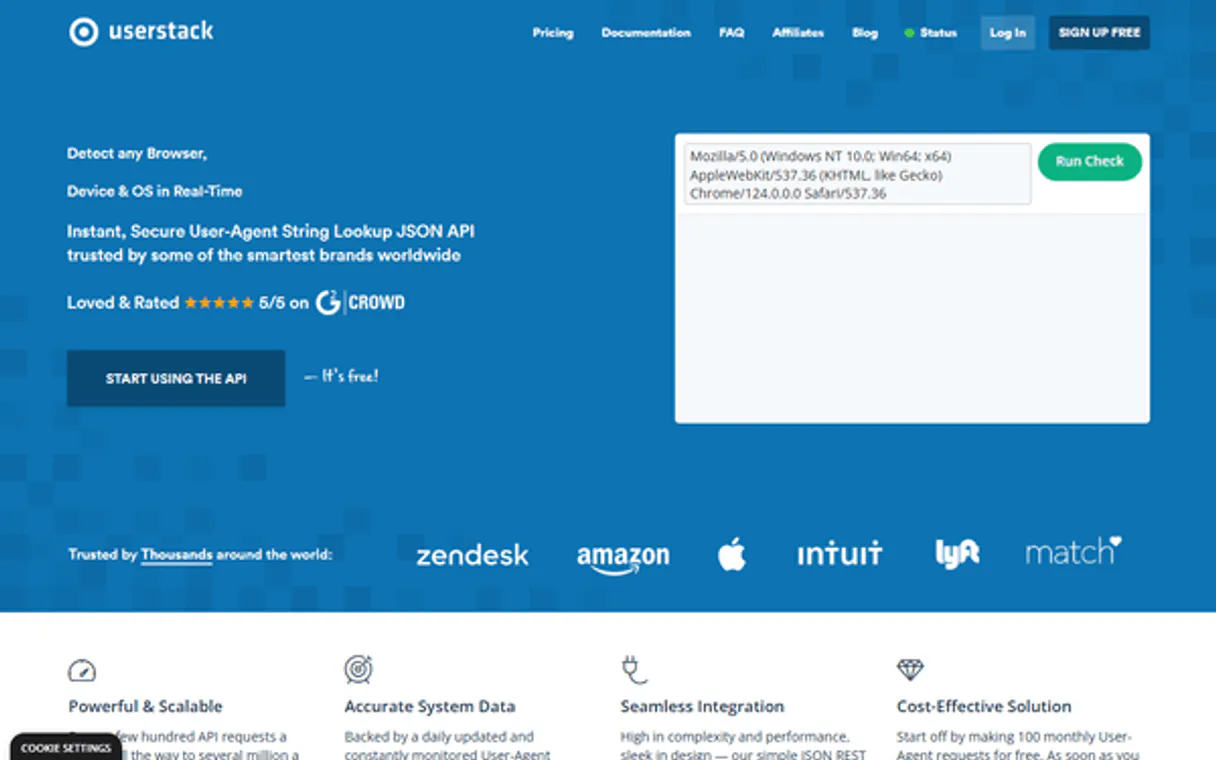
Independent Platform Disclaimer: Vinkius is an independent platform and is not affiliated with, endorsed by, sponsored by, verified by, or otherwise authorized by UserStack. All third-party trademarks, logos, and brand names are the property of their respective owners. Their use on this website is strictly for informational purposes to identify service compatibility and interoperability.
VINKIUS INFRASTRUCTURE
Cloud Hosted
Managed infra
V8 Isolated
Sandboxed per request
Zero-Trust Proxy
No stored credentials
DLP Enforced
Policy on every call
GDPR Compliant
EU data residency
Token Compression
~60% cost reduction
Works with Claude, ChatGPT, Cursor, and more
The Model Context Protocol standardizes how applications expose capabilities to LLMs. Instead of operating in isolation, your AI gains direct access to external platforms, live data, and real-world actions through secure, standardized connections.
This server provides 1 capabilities that interface natively with Claude, ChatGPT, Cursor, and any MCP client. No middleware. No custom integration required.
Available Capabilities
Figuring out who's behind the traffic shouldn't take log file regex and five different tabs.
Today, analyzing user traffic means sifting through massive web server logs. You gotta write complex regular expressions just to pull out the device type, then manually cross-reference that data with a separate database of known operating systems. It’s slow, it’s error-prone, and if the client slightly changes their UA string, your whole parsing job breaks.
With UserStack User-Agent Lookup MCP Server, you feed the agent the raw log entry. The server handles all that complexity instantly, spitting out clean JSON fields for device type, OS, and browser version. You get structured data—no more regex nightmares.
UserStack User-Agent Lookup MCP Server: Get Facts, Not Fluff
Manual debugging used to involve copy-pasting a suspicious UA string into an online checker tool and then having to manually translate the results back into actionable data for your team. You lost context every time you switched tabs.
Now, just hand it to your agent. The `detect_user_agent` tool handles the parsing and delivers a structured readout right where you are working. It's immediate, precise technical insight.
Common Questions About UserStack User-Agent Lookup MCP
How does UserStack User-Agent Lookup MCP Server detect if I'm running on mobile? +
The detect_user_agent tool classifies the client platform into Mobile, Desktop, or Tablet. This classification is based on known device signatures within the raw string.
Can UserStack User-Agent Lookup MCP Server tell me if traffic is from a bot? +
Yes. The tool checks the UA against known patterns and reports whether the source is a verified search engine crawler (like Googlebot) or likely human activity.
What information does `detect_user_agent` return about my browser? +
detect_user_agent returns the full browser version number and name. For example, it can distinguish between Chrome 91 and Chrome 92.
Does UserStack User-Agent Lookup MCP Server work with all AI clients? +
Yes, because it uses the Model Context Protocol (MCP), any compatible AI client—Claude, Cursor, VS Code, etc.—can connect to and use this server's tools.
How do I authenticate when running the `detect_user_agent` tool? +
You must use your dedicated UserStack Access Key for authentication. You provide this key to your AI client or environment variable, which allows the MCP server access. Never hardcode this key; always manage it securely through your deployment system.
What happens if I pass malformed data to `detect_user_agent`? +
The tool is built for robustness and will not fail on garbage input. It parses what information it can extract from the string, returning structured data fields where possible. This means even incomplete User-Agents give you partial context.
Are there rate limits when calling `detect_user_agent`? +
Yes, usage is governed by your subscription tier and plan limits. High-volume users should monitor their request counts to avoid throttling. The MCP server will provide standard rate limit error codes if you hit a cap.
Can `detect_user_agent` help me debug OS compatibility issues? +
Absolutely. It provides detailed operating system and device profiles, letting you know exactly which version of Windows or macOS the request came from. This helps you target specific CSS rules or JavaScript functionality for precise debugging.
Can I identify if a user is on an iPhone? +
Yes! Use the detect_user_agent tool. The response will include the device brand ('Apple') and the specific model or type if available in the UA string.
Does this server detect search engine bots? +
Yes. The underlying API identifies known crawlers like Googlebot or Bingbot. The agent will explicitly state if the detected agent is a crawler.
Can I parse multiple User-Agents at once? +
Currently, the detect_user_agent tool processes one string per call. You can ask your AI agent to perform sequential checks for a list of strings.
Use it with your favorite AI tools
Connect this server to Cursor, Claude, VS Code, and more.
More in this category

Keycloak
Manage identity and access control — list realms, manage users, configure clients, and handle security roles directly from your AI agent.

DevCycle
Equip your AI agent to manage feature flags, monitor environments, and track variations via the DevCycle API.

Mux
Manage video assets and live streams via Mux — create assets and track performance directly from your AI agent.
You might also like
Knorish
Launch your online school and sell courses with a platform that bundles LMS, website builder, and payment processing together.

BL.INK
Manage enterprise links via BL.INK — shorten URLs, track analytics, and manage branded domains directly from any AI agent.
Extracta
Automate data extraction via Extracta — process documents into structured JSON, handle AI classification, and audit extraction history directly from any AI agent.