
Connect Vadoo MCP to Cursor via Vinkius.
Generate viral clips from video data directly from your IDE.
Bring Ai Video Generation
to Cursor
Create your Vinkius account to connect Vadoo to Cursor and route execution through our secure gateway. The platform manages server hosting, runtime updates, and security layers. Configuration requires no manual server provisioning.
 GDPR Free for Subscribers
What Cursor can do with Vadoo MCP Server
Connect your Vadoo AI account to any AI agent and simplify how you generate, edit, and optimize your video content through natural conversation.
What you can do
- AI Video Generation. Create high-quality videos from simple text prompts or scripts instantly.
- Viral Clip Creation. Extract short, social-media-ready clips from long-form video URLs (like YouTube).
- Automated Captioning. Generate and overlay captions onto your videos to increase engagement and accessibility.
- AI Podcasts. Trigger the creation of conversational 2-person podcasts from any topic or text source.
- Content Library. List all your generated videos and retrieve direct download links and metadata.
How it works
- Subscribe to this server
- Enter your Vadoo AI API Key (found in your account dashboard)
- Start generating and editing your video content from Claude, Cursor, or any MCP client
Who is this for?
- Content Creators & YouTubers. Quickly generate viral shorts and captions via simple AI commands.
- Marketing Teams. Automate the creation of promotional videos and social media assets.
- Podcasters. Change text-based topics into interactive AI-generated conversational audio.
"List all the AI videos I've generated so far."
I've retrieved your video library. You have 8 generated videos, including 'Marketing Intro', 'Product Demo v1', and 'AI News Weekly'. Which one would you like to get the download link for?
Isolated on Cursor.
Enforced across all tools.
Provision Vadoo for Cursor now. Expand to additional AI engines at any time with a single account and unified credential store.
Cross-platform
10+
AI clients. Simultaneous.
One Vinkius account distributes to every supported AI client in parallel.
MCP Catalog
4,500+
Isolated MCP Servers
CRM, payments, analytics, DevOps, bind any combination from the catalog. Governed.
Portability
Zero
lock-in. Ever.
Vinkius runs the infrastructure. Every MCP Server connection is portable by design.
Governance
Full
operational control
Policies, runbooks, RBAC, audit trails, and token budgets. Every MCP Server from one place.
Vadoo talks.
Vinkius decides what Cursor hears.
Every response is filtered, logged, and gated before reaching the AI agent. No raw data passes through.
Vadoo
raw payload
DLP
Tokens, PII, secrets redacted
Audit
Write-once log, tamper-proof
RBAC
Roles, approvals, circuit breaker
Cursor
clean data only
* Every connection is hosted and maintained by Vinkius. We handle the security, updates, and infrastructure so you don't have to write code or manage servers. See our infrastructure
Cursor executes. Vinkius governs.
Guardrails, token cost tracking, audit logs, and usage analytics for every Vadoo tool call are managed from a single dashboard. Vinkius operates the routing and scaling infrastructure.
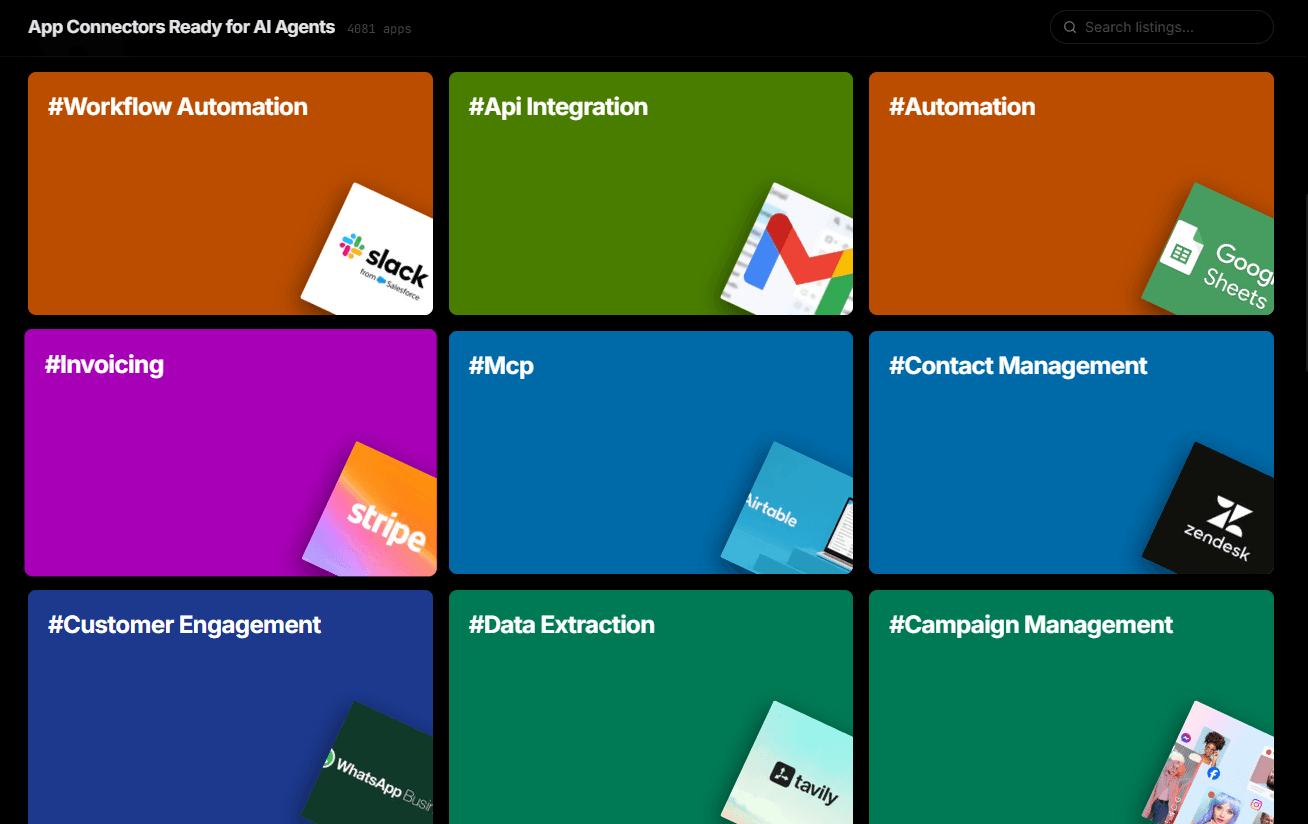
Over 4,000 integrations ready for AI agents
Explore a vast library of pre-built integrations, optimized and ready to deploy.
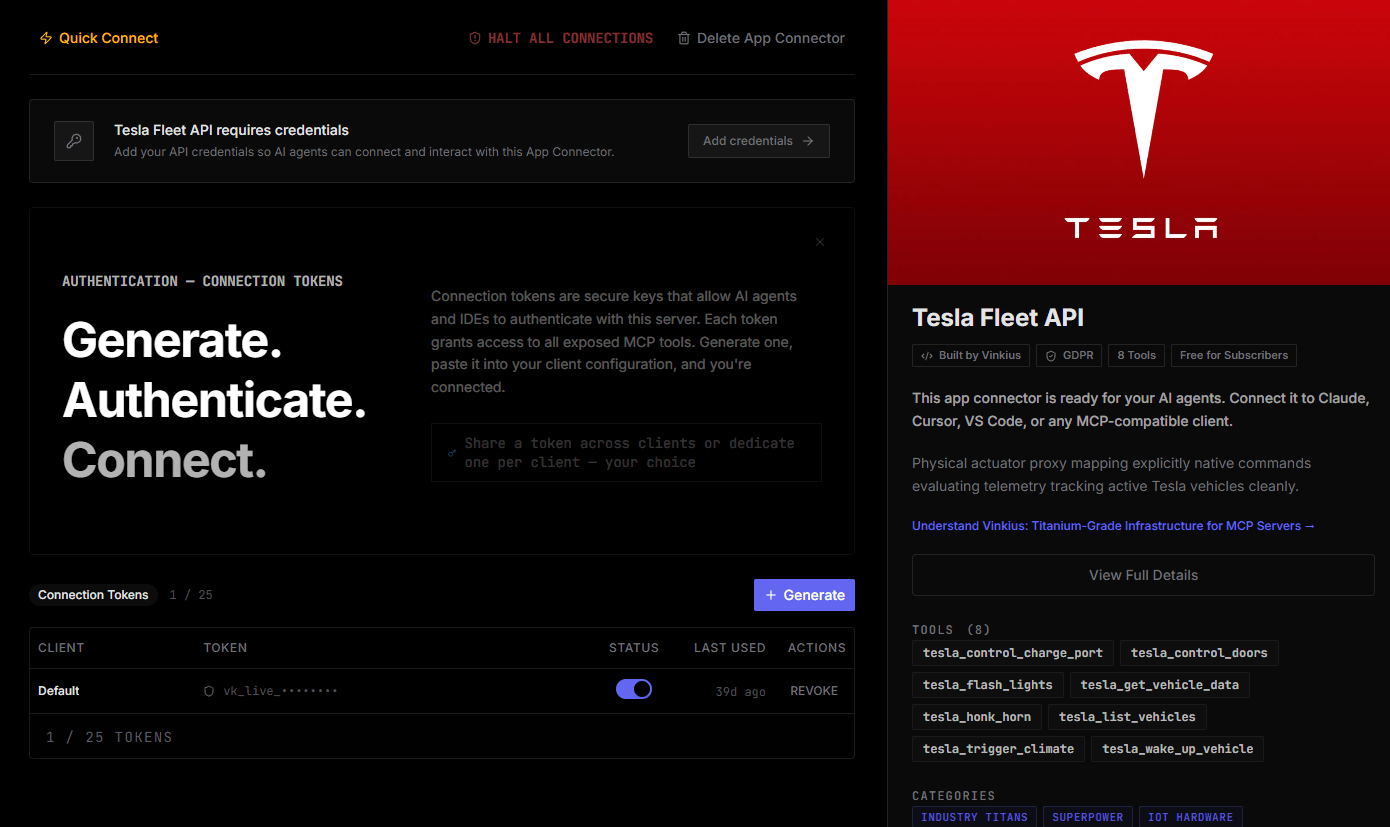
Connect securely in under 30 seconds
Generate tokens to authenticate and link external services in a single step.
Complete visibility into every agent action
Audit live requests, latency, success rates, and active security compliance policies.
Optimize spending and track token ROI
Analyze real-time token consumption and cost metrics detailed by connection.
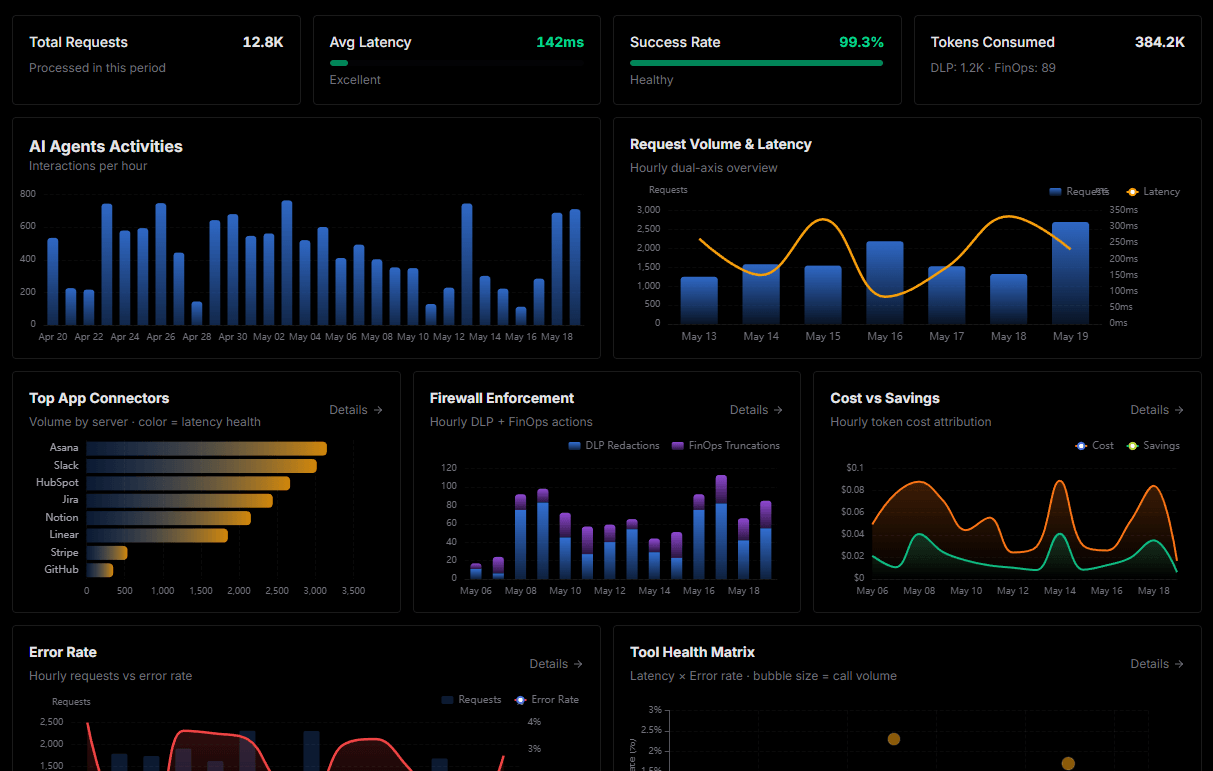
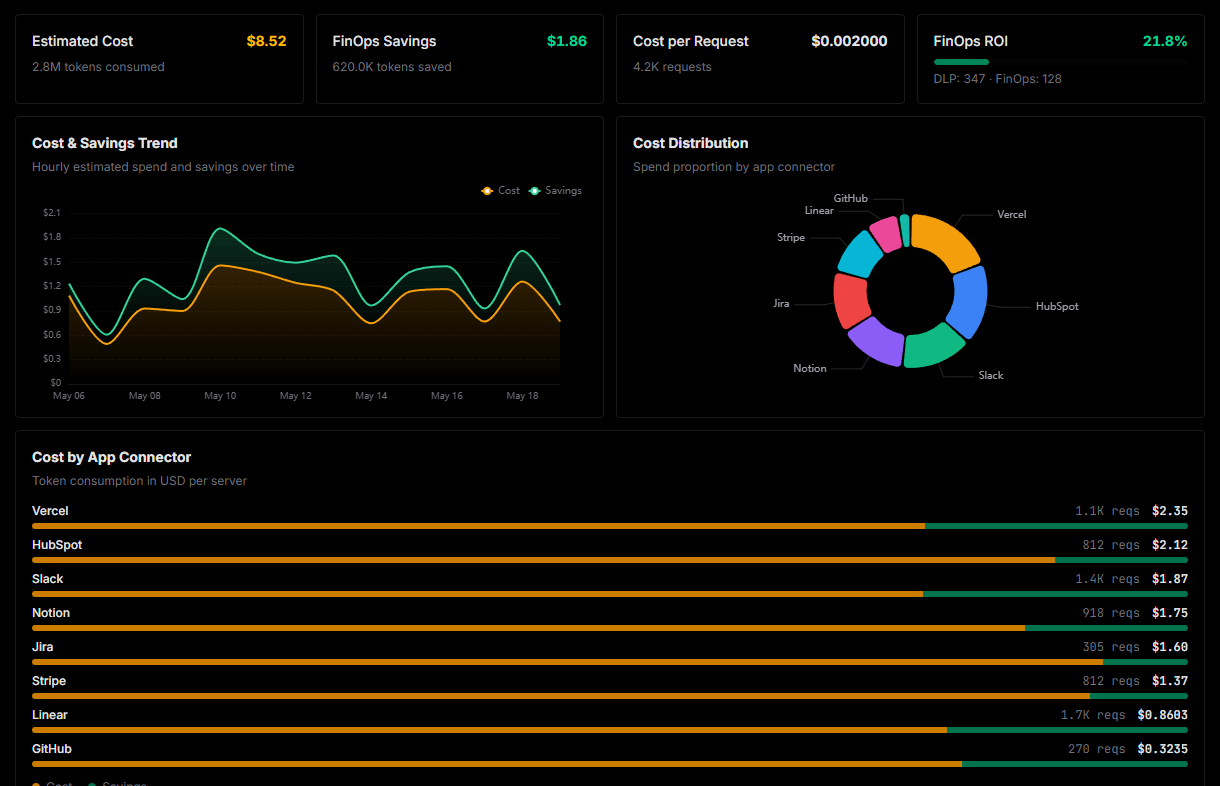
Explore our live AI Agents Analytics dashboard to see it all working
This dashboard is included when you connect Vadoo using Vinkius. You will never be left in the dark about what your AI agents are doing with your tools.
Vadoo and the entire MCP catalog. No arbitrary hosting. Zero-trust by default.
Deploying Vadoo to Cursor via Vinkius eliminates custom development, server maintenance, and security overhead. Integration profiles are pre-compiled and run on dedicated sandboxed infrastructure.
Raw MCP | Vinkius | |
|---|---|---|
| Hardened MCPs | Find and configure each manually | Full catalog sandboxed |
| Connection Setup | Manual coding & server setup | Isolated synchronous binding |
| Server Hosting | You host it yourself (needs 24/7 uptime) | 100% hosted & managed by Vinkius |
| Security & Privacy | Stored in plaintext config files | Bank-grade encrypted vault |
| Activity Visibility | Blind execution (no logs or tracking) | Live dashboard with real-time logs |
| Cost Control | Runaway AI token spend risk | Automatic budget limits |
| Revoking Access | Must delete files or code to stop | 1-click disconnect button |
How Vinkius secures
Vadoo for Cursor
All transactions between Cursor and Vadoo pass through a secure egress gateway. Vinkius redacts sensitive payloads, enforces allowlist constraints, and supports immediate connection revocation.
Frequently asked questions
Can I generate a video in a specific aspect ratio?
Yes! When using the generate_video tool, you can specify the ratio parameter (e.g., '9:16' for vertical shorts or '16:9' for horizontal videos).
How do I turn a long YouTube video into viral clips?
Use the create_clips action and provide the YouTube URL. Vadoo AI will analyze the content and automatically extract high-potential segments for social media.
Is it possible to add captions to an existing video ID?
Absolutely. Use the add_captions tool and provide the Video ID. The AI will generate and overlay the subtitles onto that specific video in your library.
What is Agent mode and why does it matter for MCP?
Agent mode is Cursor's autonomous execution mode where the AI can perform multi-step tasks: reading files, editing code, running terminal commands, and calling MCP tools. Without Agent mode, Cursor operates in a simpler ask-and-answer mode that doesn't support tool calling. Always ensure you're in Agent mode when working with MCP servers.
Where does Cursor store MCP configuration?
Cursor looks for MCP server configurations in a mcp.json file. You can configure servers at the project level (.cursor/mcp.json in your project root) or globally (~/.cursor/mcp.json). Project-level configs take precedence.
Can Cursor use MCP tools in inline edits?
No. MCP tools are only available in Agent mode through the chat panel. Inline completions and Tab suggestions do not trigger MCP tool calls. This is by design. tool calls require user visibility and approval.
How do I verify MCP tools are loaded?
Open Settings → Features → MCP and look for your server name. A green indicator means the server is connected. You can also check Agent mode's available tools by clicking the tools dropdown in the chat panel.
Tools not appearing in Cursor
Ensure you are in Agent mode (not Ask mode). MCP tools only work in Agent mode.
Server shows as disconnected
Check Settings → Features → MCP and verify the server status. Try clicking the refresh button.
Explore More MCP Servers
View all →
Superdocu
12 toolsAutomate document collection and client onboarding with Superdocu and AI agents.

Exponential Smoothing Engine
1 toolsApply Simple Exponential Smoothing (Holt-Winters family) for local deterministic time-series forecasting.

Pinata Cloud
12 toolsAutomate IPFS pinning and decentralized storage via Pinata. Manage files, JSON, and groups directly with AI.

PubMed
3 toolsSearch 37M+ biomedical research articles from the world's largest medical literature database. With full abstracts, authors, MeSH terms, and citation tracking.